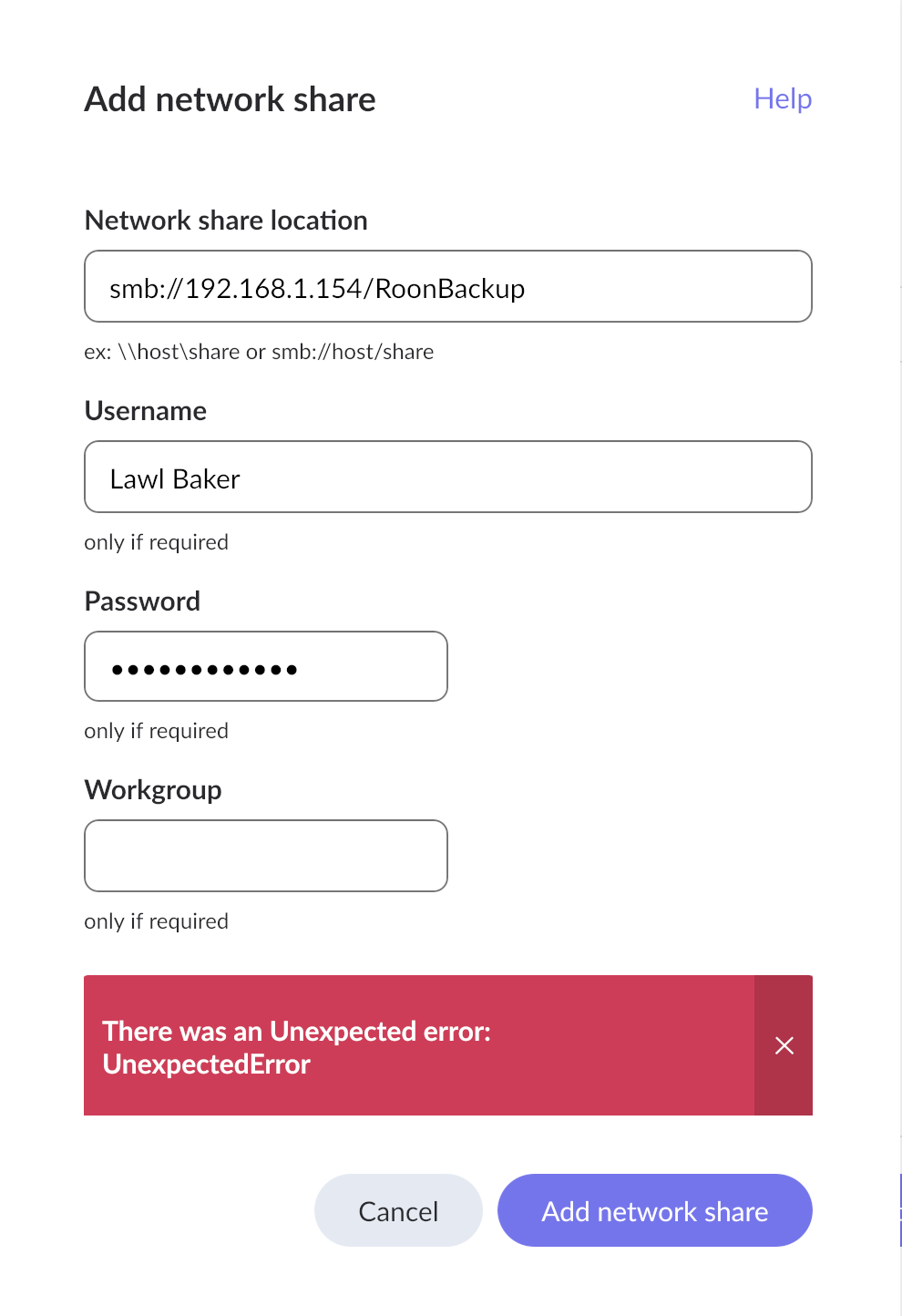
I have a Roon Nucleus and wish to back up to an external hard drive connected ot my iMac (. Though I know the Network address of my computer, I am stumped as to what else to put, as no computer or drive appears when I try to reach for a network drive. I put in what I think may be right but get an error message. I have read issues other people have had but solutions just confuse me more. I am not technically savvy, unfortunately. I would appreciate of someone can assist. Thank you. The Eror message says “There was an Unexpected error: UnexpectedError”
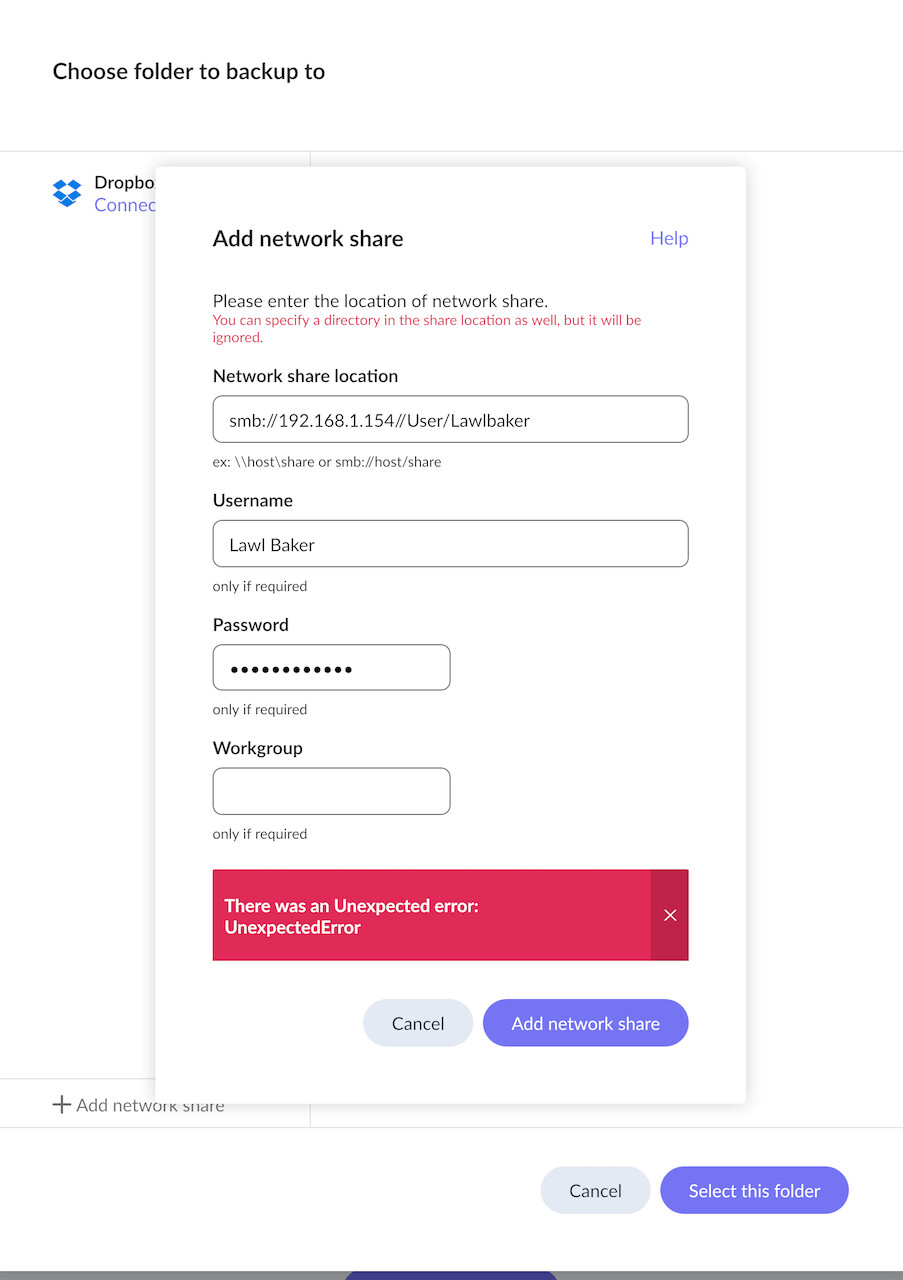
For a start, you have an incorrect entry for the Network share location. It should have the format of
smb://192.168.1.154/<shared folder name>
I suspect also that you have not yet set up a shared folder on your Mac to hold the backup. Please read this help article on setting up a Watched Folder on a Mac. The procedure is the same for setting up a Backup Folder on a Mac.
I just went through this while trying to set up a network share for backing up Roon over my local network.
That error message doesn’t help much, does it?
I’m no expert, but I’d first suggest… did you set up a shared folder on the destination Mac? And then after you do, point to it without using the full path. (Edit: As Geoff has suggested above.)
Check out this post, where I’ve done a step-by-step to getting it done, and let me know if you have any questions or success after that.
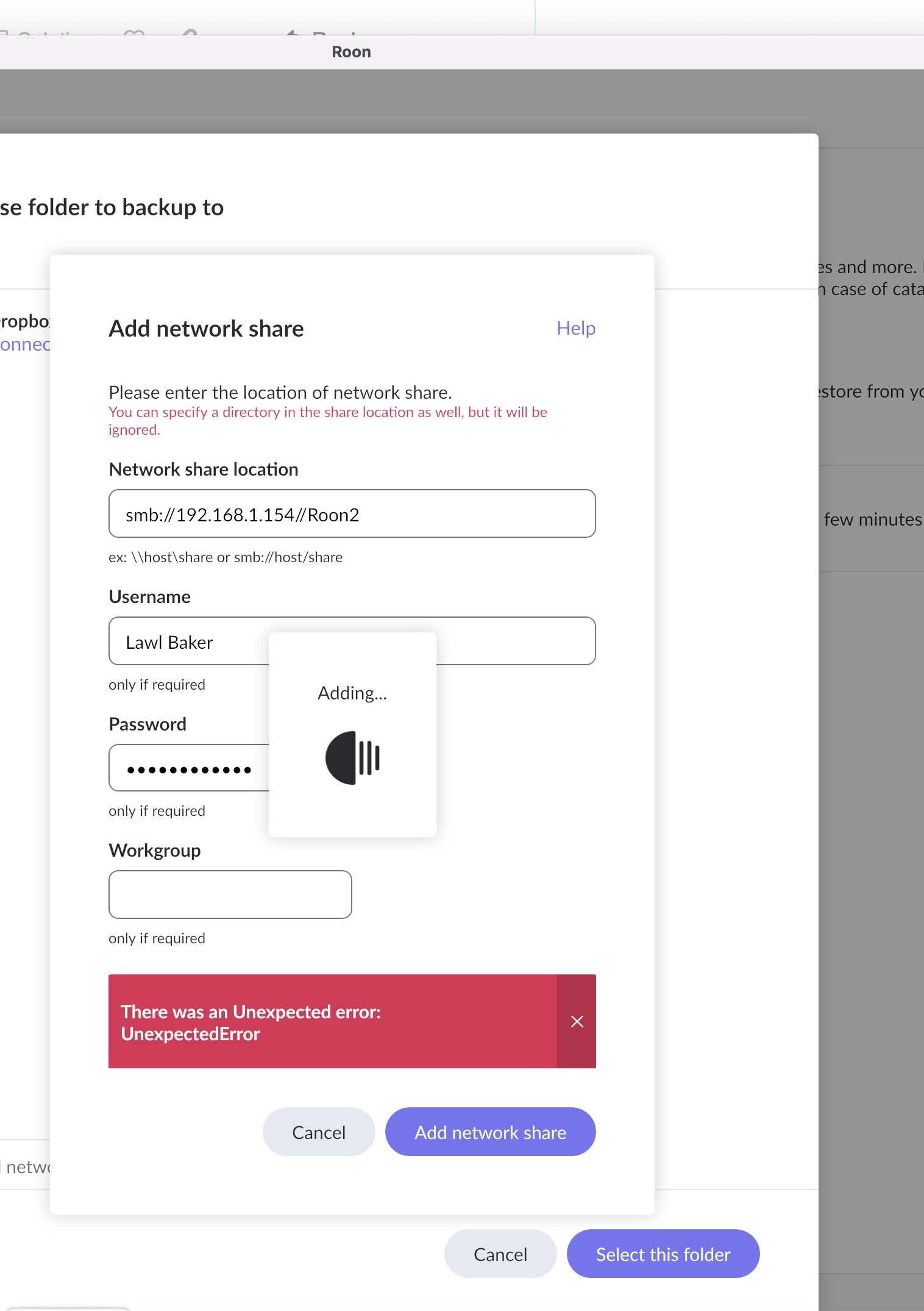
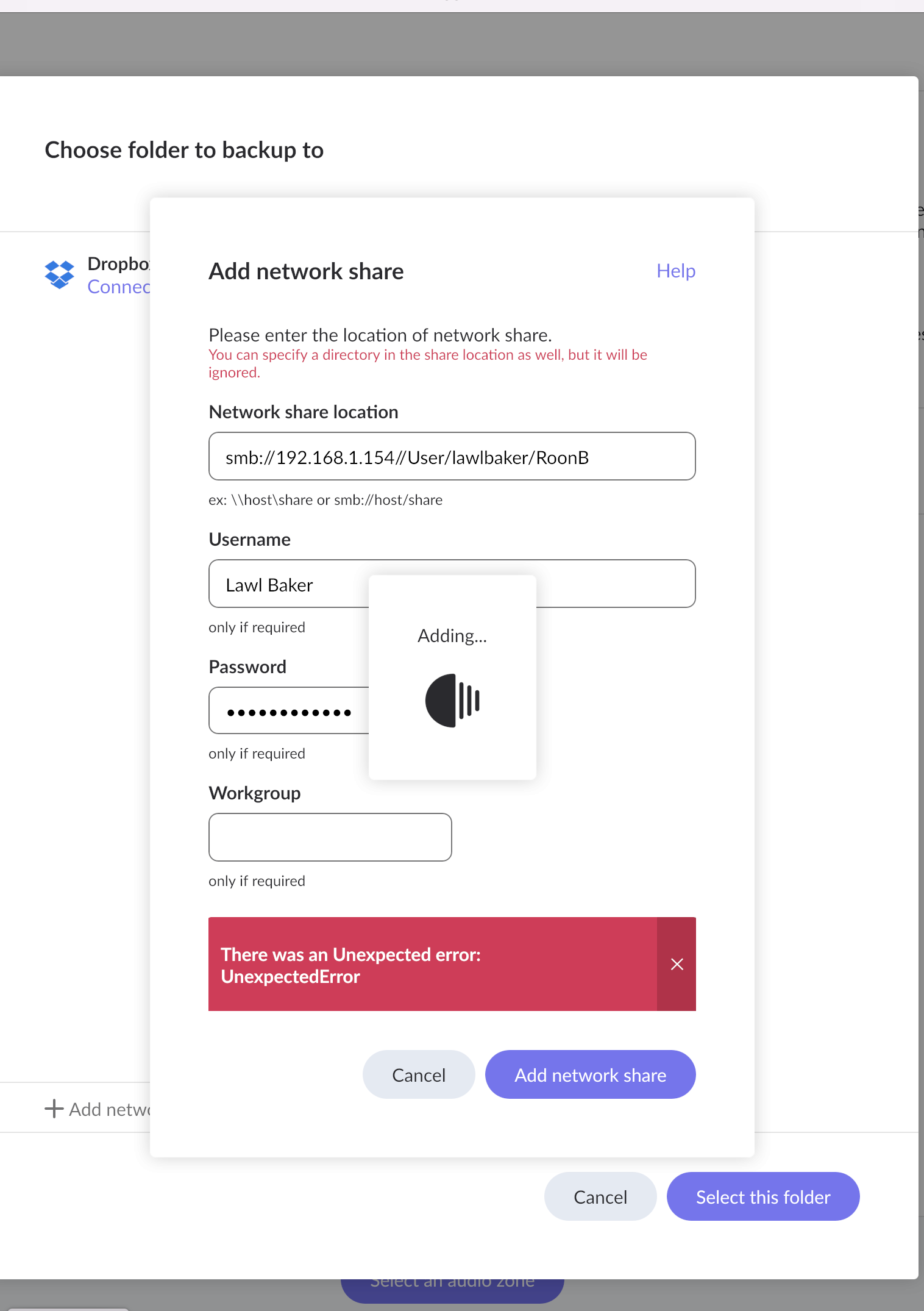
You still haven’t got the format right.
There is just one “/” between the <IP address> and the <shared folder name>

I’m not a Mac user; I’m a Windows user, so hopefully a Mac member of the community will be able to help you further.
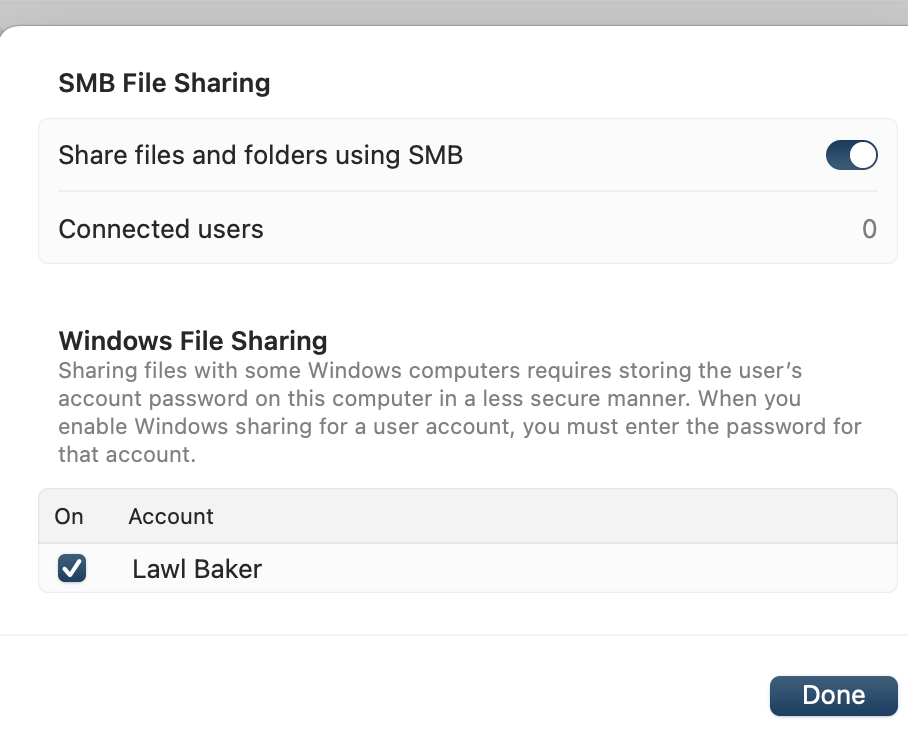
I think there’s an issue with the username. I believe that you need to use the internal representation of your username, which will be a simplified form of Lawl Baker
There’s a similar issue with Windows - I need to use the internal local account name form instead of my Microsoft Account form in this Roon Network share screen.
Thanks. I tried that, tried everything I can think of too, but so far, to no avail. I am clearly doing something wrong but cannot figure it out. It’s a shame I cant drag and drop the folder into Roon settings, as I can on some other products. But nonetheless, I am sure another rMac user will be able to help. Lawl
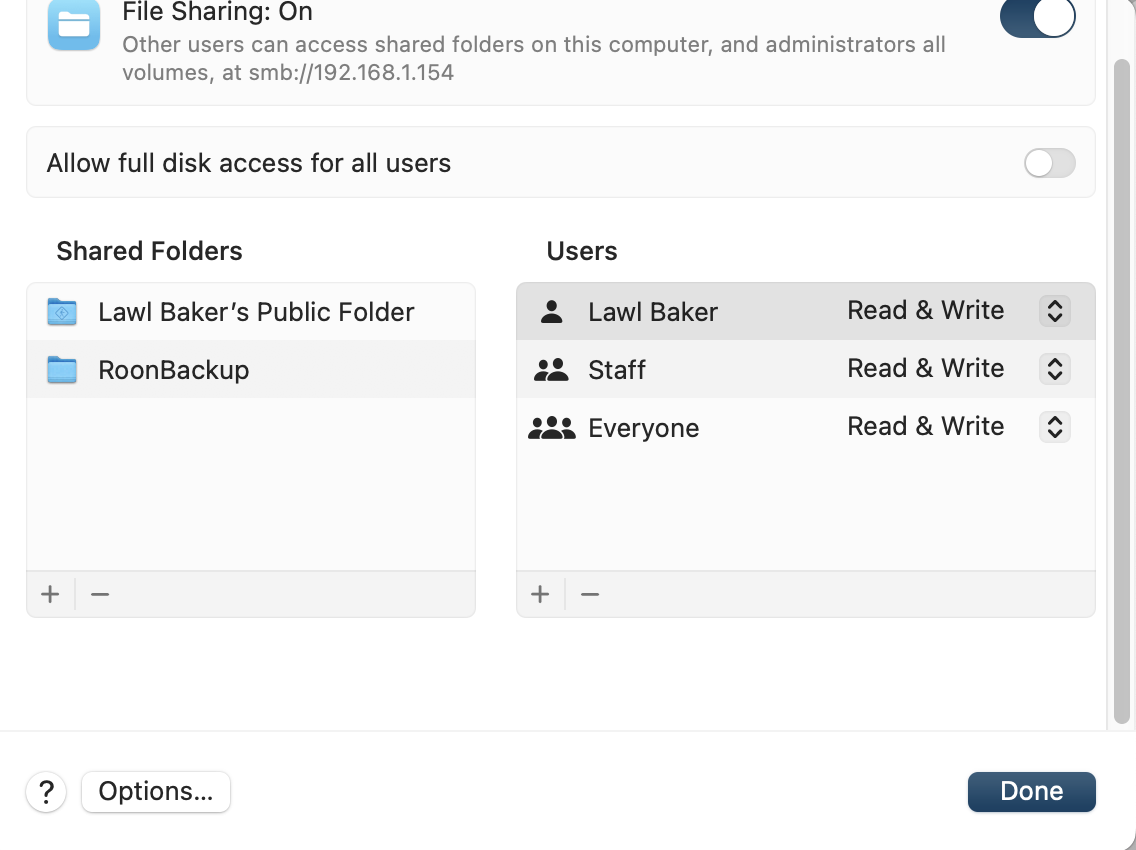
Time Capsule?
That might be your trouble right there. To find out if that’s the case, try creating a folder on your Mac hard disk, not on the Time Capsule, and then point to that folder.
If that doesn’t work, try creating an Admin account on your Mac using a single-word username, instead of the two-word “Lawl Baker”. “LBaker” might be better if Roon is choking on the space in the current username.
These are simple things to try, and because of the inspecific nature of the error message, you might have to poke around in the dark a bit.
I tried time capsule because it showed up on by network search, I have also tried a folder on my iMac and an external drive connected ot my Mac. Its searching (the Roon icon shows) but then an unexpected error message arrives.
Okay, then have you tried the alternate syntax for pointing to the folder within Roon?
Do you have a VPN on? (Clutching at straws, here.)
Beyond that, I’m quite out of ideas.
You tried this with the smb://192.168.1.154/RoonB syntax? You’d never given a pic with this syntax used.
In the examples, given you’d tried it but had an issue with using too many slashes. Then all the other examples after you’d corrected the slash issue with going back to using the /user/username in the location when it should just be the IP and share name.
Your username on your Mac is not your full name with spaces. It’s a single string with no spaces that you can see by opening a terminal window and typing the command “whoami”. It is quite possibly, in your case, “lawl”.
I would concur that there’s a problem with the space in the username.
But what do I know?
@lawrence_Baker any update?
Yes, just to give an update on my situation, despite my best efforts and following all the advised and other suggestions form Mac users, I was unable to get the backup working, either on my Mac or externally connected hard drive.
I did however have immediate success when I attached an external ssd to the Nucleus, with the drive being found and backup starting within just a few minutes.
I don’t suppose I’ll ever fathom when my Mac computer drives couldn’t be found or what the “undetected error” was actually referring to. I am though now able to back up, so that’s to those of you here at the Roon forum for all the assistance given.
Lawl.
So… Just a double check, changing your username to the one you can see in the terminal on your Mac didn’t help?
Thats right. I got the same “unexplained error”.
I know little about computer settings, so I often dint fully understand the advice I see in these support pages, but on this occasion I followed all the advice exactly but to no avail. I am though, happy an external drive connected to the nucleus has done the trick.