Thanks, that was pretty straightforward.
I could also choose 120k/wide. The DAC200 manual says this allows for a more spacious sound reproduction. Is there any particular reason to choose 60k instead? I have a Class D integrated amplifier. Could 120k damage the amplifier and/or tweeters?
I have a SonicTransporter, when I Enable DAC correction, the selection box is empty. Does it map to my DAC or do I have to import some files. Also since I have a SGC SonicTransporter, thus if I have to import some files, is it more difficult via Embeded than it would be when I ran HQPlayer Desktop under windows, I"m concerned about access to load files.
60k setting minimizes the ultrasonic noise, while not having any negative side effects when combined with DAC correction.
No damage, class D amplifier will put out a lot of ultrasonic noise by itself. But in particular in this case you should keep the 60k filter enabled. Reason is that the class-D amplifier works a bit like ADC. When input signal has components that exceed half the switching frequency (typically something like 600 kHz), those frequencies get aliased downwards and can end up in audio band. With HQPlayer DSD outputs this would be just a background hiss, like tape noise on old analog tapes. But still something to better avoid.
Availability depends on your DAC, up to date list of support can be found here:
No need to import anything, it is automatically fetched from cloud.
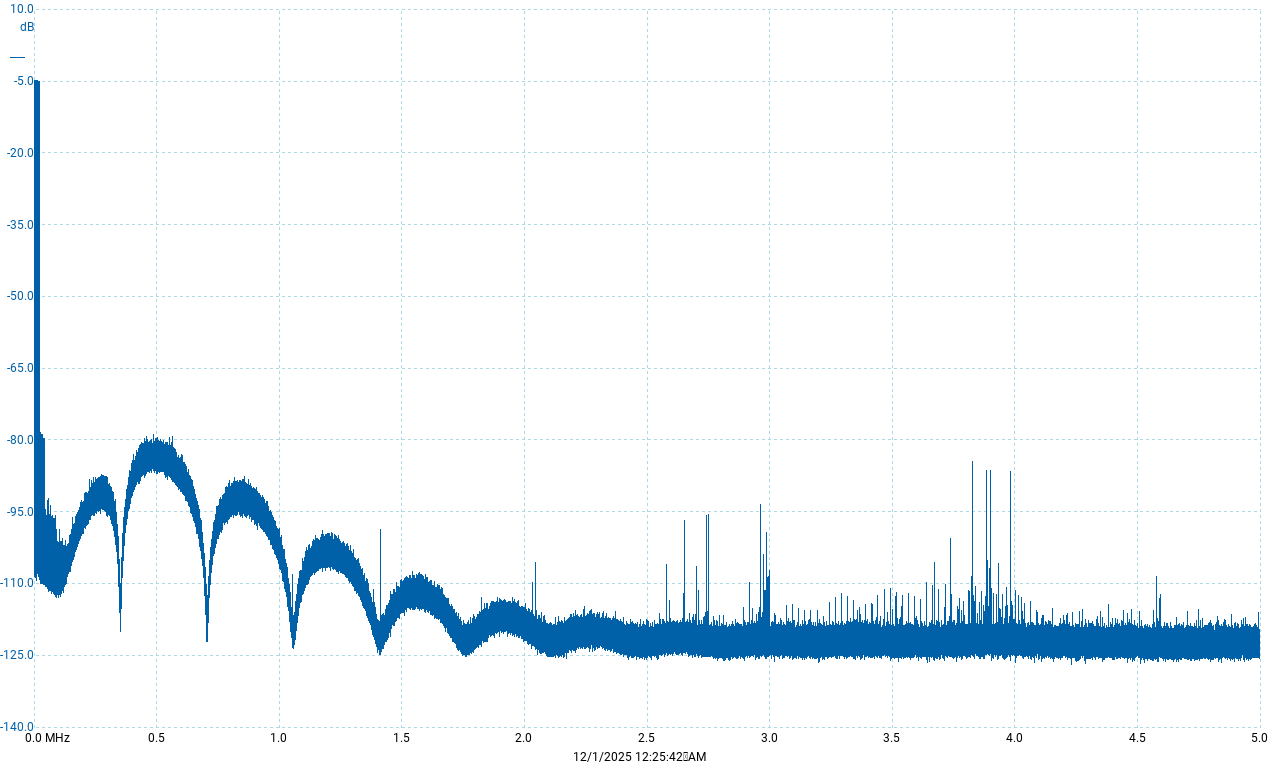
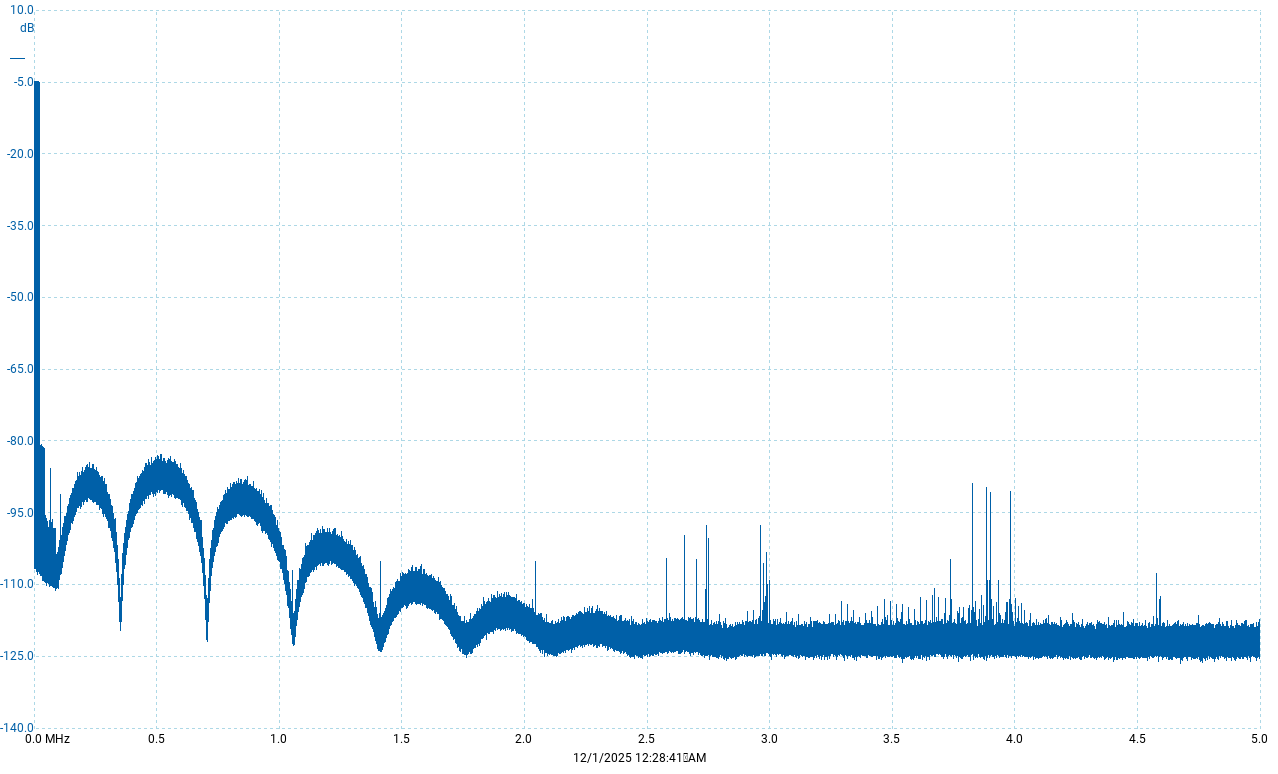
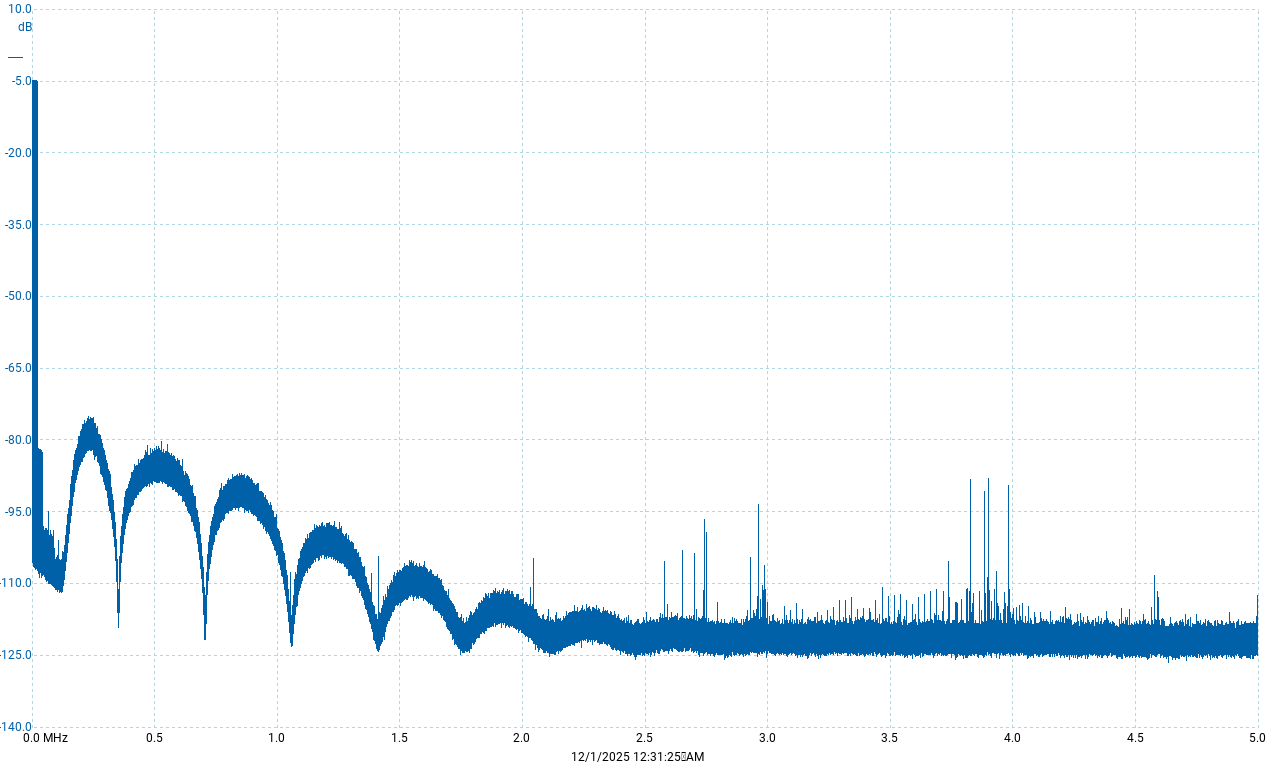
It seems that the ASDM5EC-fast measurements are very slightly better than the ASDM7EC-fast.
With a Holo Spring3, I chose the ASDM7EC-fast; wouldn’t the ASDM5EC-fast be a better fit?
No, ASDM7EC-fast performs better… ASDM5EC-fast is good choice for older ESS chips, before ES9039.
1 Like
If you only factor in > 100kHz performance then yes.
This is why when I post my measurements I split into < 100kHz and > 100kHz performance
People can then choose which is most important to their ears 
1 Like
I wonder if 5EC-fast might be technically better than 7EC-fast when using the AH90. Since its > 100kHz measurements are not as good as its <100 kHz, would 5EC-fast tame the AH90 ultrasonic noise more than 7EC-fast? I can’t detect any hiss, it’s just more of a theoretical question I’m asking.
Yes, you can lower the ultrasonic noise with the fifth order modulator.
This is suitable for cases where the DAC reconstruction filtering fulfills only the bare minimum DSD spec requirements. Which is the case for many ESS based designs with the pre-ES9039 chips. There are some exceptions though where the analog post-filter is more elaborate.
1 Like
What do you mean by this?
It has rather modest analog post-filter, for example compared to the Gustard A26.
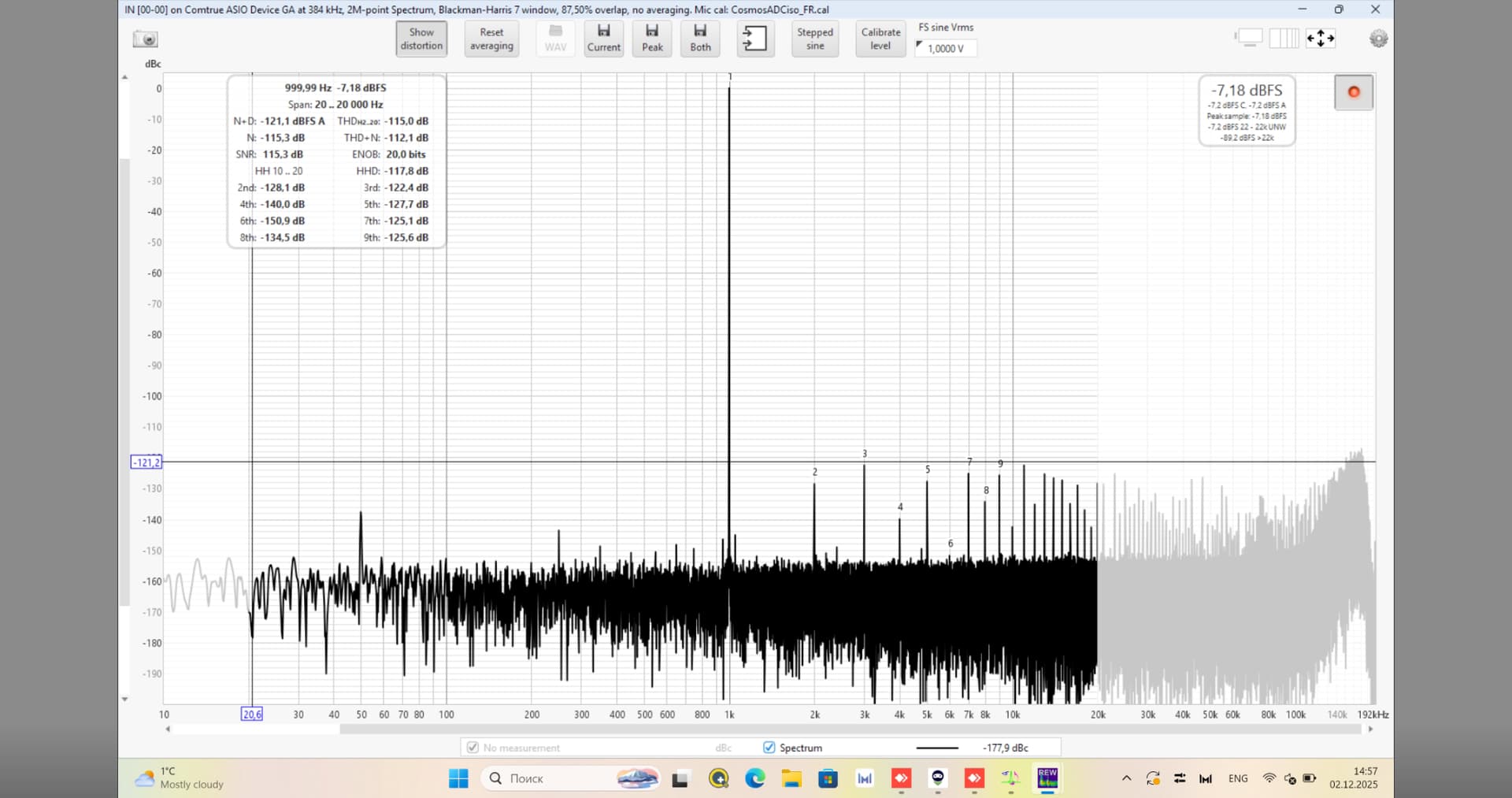
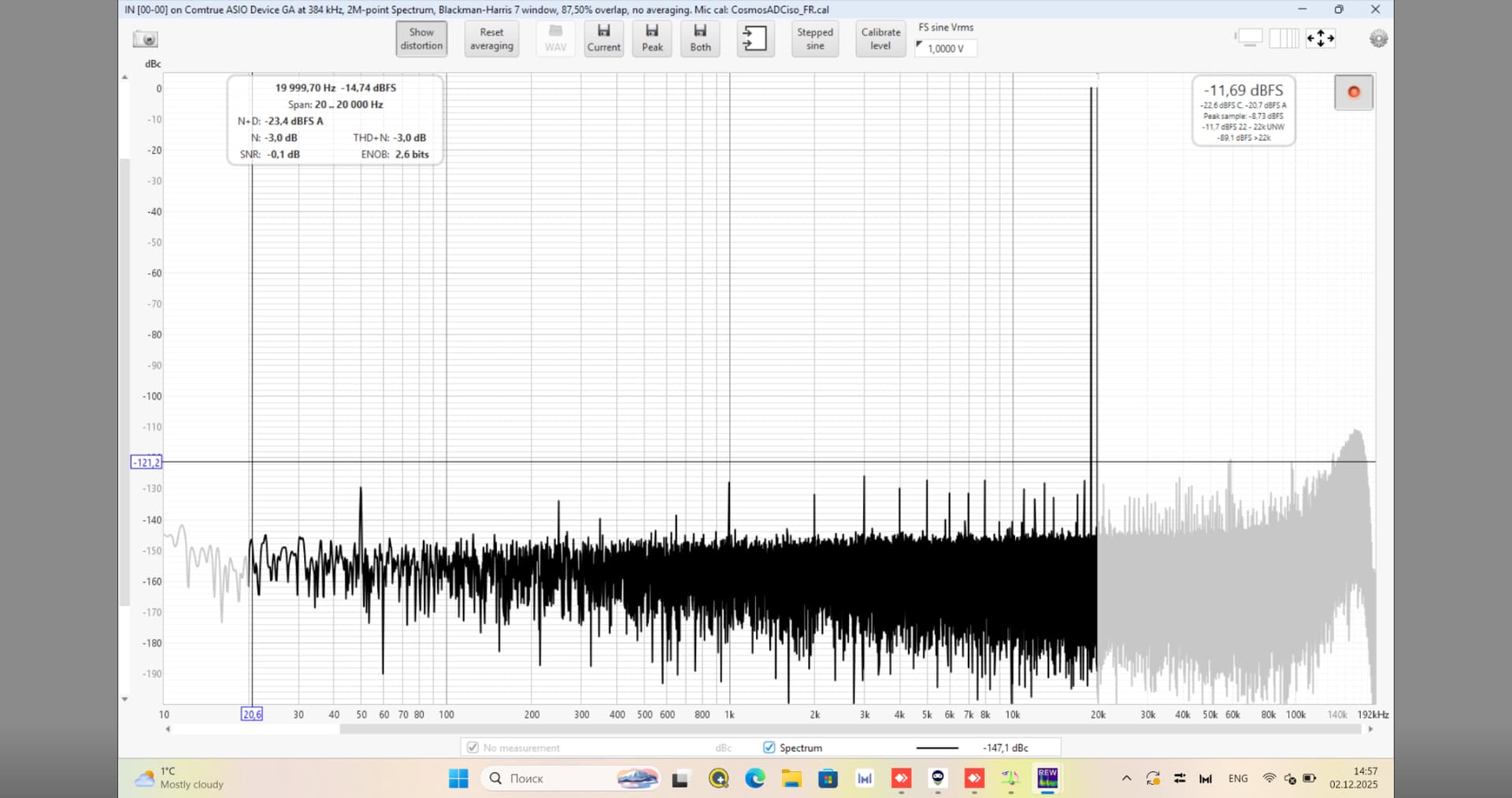
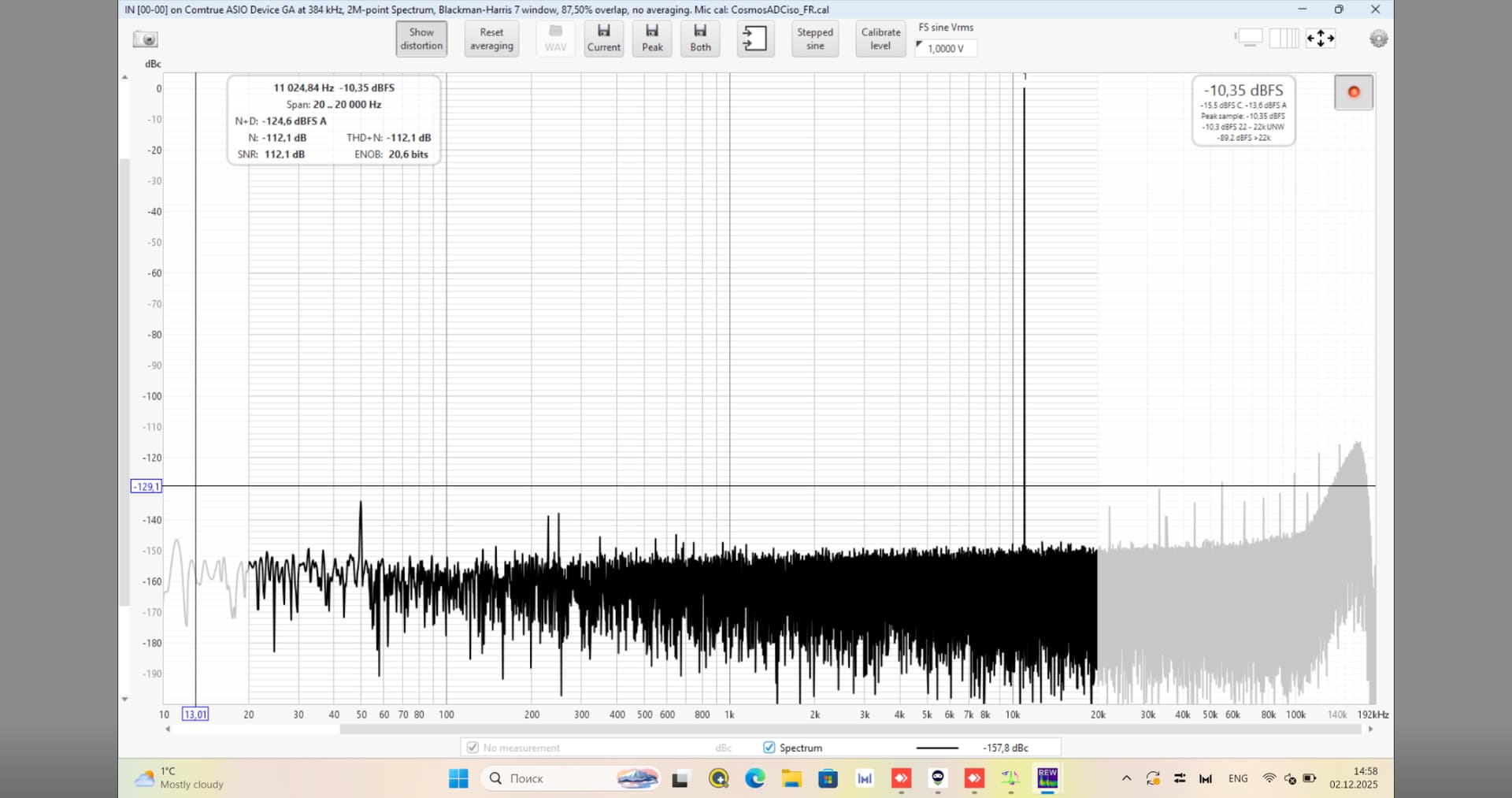
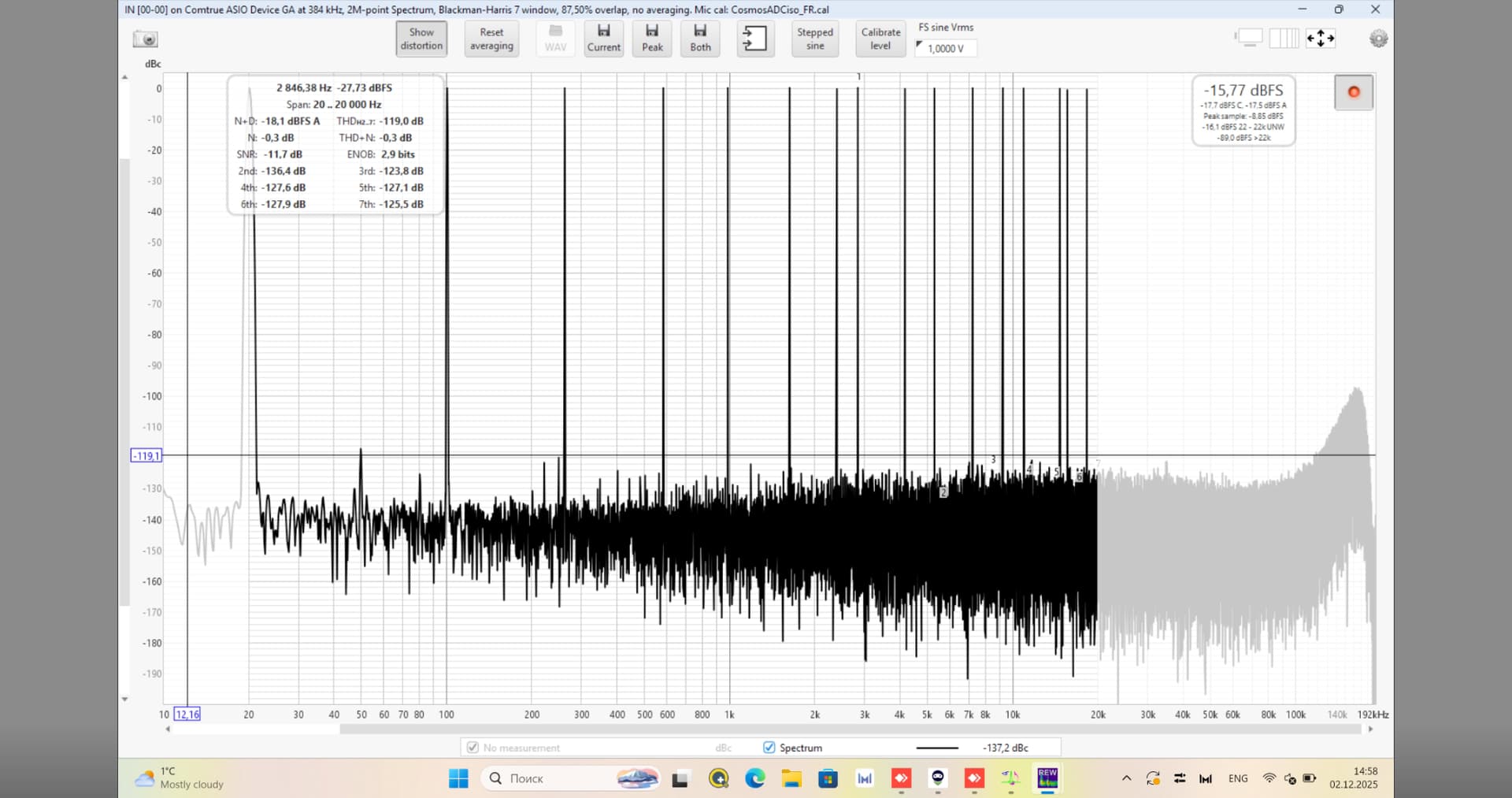
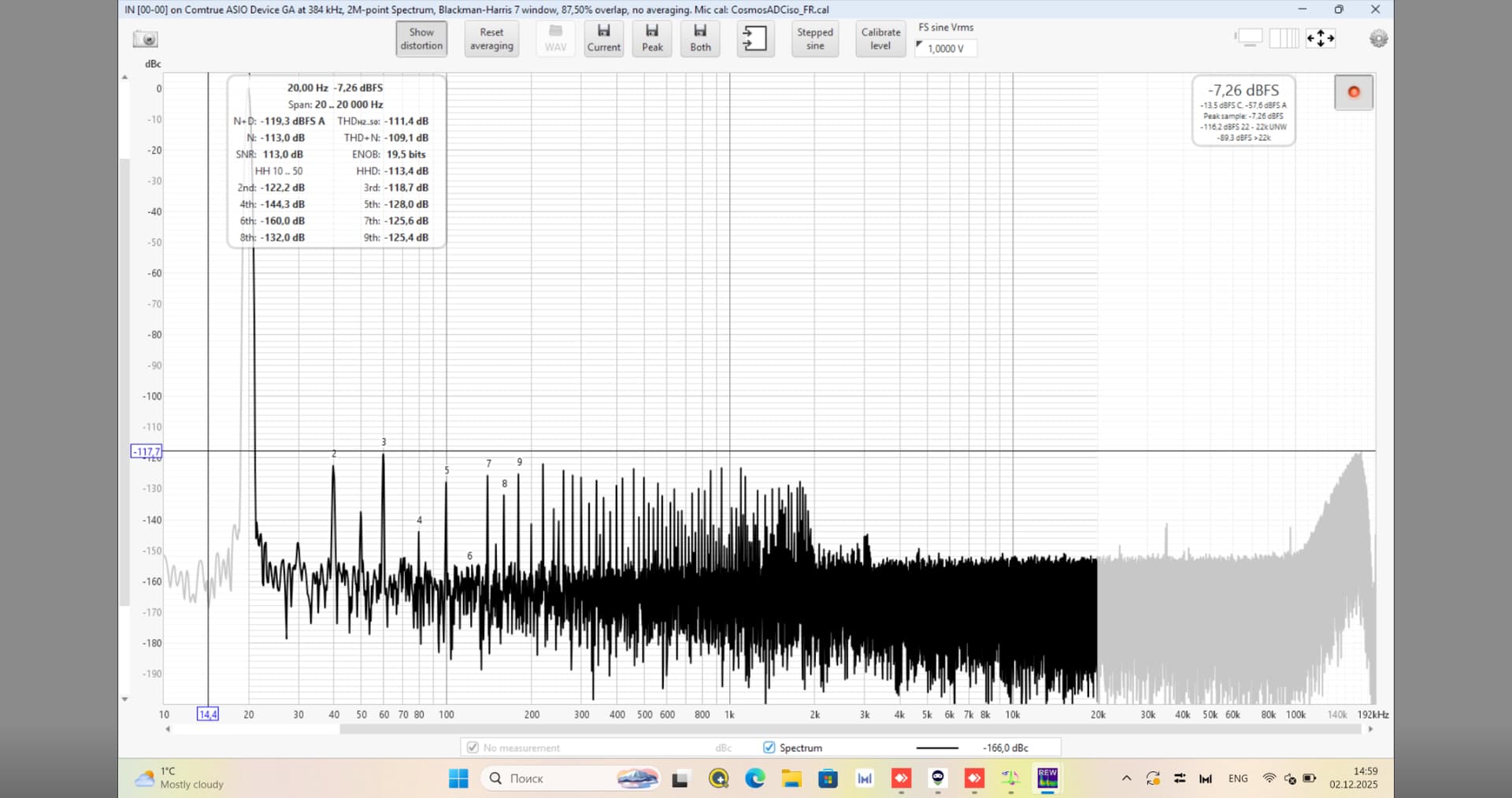
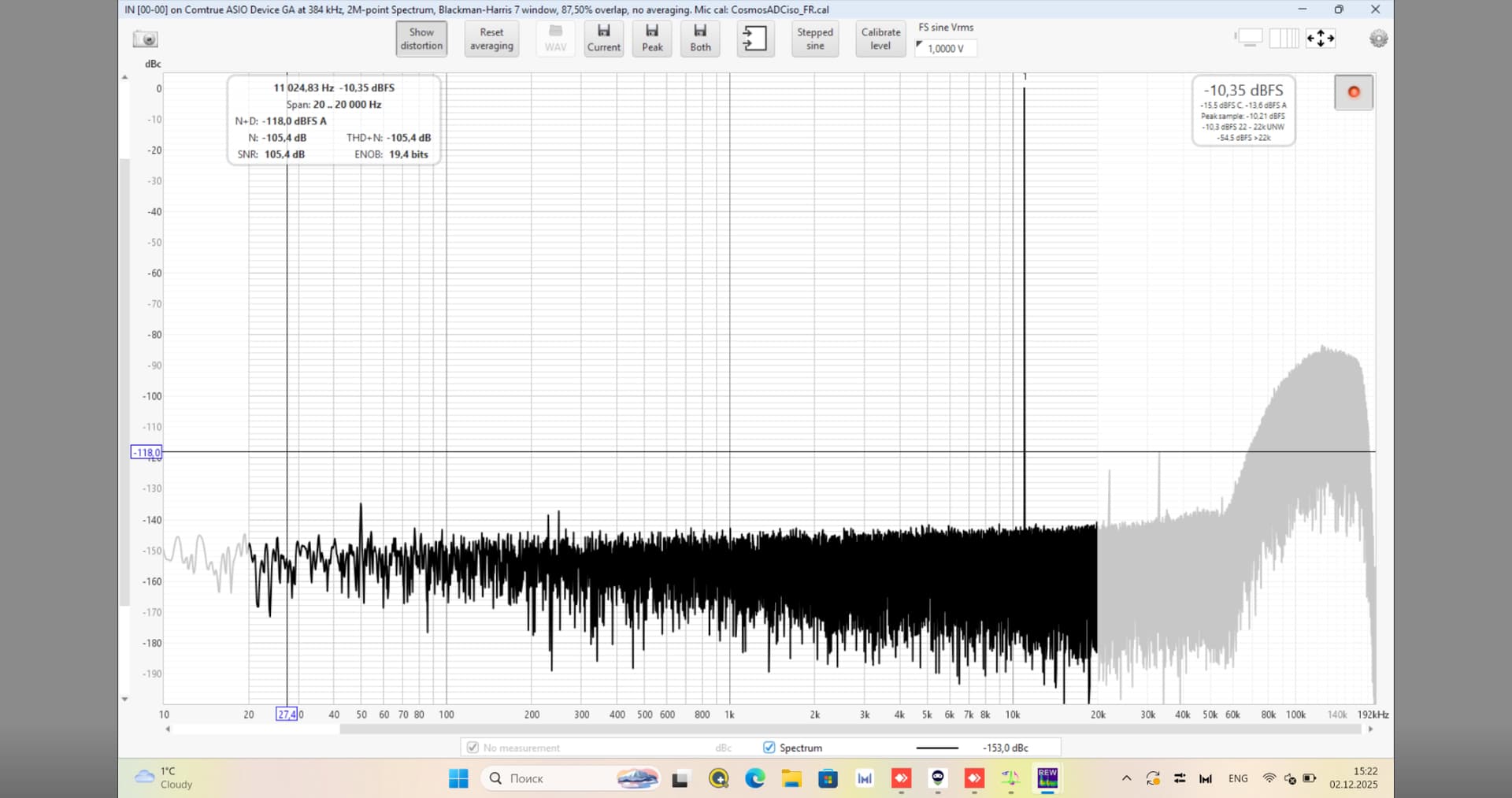
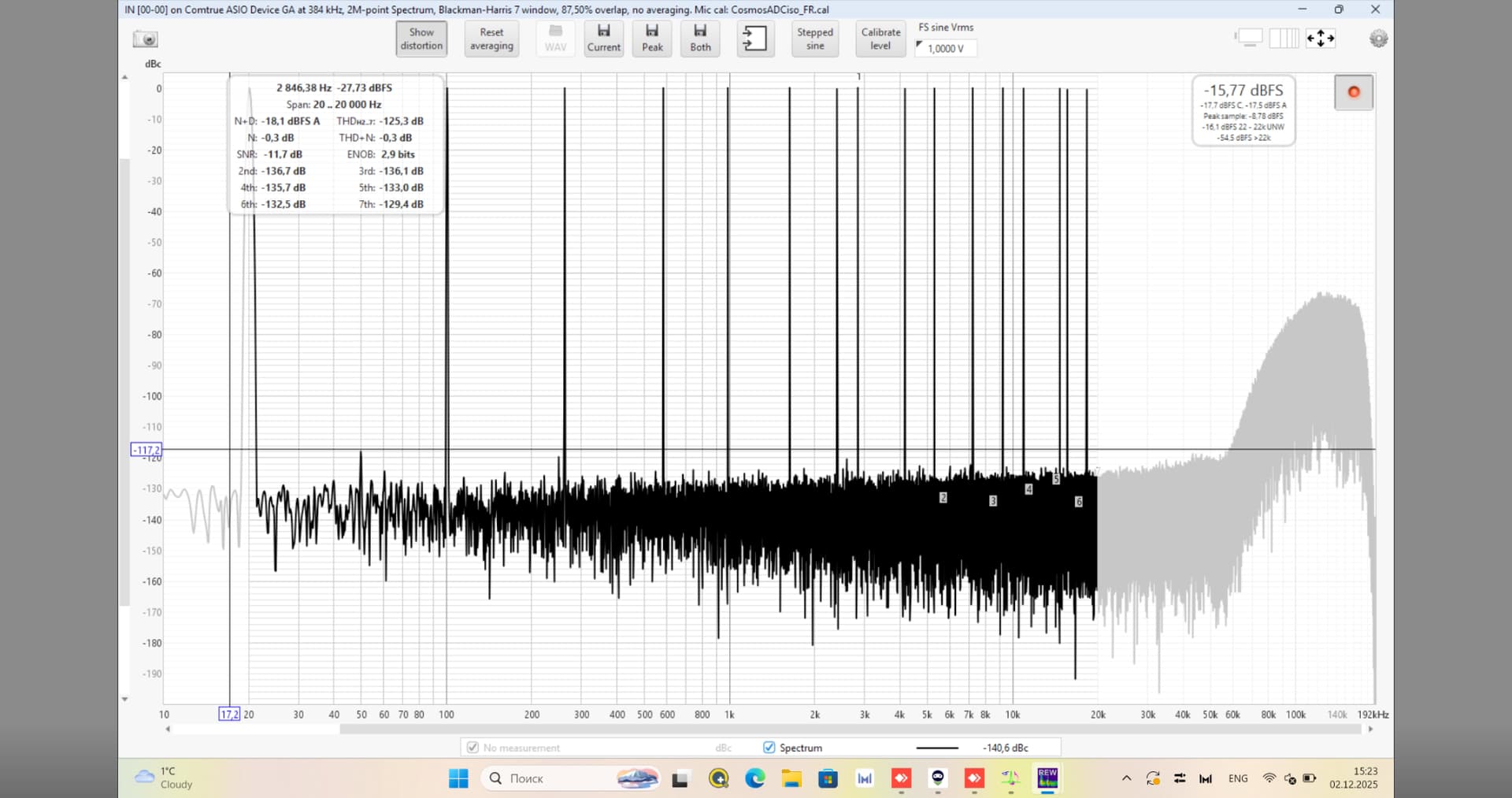
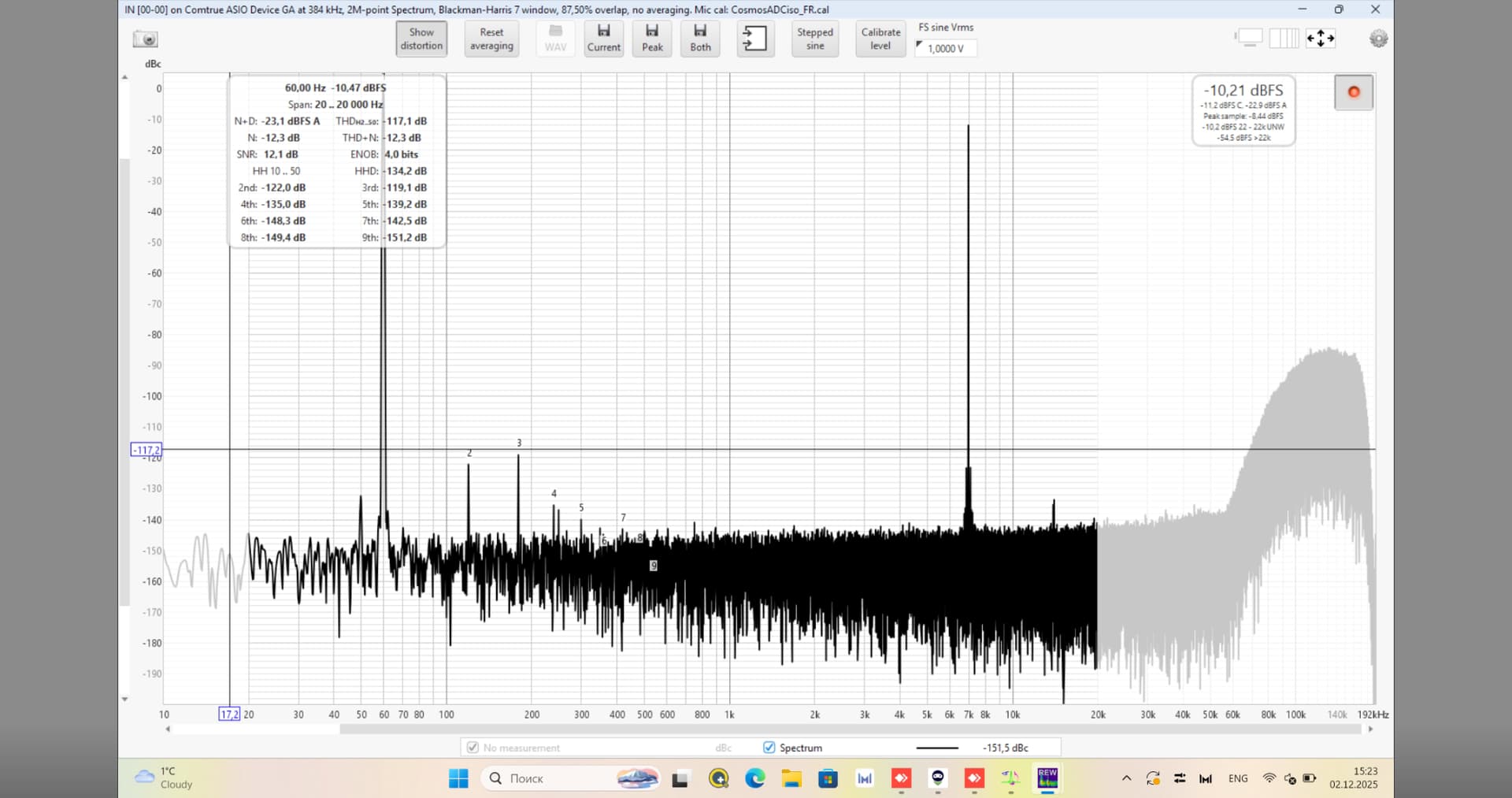
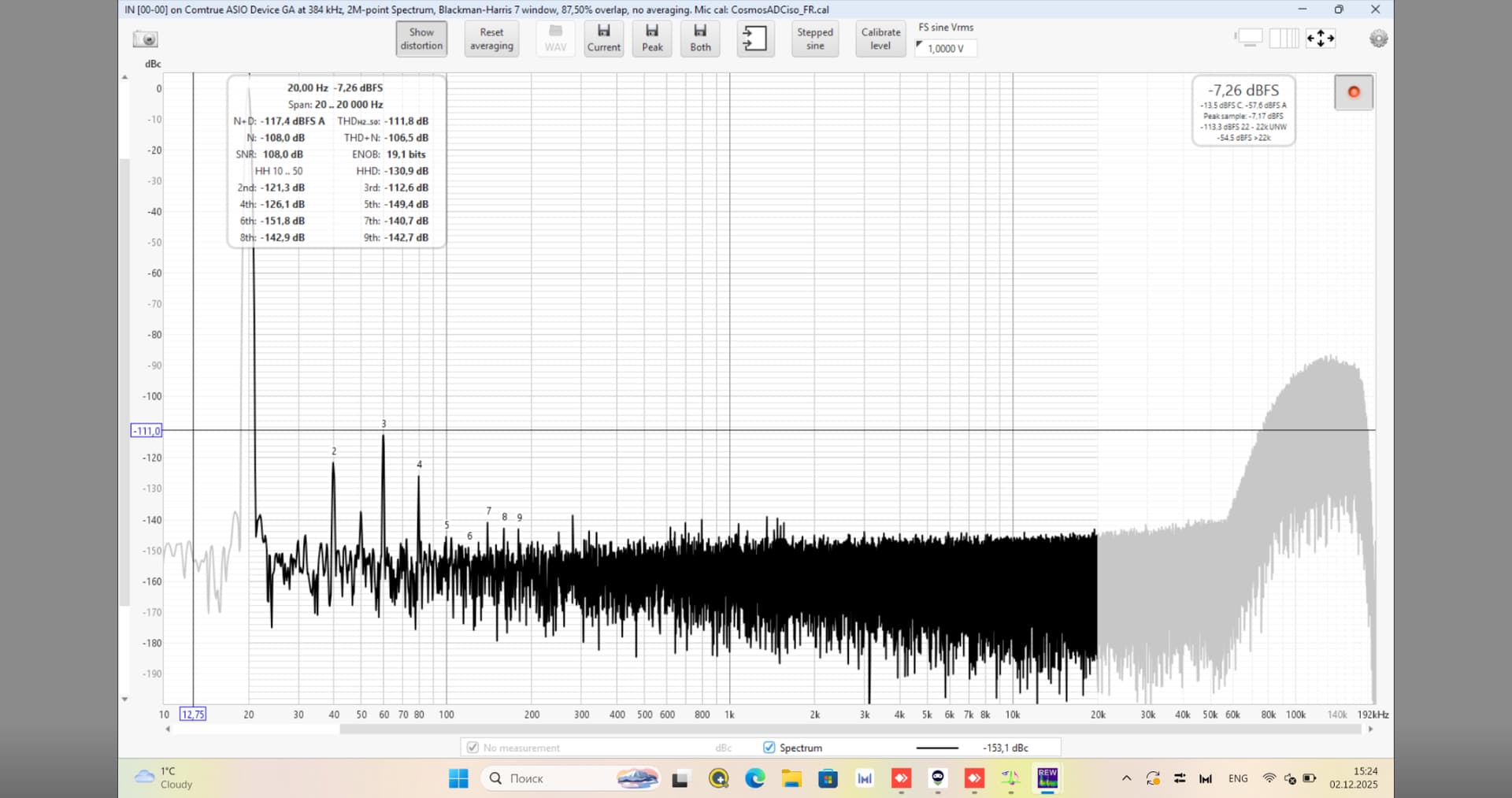
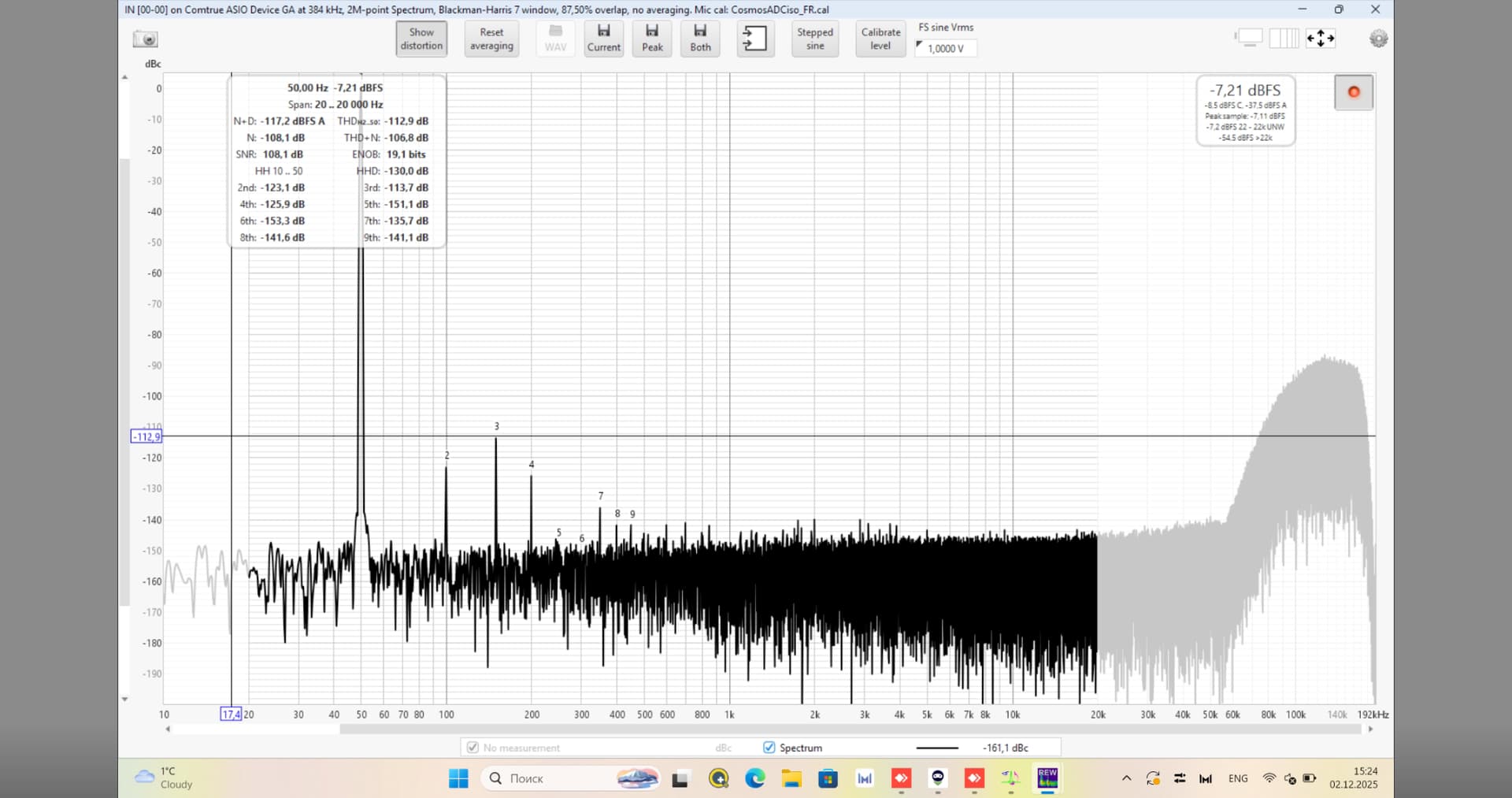
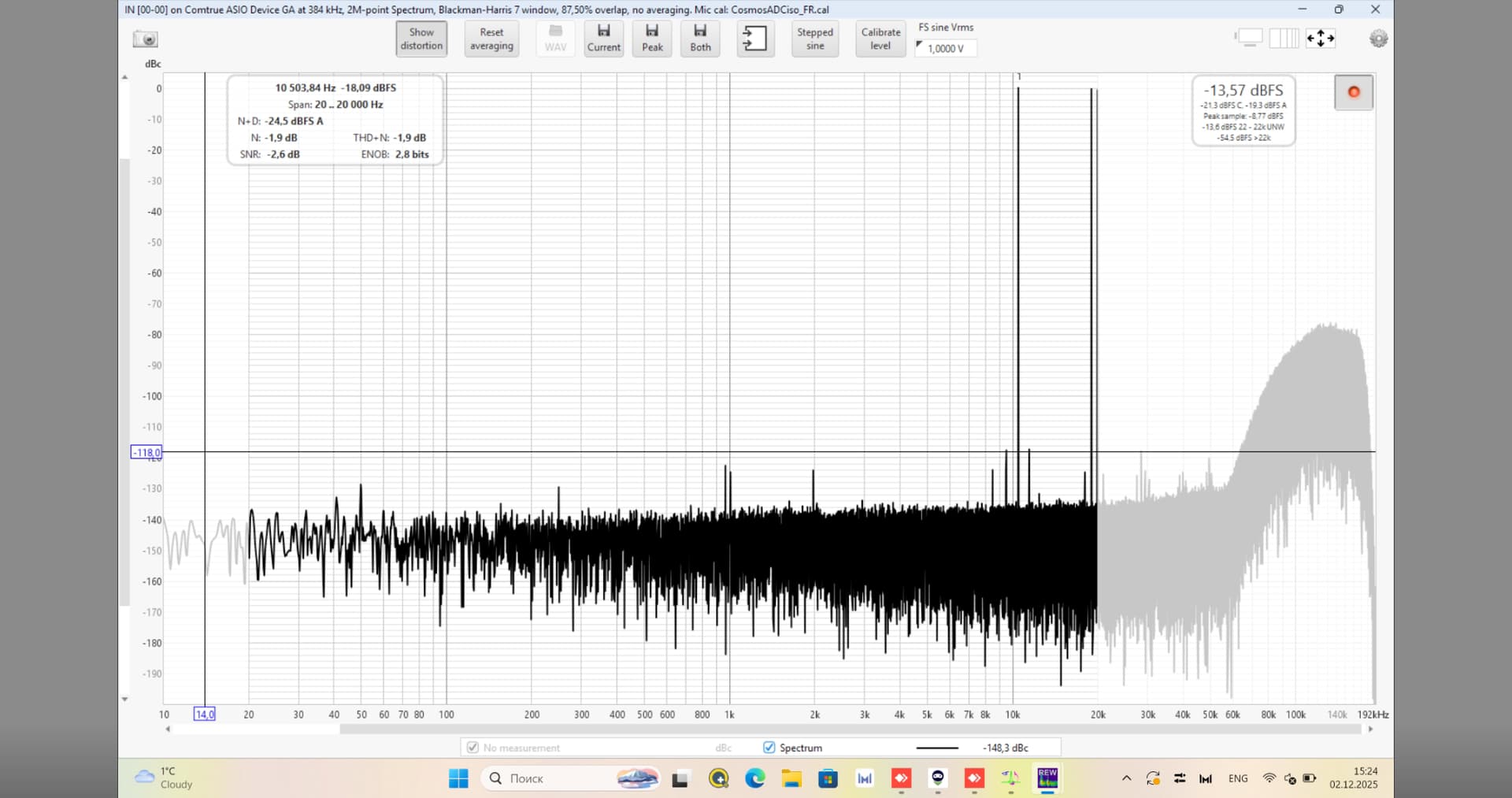
Finally had the chance to measure Spring3 with Cosmos ADC + Cosmos Scaler. Although the DAC and ADC were in another country. Through the magic of screenshare I could take control of REW and my new friend playing the test files I had created.
< 100kHz, Spring3 is easily best running at DSD256 @ 7EC. There’s nothing where DSD512 was better, although I didn’t do IMD vs level.
DSD1024 @ 7AHM7EC8B is quite interesting, first time I seen it - measurements not as good as DSD256 but still very good overall but the tradeoff very high level DSD noise hump , higher than AH90 running at DSD256. I’d actually love to listen to it one day
Thanks to my new friend across the world helping me get these measurements.
No noise floor modulation measurable in any case and the noise floor is low.
Didn’t need to zoom in for jitter, there is none, it was easy to see from the zoom out plot. Time was short.
DSD256 + 7EC

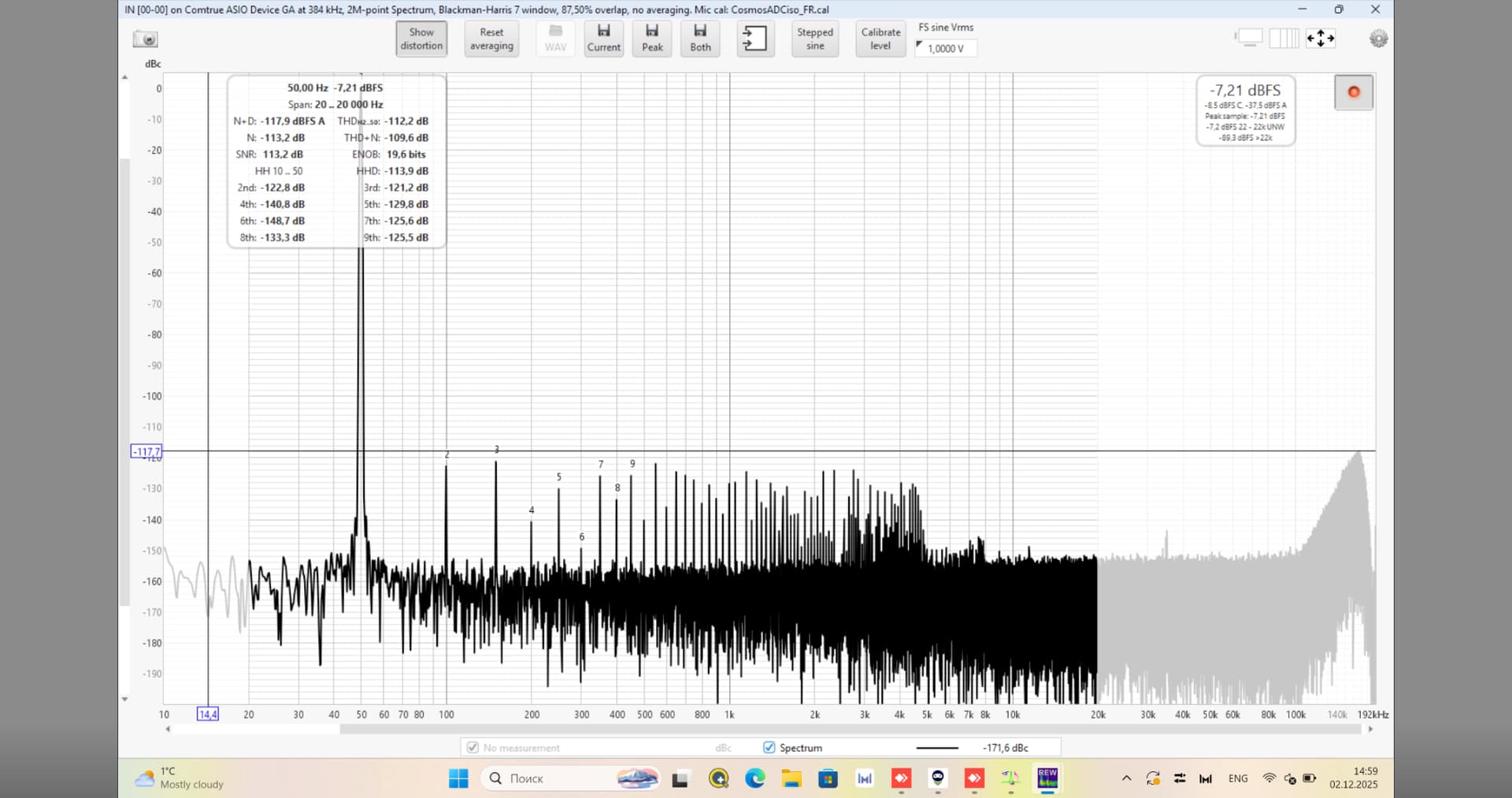
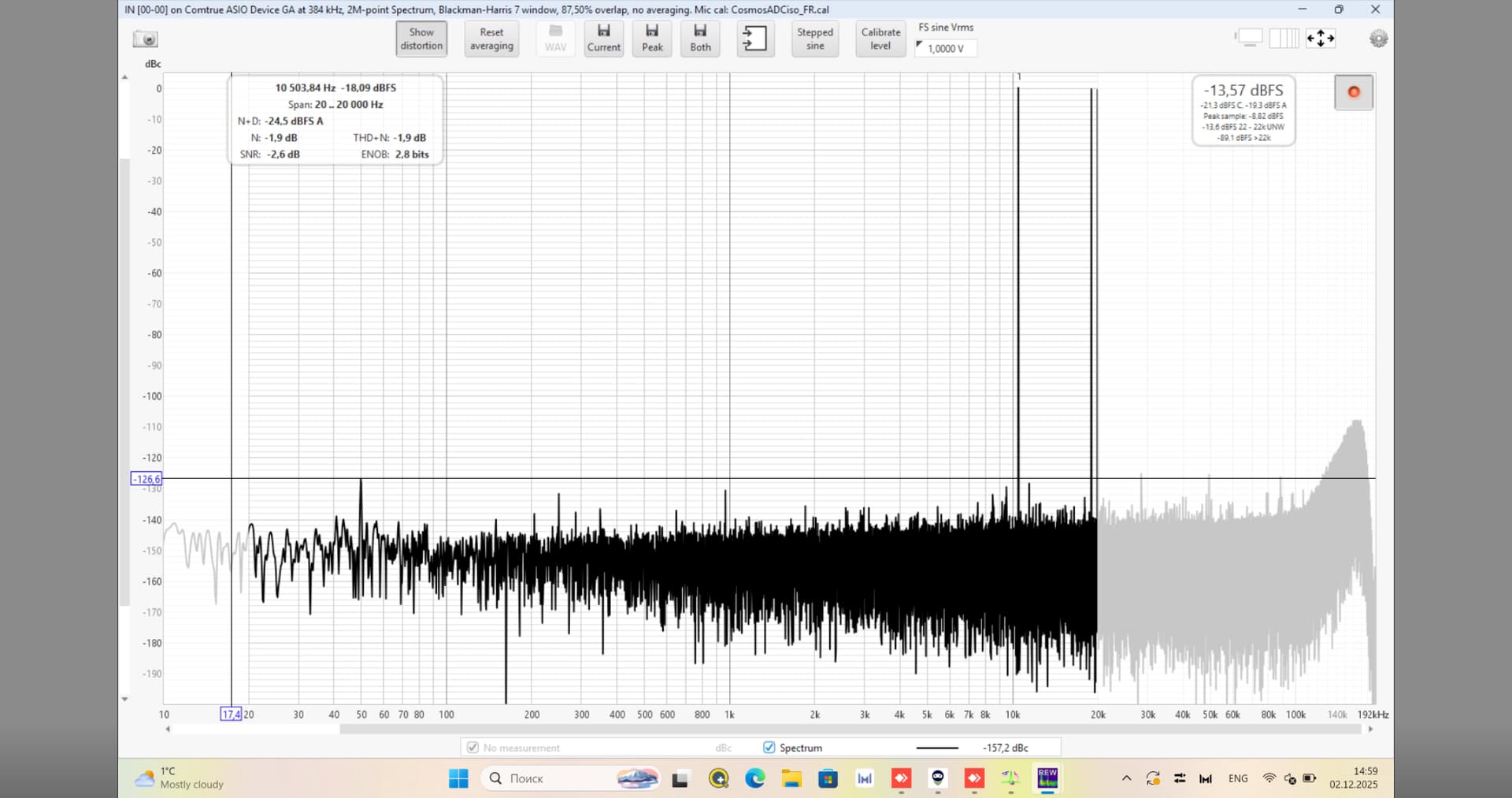
2 Likes
DSD1024 + 7AHM7EC8B
No noise floor modulation measurable in any case. Didn’t need to zoom in for jitter, there is none, it was easy to see from the zoom out plot. Time was short.
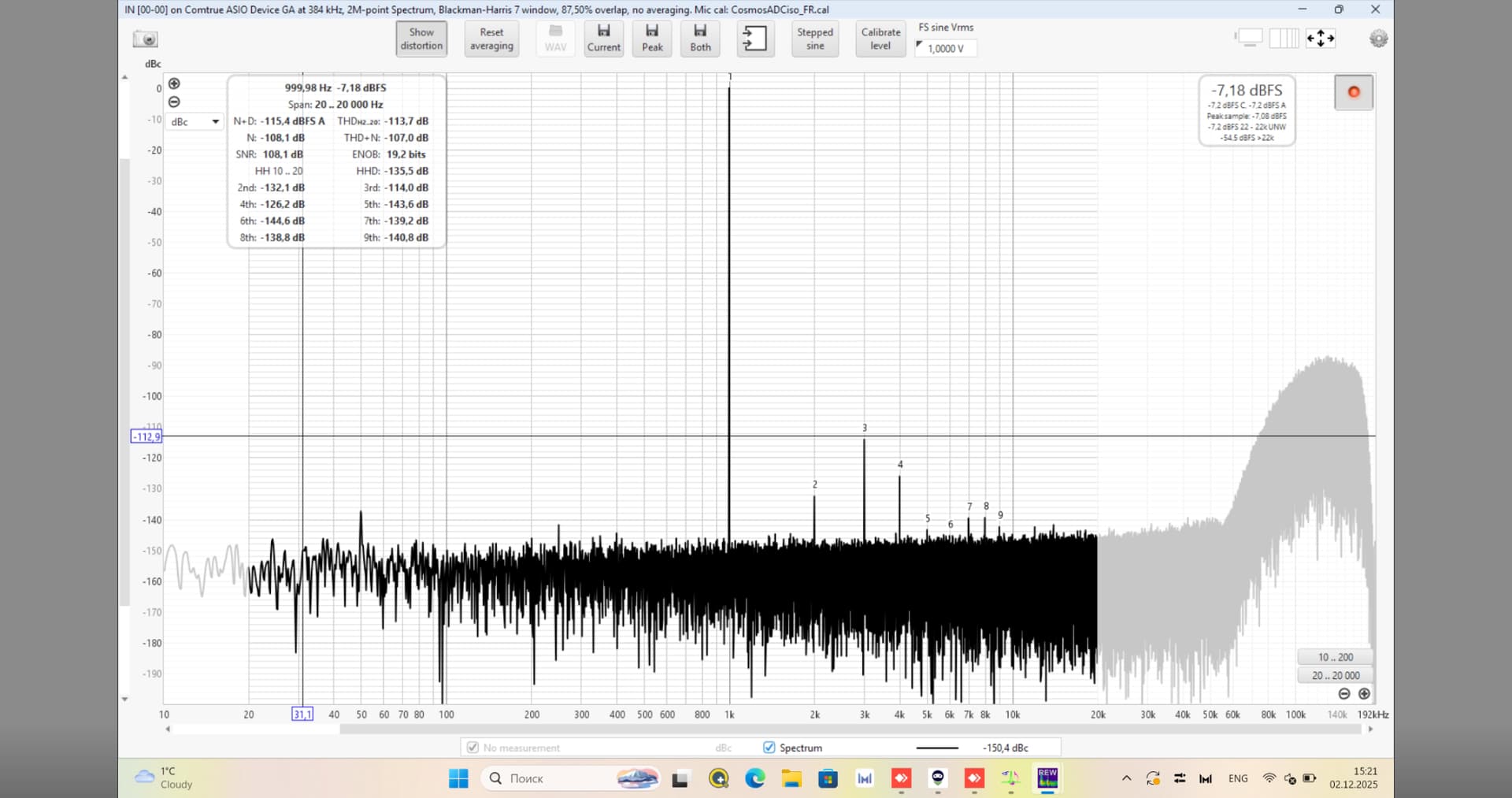

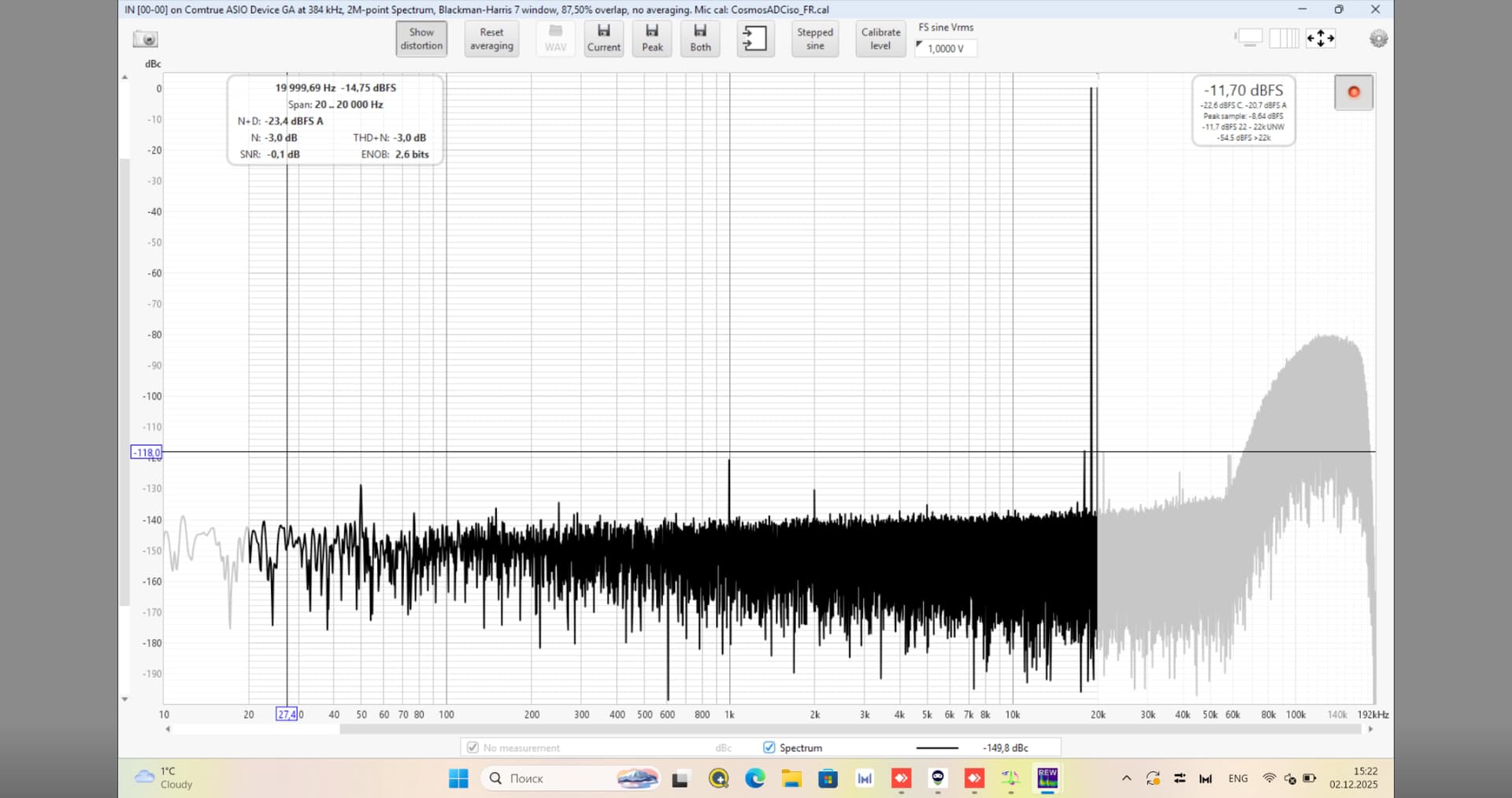
3 Likes
Following up on my earlier post regarding T+A DAC 200 limitations in resolution. I have changed one thing, which is, I have removed the TPLink MC220L Gigabit SFP media converters which were plugged in between the switch and RasberryPi5 (feeding DAC 200 via USB). Originaly these Gigabit/SFP modules were meant to be a method of isolation. After removing them and connecting the LAN cable between the switch and RPI5 directly, the sound from DAC 200 is marvellous. Rich sound, fantastic timbre and lots of details.
RaspberryPi runs NAA and is connected to DAC 200 via Intona isolator with Intona USB cables.
I thought there was something wrong with my own DAC since I did not experience what others reported about the DAC 200. Well, something was wrong but fortunatelly it was not the DAC.
It is very interesting that a change in the network chain can influence the sound so much. I would think that the network delivers 1-to-1 accurate data stream and then it is transformed into USB stream, followed by an isolator from Intona. The USB transfer is asynchronous so, when it is coverted into the digital signal on the DAC 200 side, it should be a pure as it can be. But something is else is happening here.
I also have Ferrum Wandla GSE. It seem to be more immune to how the LAN is connected. The difference is way smaller. But for the T+A DAC 200 it is a very significant change.
I am so happy with how it sounds. Maybe this experience helps someone else.
3 Likes
This only makes sense if the FMC and transceivers are of very good quality. Otherwise, you will hear more interference than before when converting between fiber optics and copper. For more informations: Audio PC LWL – Grigg Audio Solutions
1 Like
With SFP modules you need to pay attention to the Ethernet features they support. For example 802.3x is pretty essential to have, in particular with low power devices like RPi. But not all fiber SFP’s have this support. Of course, if there’s a switch or similar involved too (like a media converter can have), that part also needs to support things like 802.3x and 802.1p.
Without 802.3x you will have packet loss and resends, in worst case also network stalls. These things are best to avoid…
Hi everyone, I don’t know where else to ask my question, but I’m asking here since it gets the most replies. I recently disassembled my 3080, and now HQ Player keeps crashing, whether on Windows or Ubuntu. It crashes as soon as I open it. I’ve searched for many ways to clear data, but honestly, it’s hard to find anything. I’ve set up a dedicated computer for HQ Player. I really hate Windows; I’ve reinstalled it countless times in my life. I don’t want to reinstall again—it’s too much of a waste of my life. Windows always has so many problems, and this time Ubuntu is having issues too. I just disassembled the 3080 from my computer. Is there anything I need to do? Can anyone answer my question? I would be extremely grateful if someone could read and answer it.
Thank you so much
Do you mean:
A. you took the 3080 out of the computer?
Or,
B. you took the 3080 out of the computer, took it apart for some reason (like putting in new thermal pads), re-assembled it and then put it back into the computer?
A, 1 took the 3080 out of the computer,
Because I sold it, I plan to upgrade to a used 4 Series in the near future.