I’ve pushed out another beta. Mostly with improvements to the ‘USB DAC monitoring’, so would love to hear from people how it behaves.
But another big change is the upgrade to the new Linux LTS kernel: 6.18. Originally not planned for RoPieee’s next release (usually I wait a few months before making the jump), but the issue from @James_Fitzell brought me here.
So… the new kernel brings a lot of goodies, but it is also a big change, so I would love to have ‘thumbs up’ (or not) from different configs. We want to be sure before we release this!
Upgraded 5 RoPieees (3 * RPI3B and 2* RPI4B).
Only the RPI4Bs have an output to a USB-DAC, and those are also working without any issue.
Thank you for this new build, Frank.
@spockfish
I noticed that the RED led is always on, even when the “LEDs Function” is set to “Both LEDs Off”.
So the settings of the LEDs is not working correctly any more. Again, a small issue.
Kind regards, Frank
P.S. the issue with not being able to sort on IP-addresses in the “Devices” works correct now. Nice job.
@spockfish - speaking of LEDs .. when Both LEDs are set to off, maybe we should turn off NIC/LAN activity LEDs too ; or even add an option to turn them off after 1 / 5 minutes (which is not possible for the NIC as far as I know)
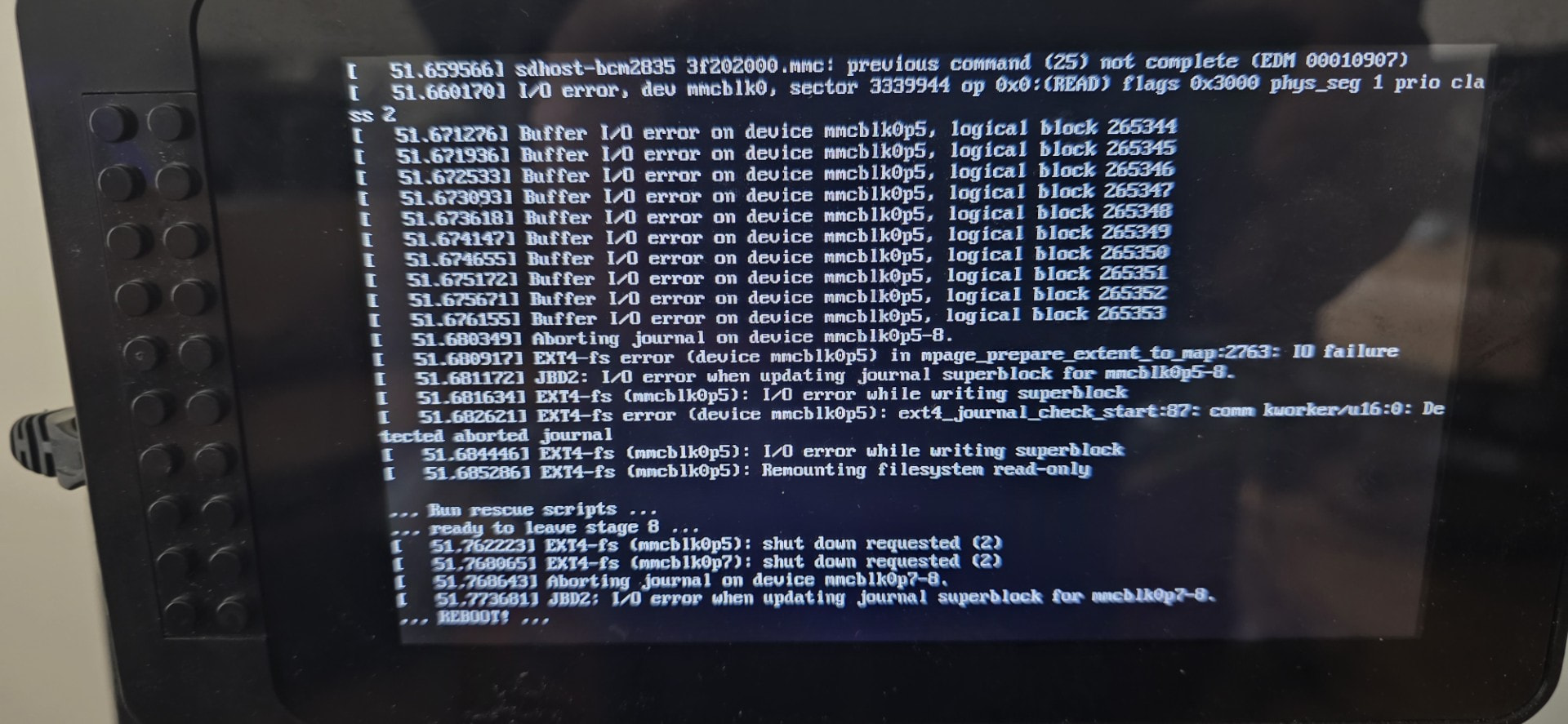
The RPi3b with display got stuck during update and had to be unplugged and then started back up. It seems to have continued the update and appears to be working fine after that.
Here is a screenshot of the display when it was was hung with errors:
I also had one RPI3B that I had to ”help” upgrading with two powercycles.
But the two other RPI3B didn’t need any help.
All three RPI3B have a display.
For me, it works correctly on both RPI4Bs that have a DAC connected via USB.
So, no issues encountered.
It shows “LOCKED by Roon”, when I am playing something via Roon.
It shows “IDLE” when I pause Roon.
So Harry, again perfect work.
The logs look fine, but that’s obvious after a fresh reboot.
Is there a way you can attach a cable when this happens? So you don’t need to reboot and send me logs that catch the situation…I suspect it’s the wireless adapter…
This is the Link II’s internal Wi-Fi interface, and I hadn’t noticed any issues before the update, and I have a Wi-Fi repeater less than 2 meters away.
Hey Harry, sorry for the slow response… #life#testing .
Anyway, the good news is that my primary listening point, and the update in general have gone well. I had one problem where my Rpi3 hung during update at some stage… I don’t know why (it has no screen) but when I pulled the power it came up fine.
I’ll reply in the other thread about my ongoing issues with specific DACs and hi-res audio, but unfortunately it hasn’t helped there.