Yes, for some reason I cannot connect to my Nucleus as a registered user because it is not happy with my password and I cannot ssh to it from a console either, I think ssh is not supported either.
The simple reason is that Nucleus does not have registered users. There is no user management facility anywhere on the Nucleus. Therefore you have to connect as guest just like the documentation says that you should.
Neither does it have ssh because there is nothing to log into. Nucleus runs Roon Server and that’s it. If you need remote management by ssh, user management, or anything else that Roon OS does not do, install Roon Server on Linux
Yes, that is the reasonable explanation. Thanks @Suedkiez
@Sean_86, I moved your post to a new Support topic. What you are experiencing is a bit odd. As this may be an accounts-related issue, I have unlisted it for now, but Roon can see and provide support.
Before tagging Roon’s account team, can you please provide a bit more information in what you are seeing? Have you attempted to reach your Nucleus’ web admin page by typing etiher its IP address or http://nucleus/ or http://nucleus.local/ into a browser?
Thanks @Robert_F, I think the @Suedkiez’s explanation is reasonable, Nucleus does not support any user login account.
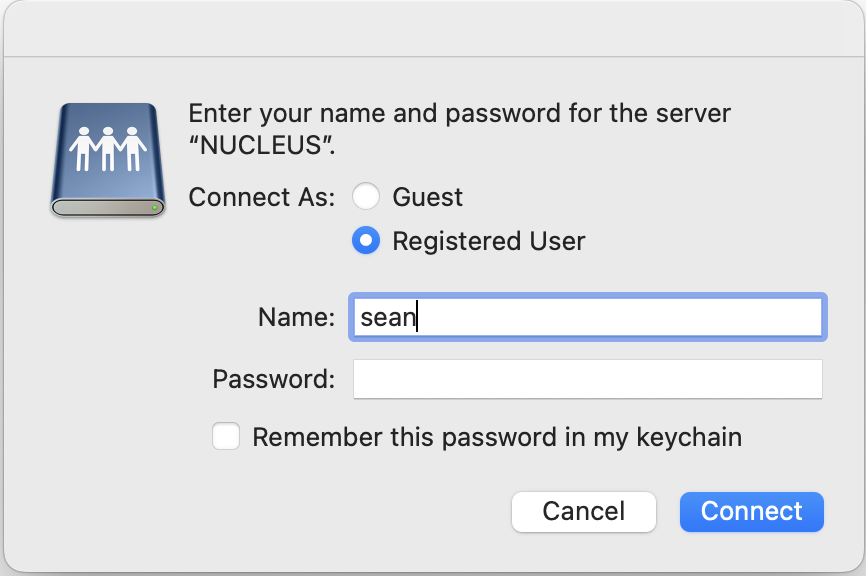
I don’t have a Nucleus but I seem to remember that Guest is the primary way to access it. As it is designed to be an appliance, many of the traditional Unix commands to connect and manage it are disabled.
1 Like
Thanks @Robert_F, I was just curious as to what it does on a Mac or via a command line terminal, I have no issue whatsoever with my Nucleus, and I only manage it via a browser, and windows explorer on Windows 10/11.
1 Like
Thanks @Sean_86, I re-listed your post, maybe others can provide additional information.
This topic was automatically closed 36 hours after the last reply. New replies are no longer allowed.