Roon Core Machine
I have a Nucleus+ Rev B
My existing Roon core is on an iMac.
I am in the process of migrating to the Nucleus+. I have an 8TB SSD in the Nucleus.
I have followed the documented process for migration. I successfully connect to the Nucleus+ using the Web Administration Interface with no issues. I have;
Reinstalled the Operating system firmware
Reset the Roon Database and Settings
Restarted the Roon Server Software
Successfully formatted the new internal SSD
I have backed up my Roon database to a USB drive and have connected the USB drive directly to the Nucleus+.
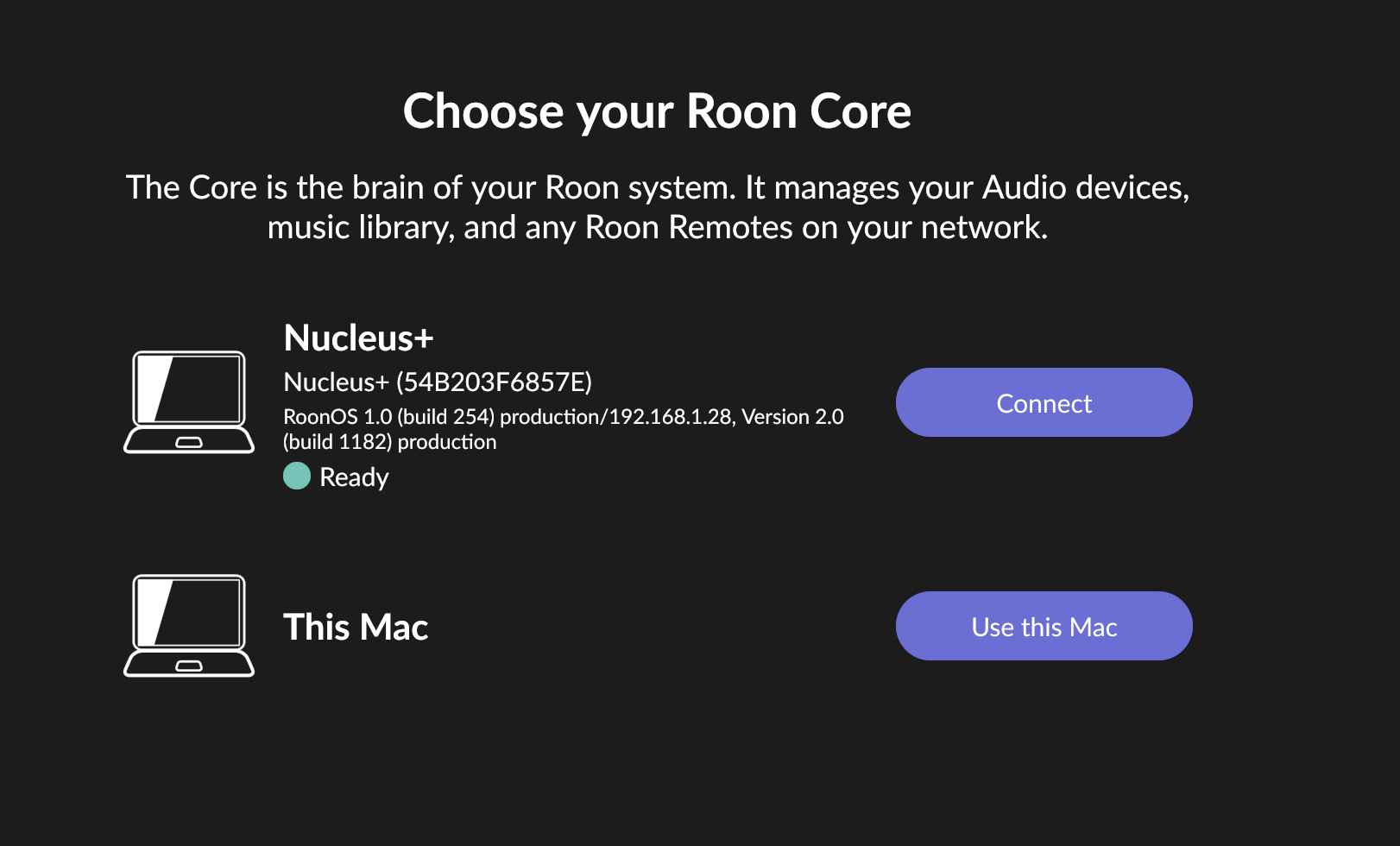
In Roon, I go to Settings->General and disconnect from my existing Roon Core on the iMac. I am presented with the “Choose your Roon Core” option as follows;
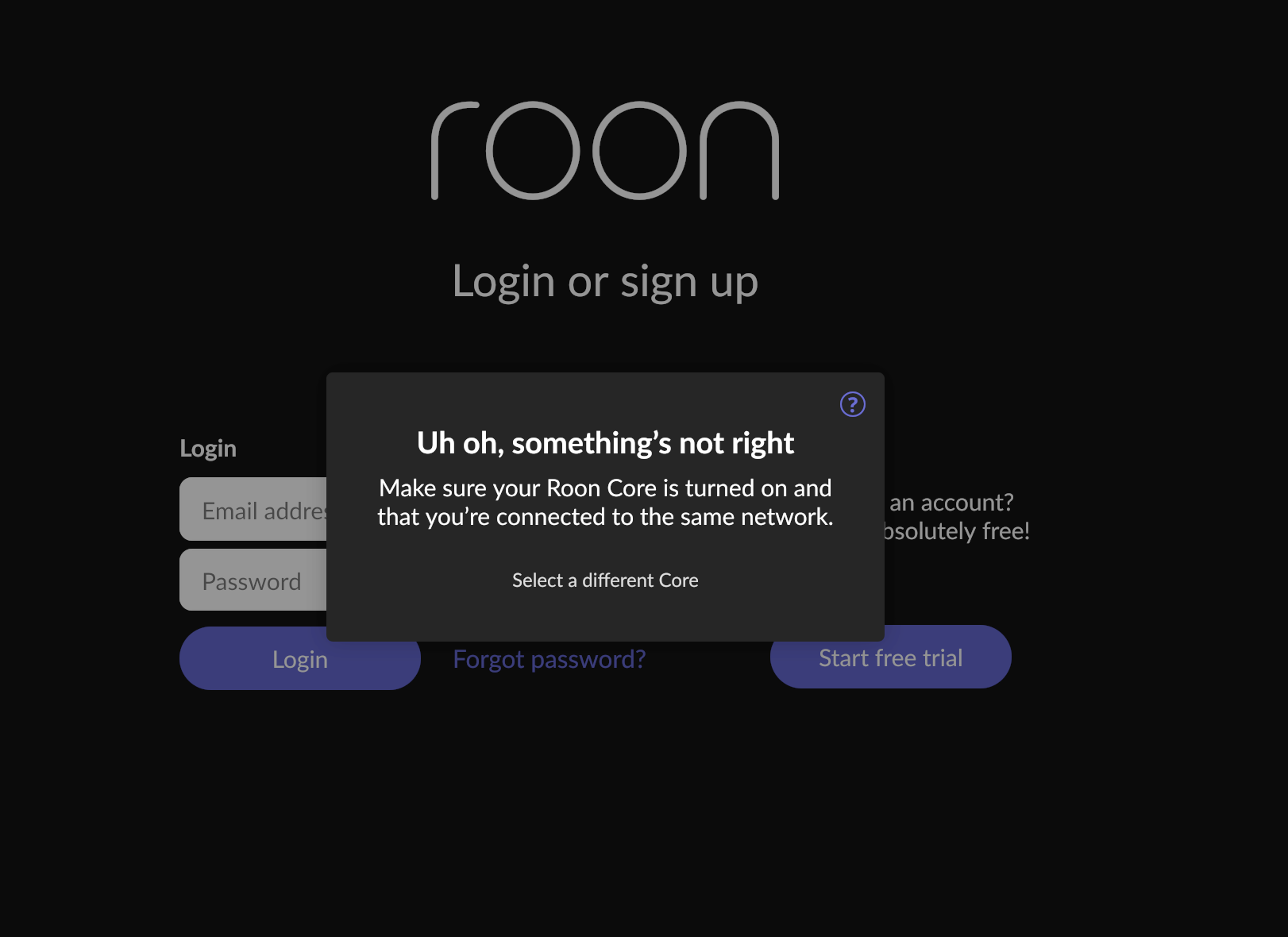
When I select Connect, there is a message saying “waiting for your Roon Core”, then the following message that suggests that the Nucleus+ is somehow not available;
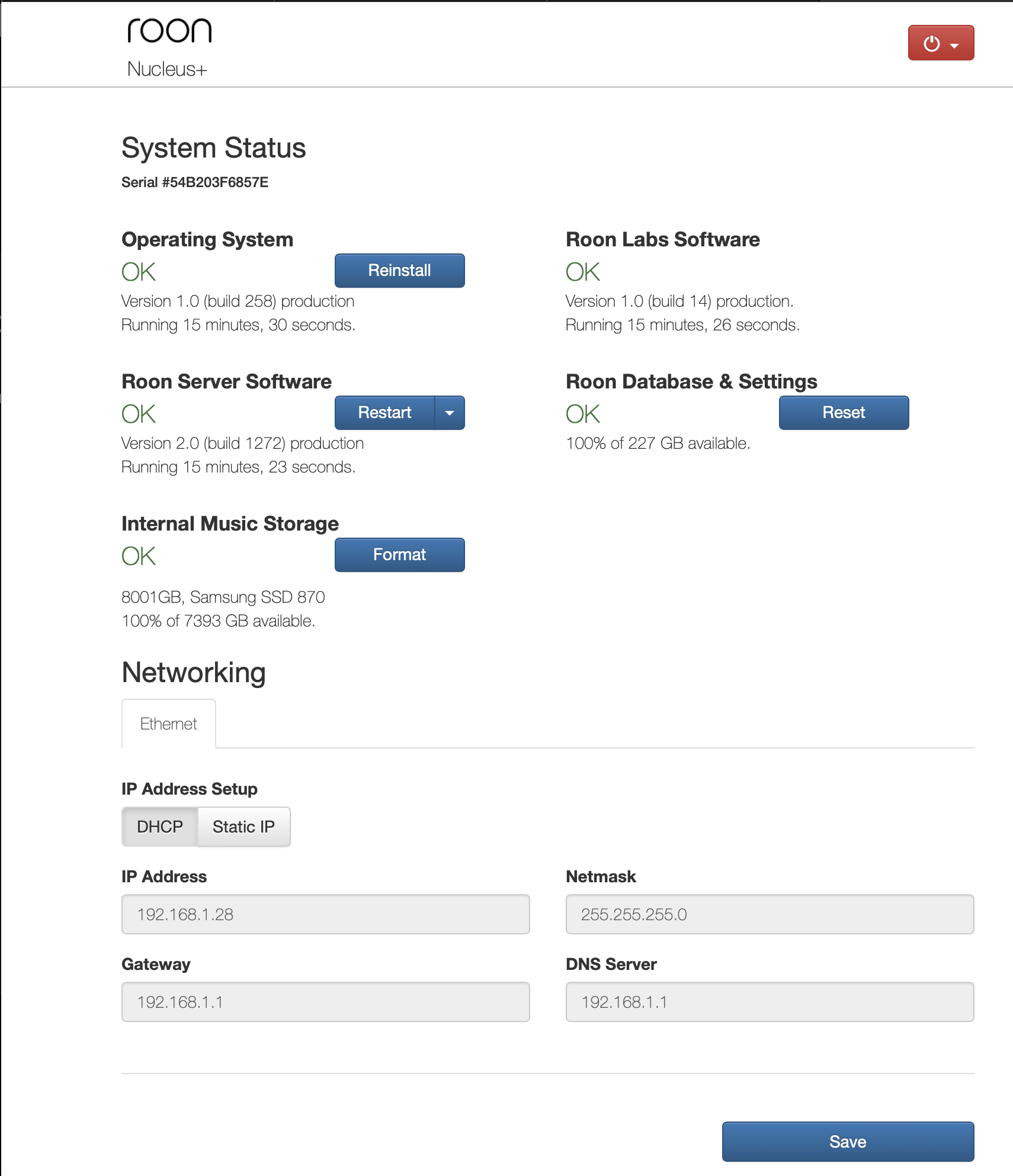
To demonstrate; this is a screenshot of the Web Administration Interface showing successful connection to the Nucleus+ (which is connected via Ethernet)
Odd that the first screenshot shows that the Nucleus+ is running Roon version 2.0 build 1182, whilst the Web Administration page screenshot is showing build 1272…
As an aside (or perhaps related) I have successfully restored the Roon database - using the Roon App on an iPad. The database restore process proceeds to a conclusion…but then the Nucleus+ remains inaccessible.
Thanks for pointing me in this direction.
I was reluctant to de-install my working Roon core on the iMac (probably not very rational on my part), but I did go to the Roon core on the iMac and (again) deactivated the iMac core. I then closed down the Roon app on the iMac and opened up Roon Remote which I have installed on my MacBook.
The Roon Remote on the MacBook allowed me to select the Nucleus+. After thinking about it for a bit, I got a message saying that I already had a core “authorised”…but there was also a button to “deauthorise” the existing iMac core and proceed with connecting to the Nucleus+ core. I did this - and I believe I have a solution.
I stopped the Roon Server Software on the Nucleus+ and I am now in the process of copying many, many music files over to my 8TB internal storage on the Nucleus+. In theory, all I then need to do is restart the Roon Server Software and allow Roon to compare the files on the internal drip]ve with the backup of the database which I restored.
I will confirm when complete. Many thanks again for the assistance.
OK - all complete. Some unexpected outcomes with my transferred files not matching up exactly with the Database backup I took (and restored to the Nucleus+) but nothing that isn’t relatively easily fixed.
I’m not a technical guy…but not completely daft either! I would suggest there is some work to be done on the Roon instructions for Nucleus setup and migration. I did follow them rigorously - my setup is very standard (vanilla) - and I did run into problems. OK, they were fairly easily overcome with the help of this forum, but the Nucleus/Nucleus+ is marketed as a turnkey Roon solution for non-technical people who want to get full Roon functionality set up easily…so…Roon should (I think) be providing better set up instructions/support to go with that marketing intent.