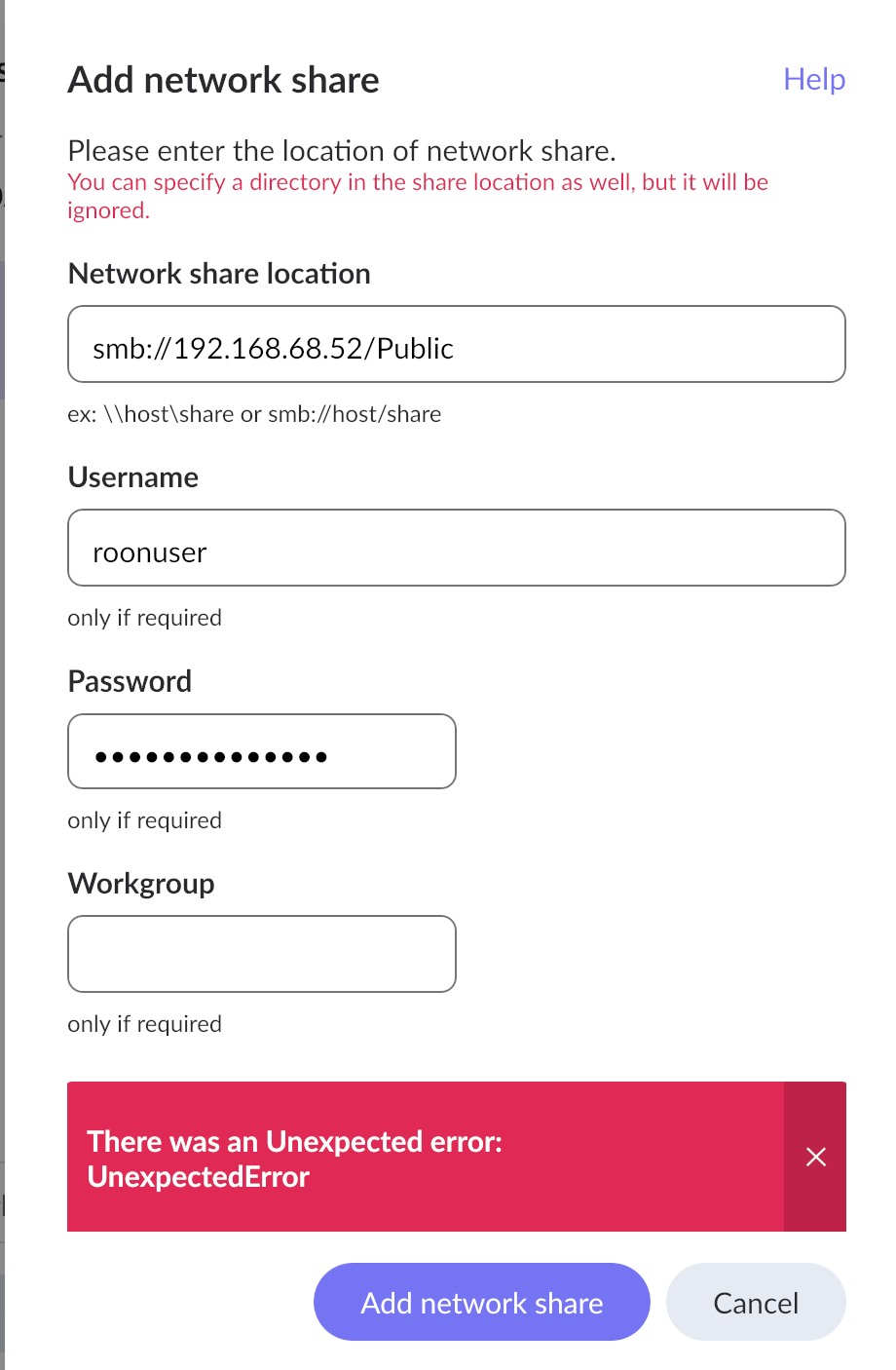
Hello @edward_thompson
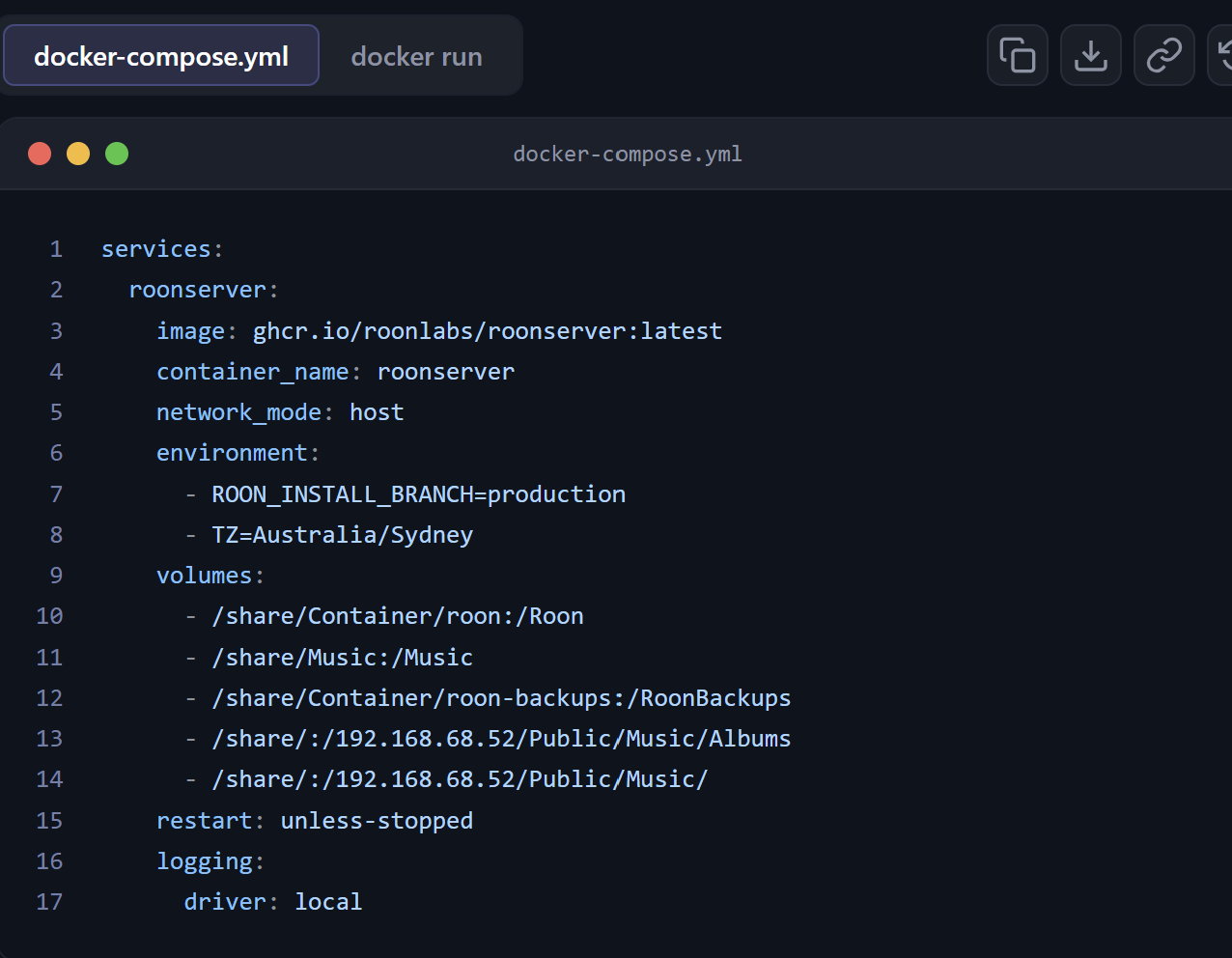
Thanks for posting the file, that shows the problem clearly. Lines 13 and 14 need to be deleted, and line 11 probably needs correcting.
How a volume line works. Each line has two halves separated by a colon:
/share/Container/roon : /Roon
        ↑                  ↑
   real folder on      the name Roon
   your QNAP           sees inside the container
The left half is an actual path on the NAS. The right half is just a folder name that exists inside the container. Neither half is ever a network address, and no part of this goes over the network. The container runs on the QNAP, so it reaches your music as ordinary local folders.
What lines 13 and 14 are currently doing.
- /share/:/192.168.68.52/Public/Music/Albums
- /share/:/192.168.68.52/Public/Music/
You have put your NAS’s own IP address on the container side. That makes a folder literally named 192.168.68.52 inside the container, which Roon has no reason to look in. And on the host side both lines say /share/, so they mount the whole of your storage into the container twice over.
Please remove both lines entirely.
Your first three lines are correct in shape.
- /share/Container/roon:/Roon
- /share/Music:/Music
- /share/Container/roon-backups:/RoonBackups
/Roon, /Music and /RoonBackups are the three names the container expects, so please leave those exactly as they are.
One thing to check on line 11. Earlier diagnostics showed your music living at /Public/Music, which suggests the real path on the NAS is /share/Public/Music rather than /share/Music. Please confirm in File Station which it is.
This matters more than it looks. If the host path on the left does not exist, Docker does not report an error. It quietly creates an empty folder with that name and mounts that instead. Roon then sees a valid but empty /Music and finds nothing, with no error anywhere to tell you why. That would match what you have been seeing.
So: delete lines 13 and 14, correct line 11 to the real path, recreate the application, and in Roon add /Music as your storage folder. Inside Roon you use the container name /Music, not the QNAP path.