Systems detects a new version is avail.
After clicking OK, I receive the following error:
“Erreur lors de la vérification de la mise à jour”
Checking in RoonServer/Logs, I found a TimeOut message.
04/15 10:47:57 Error: [appupdater] While downloading update: System.Net.WebException: The operation has timed out.
at System.Net.HttpWebRequest.EndGetResponse(IAsyncResult asyncResult)
at System.Net.WebClient.GetWebResponse(WebRequest request, IAsyncResult result)
at System.Net.WebClient.GetWebResponseTaskAsync(WebRequest request)
at System.Net.WebClient.DownloadBitsAsync(WebRequest request, Stream writeStream, AsyncOperation asyncOp, Action`3 completionDelegate)
Note that I can download from my PC the file “RoonServer_linuxx64_200001244.tar.bz2”
Thanks for taking the time to write in! After reviewing your diagnostics, we’re seeing traces relating to something in your network potentially blocking Roon from properly updating. I would also suggest removing your second network interface to see if that may help.
After reviewing your core logs, I can confirm you have the proper update link associated with your core, so this can be disregarded.
Many thanks for your answer
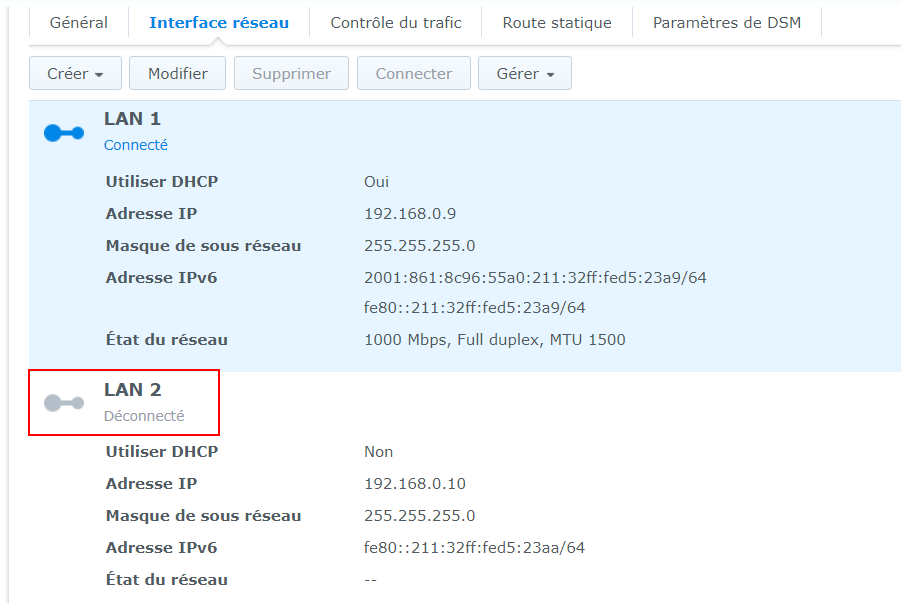
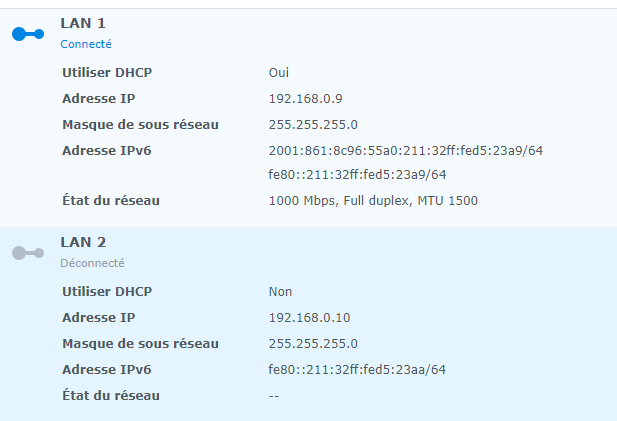
My second ETH is not connected. How do I disable it from DSM (using Synology DSM 6)?
Note that I have downloaded the update file from the Synology (Mozilla via Docker).
Thanks for the update! After reviewing your account information, I see that your core is now on Build 1259. This isn’t the latest build as we just released Build 1272 yesterday, but there is progress nonetheless!
I wanted to check in to ask you if you had made any manual adjustments to your core or network that resulted in your recent successful update? Let me know.
We’d also be curious to see the network settings on your NAS specifically, if possible. Thanks!
Hi Ben,
Fixed:
Backup, UnInstall, ReInstall with latest build (1272) from SynoCommunity packages, Restore and manage existing Core…
Thanks for your support. It was rather a bug on the Synology version.