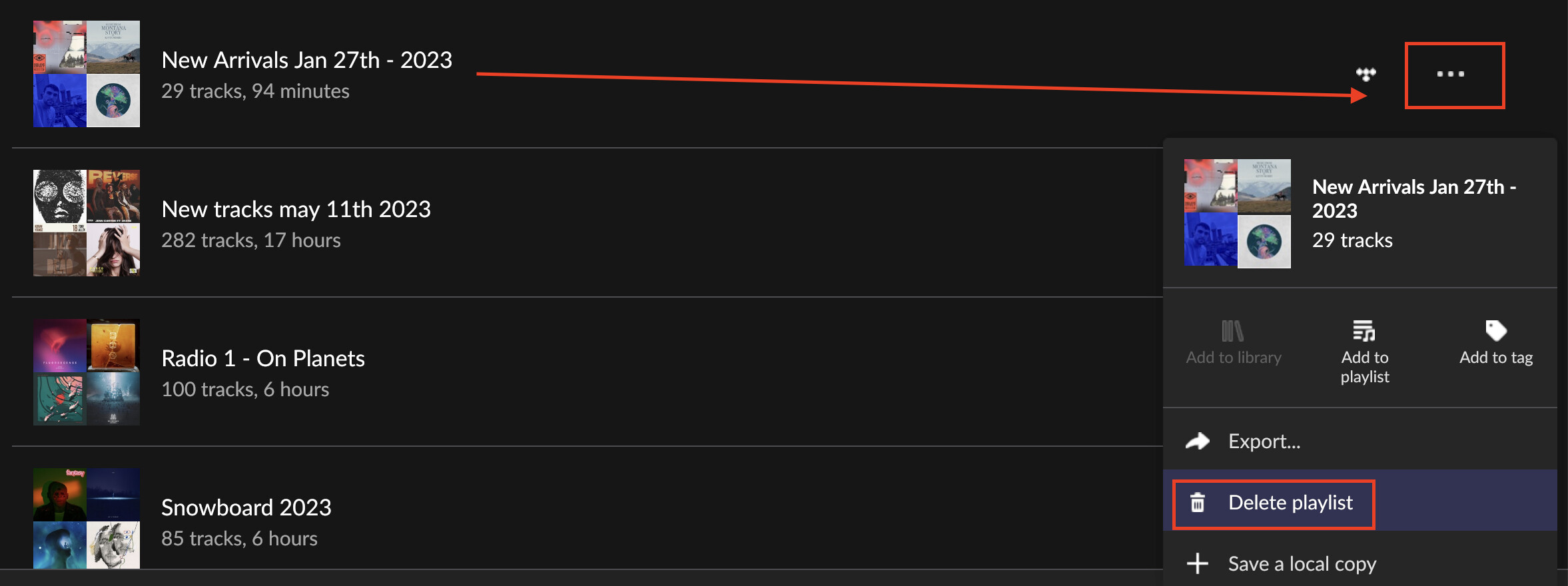
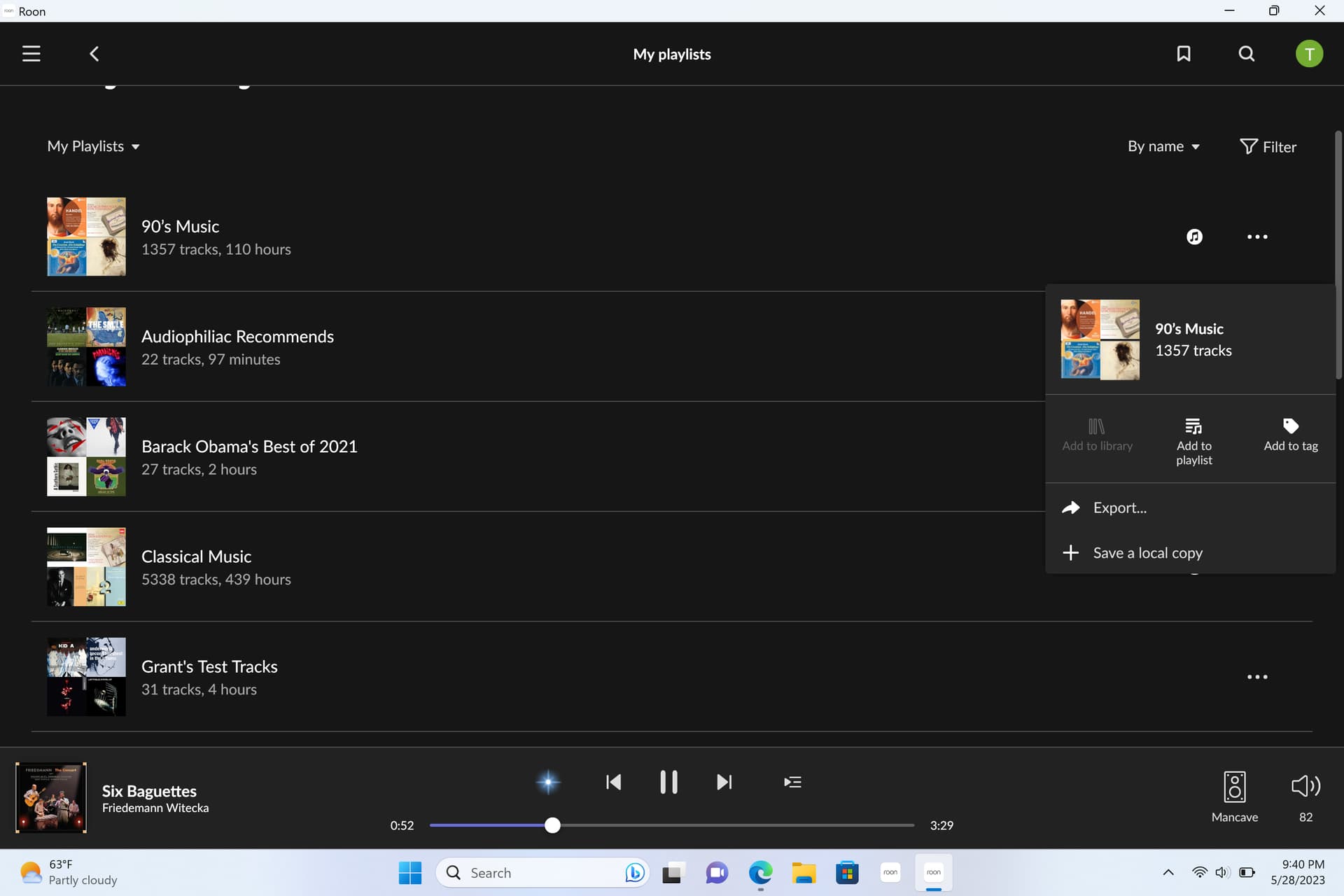
Certain playlists, those that appear with an icon of two little quarter notes on the right side of the table, do not show a “delete” option when I click on the three dots. Other playlists, without that icon, show the delete option and are not a problem. Any idea how I can get rid of these?
Ben with the support team here, sorry for the delay in getting to your thread!
Are you able to share a screenshot of the issue you’re running into? If you click the three-dot dropdown next to your playlist, you still don’t see the option to delete it?
Thanks for your response, Ben. No, I’m afraid the delete option still doesn’t appear for some (not all) playlists. Please see the shared screenshot, assuming I figure out how to upload it. Tom
What’s the source of your imported playlists? According to Roon’s documentation, only iTunes playlists should be “undeletable”:
If you want to get rid of all your imported playlists at once and forever, tell Roon to ignore them by disabling the respective option in the settings of your storage location(s).
Huzzah!!!
Thank you, BlackJack! That makes me happy.
Despite a lot of searching I was unable to identify where exactly these playlists were coming from, though it was clear it was related to iTunes. I don’t use iTunes at this point, but I still have a great number of ripped CDs in iTunes folders. But even without finding and deleting them, by deselecting “import iTunes playlists” after clicking on “edit” for the folder containing all the iTunes tracks, the pesky and ill-conceived playlists all disappeared from Roon.