Hi! What’s not quite right with Roon?
· None of the above quite fits
None of the above quite fits
· None of these quite match
Tell us what's going on
· Hi, I tried to set up my Roon Nucleus One on a fixed IP and now I can't find my server when I open the app.
Tell us about your home network
· Orbi20
Suedkiez
(Just a fellow user like you)
2
Did you set the fixed IP correctly?
- Did you ensure that it is on the same subnet as your other Roon devices?
- Did you ensure that the IP is excluded on the DHCP server’s IP range, i.e., not assigned to other devices by DHCP?
Why did you set a fixed IP in the first place? It’s usually a recipe for later trouble
And here is a guide to reset the network configuration if needed:
1 Like
I set it to 8.8.8.8. And 255.255.255.0
No, and no.
It was slow finding the server from my app and Google search suggested that would fix it. I wish you’d been in the room to stop me.
mjw
(Father! Father! Resist not! Let us destroy the core! Set us free!)
5
This is wrong. The first is the IP address for Google DNS, and the second, a subnet mask.
Please follow the guide posted by @BlackJack.
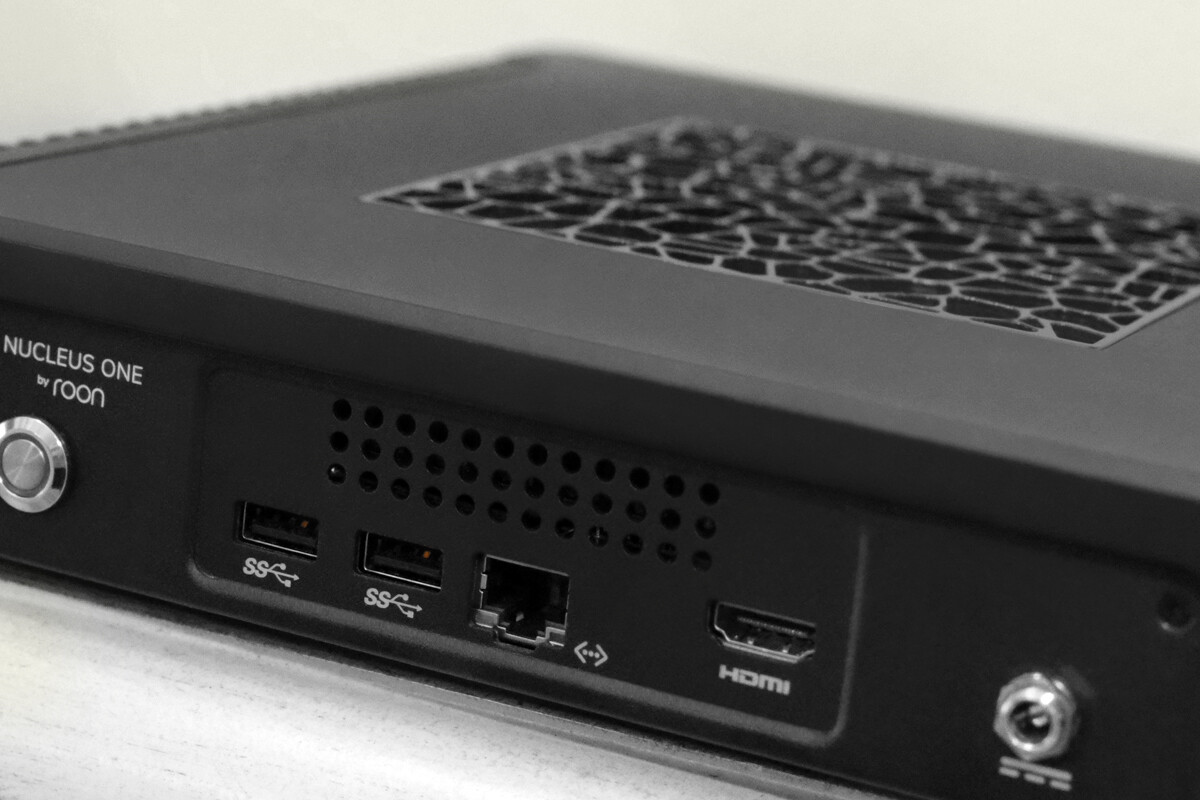
I’d seen this before but what threw me was the connecting to a monitor as the Nucleus One doesn’t have an HDMI video out.
This solved my problem.
Thank you.
Cheers,
Grant Everson
Hi mate,
As I understand it the HDMI port is audio only, not video.
Cheers,
Grant
Suedkiez
(Just a fellow user like you)
10
It provides diagnostic text output for troubleshooting, such as resetting the network configuration.
(It doesn’t provide graphics output such as a Roon app display)
Thanks for that.
I didn’t know that. Good to know.
Cheers,
Grant
Apologies. I’ve since been informed it is for diagnostic text, but not video per se.
Cheers,
Grant
1 Like
mjw
(Father! Father! Resist not! Let us destroy the core! Set us free!)
13
No problem. Glad you got it sorted.
system
(system)
Closed
14
This topic was automatically closed 24 hours after the last reply. New replies are no longer allowed.