Nucleus REV B serial 54B203813BE1
First use 11/28/2019 Roon version unknown.
Remote is iPad pro 10.5 IOS 16.3.1, Roon build 2.0.01271
Networking Gear & Setup Details
ATT modems are BGW210 model . DSL thru ATT, rural area no VPN.
Connected Audio Devices
Streaming Qobuz, USB out to Schiit Yggdrasil DAC
Number of Tracks in Library
Steaming only, no purchased tracks in library
Description of Issue
Nucleus plugged into ATT router, tablet wifi off same router. Proper operation for 3 + years.
Error message appeared, (Nucleus) or (Roon) stopped working overnight.
Tried 4 sec hard reset. Tried reinstall remote. Checked power and cabling. Reset and power cycle modem, nucleus, tablet. no success
Brought Nucleus downstairs, plugged nucleus into downstairs ATT router #2 with tablet on wifi to router #2.
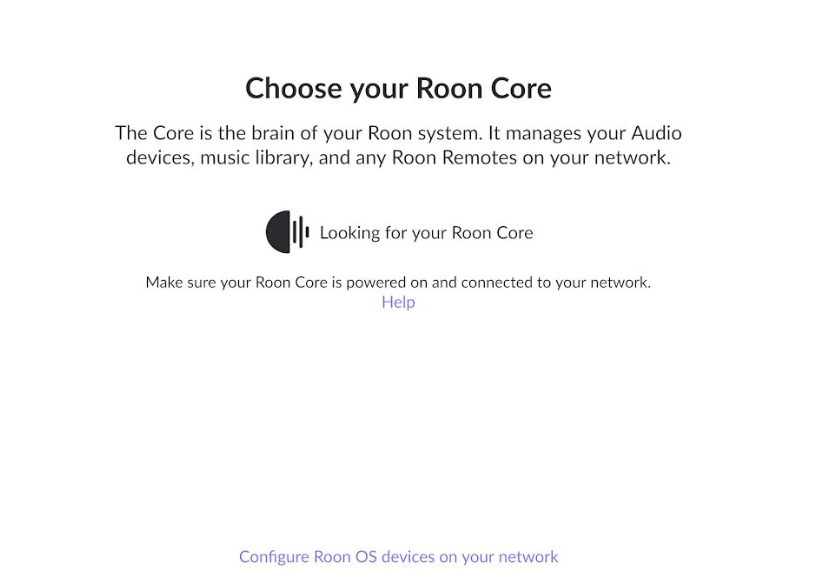
No change: message “Choose your Roon Core” appears
Both routers in the house are functioning with PC and Firestick etc.
What do I do next? Please advise. Many thanks, Erik
Just a fellow user here, but you might try hooking the nucleus up to a monitor via HDMI and see if anything shows up on the screen? Also, do any of the lights light up (power, ethernet)?
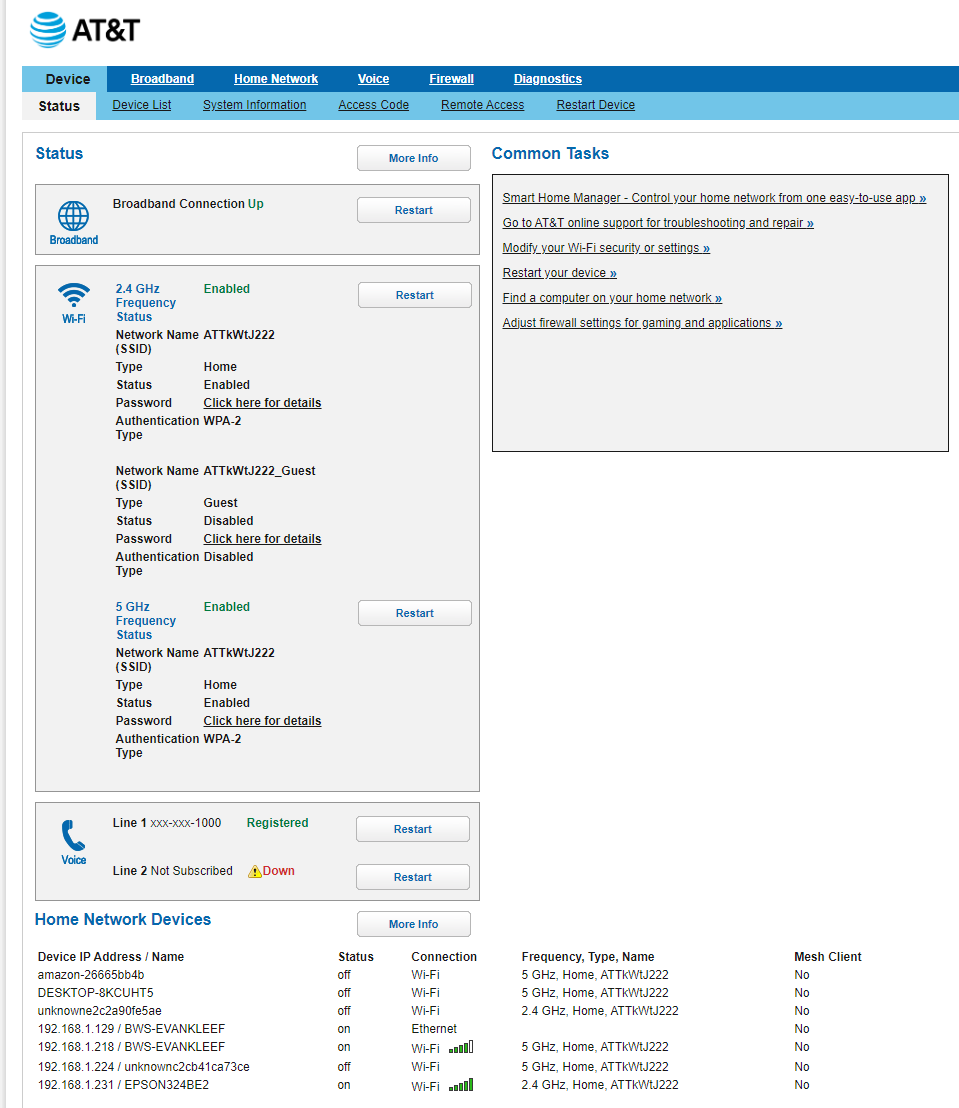
Edit: You might also look in the routers management page to see if it “sees” the Nucleus?
Erik, you may have two separate networks being seen by your devices when you have two routers. Please update the thread if you are able to test the Nucleus with an HDMI cable and monitor and confirm its network status.
BerFNF, Robert
First effort at answering re: “network status” and “Monitor connected to HDMI”
Nucleus connected to router
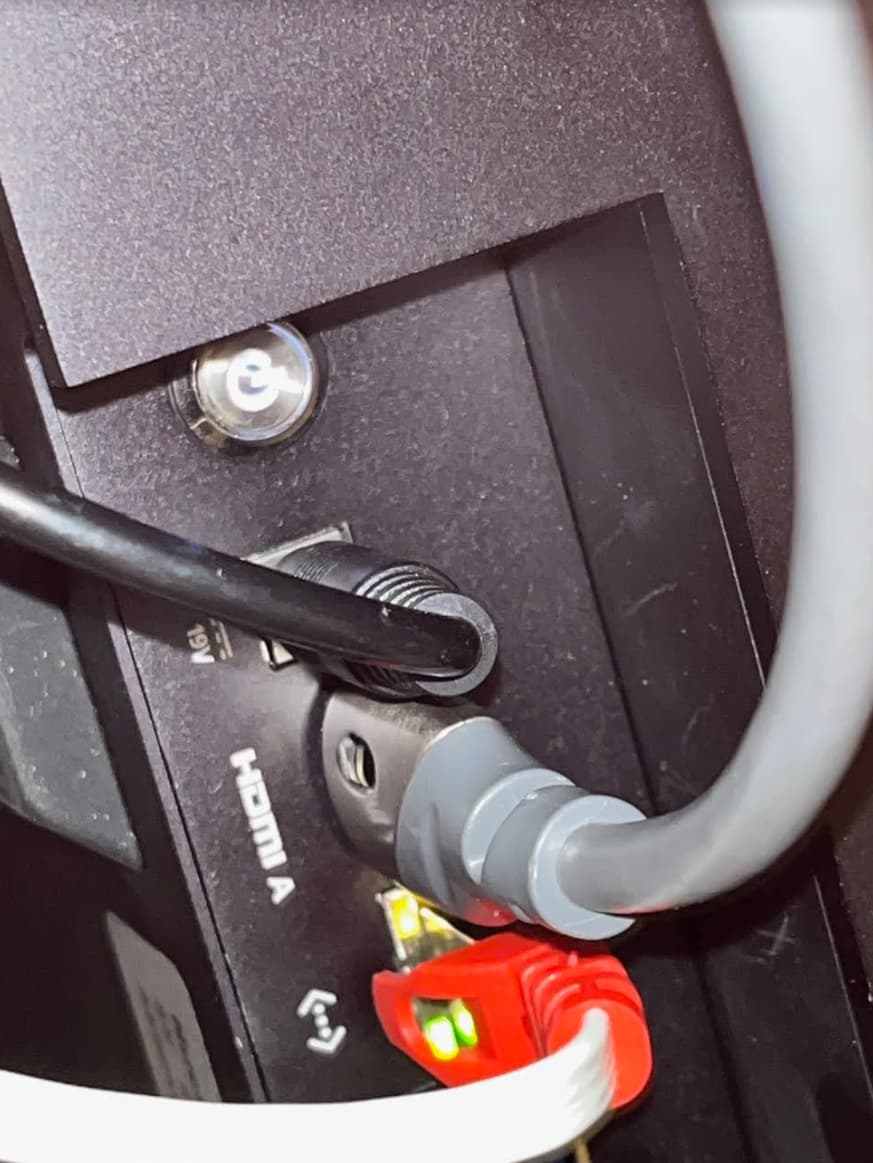
green light, flashing plus solid orange OK
Power light on
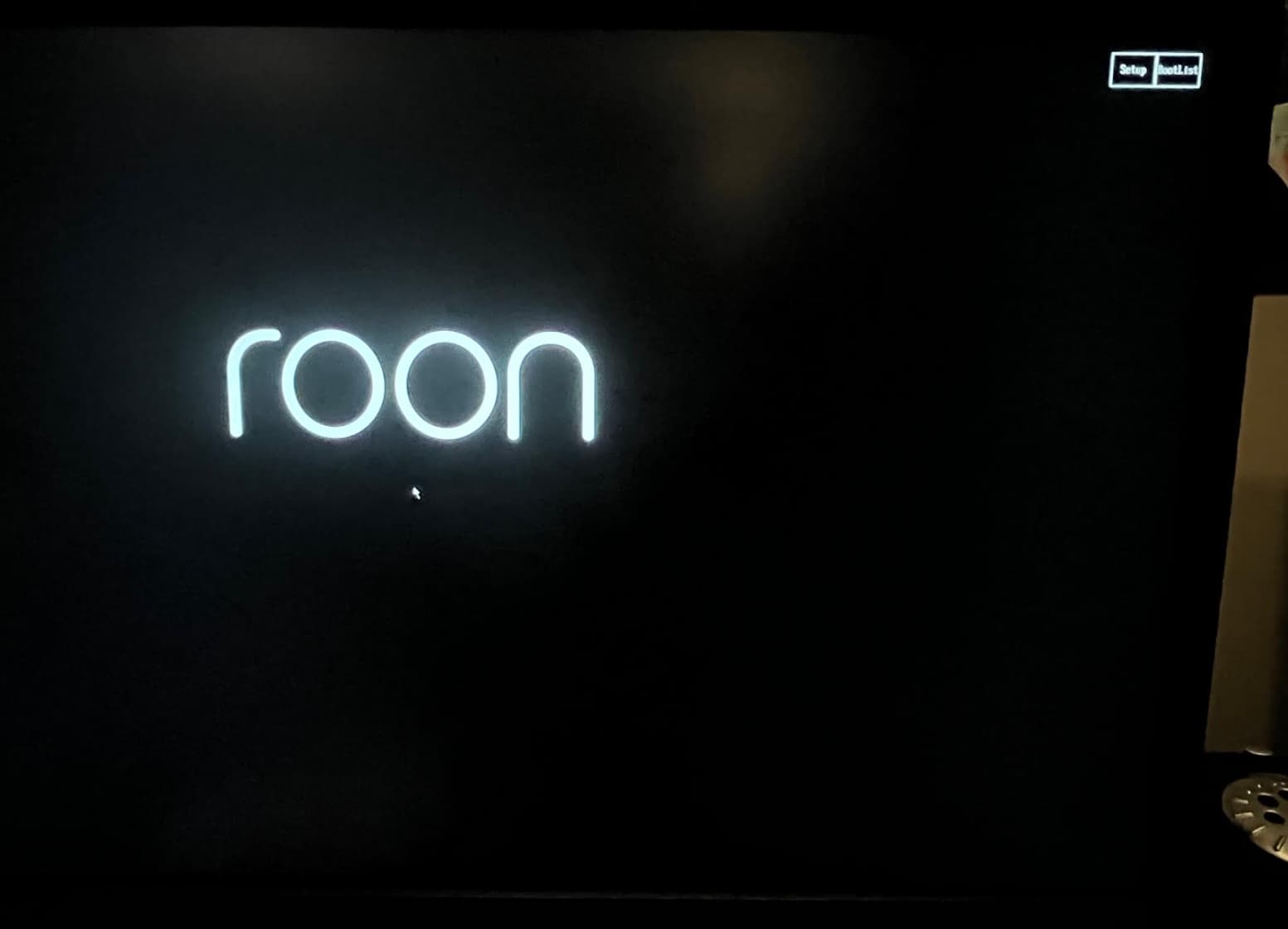
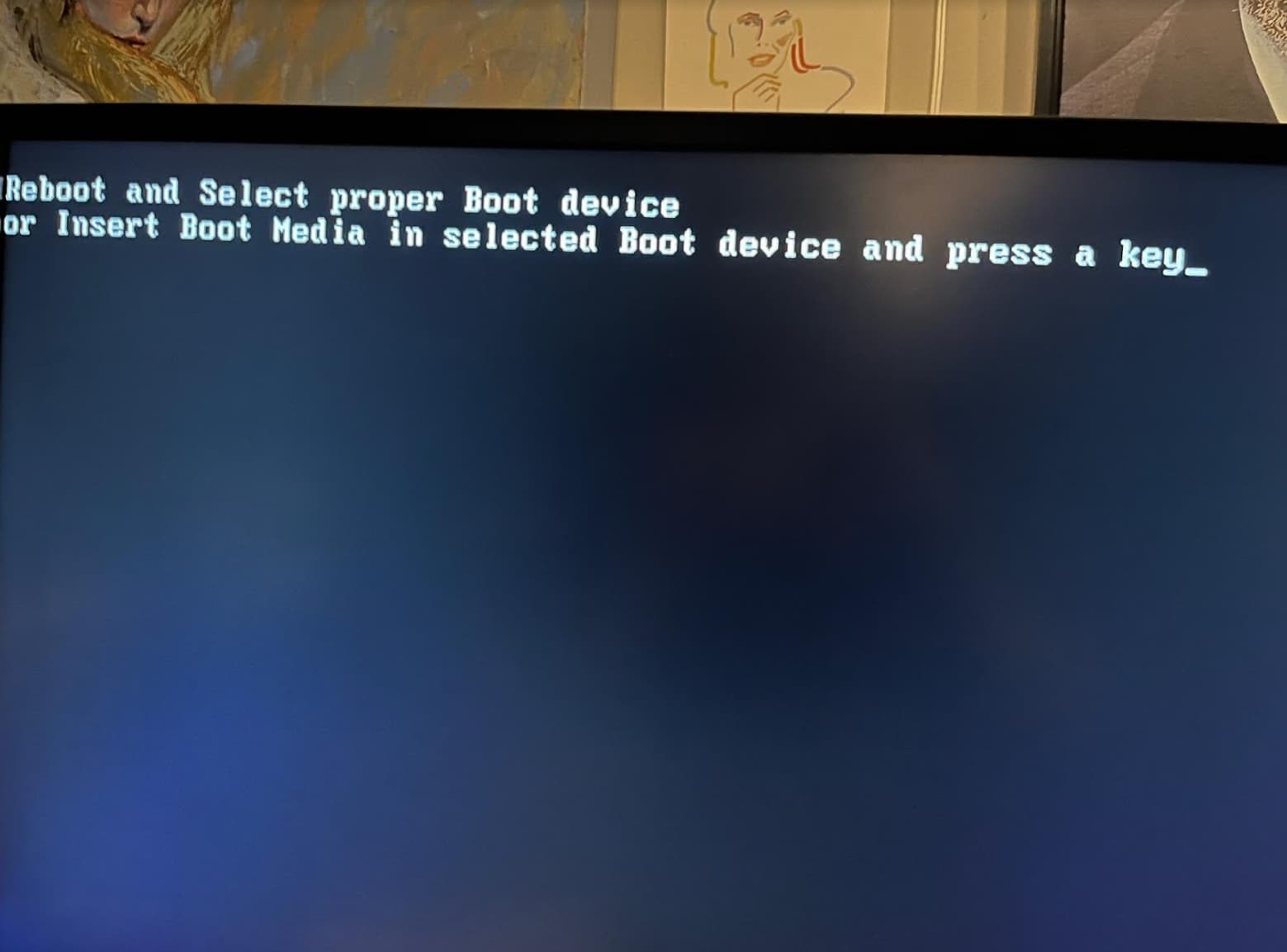
See pic of monitor connected via HDMI No network info, ROON logo and two small boxes top right
after 1-2 mins changed to “reboot… select a key” message, see pic
See pic of Nucleus with Data transfer lights, power light, Cat 6 and hdmi connected/ Cat 6 plugged into router of course
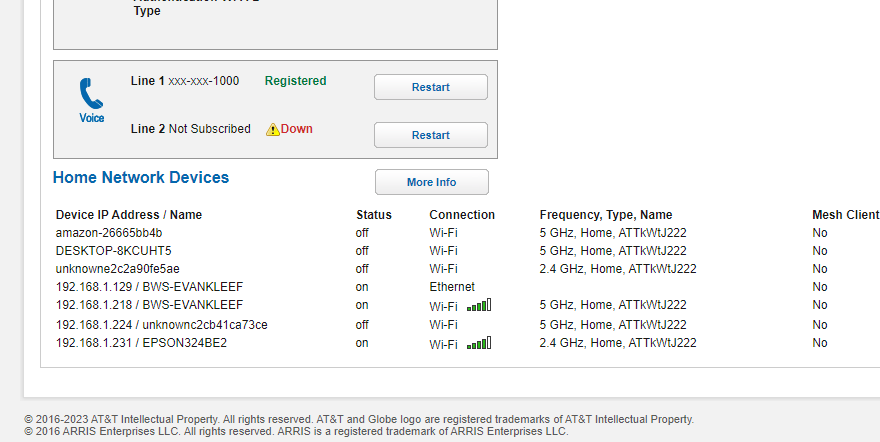
Network status shows PC on ethernet and also on wifi
192.168.1.224 is my Iphone, wifi turned off
Epson wireless printer shows wifi connection, but
No nucleus ethernet connection
Like @Robert_F said if you indeed have two routers serving up DHCP addresses make sure that the Core and your remotes (PCs/Macs, phones, tablets used to control Roon) are on the same subnet as that is the only way they can see each other.
Roonlabs support: Given no sign of life on my network, and the request to reboot on the " monitor into HDMI" check , what is my next step?
Repeating myself: lifetme Roon subscription and enjoying an operational Nucleus for three years now, how to act on " insert boot media and strike a key" Many thanks Erik
Just noticed your screen shots in previous post. The screen shots indicate to me that either your OS is corrupted or you OS drive has failed. If the OS is corrupted you can try to reinstall it by downloading ROCK and installing per the ROCK install instructions, then have Roon support push out Nucleus update to get eh Nucleus OS mods installed. If it is the drive has failed you would need to get a new drive and then do the ROCK install etc.
That being said, as mentioned above, I am only a fellow user trying to help, so you may want to wait for @support to chime in with their recommendations. There may be something you can do with the “setup” that shows up in the upper right corner of the screen? Can you connect a keyboard and mouse to the nucleus and see if you can click on or access the setup? It may just be “setup” is the bios, but that may tell you what is going on with the drive?
Unfortunately, this means your main drive failed in the Nucleus. Given that the two-year warranty expired, you have a few options and I will lay those out in order of cost efficiency.
You obtain a replacement drive just like this one featured on Amazon. You would then need to follow these instructions starting at step 3. After the process is completed, your Nucleus will come online and you’ll see it as ROCK instead of Nucleus. You will be able to verify this with your remotes as well as by typing rock.local into a web browser. You’ll then notify us and we will trigger a remote update to Nucleus.
We send you a preconfigured drive that will plug and play. I do not recall the specific cost but it’s less than a full RMA repair of the unit.
We send you a shipping label and you return the unit to us for repair.
Please let me know if you want to go with options 2 or 3 and I can get that started for you. If you go with option one, let us know when you’re ready!