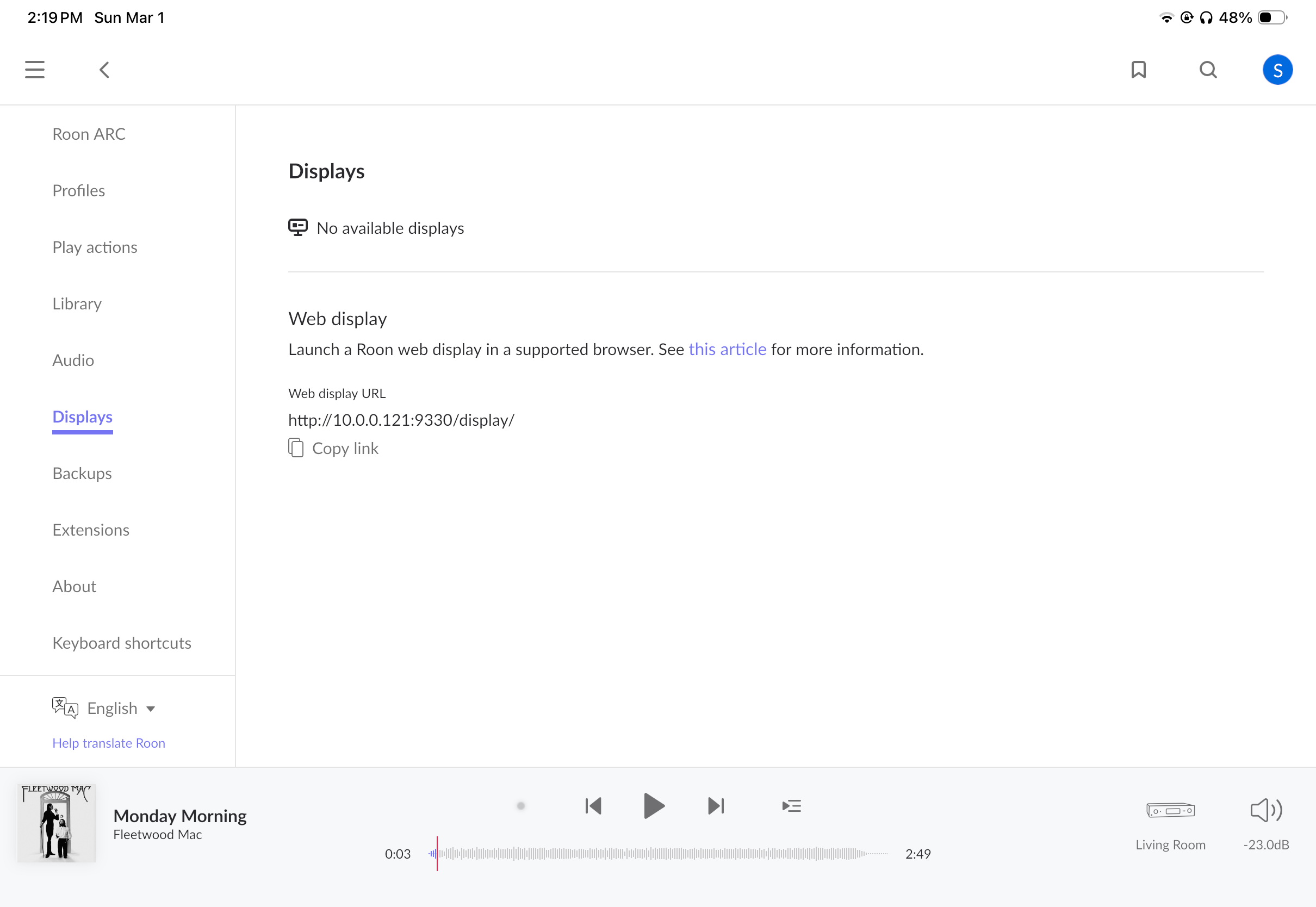
I had been using Chromecast to display lyrics with Roon for two years, but all of the sudden it no longer works on my LG C3 TV. No settings changed and roon server, the iPad OS app all have the latest updates. It likely has to do with a webOS firmware update on the TV. Anyone else had this issue? It’s been like this for months, even after factory resetting the TV. Other apps like YouTube work with Cast as they had been. It’s just Roon having problems.
To help us troubleshoot this effectively, could you please clarify one key detail regarding your hardware setup?
Are you using a physical Google Chromecast dongle plugged into an HDMI port on your LG C3?
I ask because the LG C3 generally does not have native “Chromecast built-in” support (historically, LG TVs have used different protocols, and native Chromecast support is only just appearing in very recent firmware updates like WebOS 24).
YouTube vs. Roon: The YouTube TV app uses a different protocol called DIAL (Discovery And Launch), which works independently of the strict Google Cast protocol that Roon requires. This explains why YouTube works while Roon generally does not on LG TVs without a physical dongle.
If you have been using this successfully for two years to display lyrics, you are likely using a physical Chromecast device attached to the TV.
If that is the case, could you please try:
Power Cycle the Dongle: Unplug the Chromecast device itself from power (not just the TV) for 30 seconds.
Verify Source: Ensure the TV is set to the correct HDMI input where the Chromecast is connected.
Let us know if you are using a dongle or if you are referring to the TV’s internal software!
There is no physical device attached. It’s a TV and that’s it, and worked for over a year. I have also attached an article that shows it is supported by the OS. When I reset my TV’s settings yesterday to try to get this working again, there was an agreement to enable Google Cast (formerly Chromecast) support which I again accepted. However, there is still no display option in Roon like there used to be.
It looks like there could be a potential for multiple active subnets within your local network, can you confirm that your TV and Roon devices are functioning within the same local subnet?
If possible, can you test out temporarily disabling all other active subnets and see if you run into the same issue after forcing all devices onto a single subnet?
Thank you for clarifying that you are using the TV’s native software and for sharing that article
Since this feature was added via a significant firmware transition (moving your C3 to webOS 24), we need to pinpoint exactly what Roon is seeing on your network. To help us investigate this further, could you please provide the following details?
Full Model and Software Info: Please go to your TV settings and share the exact Model Number and the current webOS version installed.
The “Non-YouTube” Test: As mentioned before, YouTube uses a different protocol (DIAL) that works on almost all smart TVs. To confirm that the actual Google Cast protocol is active and visible on your network, could you try to cast to the TV from a different app that exclusively uses Chromecast?
Good examples to try would be the Google Home app, Spotify, or a Google Chrome browser on a laptop.
Does the LG C3 appear as an available “Google Cast” destination in those apps?
If the TV doesn’t show up in those apps either, the issue likely lies with how the new webOS firmware is announcing itself to the Google Cast discovery service. If it is visible elsewhere but not in Roon, we’ll need to look closer at how Roon is scanning your Xfinity network.
Does hte Chromecast option by any chance show up in Roon after you’ve casted something else to the TV? On a similar issue we noted the affected client saying that they needed to Chromecast something to the TV for it to “wake up” the Chromecast functionality. Please confirm if this is the case on your TV as well, thanks!
Can you please use the directions found here and send over a set of logs to our File Uploader? Once logs have been uploaded, please let us know so that we can check the server for your files, thanks!
Thanks so much for sending those over! Your logs confirm that Roon’s discovery service sees the TV (10.0.0.147) but fails to match it to a known “Cast” profile, leading to a repeating “lost device” error.
Essentially, the webOS update changed how the TV “introduces” itself over the network, and your current Roon database doesn’t recognize this new signature.
Could you please try the following:
Unplug the TV from the wall for at least 10 full minutes.
While unplugged, hold the physical power button on the TV for 30 seconds to drain the capacitors.
Plug it back in and wait 2 minutes for services to initialize before opening Roon.
On webOS 24/25, Chromecast is treated more like an internal app/service that can be updated independently of the main firmware.
Go to Apps on your LG TV.
Search for "Chromecast" or look for a System Update notification within the App store specifically.
Users on Reddit have reported that a manual update to the "Chromecast Built-in" component (separate from webOS itself) fixed similar disconnection issues.
Even though you have static-adjacent IPs, Roon's mDNS discovery is sensitive to how the router handles these requests.
Router Side: Ensure IGMP Snooping is Enabled and Multicast is allowed.
Conflict Check: Ensure no other device (like a phone or laptop) has accidentally grabbed .147 or .121 via DHCP. The best practice is to set a DHCP Reservation in your router settings rather than setting the IP manually on the TV itself.
And lastly, LG's "Always Ready" mode can sometimes hijack the network state.
Go to Settings > General > Always Ready and try toggling it Off.
Ensure Settings > General > Network > LG ThinQ App (or "Mobile Connection Management") is set to allow remote triggers.
Hi, none of this worked, including the power off instructions, DHCP reservation and turning off Always Ready. There is also no separate Chromecast app.
Thank you for your patience. Here’s what we see in logs:
The TV advertises itself using mDNS (the usual googlecast.tcp)
Roon successfully discovers the device and prepares a Cast endpoint
Roon attempts to open the Cast control channel, which would enable you to see this device in Roon’s UI
The TV then forces a disconnection and Roon reports lost Cast endpoint for the remainder of the session.
When Roon Server is restarted again, it rediscovers the TV via Cast once more. But then steps 3-4 repeat.
From this pattern, it’s very likely that the C3’s most recent firmware update switched to a lighter, Cast-compatible stack that will reject Roon’s generic session initiation.
The Cast receiver on the TV could also be crashing or restarting when the session is initiated, or the device could be briefly dropping its network interface when the connection attempt occurs.
Since other apps like Spotify can still Cast successfully, the underlying discovery mechanism is functioning, but the session initialization to/from Roon isn’t completing within the TV’s Cast stack. These other apps likely rely on slightly distinct Cast pairing protocols.
You’ve already tried a significant amount of troubleshooting, but the order of operations might be key. If you haven’t already, try:
powering off the TV
powering of Roon Server
powering on the TV
powering on Roon Server
If you don’t see the Display appear, try once more disabling /re-enabling the TV’s network input in the TV Settings → General → Network menu (if this option is available).