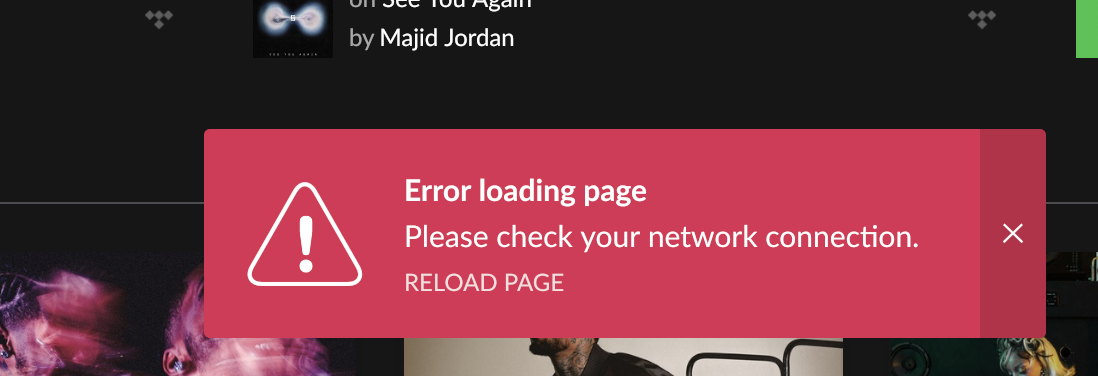
· Since the last update I'm experiencing connection issues with my KEF end point when using remotes on android and iOS. Streams for 20secs then Roon loses control of the device. Have restarted everything, including router. Also, I now can't log in to Tidal, the error message "Error loading page Check your network connection" is appearing. Network is fine, I'm able to use the Tidal app.
Set up is: Macbook pro M5 server core TP link wifi extenders (have been successfully using these for some time now) Virgin M350 broadband Downstairs KEF end point Android / iOS remotes
That looks like a general network error in Roon. Does the issue also happen on other zones, such as the System Output, your MacBook internal speakers?
We have seen users have a better experience in the past if they change their Router’s DNS servers from the ISP provided ones to Cloudflare DNS, Quad9 or Google DNS.
Can you please give this a try and let us know if it helps?
Hi @noris thanks for coming back to me. Annoyingly this morning it allowed me to log in and I had playback without Roon losing control of the endpoint. Always the way! But I suspect the issue remains. Unfortunately my Virgin Media router doesn’t allow me to change the DNS server, seems I would need to connect it to a separate router of my own which I dont have.
Would a custom DNS for my core help, if so what would that be?
Logs show Roon stopped receiving a position timer update from the KEF speaker and playback arrested at 0:31 seconds. From Roon’s perspective, the KEF endpoint stopped communicating playback progress back to the server mid-stream.
Around the same time, requests from Roon Server to Roon’s cloud discovery and recommendation services begin to time out. The laptop itself might have been experiencing some WiFi interference.
Where specifically is the KEF connected relative to these two extenders? Is the laptop server hardwired in this configuration?
Look for options related to multicast forwarding in the Virgin router settings admin page and try enabling those.
Hi Connor, thanks for that detail. I’ll check for multicast forwarding and come back. The KEFs are downstairs wired to the router, the extender is upstairs where the core sits but not hardwired, I need to use the hardwire for work purposes.
The issue is almost certainly that your Roon Server (the MacBook upstairs) is connecting over WiFi through an extender, while your KEF endpoint is hardwired downstairs. Both the symptoms you’re seeing point to this: the KEF losing its position timer mid-stream and the Tidal/cloud service timeouts are both what we’d expect when the server’s network connection is unstable or dropping packets. The fact that it worked fine one morning and not others is also consistent with intermittent WiFi interference rather than a problem with the KEF or with Roon itself.
The server is the most network-sensitive device in a Roon setup. It’s constantly streaming audio to endpoints, talking to our cloud services, and pulling from Tidal, all at once, so it really wants a stable, wired connection. A WiFi extender adds latency and a second hop where packets can drop, which fits exactly what @connor saw in your logs.
I understand the hardwire is committed to work use. A few things worth trying:
Could you test by temporarily relocating the MacBook downstairs and wiring it directly to the router, even just to confirm the problem disappears? If playback is rock solid that way, we’ve found the cause.
Do still enable multicast forwarding on the Virgin router as Connor suggested, and on the DNS question you raised earlier, custom DNS is set per-device, so you could point the MacBook itself at Cloudflare (1.1.1.1) or Google (8.8.8.8) in macOS network settings even though the router won’t let you change it globally.
Hi Benjamin. Thank you for this detail. Safe to say the wired test works perfectly, I will continue to test. Is there a solution beyond using extenders whereby the core can remain upstairs with the KEF endpoints downstairs, and playback remains rock solid, or will it always be the case that the core needs to be wired into the same router to avoid the connection instability?
Thanks
Glad to hear that wired is operating as expected. There are several ways to extend the capabilities upstairs/downstairs, the best being one cable run and then an unmanaged switch where you need to split the connection. After that, we have seen our customers have pretty good success with using mesh networks, MoCA adapters (over Coax if there is existing cabling), or as a last resort using Powerline (though powerline can be extremely unstable so it is hit-or-miss).
Just checking in on this. Have you had a chance to try the network options we mentioned for extending things upstairs or downstairs, like running a single cable to an unmanaged switch, or using mesh, MoCA over coax, or Powerline as a last resort? If you’ve made any progress, let us know what worked, thanks.