Already mentioned one of the things it does (other things too) is correcting frequency response. This is one easy thing DSP can fix if you measure it properly.
I have good enough tools to show if one DAC rolls off ‘too early’ (subjective) but I wouldn’t use my tools to do frequency response correction.
If Jussi can find other ways to reduce noise/distortion and time domain performance (from his measurements) then he can do that too.
Its not voodoo, it is all based on:
Measure
Try to correct certain things
Re-measure - do things improve? If yes, great. If no, abandon ship for that correction
I imagine it is a time consuming thing for him to do.
You can download headphones EQ (corrections) on the web now. Just think of it like that, but for DACs. All based on measurements.
I don’t talk much about the modulator implementations either.
For comparison, at least earlier, ESS asked to sign NDA just for someone to get the (erroneous and buggy) datasheet for the chip! And it doesn’t tell almost anything about what is going on inside.
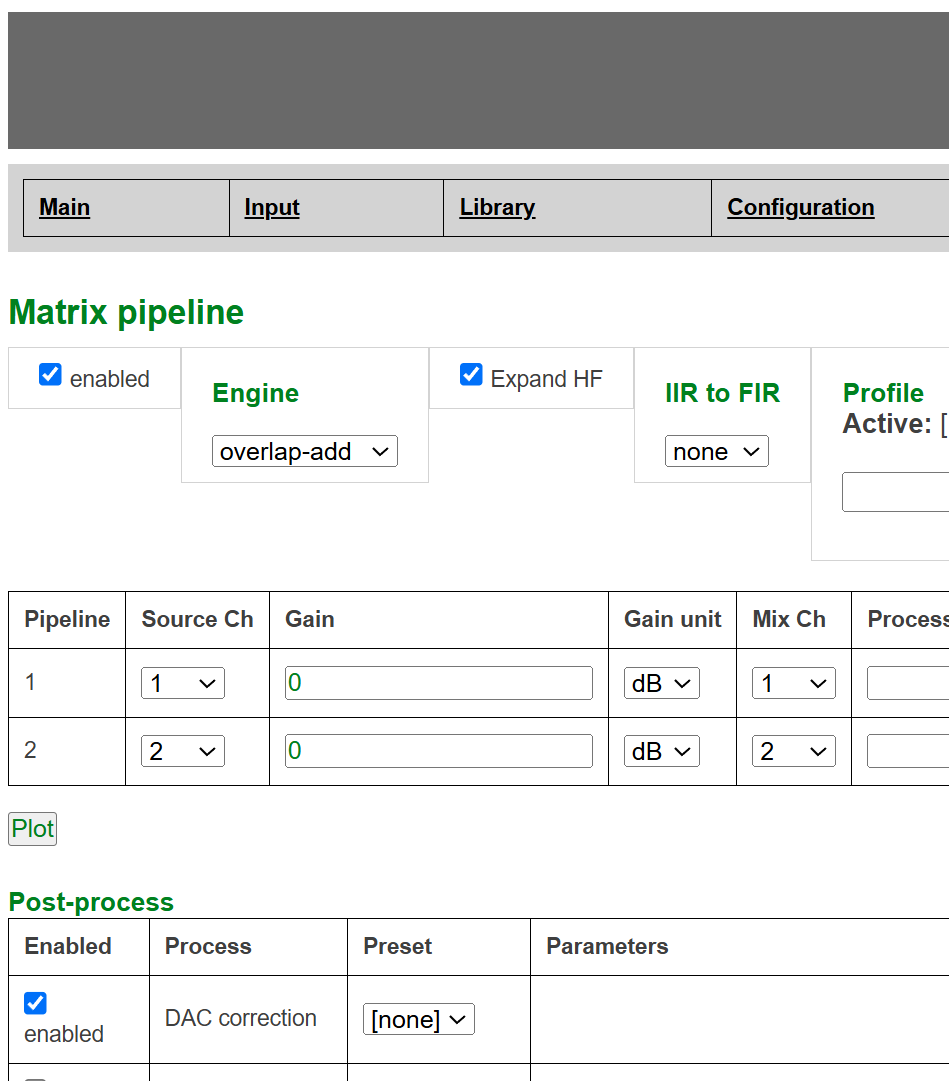
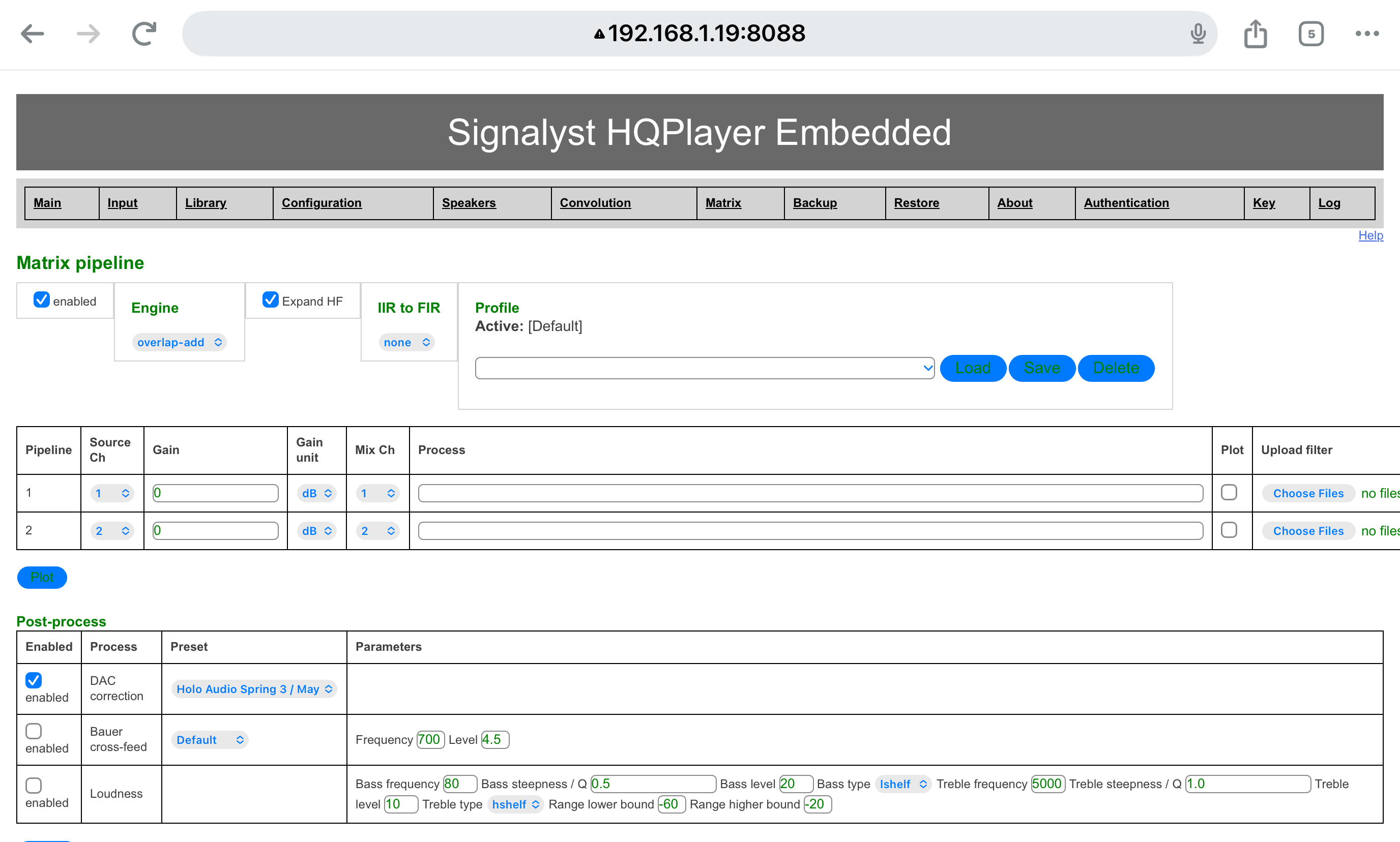
EDIT RESOLUTION: For anyone else that runs into this. You have to first play to your DAC if using the Holo May for the NAA to see the DAC corrections available to it. I had re-installed my HQPE and had missed this step. With some troubleshooting I was able to figure it out.
Sorry but no, as I don’t have one at the moment. If I later have such it would be added. Not sure how far it is from NEO iDSD, it could be close or same, but I don’t know…
Hqpd5 correction detects my T+A200. Gives me the wide and 60 choices. I selected 60 as the DAC has that selected. I have both “enable” boxes selected. When I press load or save I get an error message: cannot detect DAC
When I check on Client, it shows Correction is enabled. I presume it’s working, but I must be doing something wrong on the front end?
Also, I get a 2 drops a minute at 512 with Correction with buffer all the way up. My NAA is only 4.1. Will upgrading that have any bearing?
If Client shows correction enabled, then it is working. That error/warning message could be due to some detection delay. If your DAC is listed under available choices, as it seems to be, then it is detected.
It is difficult to say, could be many things. But if output buffer doesn’t have drops at those moments, it could be network problem. There 5.x could help, but it is not very certain since the root cause is not known at this point.
This is all experimental, I’ve downed enough coffee to finally attempt and follow through with this project…
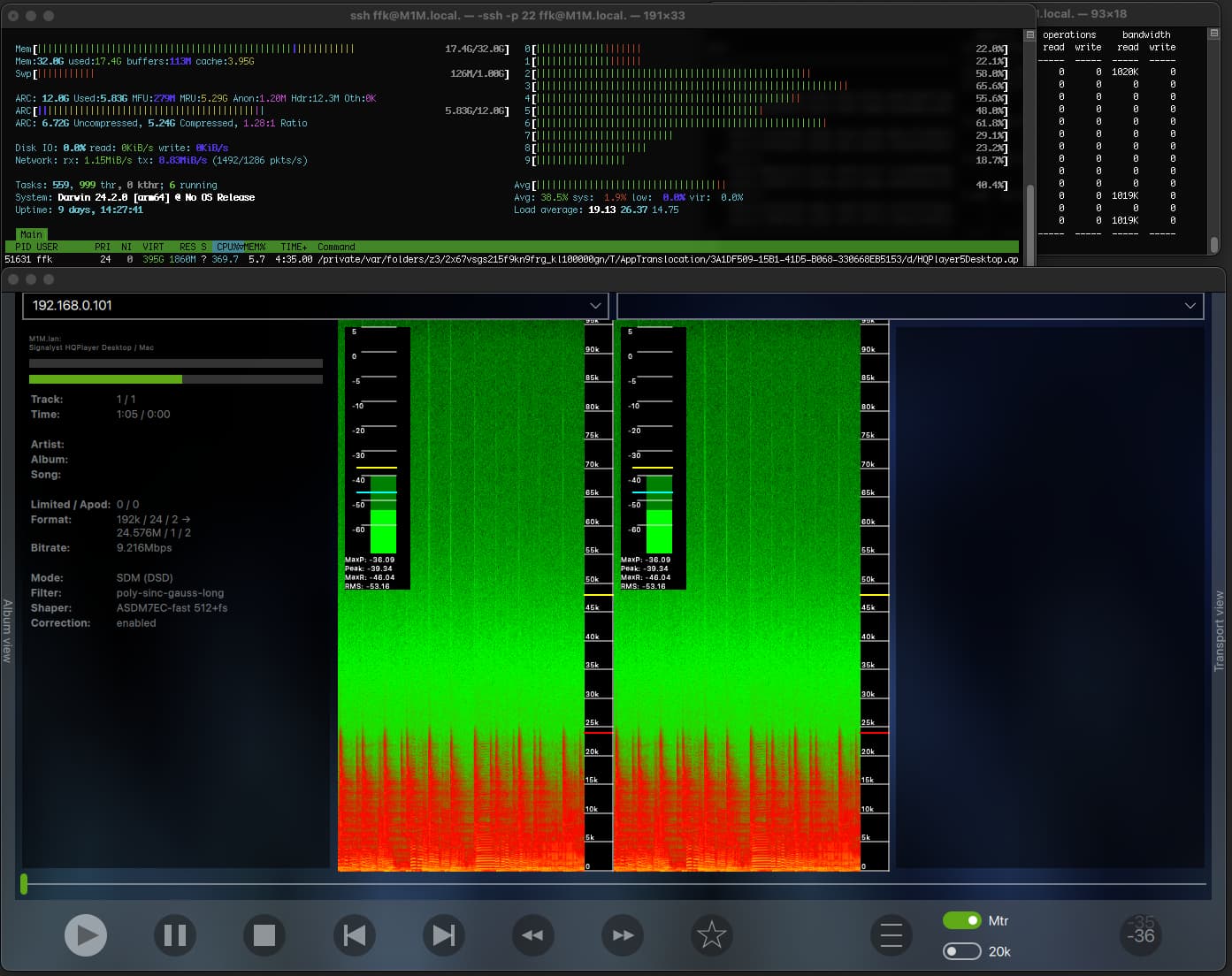
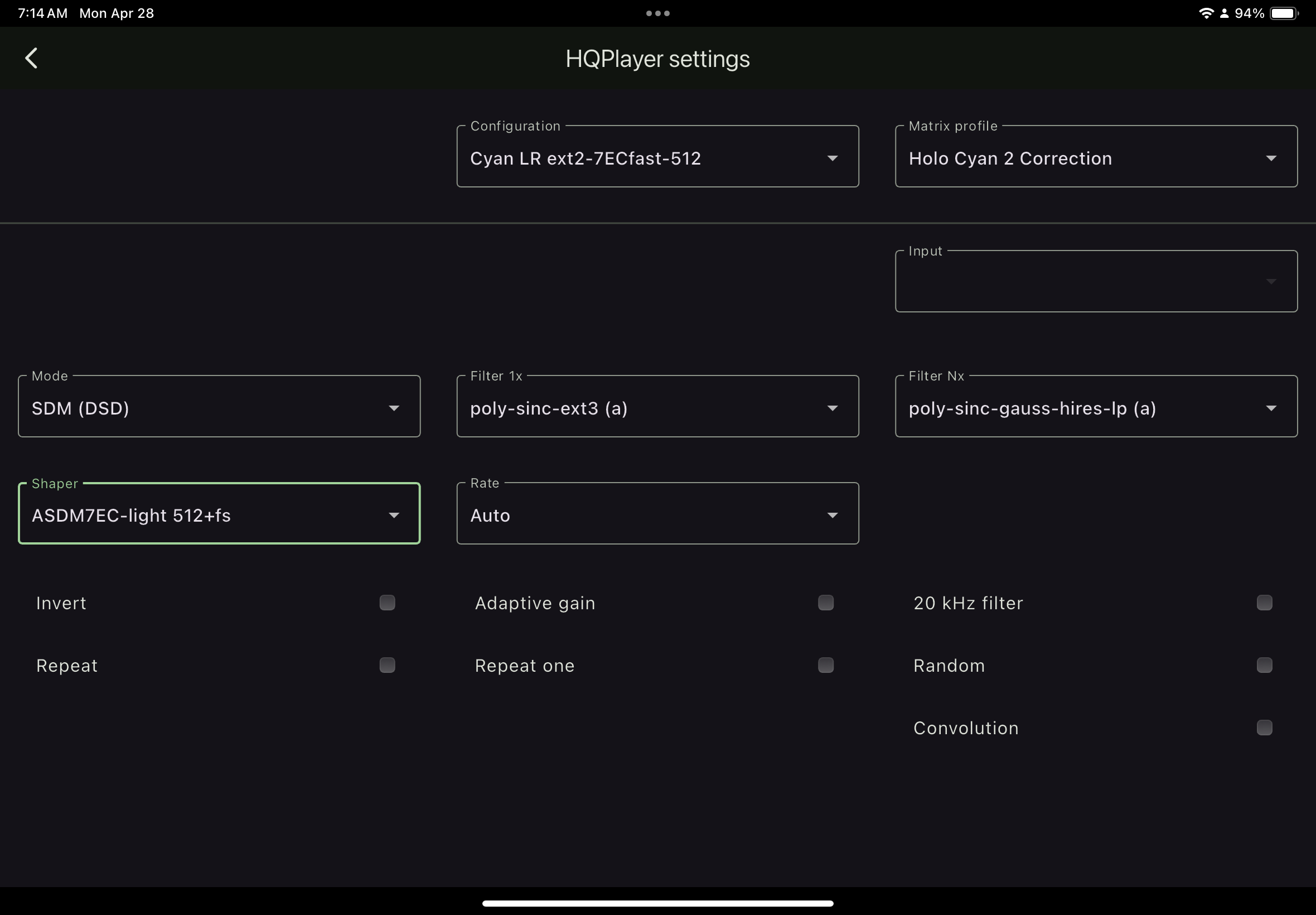
With a M1 Max I am now able to get DSD512 with DAC corrections enabled but some tracks result in the buffer slowly running out when using your favorite default filters. I moved RoonServer to an old computer that has a i5 7600k running Linux Mint which appears to have given me the extra cpu cycles needed to get things sort of working.
With correctoins on using ASDM7EC-fast 512+fs the buffer slowly empties.
With corrections off the buffer stays filled.
With corrections on or off and using ASDM7EC-super 512+fs, the buffer slowy empties.
With poly-sinc-mp-2s and ASDM7EC-super 512+fs buffer stays full.
I haven’t restarted the M1 Max in 9 days as you can see from htop, so memory usage at some point threw some stuff into swap. I also have a large zfs pool on this machine which doesn’t help in the ram department, but I’m quite impressed at how well it’s running.
Also Spotlight and mediaanalysisd are major cpu hogs on macOS. I am using an app to limit their cpu usage.
Is that buffer emptying related to cpu or ram?
Educated guess… do you thing the M4 Max is enough of an improvement to fix where the M1 Max is sturggling?
On the M4 mini base (the $599 or realistically $499 one), I regularly have dsd512, poly-sinc-ext3 and ASDM7EC-fast 512+fs (or light) running along with all my other desktop stuff. Outlook, word, chrome with a bunch of windows, xld, balena etcher. I used to close stuff religiously, now I don’t. Occasionally if I’m doing something very cpu intensive while listening the buffer runs out, but it’s rare (once every few days), and when I’m away from my computer and not doing anything it runs like butter. I ran Roon core on it too with no different results for a while, then moved core to Ubuntu on NUC 10i7 just because it never ever ever was offline (unlike my Mac which occasionally someone shuts down). Feel free to get the max or studio, but the base is pretty incredible. If I were you I’d wait until the M5 mini base comes out because the gap between where you are and the m4 base isn’t that big. My 2 cents.
EDIT: as you can see, on the Mac Mini M4 with DAC correction, DSD512, poly-sinc-ext3, ASDM7EC-light 512+fs results in ~400% CPU usage steady with no hiccoughs (unless there’s something crazy going on with my network). YMMV, but I’ve found it’s pretty reliable. I actually tend much more to use less demanding filters, shapers, and rates in real life (I listen to a lot of mid-century jazz recordings; not uncommon for me to listen to 768 PCM, poly-sinc-gauss-long, DAC correction, TPDF shaper; in this case the CPU barely blinks, I can actually run HQPD on an old NUC 7i5 with Ubuntu server and xfde and even that barely blinks).
Thanks for the info…
… Not sure I would consider a M4 mini as I’d want 10gbe and more ram for zfs, and paying more for that I’m better off with a Studio. Not to mention the mini bandwidth is low compared to the max models.
M1 max = slower single core, higher memory bandwidth 400gb/s
M4 = faster single core, really low memory bandwidth 120gb/s
M4 Pro = faster single core, low(ish) memory bandwidth 273gb/s
M4 max = faster single core and higher memory bandwidth 546gb/s (win,win) and 10gbe.
I left out the ultras as they are too expensive.
Looks like the M4 Max may be the pick.
… but I guess for now the May with correction and lots of filter and modulator options at 256 and limited choices at 512 with M1 Max is not too shabby…
I found a big improvement in sound getting the core off the mini and onto a separate machine. With RoonServer and hqplayer on the same M1 Max, I was noticing higher frequencies almost sounded harsh or distorted, especially female vocals. Not sure what that was all about. Roon dsp is on bypass, and hqplayer limit is -4. Convolution is disabled. Not sure if it’s just separating the two but with the core now it’s own Linux machine it feels zippier and the harsh sound is gone.
I have love hate feelings for Apple, lately more hate than love, but quite impressed at what is being accomplished.
I do love combination of roon, hqplayer, some kick ass filters and modulators, dac correction and the May.
 With correctoins on using ASDM7EC-fast 512+fs the buffer slowly empties.
 With corrections off the buffer stays filled.