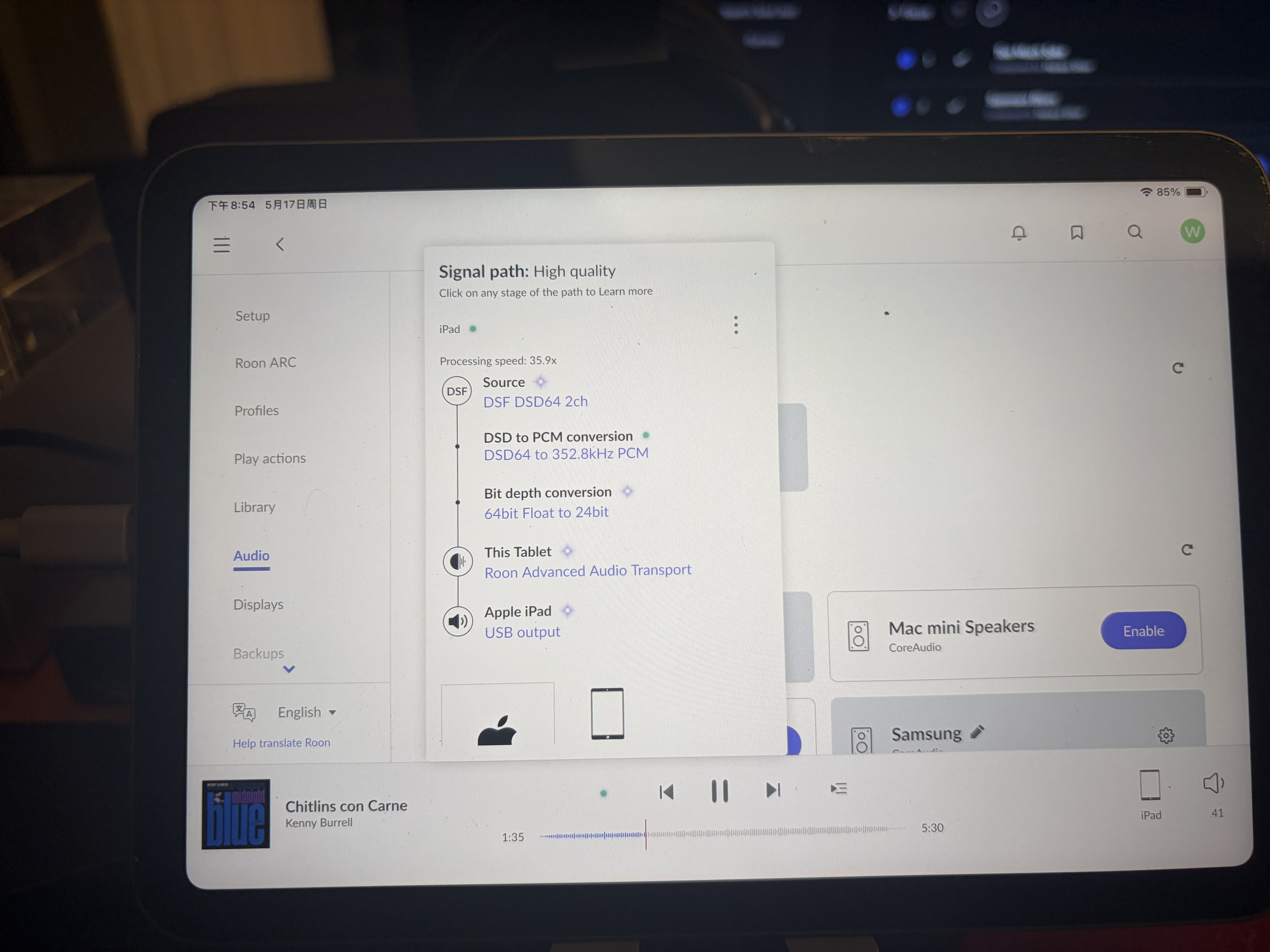
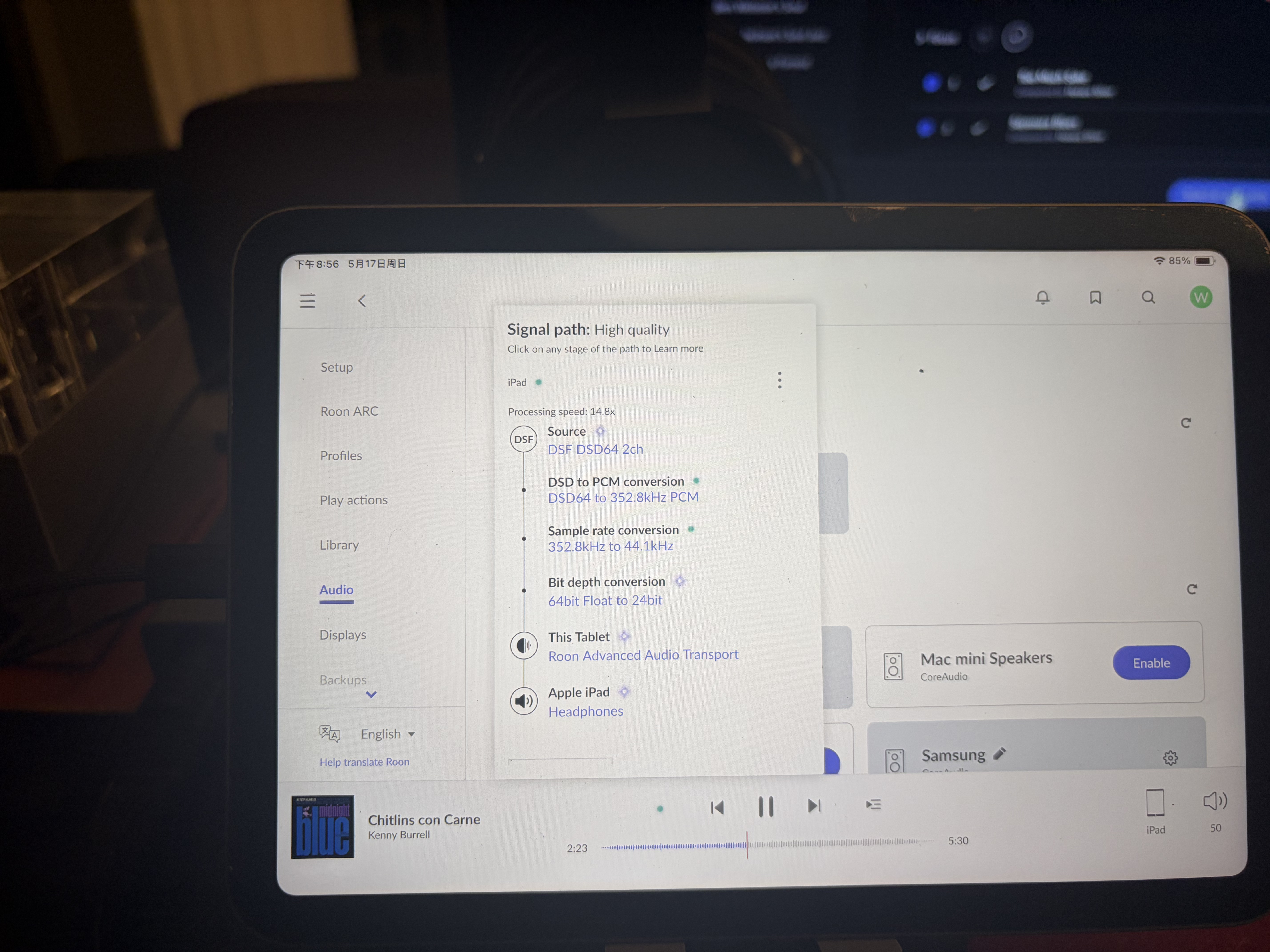
· When I connect a DAC to iPad, Roon on iPad does not recognize the DAC’s name, just as iPad headphone, how do I make sure it’s the DAC doing digital to analog conversion not iPad? When I check the signal path it says nothing about the DAC part
Thanks for reaching out. Can you please confirm the DAC in use with the iPad, and share a screenshot of your signal path? How is the DAC connected, does it use an adapter, or USB-C to USB-C cable?
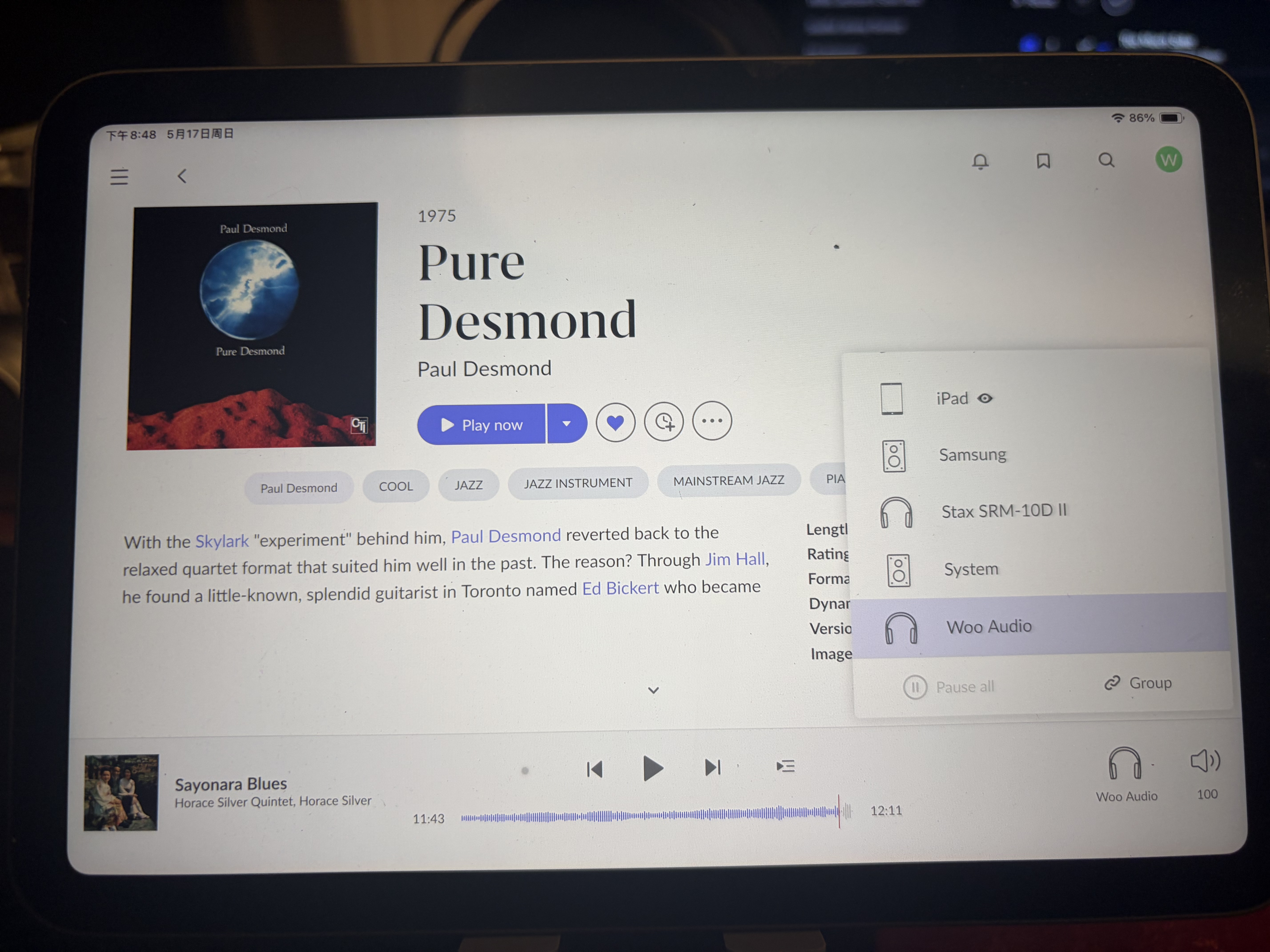
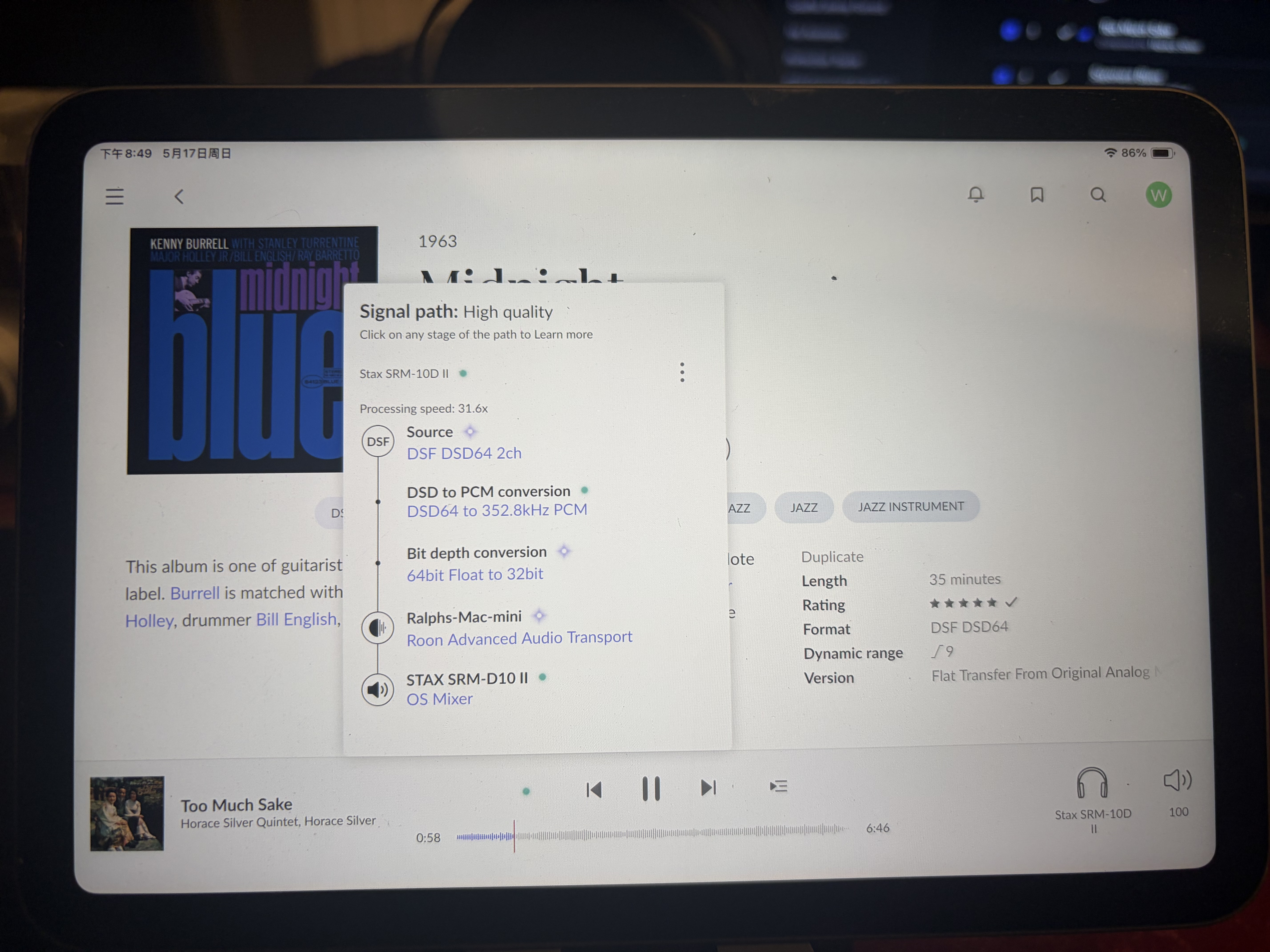
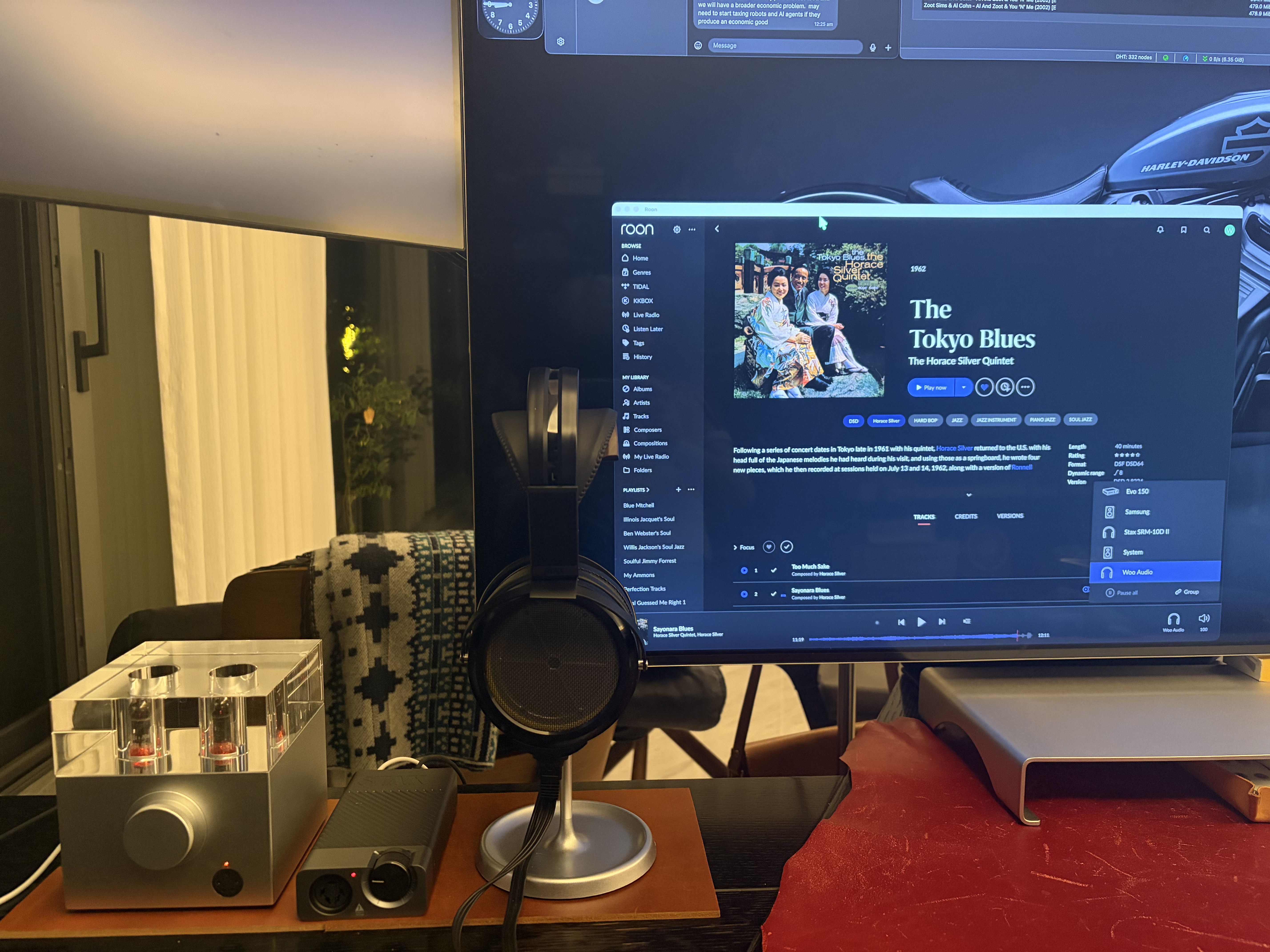
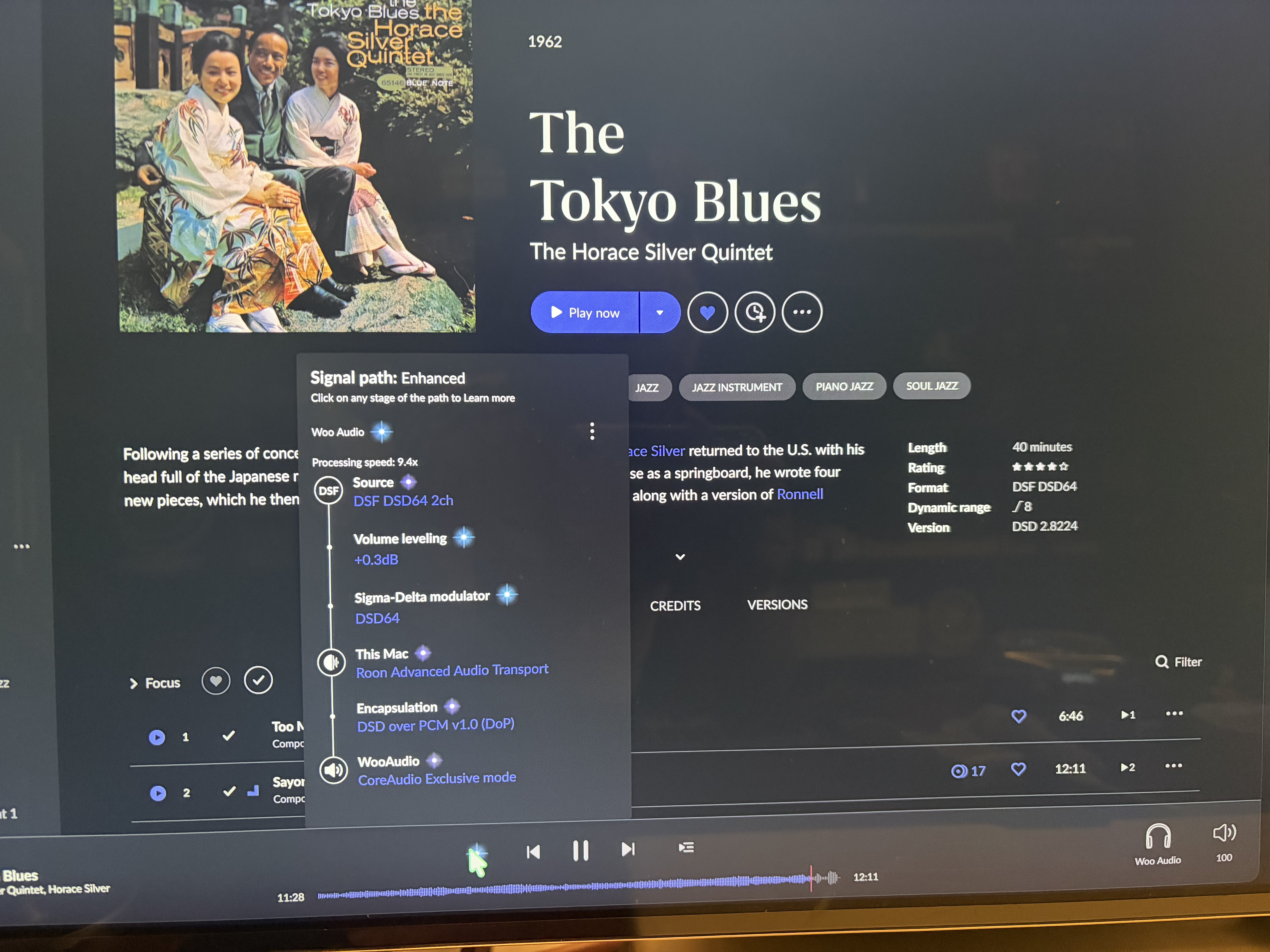
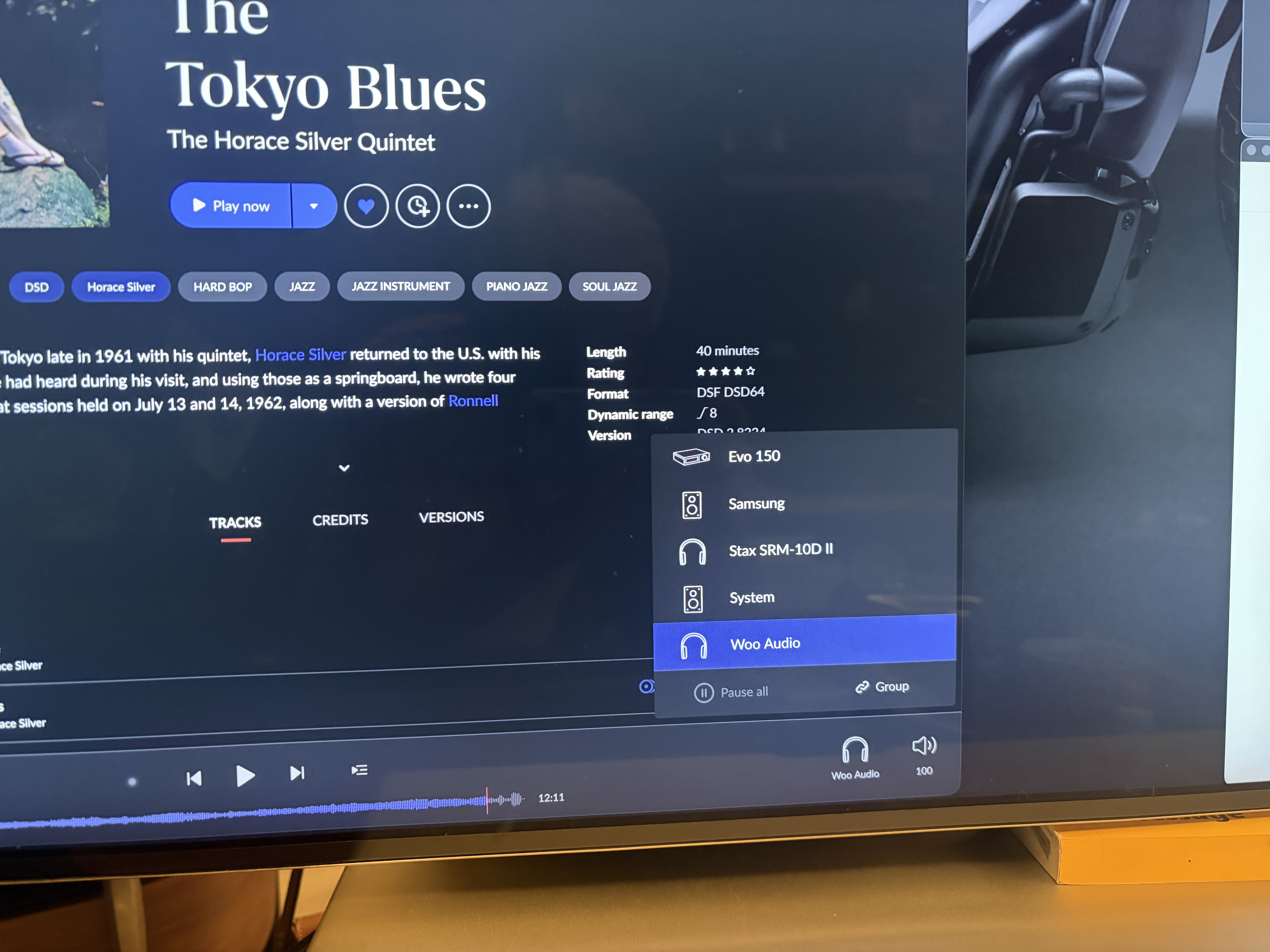
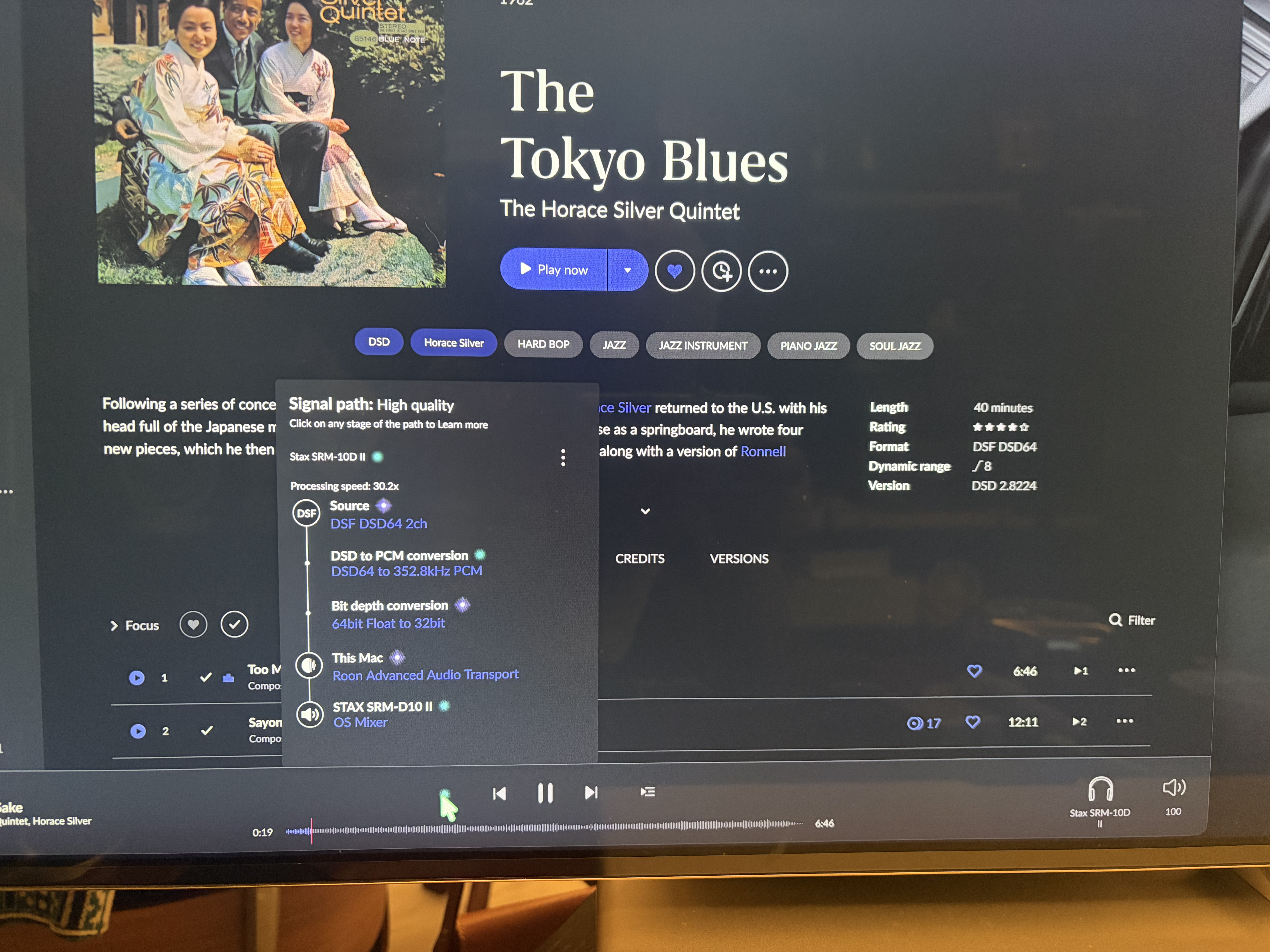
I use USB-USB between my DACs and Macs and iPad. On Mac, it works all fine–I have two DAC for headphones, one is Woo Audio Fireflies and the Stax SRM-10D II. The first two screenshot are taken when these are connected to my Mac mini, Roon shows the device name and the signal path shows the DAC is handling the digital to analog conversion work. The other shots are taken when the DACs are connected to iPad, where Roon doesn’t not shoe device name and signal path only has headphone shown, no DAC whatsoever, so I believe the iPad internal chip is handling the conversion work. After I uploaded the screenshots I realise the first and last ones are from Mac. Sorry
Sorry I realise I made a mistake, all these 5 pictures are taken off iPad, the first one and the last ones are taken when the two DACs are still connected to Mac, so in the Roon remote on iPad you can still see them. The other three are taken while the DACs connect to iPad directly. Here are two more photos of the Roon interface in Mac
The WA7 Fireflies requires a USB camera adapter to function with iPad, according to their website. Here’s a video from Woo Audio’s support team. Is this the adapter you’re using?
A note on routing and bit-perfect and native DSD with iOS:
Apple does not expose their low-level audio API like Android, and iOS does not have the same precision of user control over audio at a system level as MacOS.
This imposes a few practical limitations when attempting bit-perfect playback on a USB headphone DAC with an iPad.
When the iOS device is hosting RAAT (you’ve connected the DAC as a local device to the iPad directly), there is no Apple coreaudio driver to offer exclusive control. Everything gets routed through the iOS system mixer. The system mixer negotiates a sample rate and bit-depth ceiling, which will often be below the DACs capabilities. It’s an architectural constraint with iOS outside of Roon.
Wanted to follow up on this. We were asking for a few more details before we can take any troubleshooting action, so were you able to reply with the information from the post above? If you missed it, please send it along when you have a chance and we can pick things up from there, otherwise this thread will auto-close, thanks.
We have not heard back from you, so we will go ahead and close this thread due to inactivity. If you need further assistance, please submit a new support request and specify that the issue be reopened. Thank you.