· My library isn’t working correctly (local/streaming, importing, or storage access)
Describe the issue
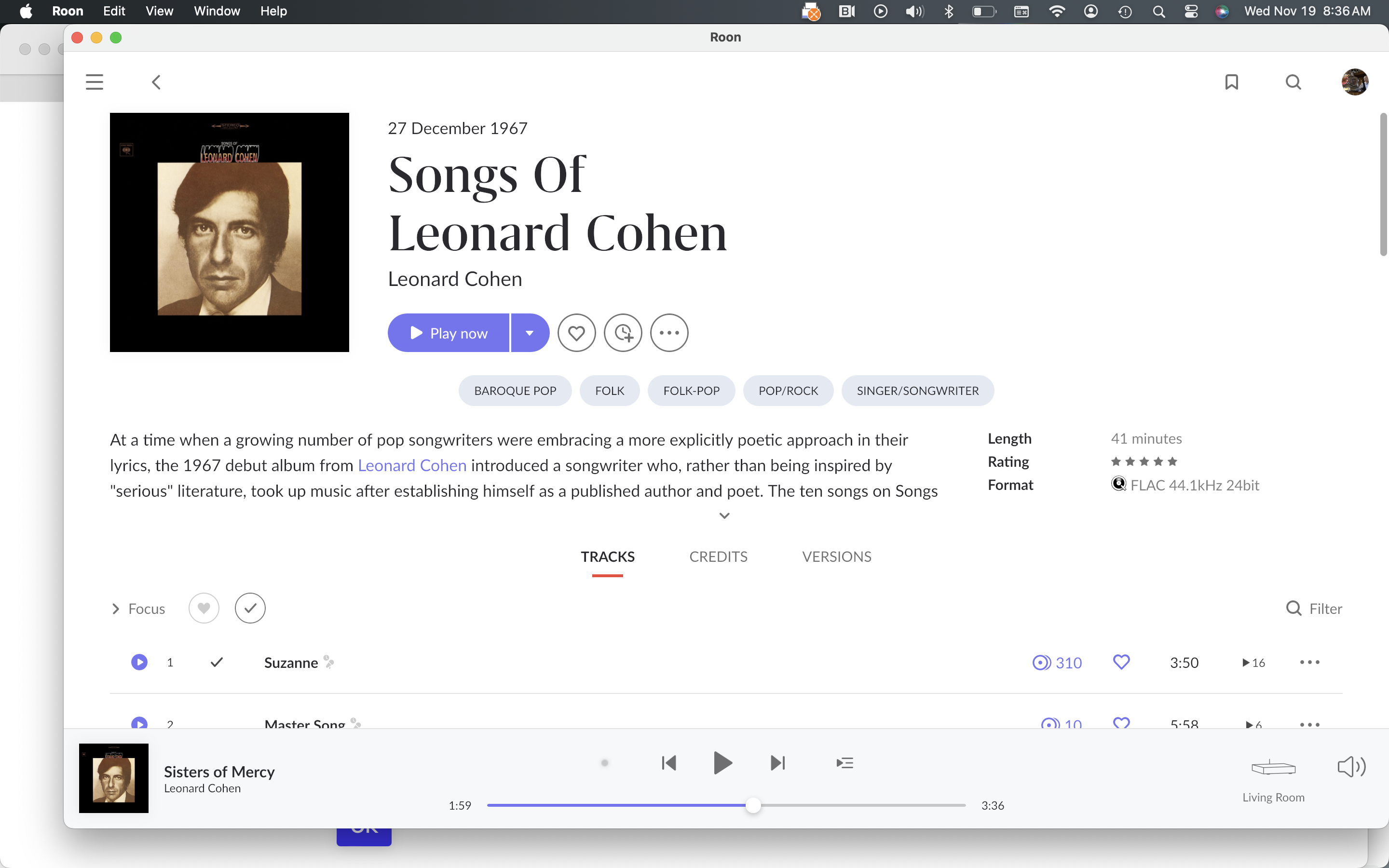
"Date added" has disappeared from some of my library items. It appears that most if not all of these are Qobuz files. There seems to be no rhyme or reason as to which titles are missing the date added. If I go to the Qobuz app, all my saved titles are in the correct order.
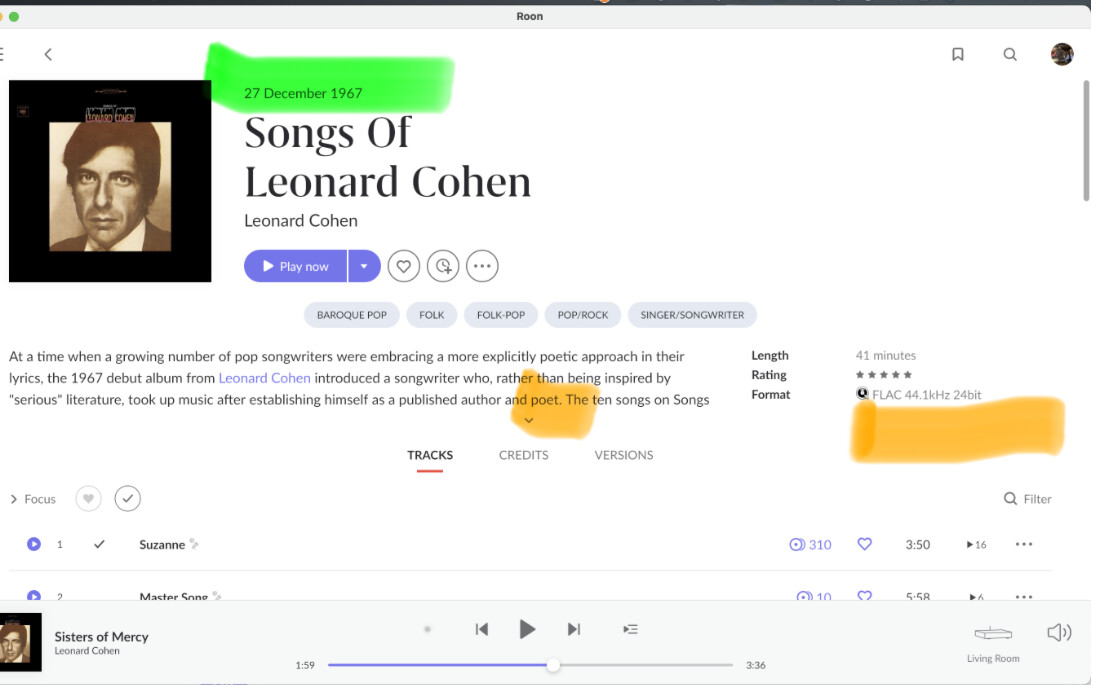
If the album has an original release date and a version release date, the original is shown on the top, marked in green. The version date is shown on the right, where the yellow mark is, but only after you unfold the review of the album (see the other yellow mark at the small downward arrow. You don’t need to click the arrow, just somewhere in the review).
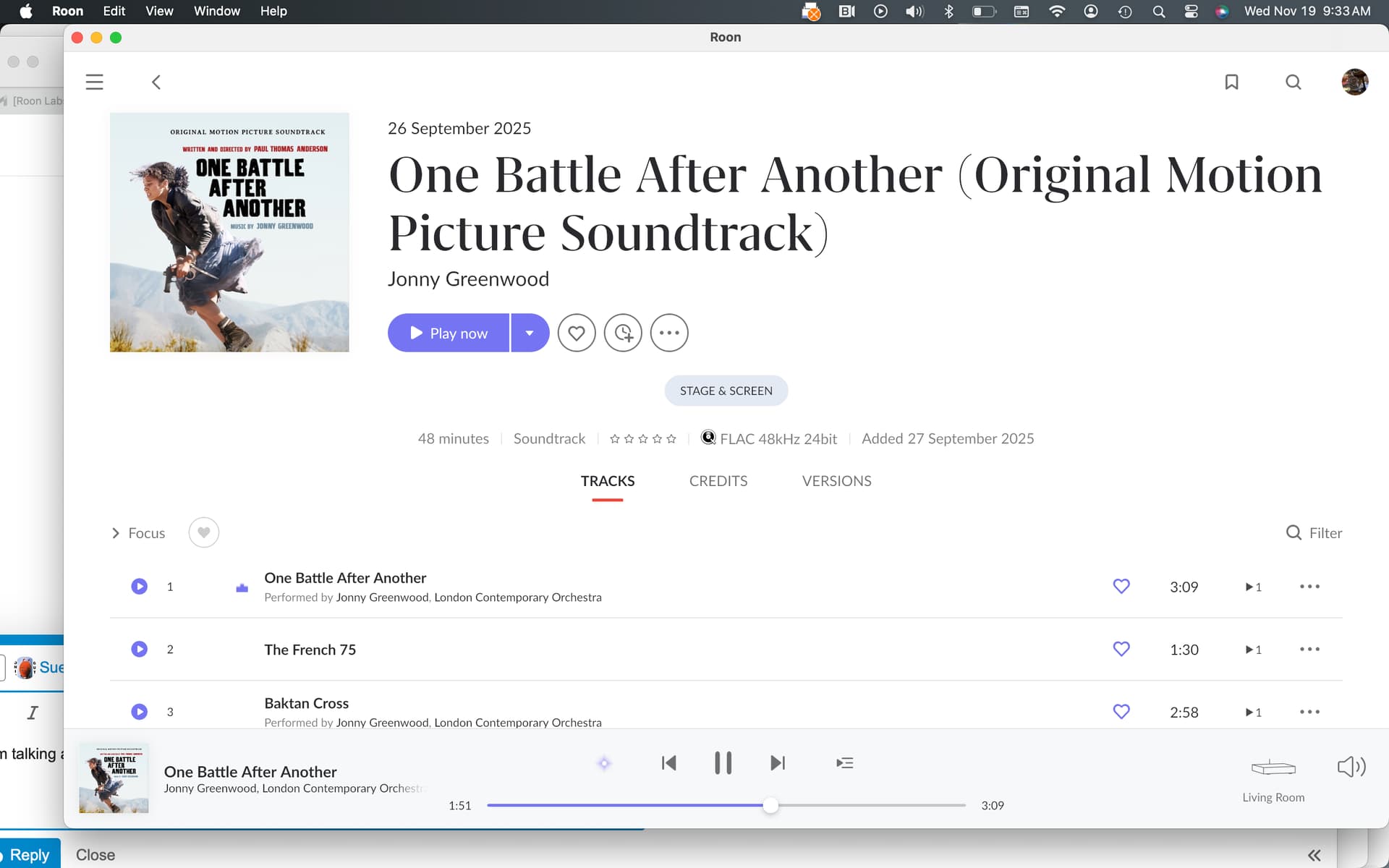
Ok regarding the date added, but this, in your new screenshot is only what it looks like if there is NO album review. Then there’s this one row with the data.
If there IS an album review, however, most of this stuff is in the column on the right, like in your first screenshot, not in the single row like in your second screenshot.
And if it’s in the column to the right, then most of it is hidden by default, as long as the review is collapsed. It should become visible when you expand the review.
So please try expanding the review by clicking somewhere into the review or onto the little arrow, like I wrote in my first reply.
Yep you are correct. My bad. Now the question is “Why did a title (many titles) I added 5 plus years ago, now say I added it in the last week?” That’s why everything is in the wrong order I guess. Roon randomly assigned titles with phantom “added” dates?
Thanks for your help.
Regarding the “Date Added” unexpectedly changing on older Qobuz titles - this isn’t something Roon changes on its own. For streaming content the “Date Added “ value comes directly from the streaming service.
From time to time, Qobuz updates or reindexes favorites on their side (for example when album IDs change or metadata is refreshed or favorites get recreated). When this happens Qobuz sends Roon new timestamps and Roon simply reflects what Qobuz reports. This can make long saved titles appear as if they were added “last week” even though nothing changed in your Roon library.
Thanks Alex. Seems odd that this is the first time it’s happened in 9 years of using Roon. At least enough titles changing at once that I even noticed.
Steve
We haven’t seen any activity in a while on this thread.
We wanted to check in to see if you were still experiencing discrepancies with Date Added on the same albums for affected Qobuz library objects.
For streaming objects in your library, this variable - Date Added - reflects the date the particular object was added to your Tidal/KKBOX/Qobuz library. In most cases, if Qobuz receives an updated object from a distributor/label, you’ll see the library object rendered Unavailable in Roon, prompting you to re-add the new version. This doesn’t happen in every case. Other backend changes to Qobuz and the Qobuz API can also affect streaming library objects and metadata; Roon ingests incorrect metadata received from streaming services sometimes, for instance.
It’s not common, however, for the Date Added field to suddenly become a recent date.
How long were you experiencing this problem before you posted here originally?
Nothing has changed…the “objects” have not magically gone back to the original dates they were added to my library on. All the additions I’ve made in the last week or so, are where they should be. I have not tried to reload a back up yet.
I still find it odd, that my library on the Qobuz app is still in the correct order.
In such a case we do recommend you to try to reload your older backup where it is as it supposed to be, but please don’t forget the current state first.
This same problem happened to me. Suddenly 200 Qobuz albums all got changed to a Date Added of November 15th, pushing them to the top of my album listing when sorted by Date Added. Very annoying since this is the sort method I normally use. Unfortunately I don’t have a recent enough backup to warrant an attempt to restore from backup.
I loaded a back up from earlier this month and all was normal again…for less than 5 minutes. Then everything went back to crazy town (the order by date anyway.)
Steve
Thank you both for the updates — and for confirming that restoring an older backup temporarily returns things to normal before the issue reappears. This strongly suggests that something in the current database state is being re-applied or re-synchronized shortly after startup.
To investigate this properly, we’ll need to review a database backup from a point in time when everything was still correct, before the Date Added values were overwritten.
Would you please:
Locate the backup folder from a date when the library order was still normal
Thanks for letting us know. It looks like we shared an uploader link with a smaller limit, please try this uploader link instead and let us know once uploaded, thank you!