I mostly use playlists to be used in my car.
Many of my playlists are intended for use in my car. My car doesn’t support DSF files. I would love to be able to prevent these files to be used in certain playlists.
Many of my DSF files are duplicates of more common files types.
Sometimes I accidentally choose these files but then they’re not usuable in my car.
Another scenario is that Roon suggests improvements to playlists to a higher quality format. I’m happy for this feature, but many times these are ‘improved’ to a DSF version in my library. I do not want DSF files in my car’s playlists.
An option to exclude of certain filetypes (DSF) in playlists would be a great improvement for users like me.
Are you using ARC in the car?
Yes I do, and as you are about to tell me, Roon ARC plays the DSF format.
I also load hundreds of gb of music to a thumb drive. Why? It sounds better than Bluetooth. Also using the phone with my car’s entertainment system also causes the phone to overheat and drain the phone’s battery fast - a complaint made by many other owners of this car brand.
I Export both playlists and complete albums to the thumb drive. When on a drive, it’s frustrating to not be able to play music I was looking forward to listen to.
I’m confused. So are you or are you not using ARC in the scenario you are trying to solve here?
Because if you are using ARC (despite the complaints) there would be other solutions, I think. If you are not using ARC, then you’ll have to exclude the DSF files as you suggested and we need to investigate how this might be done.
Do you have Tidal or Qobuz?
I have Tidal native in my car, I have playlist I have made in Roon that links to Tidal and this way I always have a fresh playlist from Roon in the car.
Thanks Moonshiner
I have a large physical and a even larger digital library. Presently I only occasionally use Tidal or Qobuz to discover new music. I have used Tidal natively in the car. I still prefer sound quality in my car via a USB SSD. There is the issues my phone mentioned earlier, battery drain and phone overheating. It’s a common issue with newer BMW cars.
Considering another option, is to purchase a quality portable digital audio player that plays all formats and use this wired directly into the car’s audio system.
Until then, the option of specifying filetypes when creating playlists and exporting music remains desirable, if possible.
OK, so if I am understanding the use case correctly, you could do this:
- Create a smart playlist from Playlists > New > Smart Playlist
- This lets you create a combination of Focus filters to choose what the content of the playlist should be
- One of these criteria is Format, where you can probably choose to not to include DSF files. (I can’t test because I don’t have any, but I have other options like FLAC or MP3, so I suppose DSF would be another one).
- Create the playlist
- Go to the playlist and in the (…) menu choose Export > Folder, which will export the actual files (and an m3u playlist file)
- Copy that to your thumb drive for the car
Smart playlists also have the advantage that they keep updating (so new files you add later will be included if they match the Focus), making it quick to create new exports later.
Suedkiez thank you
That is excellent. A testimony to Roon’s excellent continual developement.
Is this a new feature? I normally create playlists from adding individual files rather that the method you described.
I will experiment to see if I can taylor Smart Playlists work close to my preferences.
1 Like
The smart playlists were added in October 2024:
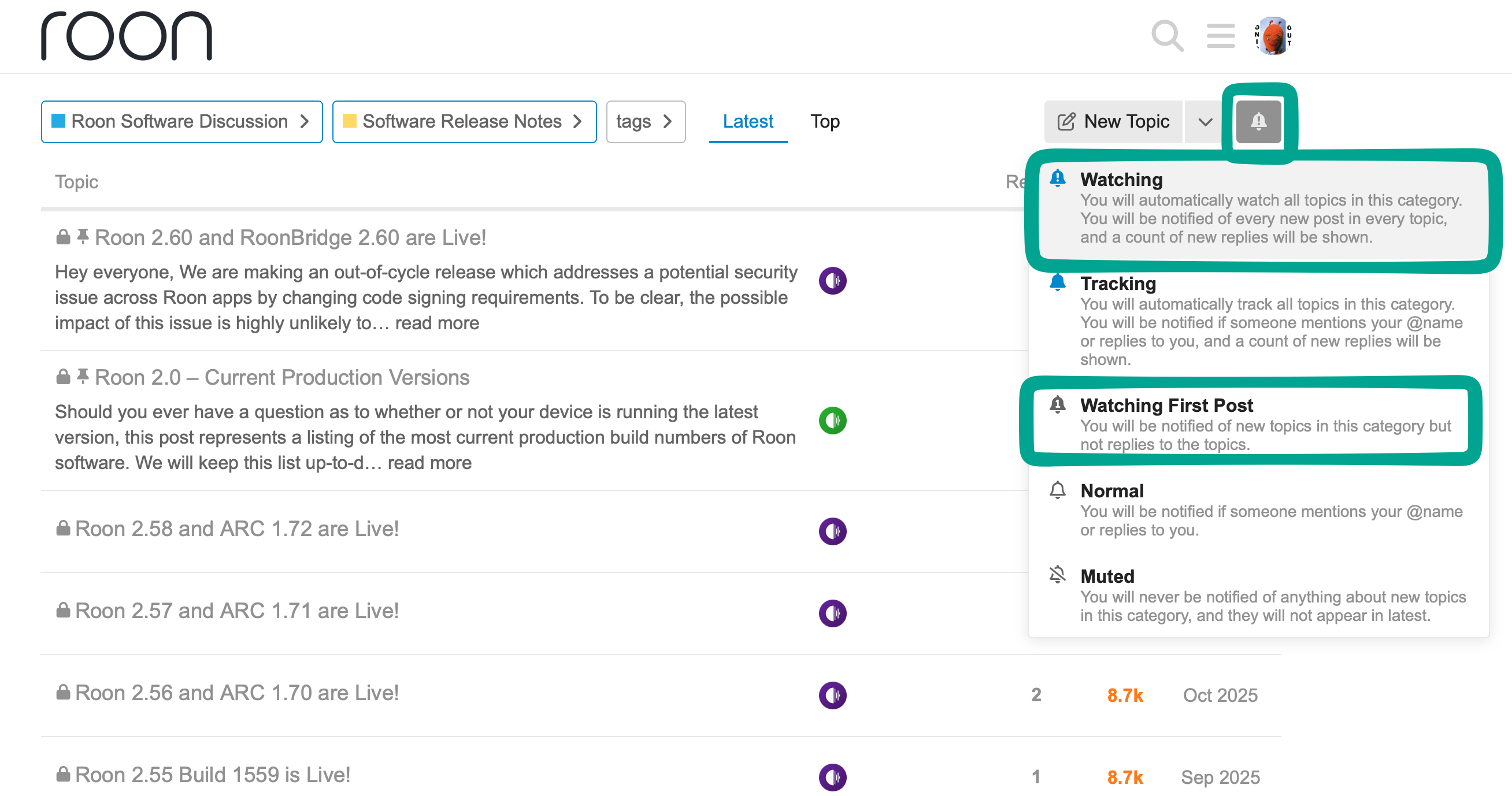
In case you aren’t aware, all updates are announced in Roon Software Discussion > Software Release Notes, and you can subscribe to notifications so that you receive a forum notification and/or and email (depending on your forum notification settings) whenever something new gets posted: