What kind of performance/speed issue are you experiencing?
· Tracks take a long time to play
Please try to reboot your Roon Server
· No, the issue is still the same even immediately after a reboot
Please try to reboot your networking gear (Router/Switches/etc.)
· No, the issue is still the same even after a reboot
Is there any change in behavior if you try to navigate to Roon Settings -> Library and set both Background and On-Demand Audio Analysis to Throttled or Off?
· No, the issue is still the same
Does the issue happen on multiple Roon Remotes (controllers) or just one?
· Issue happens on multiple remotes
Router Domain Name System (DNS) change
· I was able to change my router's DNS servers but it did not help
What is the operating system of your Roon Server host machine?
· Roon Optimized Core Kit (ROCK)
Timestamp of issue occurrences
· 24/02/26 19:14 there was an 18 second gap playing the previous track.
Describe the issue
When I press play on anything there is around a 20 to 30 second delay before playback starts on any endpoint (wired or wireless).
I have Roon ROCK on a 12th gen i5 with 16GB ram and an NVME. My local music is on a NAS both connected to a switch. This issue has only been an issue recently and I have been putting up with it.
24k track library size.
Describe your network setup
UniFi Dream machine pro se, UniFi flex 2.5G switch, DS1621+ NAS and ISP is talk talk (fttp).
I notice that your ROCK is running the Production build, but I see that you are listed as being in the Early Access group of the forum. Perhaps you were testing EA builds at one time.
Are all your devices moved back to Production? Running a mixture of EA and Production builds may very well lead to issues and is not recommended.
mjw
(You want nice, supportive? Call a damn helpline.)
6
I think a good starting point would be the logs, as this will probably show the delays.
ROCK Server
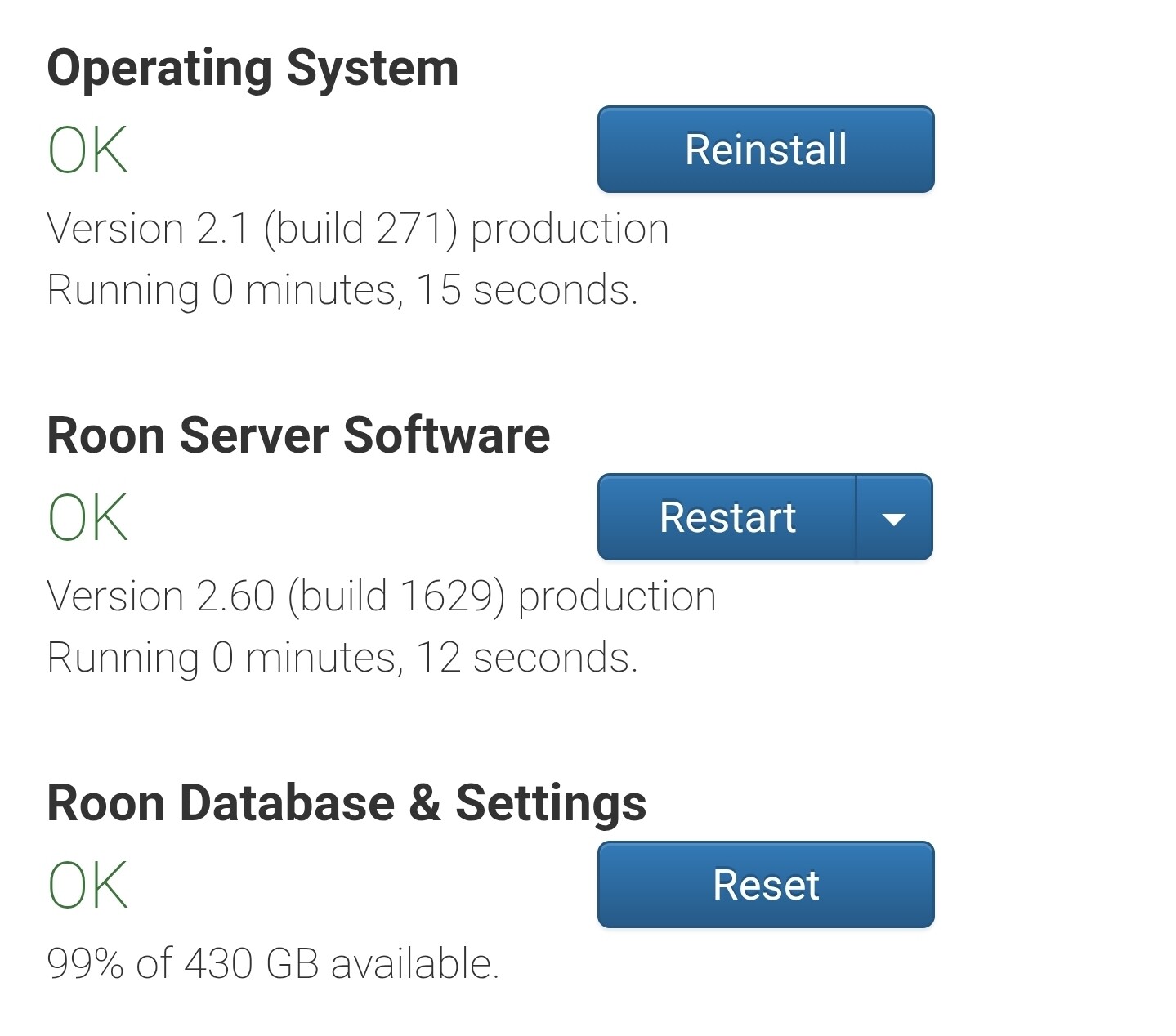
Using a Windows machine, open File Explorer and navigate to \ROCK\Data and use Guest as the username and password. You should then see the RoonServer folder.
Using a Mac, open Finder and navigate to smb://ROCK/Data and use Guest as the username and password. You should then see the RoonServer folder.
I think the next step here is to enable some diagnostics on your account so our technical staff can get some more insight into what’s going on here.
However, before I enable this feature, I’d like to ask for your help ensuring we gather the right information.
First, can you please reproduce the issue once more and note the time at which the error occurs. Then respond here with that time, and I’ll make sure we review the diagnostics related to that timestamp.
19:35 except its different. Nothing was playing at all until I switched to my ipad as the endpoint. Then it was instant.
The streamer I was testing with was a Lumin M1 named OFFICE.
Edit - The M1 is getting the meta data as its showing track information on its screen, though no sound and the track keeps skipping as playback cant start.
A reboot of the streamer later and now its playing and responsive
15:10 - so all day its been 8 to 25 seconds to skip a track.
If I leave it and dont skip tracks, playback starts much sooner though the now playing screen takes a minimum of 8 seconds to update album art and song details etc.
We have checked the diagnostics report from your device and spotted that there is an unusually high amount of background database activity happening on your Roon Core.
Specifically, the logs show the Core constantly re-sorting thousands of library items and struggling with a massive queue for metadata updates. Because your Core’s resources are completely tied up processing this endless database loop, standard commands like loading album art or skipping tracks are being pushed to the back of the line. This is exactly what is causing the 8-25 second delays you are experiencing.
The good news is that this points away from a network issue with your UniFi gear or the Lumin streamer.
To confirm this and get you back up and running, let’s test how the system performs with a fresh database. Please follow these steps:
Create a Backup of your current Roon database (just to be safe).
Open the ROCK Web UI in your browser and stop the Roon Server Software.
Access your ROCK via the network (\\ROCK\Data on Windows or smb://ROCK/Data on Mac) and rename the RoonServerfolder to RoonServer_old.
Restart the Roon Server Software from the Web UI (this will generate a fresh, empty database).
Open your Roon Remote, log in, and connect your Qobuz account (or add a small folder of local music).
Try playing and skipping tracks to see if the delay persists.
If playback is instant and the UI is snappy again, it confirms that the old database was the culprit. From there, your best options are either to restore your library from an older backup (made before these slowdowns started) or to continue with the fresh database and let Roon re-scan your NAS library from scratch.
Let us know how the test with the fresh database goes.
This is not a “fix,” but a troubleshooting step that will help us determine if the issue is related to the database. You do not need to use a new database; simply check if the behaviour remains the same, and then you can revert the database.
You said my core was loading lots of album covers etc. I have been filtering on a tag that had between a couple hundred and a couple thousand and have been shuffling them.
I rebooted my core with a aim of clearing ram and have been using it all day without using my tags and it has been flawless. I was going to reintroduce playing with my tags again tomorrow to see if I can cause the slow down again.
Does this help you in anyway or am I talking rubbish? Without your steps I already know it will be snappy again as it has been today.
You are absolutely not talking rubbish—that is incredibly helpful information and explains exactly what we are seeing!
Filtering and shuffling a custom tag that contains thousands of items requires the Roon Core to load, randomize, and queue a massive amount of metadata into your RAM all at once.
Since the system is running flawlessly after a reboot when you aren’t heavily using those massive tags, you can hold off on the fresh database test for now. You have likely found the exact trigger.
Please go ahead with your plan to reintroduce the tag shuffling tomorrow. If the sluggish behavior returns, please do the following:
Note the exact time the delay occurs.
Let us know the exact preconditions (e.g., “I just hit shuffle on a tag with 2,500 tracks”).
Once you share that timestamp, we can pull a fresh diagnostic report and directly correlate the memory spike with that specific action.
I’m glad to hear things have remained steady for you!
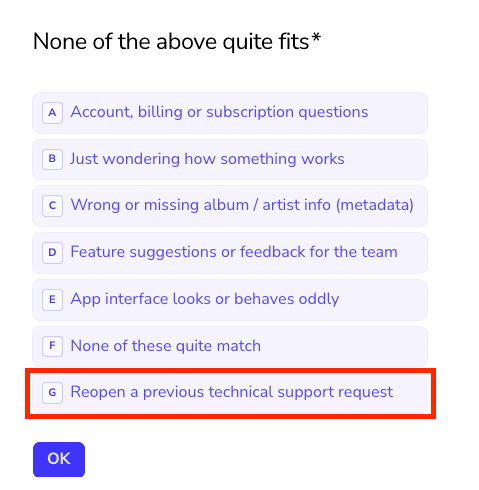
If this is the case, you’ll be able to request this ticket be reopened rather than going through the full process again. You can select ‘none of the above fits’ and then: