I have got it working, a “beta” remote “app” via Home Assistent → Raspberry Pi → Devialet.
With most functionality that the initial Devialet iOS app for an Expert Pro system should have worked. What is the best place to share my setup now devialetchat.com is off-line for some months? I’ve seen an 9 year old topic in this forum about a similar solution, but not a working solution.
I don’t know where you should share it, but I find this most interesting, is something I’ve been looking for years.
Maybe on github, sharing here the project?
I believe it should work for all expert line, right?
I never thought on Github, but that may indeed be the best place to share this solution tough the software code in python on the Raspberry Pi is just a small part. I don’t know of it works for all Expert systems, but it should work on Expert Pro 140 / 220 / 440 / Premier. The Devialet documentation was only for the D-Premier, but I found out that a lot of extra functions are available in my 440 setup, just by testing.
This is very exciting! I had been thinking to make a remote control using the same protocol the iPhone uses but had no idea where to start. This seems even better!
Let me know if you need any tester - i would be interested in doing via ESP32 if possible
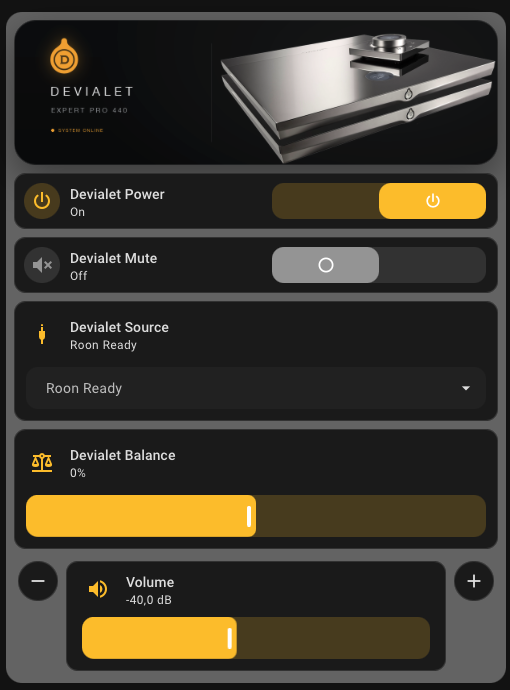
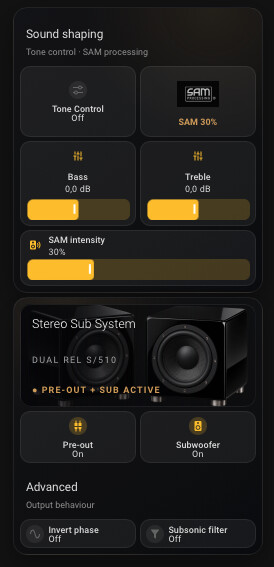
I placed the current setup (pdf) and code on GitHub (link below). The functionality had been improved. Initial my goal was creating a scene in Home Assistent to Power On the Devialet and set the source on my Denon AVR for watching movies. This automation would be add on to my current Home Assistent automation.
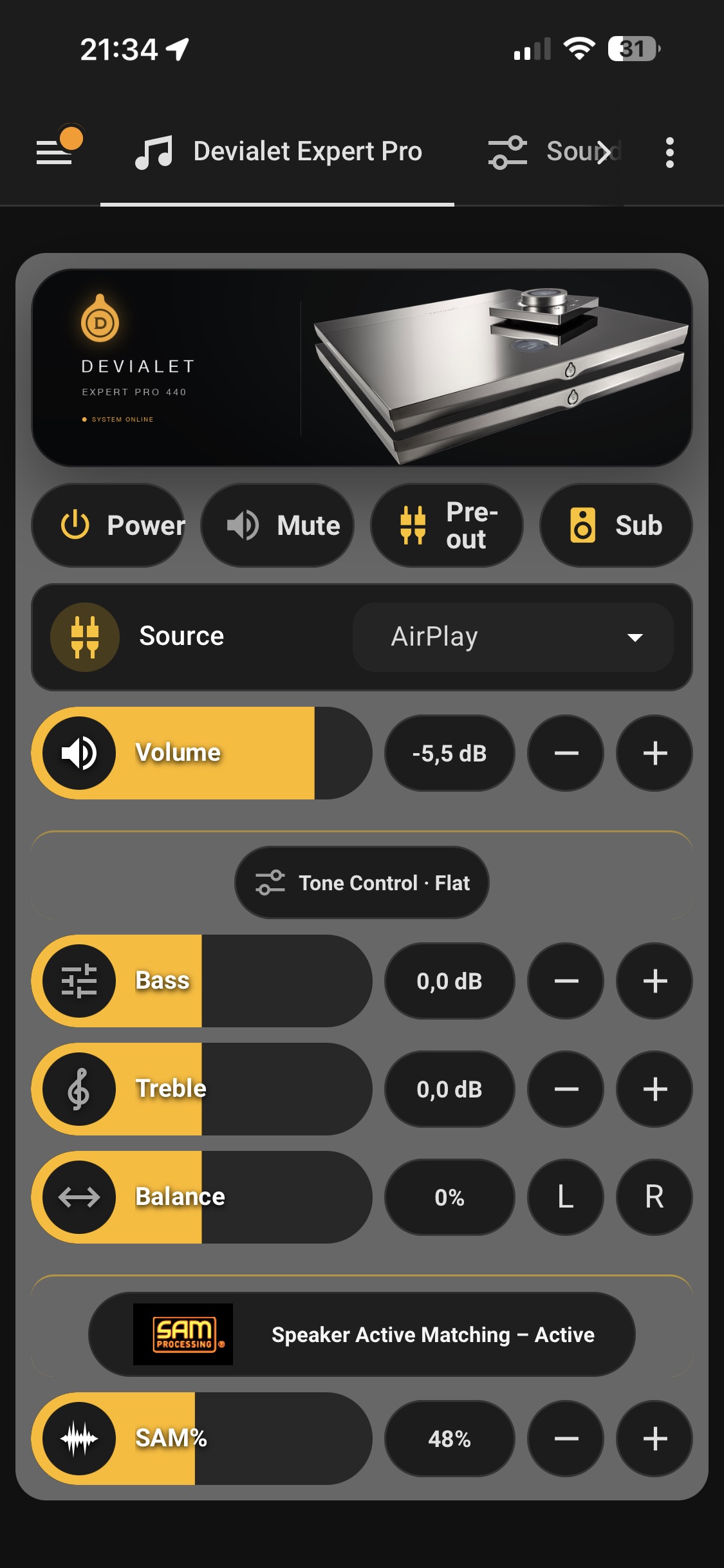
But as I went on, I saw the possibility to use the same “API” for creating a Web-version with exactly the same look & feel as the Home Assistent dashboard… so now you don’t require a Home Assistent setup, but you stil can.
All Devialet “remotes” can be use next to each other, no interference and display(s) stays in sync.
Roon Volume & SAM indicator
Devialet iOS App
Devialet physical remote(s)
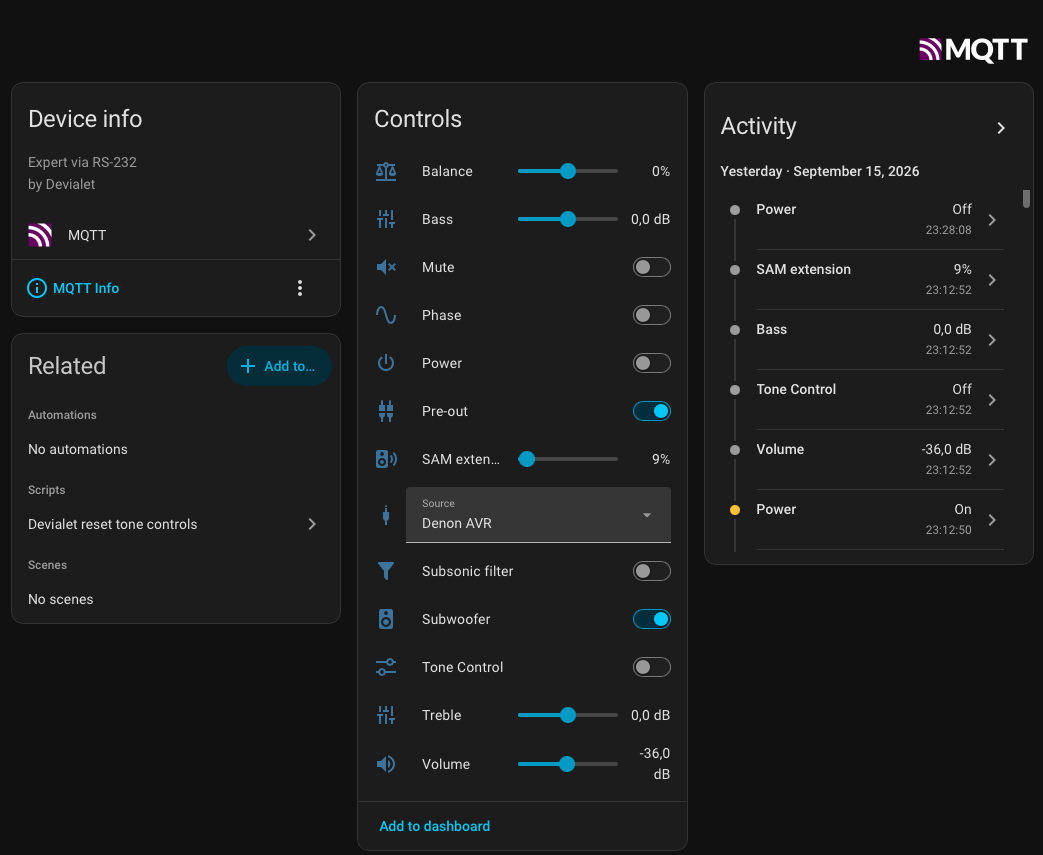
Devialet-rs232 Home Assistent Dashboard
Devialet-rs232 Webpage
It run on a small cheep Raspberry Pi 1B (via UTP) or a Pi Zero W (via WiFi). Of course only one active and connected to the Devialet Master.
Next week is for making an installation instruction with the pre-requisites, basic installation of the Raspberry Pi and the steps to get the Python source-code to run as a service etc. After that I will start with the second “page” with a few extra Controls like the RIAA Curve selection, Phase, Subsonic filter and a “Power Off” to shutdown the Raspberry Pi in a controlled way.
Thanks, but the old thread was about controlling the Devialet from Roon, but that has to be an old 2017 problem, solved by either Roon.. or later Devialet hardware 200 → 220 and/or software updates from Devialet.
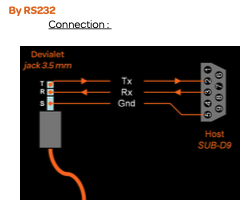
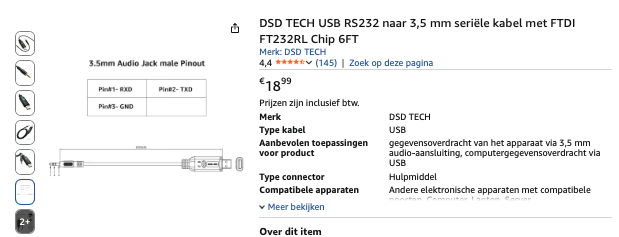
The USB - Serial - 3.5mm cables I bought worked right away. So that was not the issue.
The fun started when I knew how to receive and send commands to the Devialet from the raspberry. Power On/Off, Volume, Source etc. That made me curious.
Next to be posted on GitHub have to be the first steps, from pre-requisites, the right Pi image, settings and doing the first commands from a prompt. Then you know the technical basics are in place.
I have created a step by step Installation Guide, including all screenshots and command line options to do a fresh installation.
I might document the Home Assistent Dashboard I created initially before the Web App. But adding functionality like the RIAA Curve selection from a drop down list, and a nice “Power Off” is something I want to add. I might even create a nice round status display as in the “Devialet App” when the Pi is connected to a (small) screen.
A couple years ago I implemented my own rudimentary HA interface to Devialet RS232, and I have been using it ever since. My current setup is as follows
HA Os running as a VM on a Windows 11 machine; Devialet input/output updates handled through MQTT messages;
A Nodered process running under Ubuntu on a NUC maps the MQTT update requests received from HA into RS232 instructions sent to a Devialet 220 PRO and vice-versa. (This Ubuntu NUC is also running Roon in parallel).
The main difference with your setup is that my HA interface is more partial and much more rudimentary.
I wonder how difficult it would be to adapt your code to my setup.
1) Just clone my HA dashboard including and change the entity’s I created via MQTT with the MQTT entity’s your Intel NUC Nodered process does. I could share the Yaml code from HA, That only changes your look and feel in HA .
Note: This only works if your MQTT is the same I use (mosquitto) , with the same set of entity’s .
2) You could try to install the current setup for the Pi on your Ubuntu NUC and stop your Nodered process.
There is nothing Pi-specific about the core of the solution. Python, PySerial, Paho MQTT and the FTDI USB-to-RS232 adapter should work just as well on an Ubuntu x86-64 system. The main things that may need to be adjusted are the serial device path, the username/home directory, the .env configuration and the paths used in the systemd service.
I don’t have an Intel x64 Ubuntu system, but I might give it a try to get this working on both the Raspberry platform as on Ubuntu. With hopefully only an extra chapter in the installation manual.
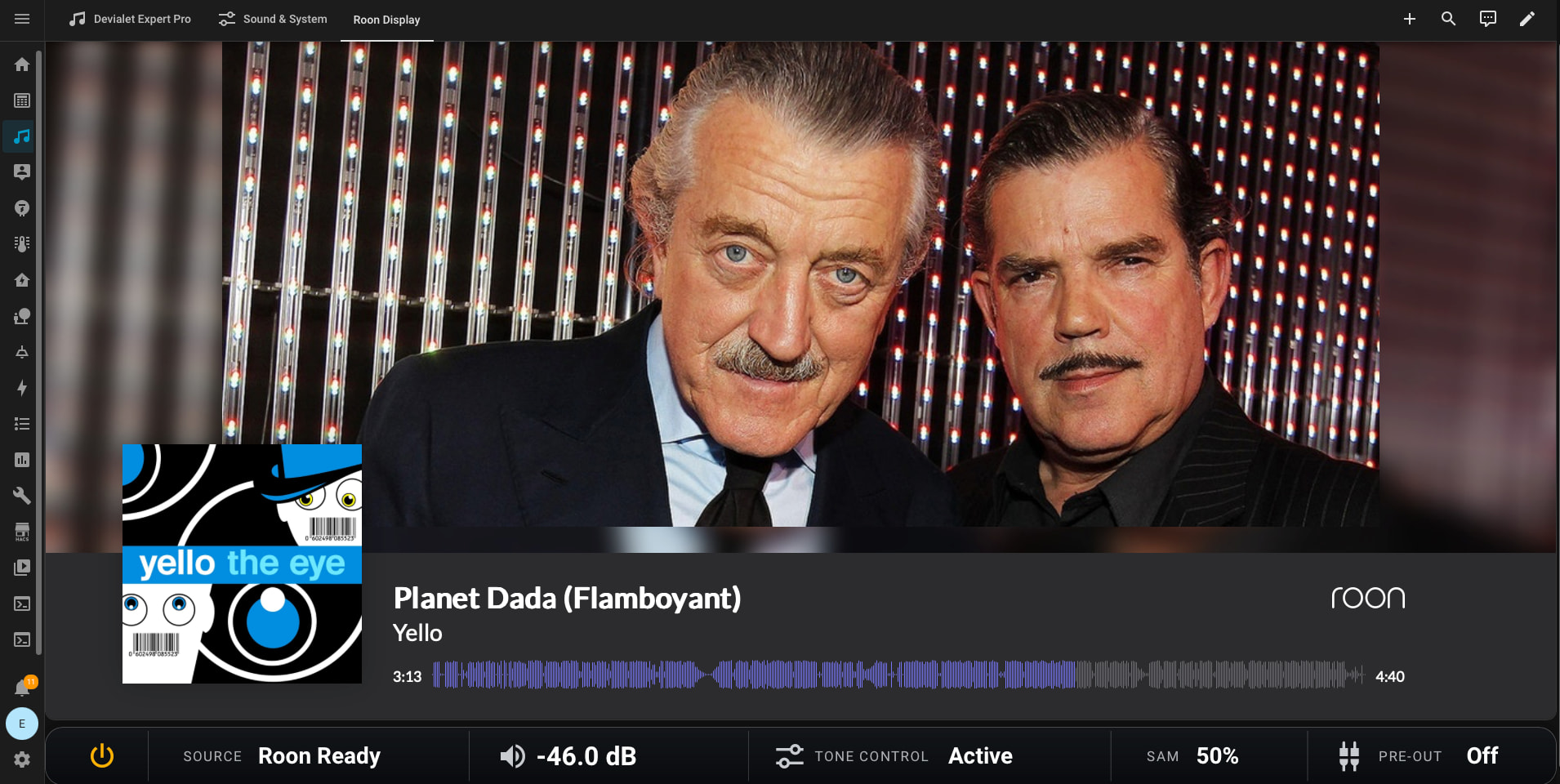
Just for the fun, added a Home Assisant view with “Roon Display” and some Devialet controls. Which will replace my current Roon Display setup. To have a visible Volume number is the biggest advantage.


 USB-A (male) to DB9 (female) serial rs232 adapter with FTDI.