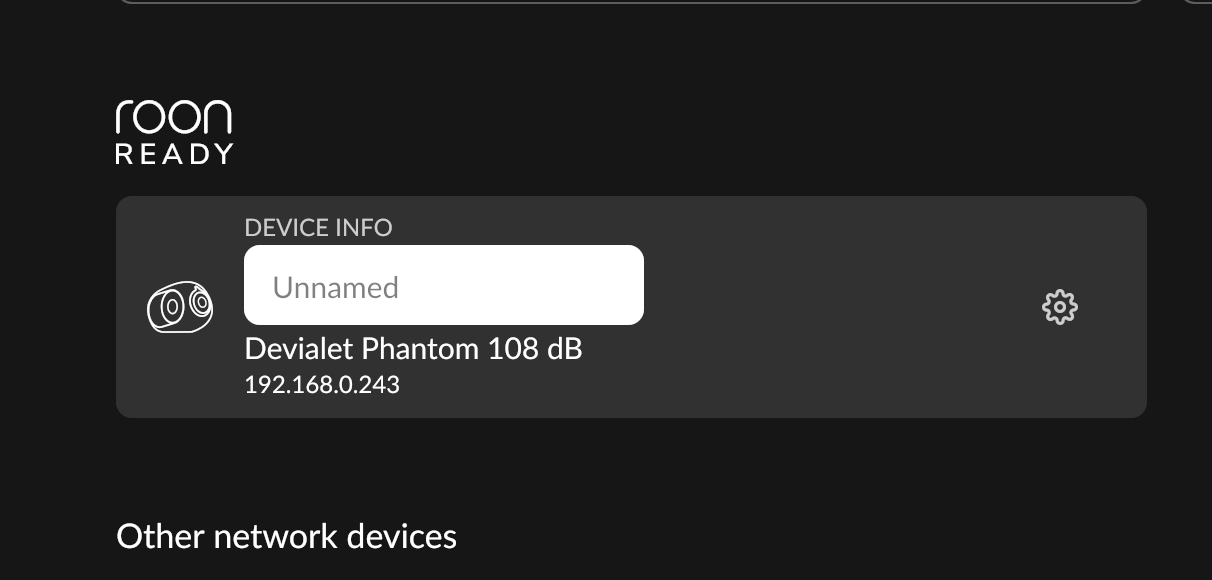
· I upgraded my Mac to macOS 27. I cannot play or see my Devialet Phantom 108 dB device in Setting > Audio section or unable to play, I am using it over a year now and everything was good. Recently facing this issue and upon restarting the device or reconnecting WiFi, I see it for few seconds as you can see in the image, and its disappears again from Audio settings device list. Kindly help.
Tell us about your home network
· Just TP-link AX6000 router where both Mac and Speaker on both 5Ghz band. No proxy, No vpn.
You upgraded to macOS 27 and the Phantom stopped appearing reliably. That points at the macOS 27 local network permission, which is behind most of what we are seeing on Macs right now.
macOS decides which apps may reach other devices on your network, through a permission called Local Network access, and a macOS update can leave Roon and Roon Server without it. Your Phantom is a network endpoint, so it sits on the wrong side of that.
Please work through this article on the Mac:
Start with “Check Roon’s Local Network Permission”, then “If Roon Isn’t Listed Under Local Network”. If the Phantom still drops out after a restart, use the “macOS 27: Try the Network Workaround” section further down.
Thanks for the response. Local network permissions were already enabled, but I toggled them again and restarted my Mac.Unfortunately, the issue persists and the Devialet Phantom still does not appear in the audio output options. I have also tried reinstalling the application and resetting my network settings, but that hasn’t helped either. Then I toggled those Local Network permissions and restarted Mac, it were solved.
macOS security permissions are sensitive, and since Roon operates as a bundled application (server and remote) that requires deep-level access to the network interface, the latest Apple updates have interfered with Roon.
Our team is working on a long-term solution that will restore plug-and-play functionality to device discovery on Mac. In the meantime, taking the steps outlined in the article above to re-enable Roon’s network access should work on a per-session basis. You might need to repeat them after rebooting the computer.
We recognize it’s not ideal, but we assure you we’ll find a way around this problem. Thank you for your patience.