Hello @David_Hunter,
Thank you for the update.
From the diagnostic data enabled on your account, we see that one of your zones, Bedroom Left, is frequently losing connection to the Roon server. This appears to be the main cause of the playback interruptions you’re experiencing during grouped playback.
For example:
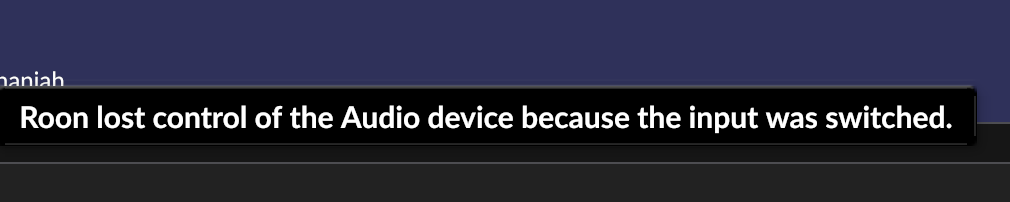
06/23 12:59:30 Trace: [Bluesound PULSE 2i @ 192.168.0.13:38475] [raatclient] GOT [3893] {"reason":{"reason":"source_deselected"},"status":"Lost"}
We’ve noticed these connection losses starting back in April, but they’ve become more frequent since June 22nd, 2025.
As a quick test, we suggest temporarily removing this node from the group playback and observing whether the issue persists.
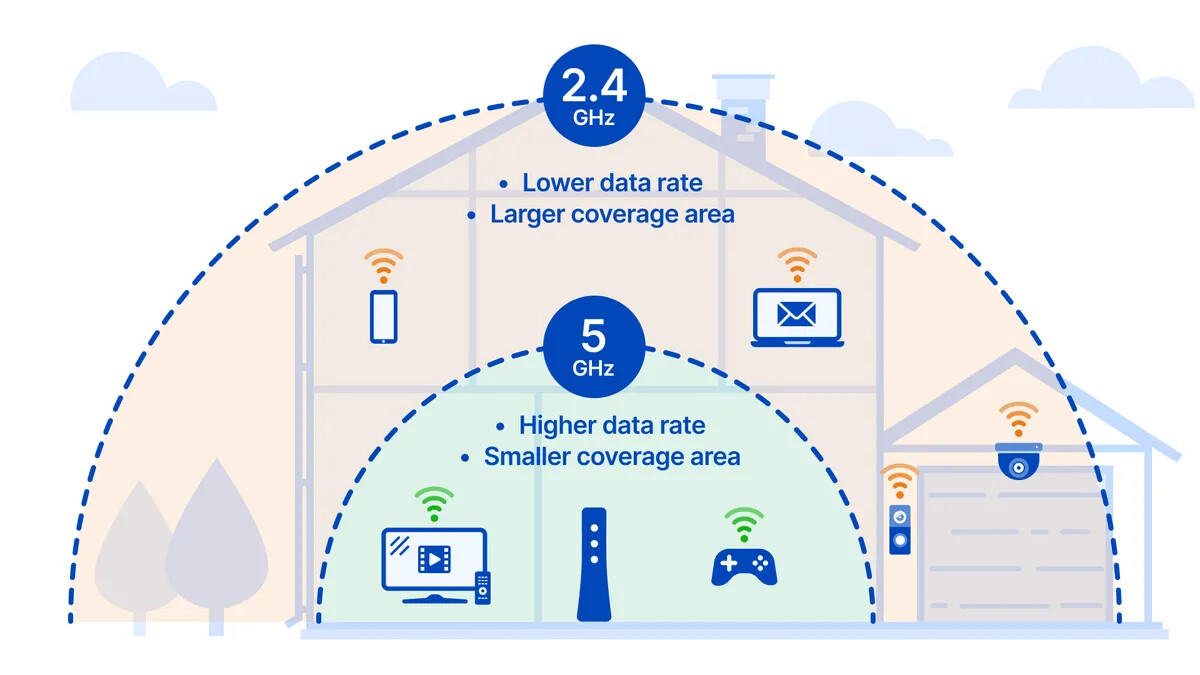
While the 5GHz band offers higher bandwidth, it has shorter range and poorer wall penetration. If your node is far from the router or the signal passes through concrete walls or TV panels, you may see dropouts despite being on 5GHz.
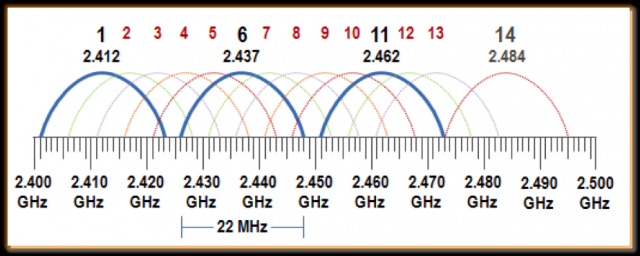
Here’s a simplified explanation of 2.4GHz behavior:
It has only 13 channels, but in practice only 1, 6, and 11 are non-overlapping and safe to use. If many neighbors or devices in your home are also operating on the same channel, interference increases — especially since endpoint WiFi radios (like in your Bluesound) are typically weaker than your phone or router.
Using a modem/router that’s approved by your ISP (like Spectrum) simply means it meets basic compatibility and provisioning requirements — primarily for internet access. However, approval doesn’t guarantee strong WiFi performance, especially in demanding environments like multi-endpoint streaming with Roon.
The Motorola MG7550 is an AC1900-class router, which means it supports a theoretical combined bandwidth of up to 1900 Mbps — typically split as:
- 2.4 GHz band: up to ~600 Mbps
- 5 GHz band: up to ~1300 Mbps
But these figures reflect lab conditions with a single close-range client and no interference. In real-world use — especially over 2.4 GHz — you’re often getting under 100 Mbps, particularly if multiple endpoints are active or there’s signal congestion/interference.
This matters because:
- When four endpoints are grouped in Roon, synchronization traffic increases — and if even one device has weak bandwidth or signal consistency, the whole group can desync.
So while the MG7550 is functional, its built-in WiFi may be a bottleneck. Depending on your setup and home layout, using a separate dedicated router or mesh system with stronger performance and coverage
Most consumer WiFi routers have no active cooling, so they are especially vulnerable to heat-related wear. After about 3 years of use, many routers start exhibiting unstable behavior due to the degradation of internal components.
To help diagnose the wireless environment:
- Install a WiFi analyzer app on your phone
- Measure signal strength near each of your endpoints
- Ideally, signal levels should be:
| Quality |
Signal (dBm) |
| Excellent |
-35 to -50 |
| Good |
-50 to -65 |
| Moderate |
-65 to -75 |
| Poor |
-75 to -85 |
| Unacceptable |
-85 to -100 |
If Bedroom Left is reporting less than a “Good” signal, improving its WiFi connection (via relocation, wired Ethernet, or adding a mesh node) may stabilize the group sync.


 If you live in NYC, can you come over and set this up for me?