I know all that and Roon Labs is looking into it and it takes some time, as they wrote and I already quoted.
But to me this is very clearly an (endpoint) device related question that should have never brought up here. Roon related problems should be solved here and not third-party product related ones. Roon Labs will always be in a bad position to answer such question and in no position at all to really do anything about it. Roon Labs can’t provide corrected firmware or documentation for third-party products. It is the job of third-party device manufacturers to disclose the capabilities of their device’s Roon Ready implementation to their customers. Roon Labs is just getting the blame here for their partner’s omission without a chance to do anything about it. Best they can do is inform their partner – what the customer could/should have done in the first place (IMHO).
When it comes to supporting Roon Ready implementations then best they can do is supporting their partner(s) – that’s what a partner program means IMHO – not explaining the manual of device X or relaying the limits of a given device’s Roon Ready implementation to customers of said devices.
As I’m not part of the Roon Defence League, we will have to agree to disagree on some of what you write and I write.
I’m just going from what Roon themselves have written on their own help pages.
As a service provider myself, I wouldn’t tell a customer to go and call their AC manufacturer over an issue they have. They called me to get and offer the support.
Each to their own views an all that shenanigans.
I do stand by my views that support needs to be clearer in what’s being written to reduce ambiguity and I concede this could be a language barrier problem.
Roon support did all they can do, including stating that they do relay that to their partner and their own people handling certification (the ones in possession of the device in question, I guess) for further investigation. It just seems that the OP is not satisfied and requests guaranteed performance according to his demands and timelines for fulfillment. He’s not the first and likely will not be the last. But this is something only the device manufacturer could potentially provide.
I think that common sense and the way this ticket progresses speaks for itself.
As do I. I used terms like “I” and “me” for a reason. No one has to agree to my opinion. We’re just exchanging arguments in good faith. No offense taken nor did I intend to offend anyone.
To make a long story short, a rational demand for a tiny bit of more information regarding concrete/detailed roon Ready/RAAT supported features for affected devices is not satisfied in many cases, esp. when it comes to DSD or multichannel support.
And the main company in charge is, there’s no doubt, the manufacturer of such devices.
As long as this doesn’t change (potential) customers will get disappointed.
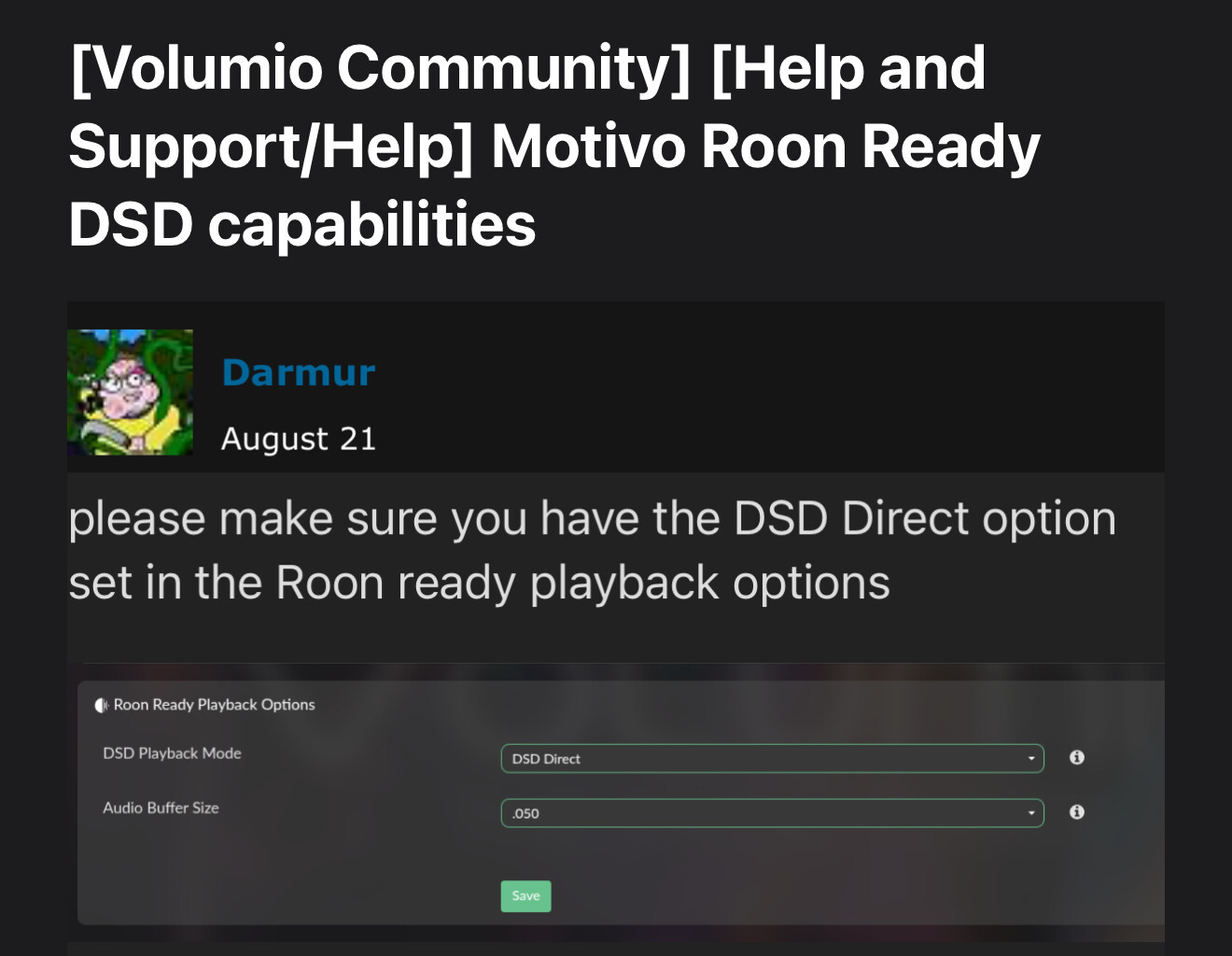
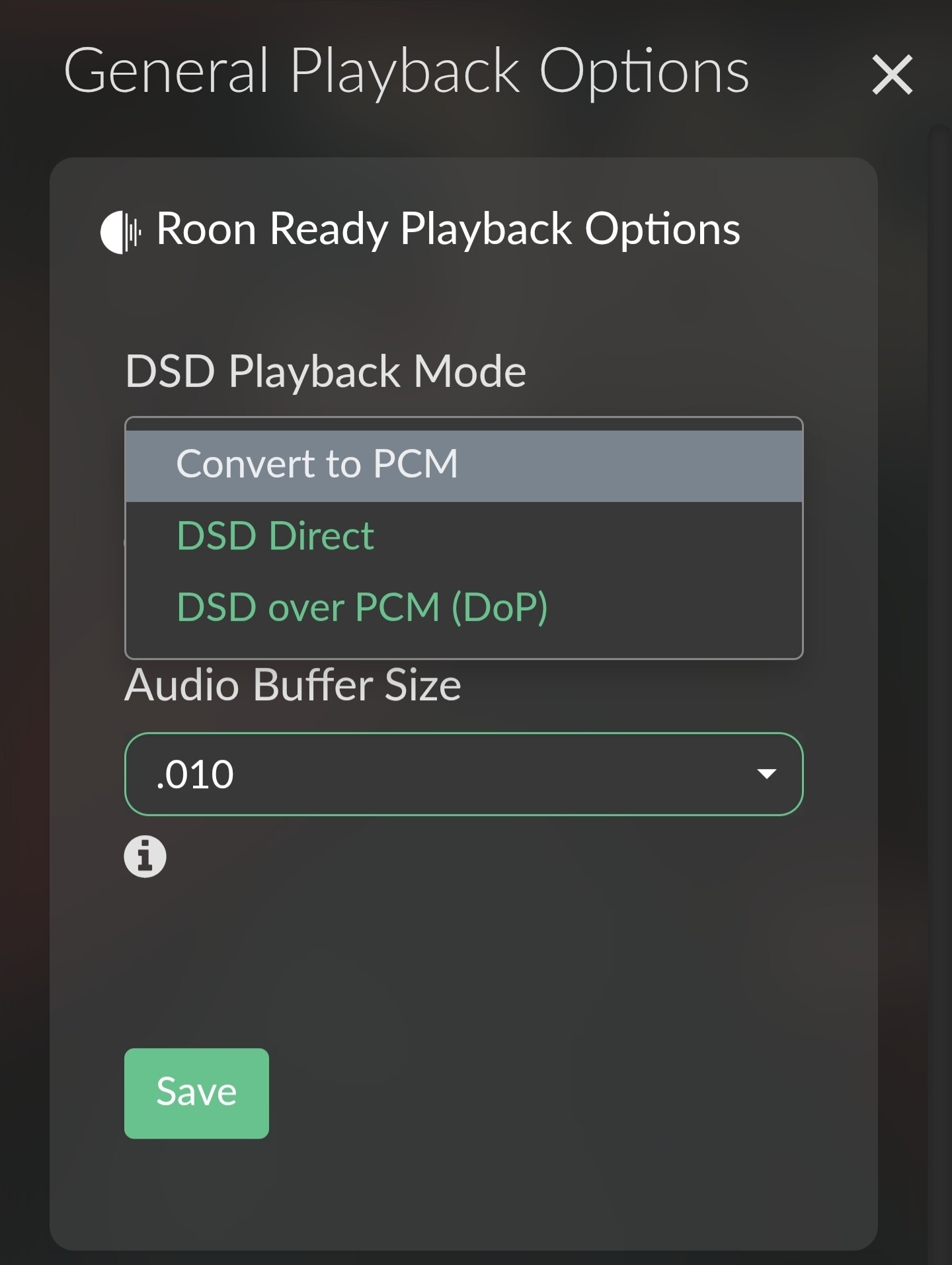
I’ve restarted my Roon server several times, but Direct DSD and DoP playback options are still cannot be saved—only PCM works.
I’ve tried contacting Volumio directly via email and live chat, but haven’t received any response.
Could you please check with Volumio about when a firmware update might be released to enable proper DSD support for Motivo?
Our team can reach out to Volumio to let them know users are still reporting this issue, but they will ultimately coordinate any fixes or firmware releases for their app.
For due diligence, please perform these steps in the following order once again:
Disconnect RoonServer and the Volumio Zone
Power down the Volumio
Reboot RoonServer
Reconnect the Volumio
Restart the Volumio and wait for the Zone to appear in Roon Settings → Audio. Refresh the page if needed.
Ensure the DSD Direct setting is enabled in the Roon Ready playback options
Try a larger audio buffer setting if you still can’t “Save” the selection.