Duplicate output device logo in signal path info [Roon Investigating]

What’s happening?

· Other

How can we help?

· None of the above

Other options

· Other

Describe the issue

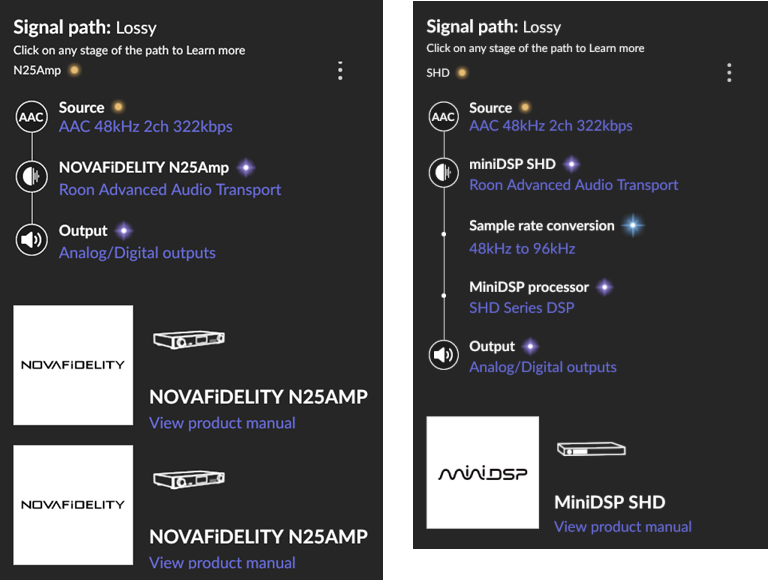
My output device logo & icon are displayed twice at the bottom of the signal path info.
Everything else is working fine, so this is just a minor cosmetic issue.

Disabling & re-enabling the device make no difference. Likewise for quitting & re-starting Roon with the device enabled or disabled.

The following user seems to have a similar problem, albeit with a different output device:

Signal path displays device twice in Roon (ref#6E9WEQ)

Describe your network setup

Amazon eero router
TP-Link Ethernet-over-mains adapters
NetGear Ethernet switches
(I have no network or connectivity issues)

Hey @Paul_Macey,

Thanks for taking the time to write in!

Can you try clearing your endpoint cache? You can do so using the following steps:

Note: Deleting these files will

  • Log you out of Tidal/Qobuz
  • Delete your endpoint names.
  • Delete saved DSP configs.

If this doesn’t help, please restore the backup you made before trying these steps.

Thank you! :raising_hands:

Ok, thanks Ben.

I’ve emptied the specified folder in both the Roon & RoonServer paths and restarted Roon. This has reset all my endpoints back to their default configurations, but hasn’t solved the issue with the NOVAFiDELITY N25AMP showing up twice in the signal path info after it is re-enabled.

Just in case it’s relevant, this duplicate logo anomaly does not occur when I re-enable my other Roon Ready device (a miniDSP SHD).
:face_with_diagonal_mouth:

This is similar to what I see with my Chord Poly:Mojo2.

The Poly is the Streamer and the Mojo2 is the DAC.

I wonder if this is a similar thing here.

Hi @Paul_Macey ,

Thanks for the additional info. I am checking with the team regarding this one, we will get back to you.

Your Chord Poly and Chord Mojo 2 are two daisy-chained devices that are depicted the signal path with two differing icons, which seems logical to me.

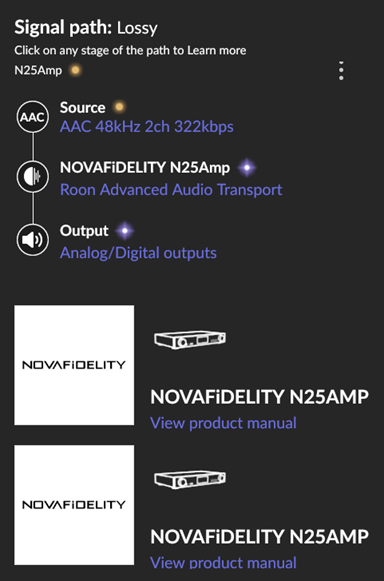
The Novafidelity N25Amp and miniDSP SHD are single-box streaming DACs being used in a similar way, but only the former shows up with duplicated icons:

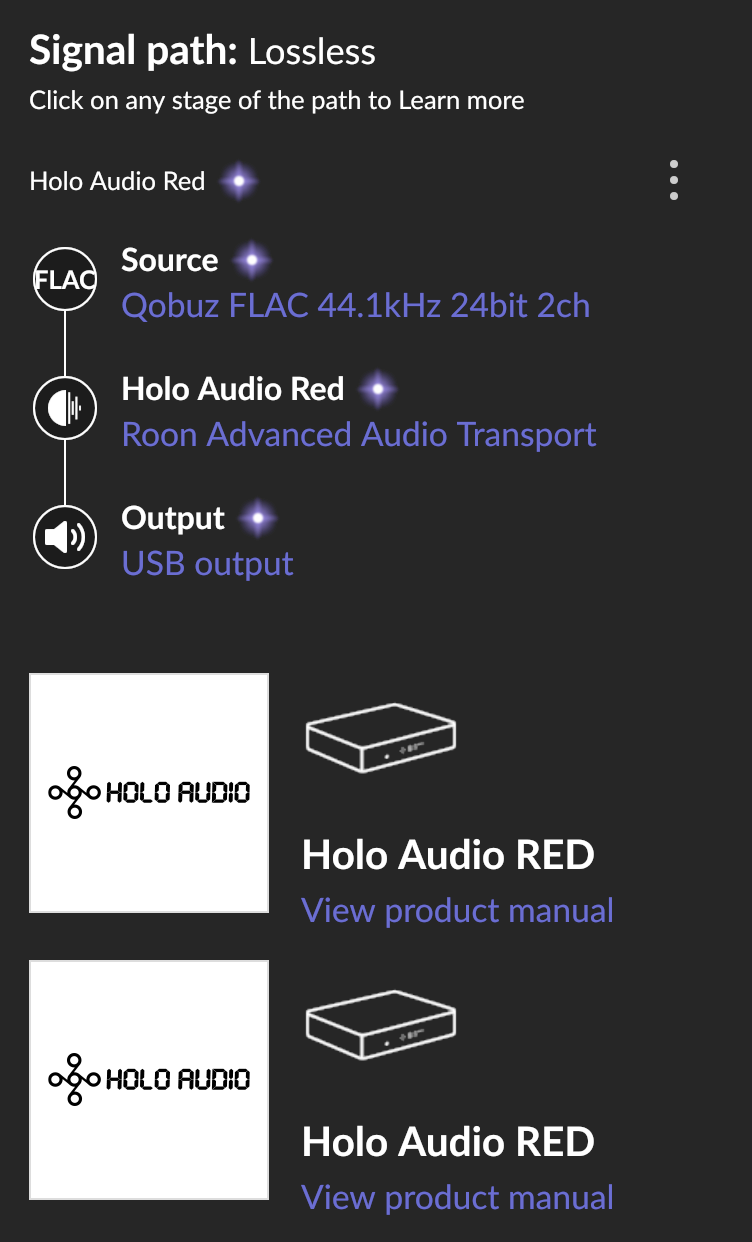
The Holo Audio RED is another device that has this issue:


(image courtesy of Cam_Hyde)

Let’s see if the Roon team come up with anything.

Thanks for letting us know @Paul_Macey . Your case is with the team for review, once they have updates, we’ll be sure to let you know!

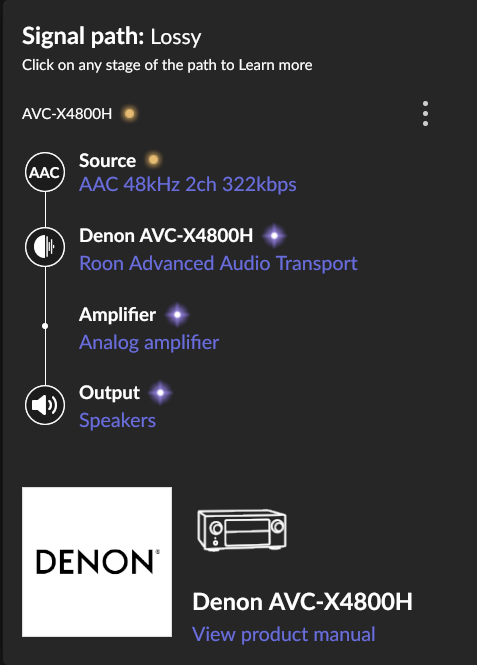
Also, my Denon AVC-X4800H displays as expected with just a single device logo:

Hello @Paul_Macey

Thank you for providing additional context here. We are working on the original issue with the partners team and will update here as soon as more information is available.

Hi @Paul_Macey ,

The hardware team is asking you to kindly confirm - do you have the Holo Red and N25AMP enabled in Roon as both a USB and Network device? If you try to temporarily disable one of the options (USB or Roon Ready) in Roon Settings → Audio and play to it, does it still show up duplicated in the signal path?

The Holo Red belongs to Cam_Hyde (who has also reported this issue in ref#6E9WEQ), so I am unable troubleshoot it.

My N25Amp is only enabled as a Roon Ready network device, not via USB or AirPlay:

Hey @Paul_Macey,

Thanks for letting us know! I see you also have a second instance of Roon Server available on a different machine. Does this issue happen no matter which machine you use to run Roon Server?

Our team is still investigating things internally as well - we hope to have more information to share soon. :+1:

Yes, this behaviour is the same on both Roon Server setups.

Good day @Paul_Macey !

We have raised your problem as internal ticket to R&D.

In the meanwhile, can you please clarify what did you mean under the quote ?

Is the issue going away when you reboot miniDSP even for N25AMP and Audio RED ? Or it’s just going away for miniDSP only (which you did not seem to report regarding this device) ?

Looking forward to your reply!

Regards.

Ok, here you go:

  1. I do not own a Holo Audio RED device, so am unable to provide any further information about its behaviour

  2. This issue has never affected my miniDSP SHD, regardless of how it is connected and what other end points are enabled

  3. This issue always affects my N25Amp, regardless of how it is connected and what other end points are enabled

Hopefully this clears up any confusion. :grinning_face:

Thanks @Paul_Macey - and does this happen when streaming over a different protocol other than Roon Ready?

Protocols other than Roon Ready (RAAT) don’t display any device logo(s) in my signal path.

Hello @Paul_Macey,

Thank you for the update. We’ve brought this back to the attention of our Partners team so they can replicate the issue internally on the affected devices and report it to our R&D team.

We’ll keep you posted with any results or updates.

This topic was automatically closed 9 days after the last reply. New replies are no longer allowed.