Duplicate Sonos zones usually point to discovery on the network side, while a speaker that still works in the Sonos app but no longer appears in Roon is often a sign that Roon is seeing a different network path than Sonos is. A couple of things will help us sort out which side is drifting.
Could you confirm whether your Roon Server is wired or on WiFi, and whether you have any mesh nodes, managed switches, or VLANs in the path? Is the Play:3 the affected Sonos zone?
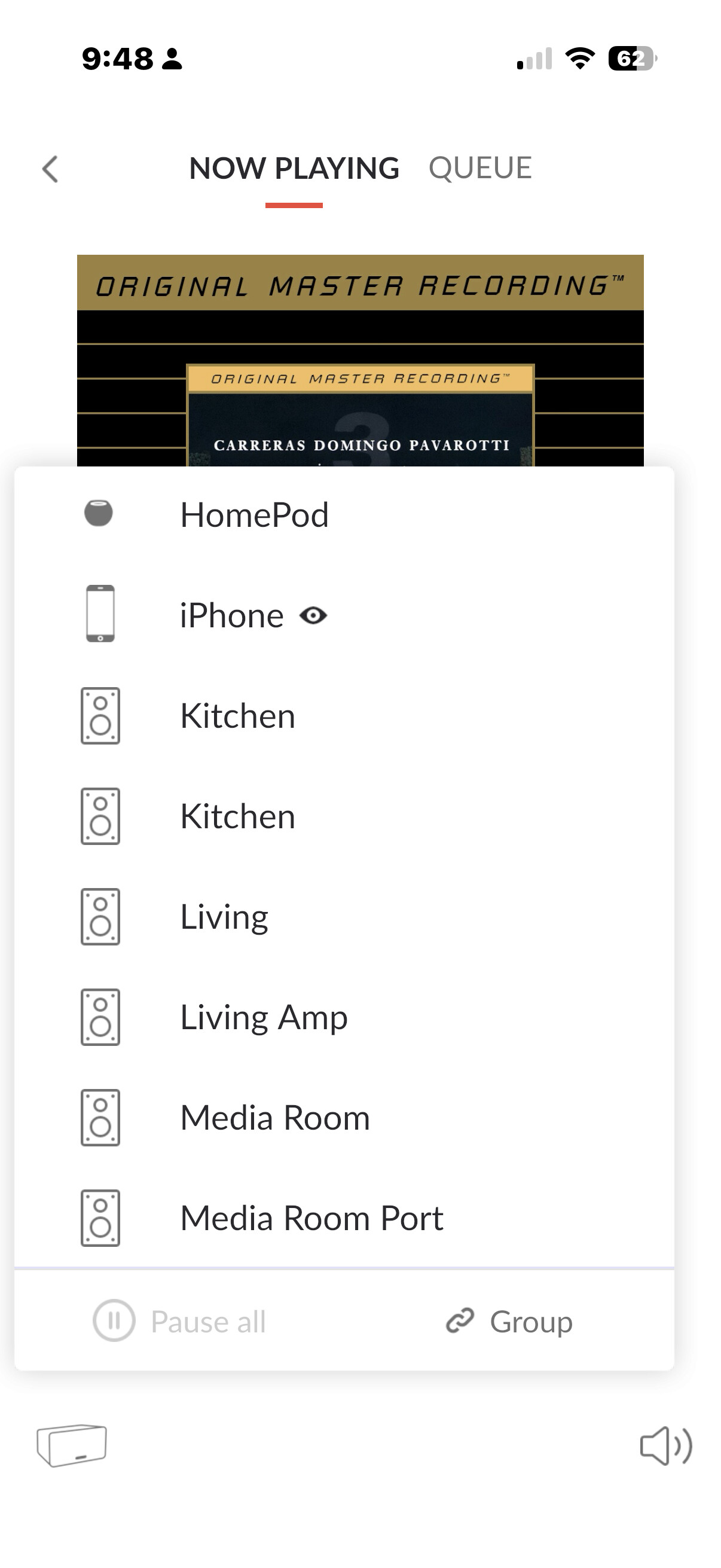
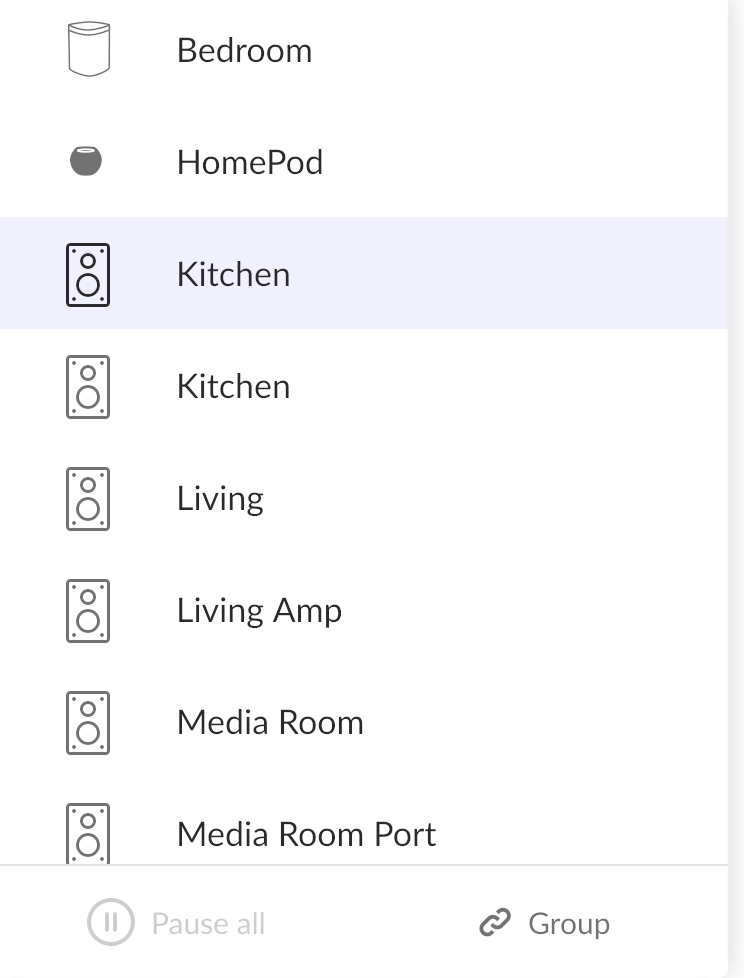
These are 2 different problems. Kitchen is repeated but only one works. The other pretends to but doesn’t.
All are on WiFi with an Eero 6 mesh network.
Last time I used the The Play:3 it worked fine. Now it plays no sound at all though after talking to Sonos support it has a clean bill of health. however I just tried it in the kitchen near a different Eero and it works. Moved the speaker back to office and it works. So it seems to have been an Eero problem. Good catch for you, thank you.
It would be good to get rid of the extraneous Kitchen zone though. I find no way to do that.
Hi Connor, here is the image of my zones. As you can see, Kitchen is there twice. THe highlited one acts like a separate zone (you can add playlist material) but does nothing.
Others repeated like LIving Rom Amp and Media room port are unnecessary but self not annoying..
This type of duplication can occur when mesh nodes bounce multicast device announcements back and forth around the network in an effort to optimize traffic. RoonServer (or a Sonos unit) receives several “hi’s” for the same device. Roon’s device discovery has fallbacks built in to identify these duplications and prevent them from becoming separate, identified Zones, but sometimes this can fail. We’ve caught bugs in the past. SonosNet, in particular, can duplicate device announcements more often than most protocols, since it effectively creates a second network for Sonos-only traffic.
Try scrolling to the Zone in Settings → Audio directly, then deleting it manually from there. The heavy-handed step would be to refresh RAATServer itself, but that would wipe any Muse (DSP) customizations and require you to recreate Zone groupings. Let us know if you want to proceed that route.
We’ll watch for your response.
Also, here are our general recommendations for Eero configurations, although some of these settings are likely default: