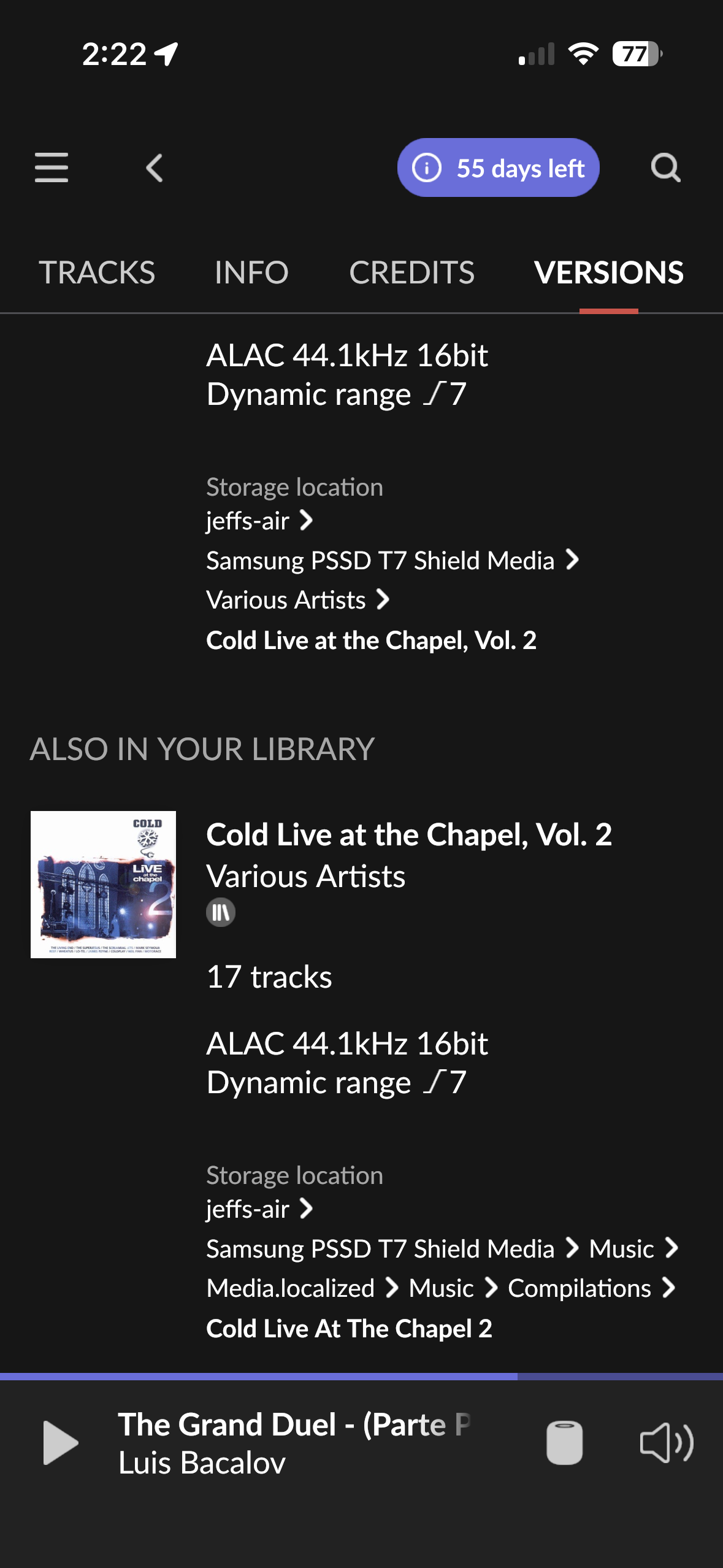
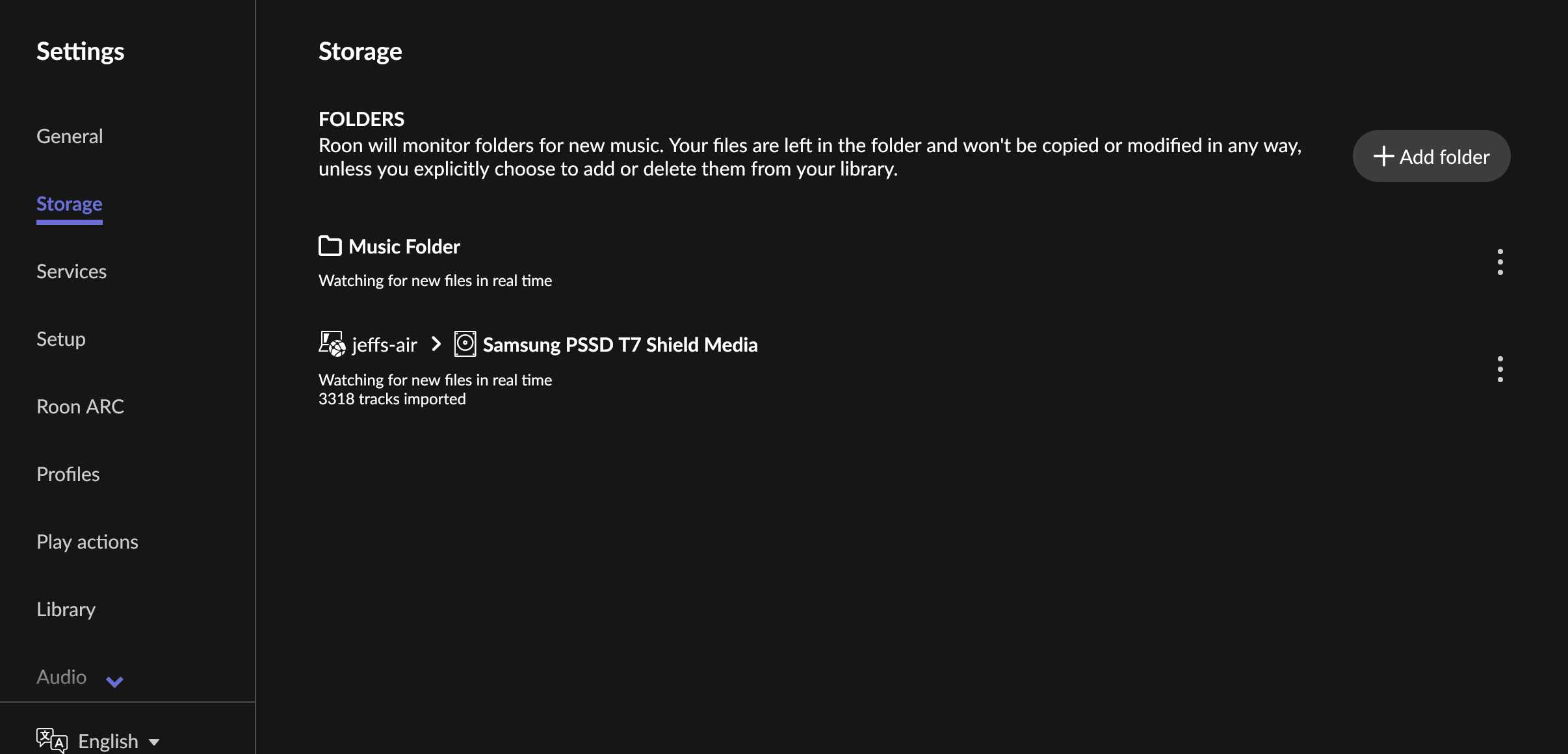
I have only created one storage location. There are two showing in the screen shot however. All the music is held in the Samsung PSSD T7 Shield Media folder. Screen shot attached.
I think Music folder is a subfolder. Delete one or the other. Looks like two entry paths to the same location. In the second one you have two folders named music or the same folder in the path twice. IDK.
Don’t want to delete anything as it may cause issues with meta data - also syncs with apple library. I found that if I grouped the 2 entries together it solved both being displayed. Thanks
Could you please check your display settings to see if this affects the visibility of your album?
Navigate to Settings → General.
Locate "Show hidden tracks and albums".
If this is currently set to Yes, please try toggling it to No.
If that does not resolve the problem, could you please upload the ripped album to our media storage? This will allow us to test the files and try to reproduce the issue on our end.
Either physically or symbolically, those are not one but two different folders. See the folder name differences — “Vol. 2” versus just “2.”
And note the > Media.localized > in the second path. This probably is some macOS and/or Apple Music automated import feature nonsense so that “it just works” for average users.
Thanks @alex_h the “show hidden tracks and albums” was already set to no.
I am pretty sure that the double entry relates to the Apple Music library which I am simultaneously importing to. What I don’t understand is why the duplicate display happens for some albums and not others. If I group them in the library it mitigates the issue from a display perspective.
I definitely don’t want to delete the folder as am pretty confident that it will mess up Apple Music. What would be good is to ensure that it is adequately hidden or ignored on Roon scan. I will upload the ripped media. Thanks
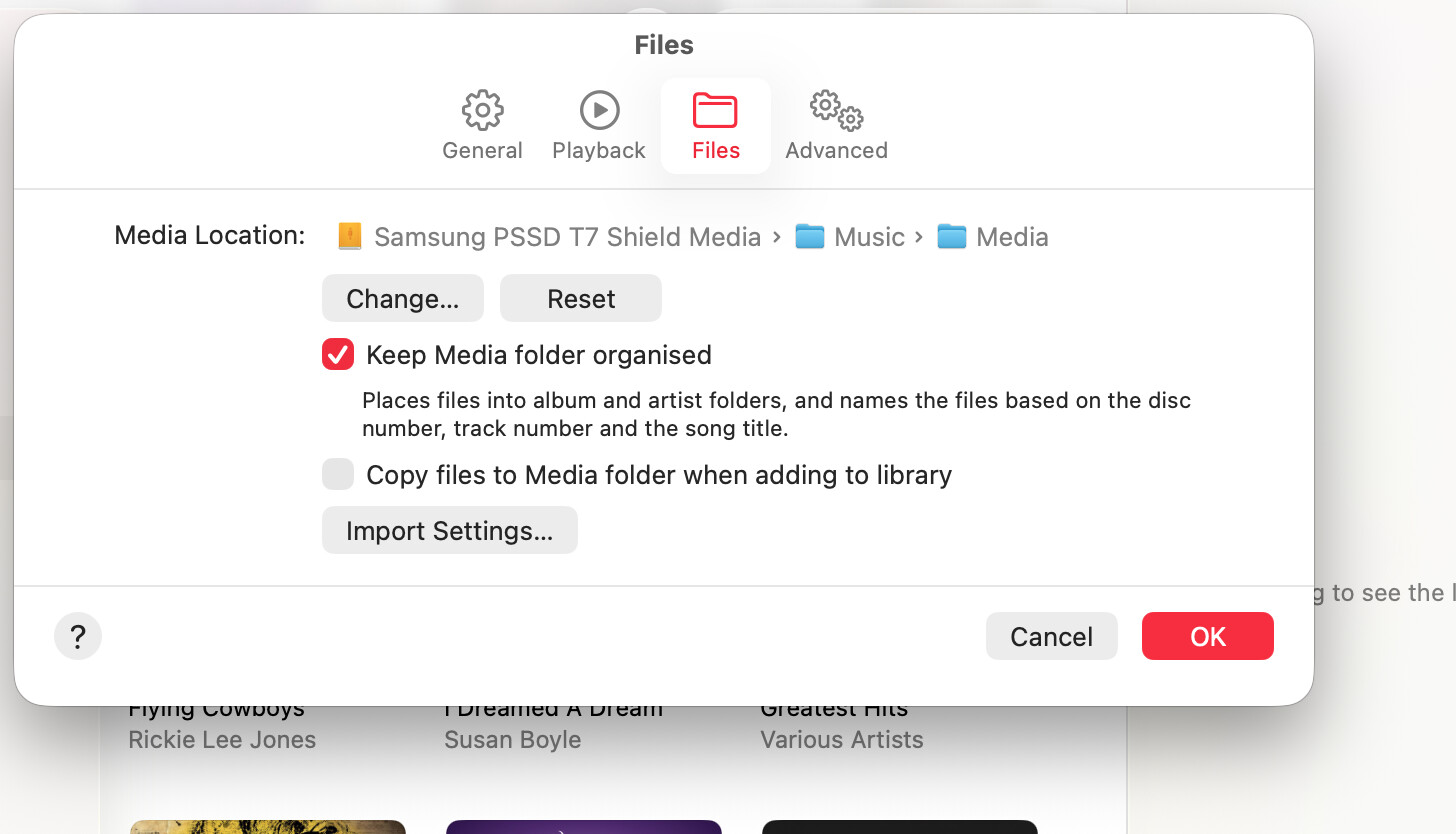
I have now ascertained what the problem is - I had “Copy files to Media folder when adding to library” selected as an option in Apple Music Library. I have now un checked this box and will work out how best to delete the duplicated files without causing any issues. Thanks