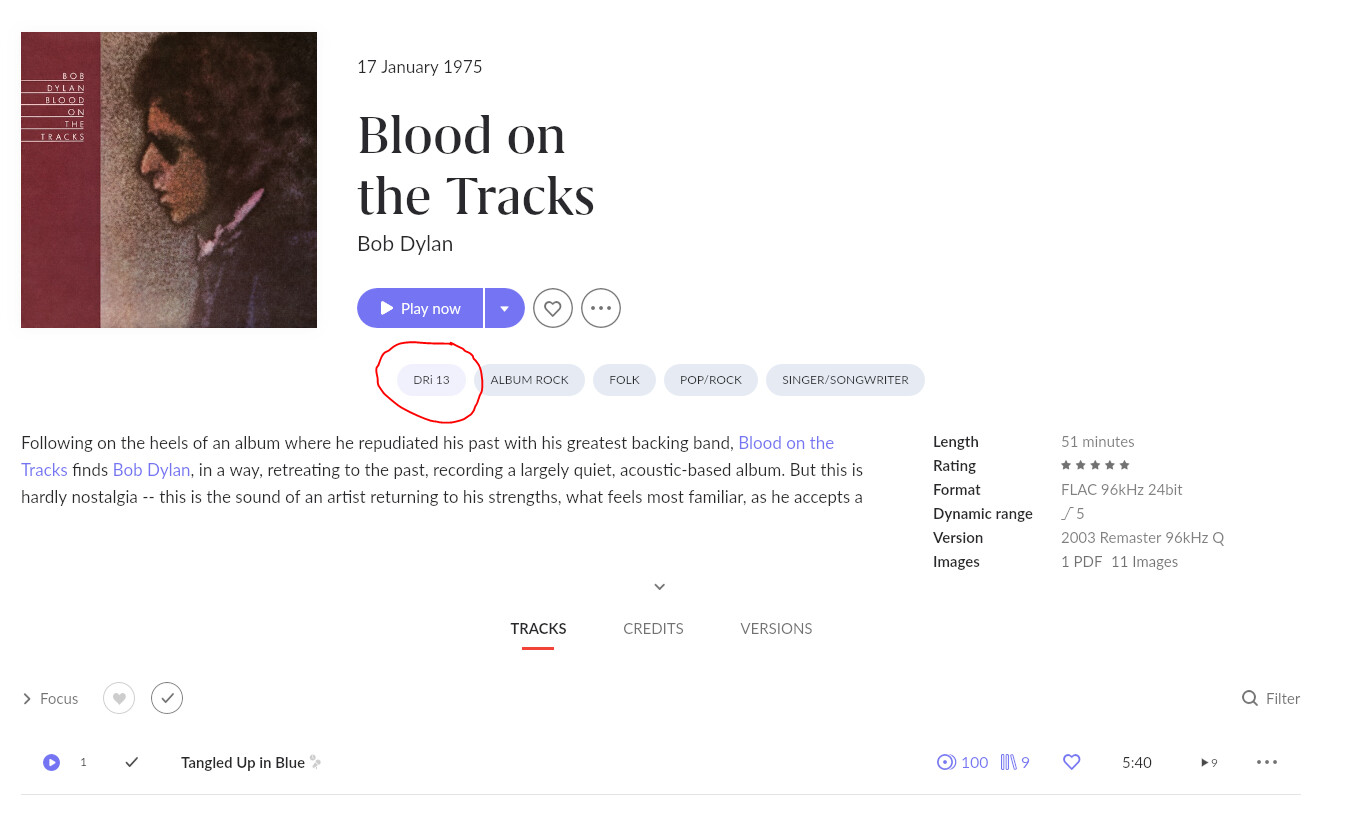
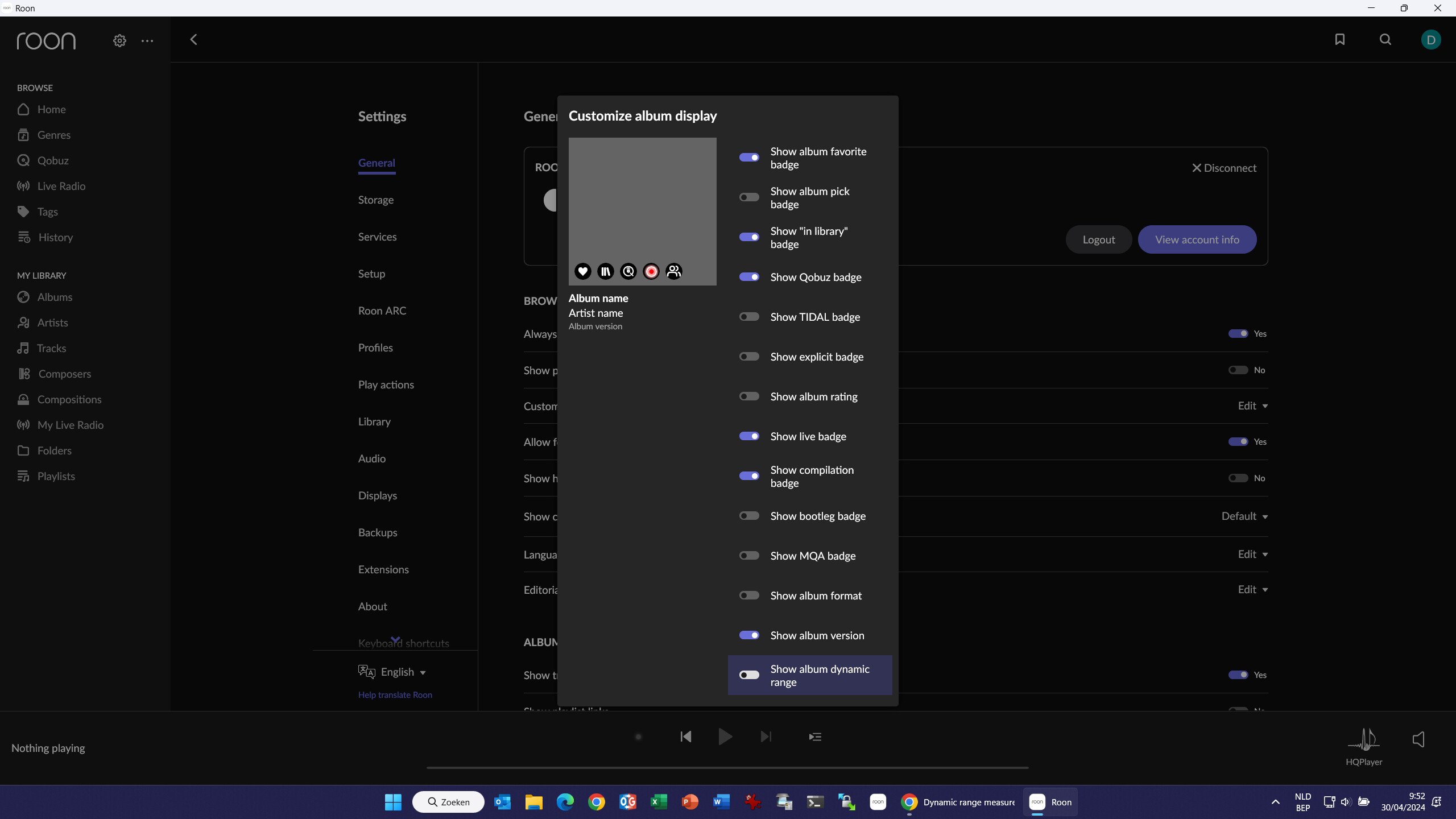
Agreed that Roon’s metadata does not reflect reality nor subjective experience. R128 Loudness was designed for automated control of objective loudness of advertising. It has little or no bearing on subjective loudness, and includes in its measurements a process that actually precludes, especially for pop music, any correlation to a listener’s subjective observations. R128 is great for machines that keep “commercials” from blasting you, but is really inappropriate when it comes to human perception.
We at MAAT are the folks who formulated and maintain the integrated DR Dynamic Range standard, DRi, as an easy to understand integer metric that correlates well with subjective assessment of how loud your music is. We would appreciate the opportunity to add accurate DRi measurements to Roon’s metadata collection. For that to happen, we need your help! Please lobby Roon to add official DRi as part of their metadata roster.
Actually, as documented there, the DR.Loudness-War site expects their users to employ DRi, not crest factor. They are different.
Crest factor is a first approximation, and provides a measurement that is difficult to correlate with perceived loudness. On the other hand, DRi was designed specifically to provide a standardized integer value that correlates well with perceived loudness.
From what we at MAAT can tell, JRiver uses some form of crest factor which, as with R 128 LRA, is not a dynamic range measurement. They should be using the DRi algorithm but are not.
The JRiver DR numbers do often/sometimes differ from the official DR numbers. I’ve assumed that was due to JRiver using different floating point or integer precision or math libraries than the official DR algorithm. Or maybe they’re implementing the algorithm slightly incorrectly.
Awesome to see you here Oliver, and hoping that Roonies can engage to put your algorithm to work so we can all benefit!
Thanks, man! Looking forward to maybe helping Roonies () achieve their own music nirvana. BTW, just got back from a major hi–fi show that I write up every year, AXPONA in Chicago, and Roon was EVERYWHERE!
Maybe the moderators can merge this discussion with the feature request: Select "R128" or "Crest Factor" DR as it seems most people in this thread wants this (or versions of it) but aren’t aware of the feature request. Don’t forget to vote at the top of the feature request. A +1 in comments doesn’t count
I use the DRi info to tell different versions or masterings of the same album apart. I like the fact that it’s the same number as in DR database https://dr.loudness-war.info/. One number is as many have said here not the final truth of the album but it helps to interpret it. I would like to see this implemented in Roon or at least for the option to turn it on as you can with the current R128 value.
I think Roon has stated that the R128 was a more accurate number and that they didn’t want to use the more common “audiophile” DR standard. But as we have seen recently Hell freezes over, or how Folder Browsing came to Roon! Hell has frozen over so perhaps there is a chance for seeing DRi values in Roon now
In the mean time I have used the “roonalbumtag” to display the information in the interface like this:
I have enabled that option showing the Roon DR (R128). What I cannot figure out is how to add the DRi value, which TreeZorro has highlighted tag in the example.
I use the ROONALBUMTAG tag to show the DRi value in Roon.
To do this first I find the DRi value of the album by mesureing it using a software: MAAT DROffline MkII You can also find the vaule in the DR database https://dr.loudness-war.info/ if you know which version of the album you have.
Its not complicated if you are familiar with tagging but it is time consuming. There is a feature request to make Roon do this automatically that you can vote for: Select "R128" or "Crest Factor" DR
I’ve been playing around with and it seems to work great.
The only thing I can’t get working is the renaming of the foo_dr.txt file. It gives me an error saying it can’t find the path (I’m on Windows).
I have no python expirience. How do I write empty space in the path name? Eg if I want to run the script only for my Elvis Presley folder that has a space betwen Elvis and Presley?
@TreeZorro for paths with a space just put the entire path in double quotes. The renaming issue for the Foo log file is probably because I haven’t tested on Windows yet but I’ll do that shortly.
@Daniele_Piancastelli currently it overwrites those tags as I had not been using them at all in my use case. I’ll update it shortly to append the DR value if there’s already a tag present, and be smart enough not to amend it multiple times if the script is re-run. Any idea if it should be appended with a comma to separate it?
Thanks for the feedback! I’ll post here once those changes are made next week.
Okay, the script has been updated and any pre-existing ROONALBUMTAG and VERSION tags are retained. If there’s a new DR value in the log file it is appended, or updated as needed, but if it’s the same it is skipped.
Thank you very much for the updates. I just tried it again and it all works for me now.
This is really a big time saver for me. I was wondering if I could somehow skip the questions the script poses and just choose a default to save even more time? That way I could run the script with the same choices every time without any input.
 ) achieve their own music nirvana. BTW, just got back from a major hi–fi show that I write up every year, AXPONA in Chicago, and Roon was EVERYWHERE!