Thank you for providing an official Roon Docker Image. This is a big step in supporting Roon Server on multiple platforms without the need for dedicated installers.
As I already have multiple docker containers running on my Synology NAS, I was up and running quite easily. I’m not sure however if this will be the case for users who are not (yet) familiar with docker. Hopefully some additional documentation will be provided for them to get docker (or the equivalent on common platforms) up and running for them.
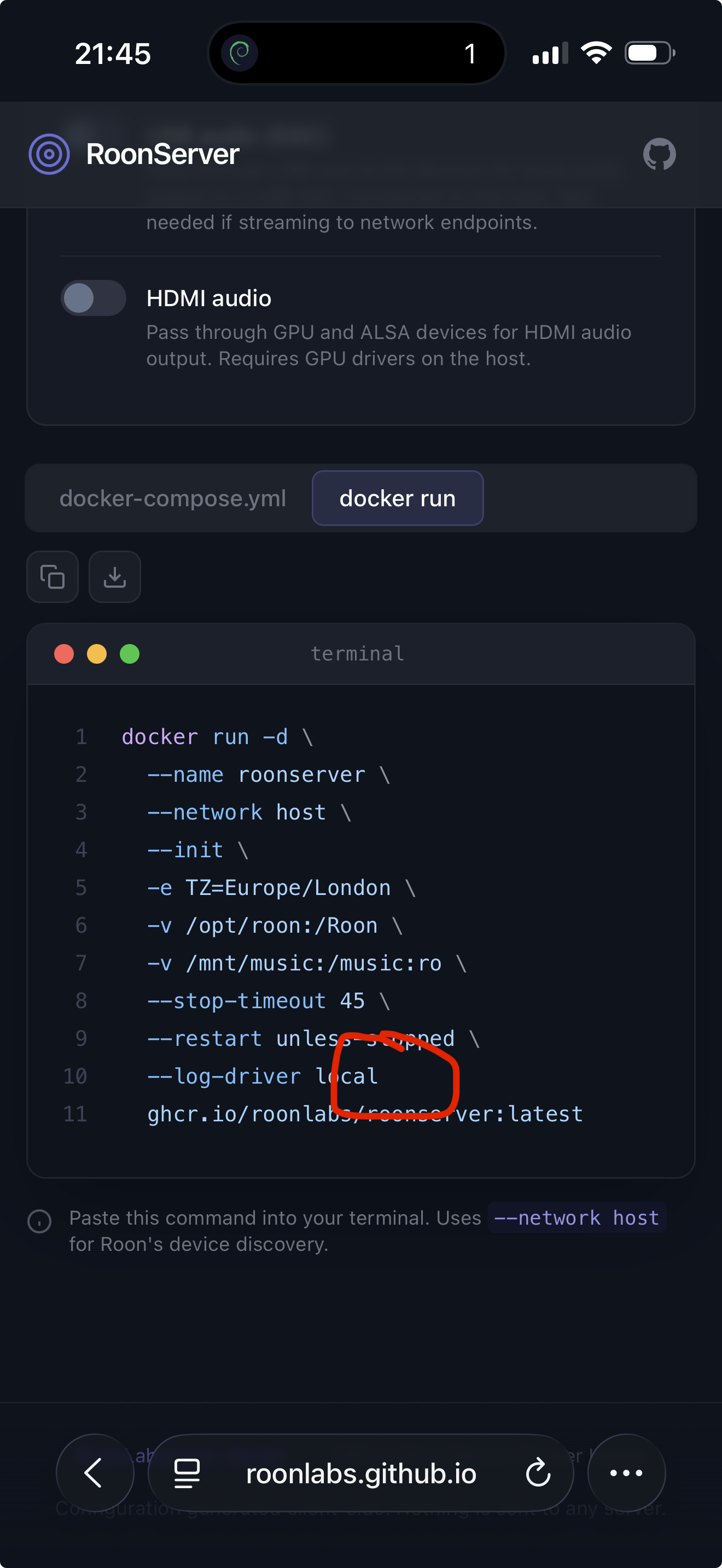
I do like the RoonServer Docker Configuration Generator. This will certainly be helpful to users once they have their docker environment up and running. Although I followed most of what was generated, I personally did not follow the default of the volume mapping /opt/roon:/Roon. My reason for this is that this places Roon and it’s subfolders app, data and backup in a location that is not easily accessible to me as a NAS user. This means that:
I cannot easily access these folder with standard applications on my NAS. Most importantly, the native backup software (Hyperbackup on Synology) cannot access the backup folder for offline backups
As a user, I cannot easily access the log folders of Roon in case I need access to the logs as part of a support case.
Instead of the suggested location, my Roon folder is mapped to a dedicated subfolder in a docker folder on a volume that consist of an SSD mirror.
Perhaps an idea the change the default to a more user accessible location?
QNAP user here. I agree that at present there is not enough information for most users to get started. I have kind of worked out that in Container Station I needed to create an Application and paste in the generated yaml. However when this runs I get lots of messages saying files cannot be written as there is no space on the drive (when unpacking the tar). There is oodles of space on the drive so no idea what is going on here.
Trying to understand the paths where the components of roon server application are meant to reside. As far as I understand, the roon database is inevitably in the same container with the application. Is this the case? In this case, I would not proceed, as this is on a spinning disc HDD, have no SSD available as an internal volume.
Yes, I assumed that Roon’s database would be inside the Container so did place my container directory on the internal M2 nvme. It is my understanding that Container Station creates the container directory at first use, not by application or individual container, so this may cause some users issues.
/volume2/docker is a share that is located on an internal mirror set of SSD drives. Within that share I have dedicated config and data subfolders for each of my docker containers
/volume1/music is the standard music share of my Synology located on a RAID of spinning drives.
I suspect you should be able to reference an external SSD for mapping the Roon folder.
I had early access to this container and have been running it for a while. it’s working well.
There is, as the English-language expression goes, an “elephant in the room” which is the tease from @Stephen that there may be a go-forward plan for QNAP and Synology users that doesn’t involve Docker.
If some users “need” to go to Docker, then we need very simple walkthroughs with step by step, platform specific instructions and screen shots. On the other hand, if Docker is an expert/enthusiast feature, the docs need a bit of polish (including clarifying this) but don’t need to be targeted at less technical users. The community can easily fill that gap if it wants to.
Some notes about what’s there now:
I like the compose builder. It needs a bit of work (and documentation that refers to it instead of it being the documentation) but it’s a good tool.
Most of us are not looking at or changing the dropdown from “Linux”. It’s not clear from looking at the page that if you run QNAP or Synology (which are both Linux) that there’s a better option. My recommendation is to change this to radio buttons and do it in such a way that the user must change the default. So have one called “Unspecified”, have that be pre-selected, and put in the YAML, when that’s selected, a comment indicating it must be set.
When picking Synology in the compose builder, you set the path to “volume1/docker/roon”. Generally speaking, this is a good path but…“volume1” may not be the right volume for all users. It depends on your configuration. If, for example, you’ve configured multiple volumes, one on SSD, one on spinning media, you’re going to want to put your roon folder on the SSD volume. Secondly, you have to create the share and subfolder. My walkthrough explains this and that’s the sort of thing that belongs in the user-facing documentation.
I have to admit… you have me very curious about what you’re up. I’m wondering if you somehow figured out how to statically link to a new version of gclib or something like that. Looking forward to finding out!
Fun Fact: You can’t statically link something against glibc. (That’s why musl libc is used for statically linked applications.) You can provide separate set of glibc and some libraries though. (just like entware does)
My two cents: I migrated from my custom Docker image to official one, and it works just fine! Just restored from backup and it just works just like before.
I wanted to share some feedback after moving my Roon Server to the official Docker container on a QNAP NAS.
Setup took a bit of trial and error on my side, especially with paths and backup folders, and one issue is still unresolved: my older backups are detected and listed correctly, but they fail when I try to restore them. So that part still seems problematic.
That said, once the container was configured properly, performance improved dramatically compared with the previous QNAP installation. It is much faster than before. Searches are now almost instantaneous, and, most importantly, playback no longer stutters or pauses when I search the library, even while the library is scanning.
So, in summary:
restoring older backups still seems broken, even though Roon can see them;
but the Docker-based setup on QNAP performs far better than the previous version;
overall, once running correctly, it feels extremely fast and responsive.
I thought this feedback might be useful because the performance difference is very noticeable in real-world use.
 .
.