I’ve been running Roon 2.64 in Docker on QNAP TS-253Be for a couple of days, also with 15.5 GB of useable Ram, all is smooth.
it’s way faster than the old Roon on NAS, and to be honest I don’t notice big differences in speed vs my OLD HP laptop i7 with Rock (Mock) on it: the i7 is only better in DSD 256 streams, but everything else is very similar in speed and performance and user experience.
Roon appliance is taking 5,4 GB of ram and i’m at 17% cpu at the moment (2 simultaneous flac streams, it goes up to 40% when I have 4 simultaneous audio streams)
ARC streams do seem to be much more CPU intensive than Roon app streams?
The NAS runs several dockers (unbound / adguard / homeassistant) and also runs Plex
I do run all my dockers (and also Roon) from SSD
the multimedia is on mirrored HDD
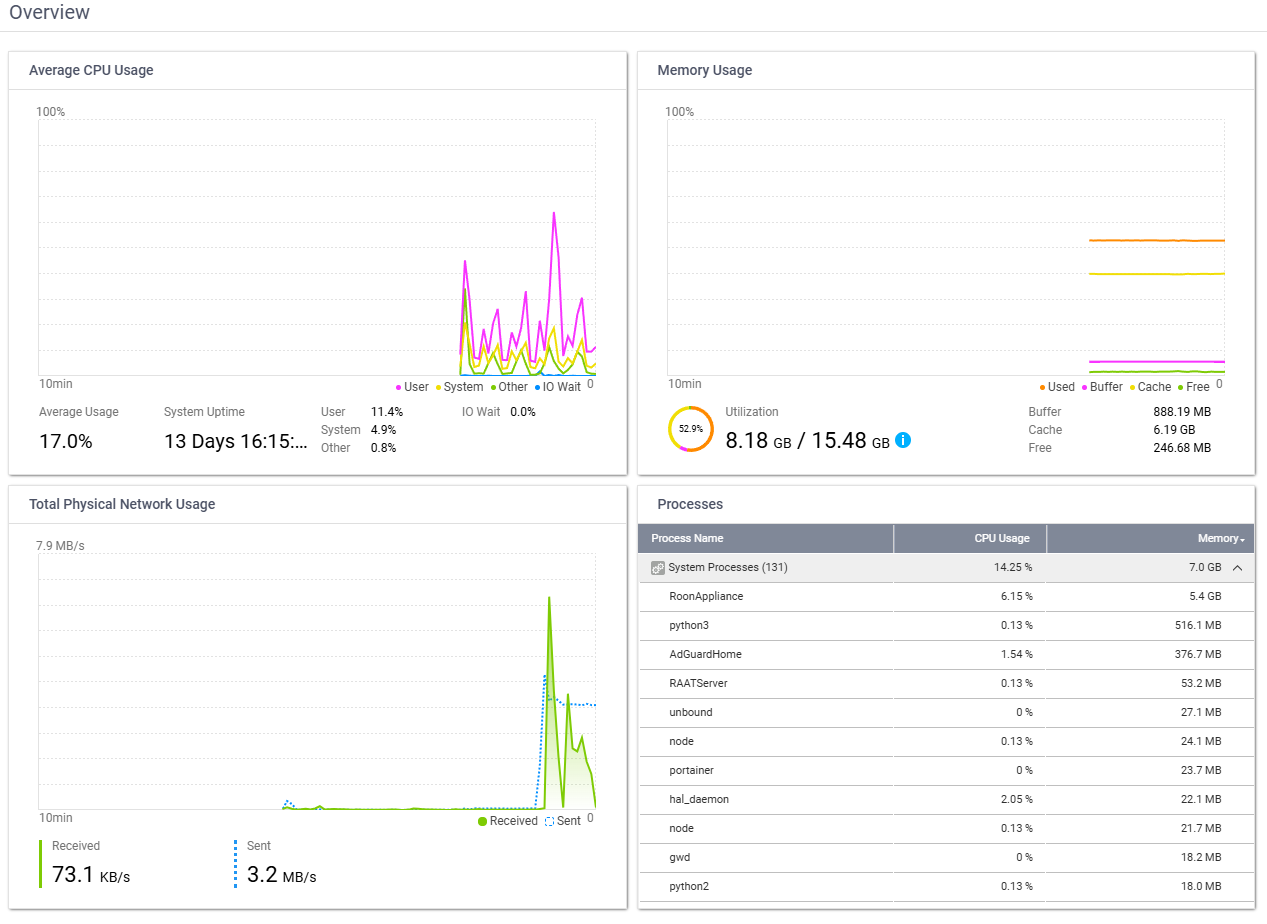
Container station on qnap is not very good though, I use portainer or just ssh with docker-compose commands to make 1 docker compose yml file with all dockers combined in 1 app
I edited my docker-compose like this:
cachedev3_data is my ssd disk
cachedev1_data is the mirrored hdd disk
  roonserver:
    image: ghcr.io/roonlabs/roonserver:latest
    container_name: roonserver
    network_mode: host
    init: true
    restart: unless-stopped
    stop_grace_period: 45s
    environment:
      - TZ=Europe/Brussels
    volumes:
      - /share/CACHEDEV3_DATA/ContainerFast/RoonDocker:/Roon
      - /share/CACHEDEV1_DATA/Multimedia/Music:/music:ro
      - /share/CACHEDEV1_DATA/RoonBackup:/Roon/backup
It’s also very easy to add roon extension manager in the same docker compose app