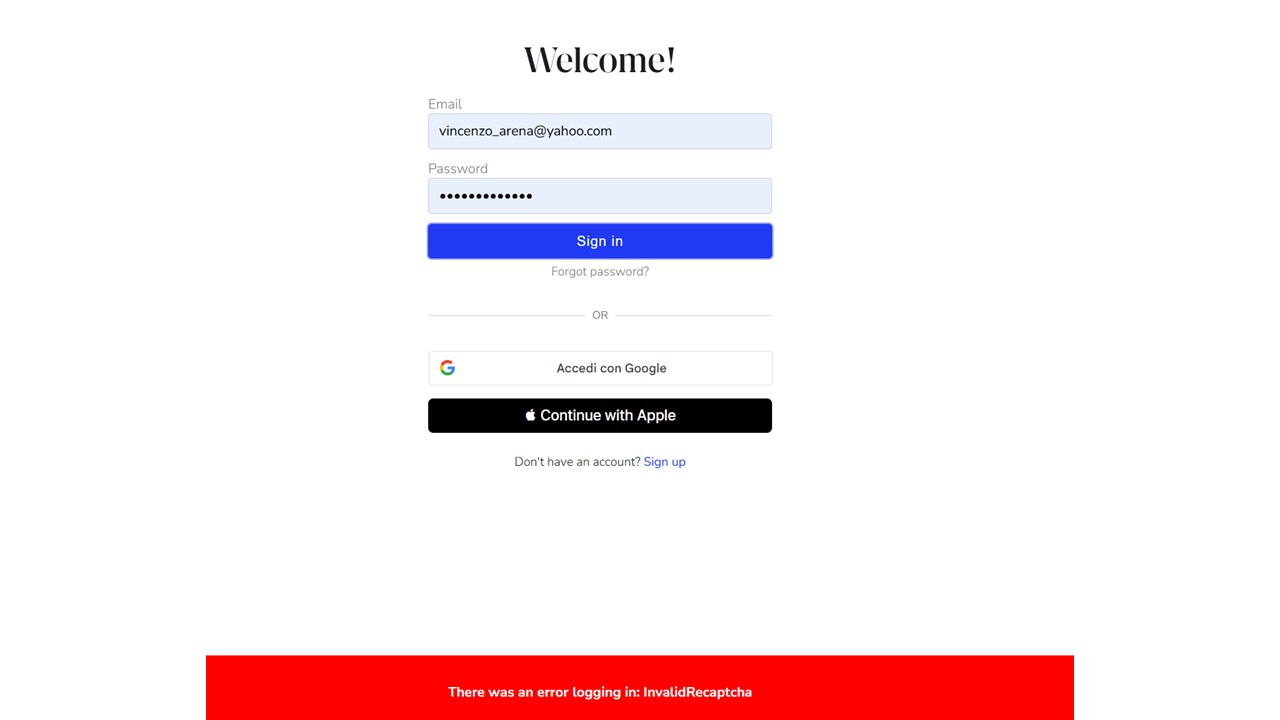
What’s happening? · I'm having trouble connecting to Roon
What type of connection issue? · Something else
How can we help? · None of the above
Other options · My Roon software won't start up
Describe the issue when i try to connect from a second pc i get recaptcha. I've tried to clean cookies change browser etc. In the old pc I can log normally
Describe your network setup nothing special
Carl
June 18, 2025, 1:59pm
2
This behavior is often caused by browser or network settings interfering with the login process. Please follow the steps below:
Open the Settings app.
Scroll down and tap Safari .
Tap Clear History and Website Data to remove cached files and cookies.
Go to Settings > Safari > Privacy & Security .
Make sure the following settings are disabled :
Block All Cookies Prevent Cross-Site Tracking
Open the Chrome app.
Tap the three dots menu (top-right corner) and select Settings .
Tap Privacy and security > Clear browsing data .
Choose Cookies and site data and Cached images and files , then tap Clear data .
In Chrome , tap Settings > Site Settings .
Make sure that:
Cookies are allowed .JavaScript is allowed .Pop-ups and redirects are allowed (temporarily if needed for login).
If you’re connected to a Wi-Fi network, switch to cellular data.
If you’re on cellular data, connect to a Wi-Fi network.
This can reset the DNS path and resolve login issues.
Go to Settings > General Management > Date and Time (Android) or Settings > General > Date & Time (iOS).
Ensure Set Automatically or Use Network-Provided Time is enabled.
Open Safari (iOS) or Chrome (Android).
Navigate to account.roonlabs.com
This helps verify your account works outside the app.
While logged in at account.roonlabs.com
Remove any outdated or unnecessary sessions that might interfere with new logins.
Tap the browser’s menu while on the Roon login page.
Look for the content blocking or privacy settings.
Disable content blocking specifically for this page.
For iOS:
Delete the Roon app from your device.
Restart the device.
Reinstall the app from the App Store.
Attempt to log in again.
For Android:
Go to Settings > Apps > Roon .
Tap Uninstall .
Restart the device.
Reinstall Roon from the Google Play Store.
Attempt to log in again.
daniel
June 18, 2025, 2:06pm
3
Hi @vincenzo_arena ,
Thanks for reaching out to us about this issue. The advice @Carl posted should help you resolve this ReCAPTCHA issue/ If you still have trouble please let us know we’re here to help!
I’m using a windows 11 OS. Most of your recepies are for IOS and Android
I made it working. I had to disable in Chrome “page preload”.
daniel
June 18, 2025, 4:41pm
6
Hi @vincenzo_arena ,
Glad to read you were able to get it working. Enjoy your music!
Yes, sure, but your login procedure is faulty and should be corrected. I’m not going to do other tests, but for sure it should not work like this.