Endpoints keep going offline (ref#TU11OQ)

What best describes your playback issue?

· Music stops playing unexpectedly

What type of Zone is affected by this problem?

· *Directly-connected Zones* are affected.

Does the issue affect all file formats?

· The issue affects *multiple/all* file formats.

Does the issue happen with local library music, streaming service music, or both?

· *Both streaming and local* *library* music are affected.

Do you encounter any playback errors with the "System Output" Zone?

· I don't have a System Output available, but I'd like to keep troubleshooting

How is the affected Zone connected to your RoonServer machine?

· Network - Ethernet

Which network audio protocol is the Zone using with Roon?

· RoonReady

Does the device show up at all in Roon Settings -> Audio?

· Yes, it shows up there, but it isn't Enabled

Does the "Enable" button unlock the Zone?

· I can Enable the Zone, but the Zone disappears

Does the device play audio from another source when using the same connection?

· The device has no problems with another audio source

Have you checked that Roon is whitelisted in any firewalls?

· I've checked the firewall and the issue remains

If the device has multiple output options, do the other options work as expected?

· Multiple output types are affected

Is the device using the latest firmware as per the manufacturer?

· Firmware is up-to-date but the issue remains

Do you have an approximate timestamp of when the issue last occurred?

· After the last release (but I'm unable to tell when that release was applied).

What are the make and model of the affected audio device(s) and the connection type?

· WiiM Ultra; Cambridge Audio 851N

Describe the issue

Endpoints Keep Going Offline (Disabling and Enabling in the UI)

Describe your network setup

Ethernet via an unmanaged T-Link 24-port switch
More information and background:

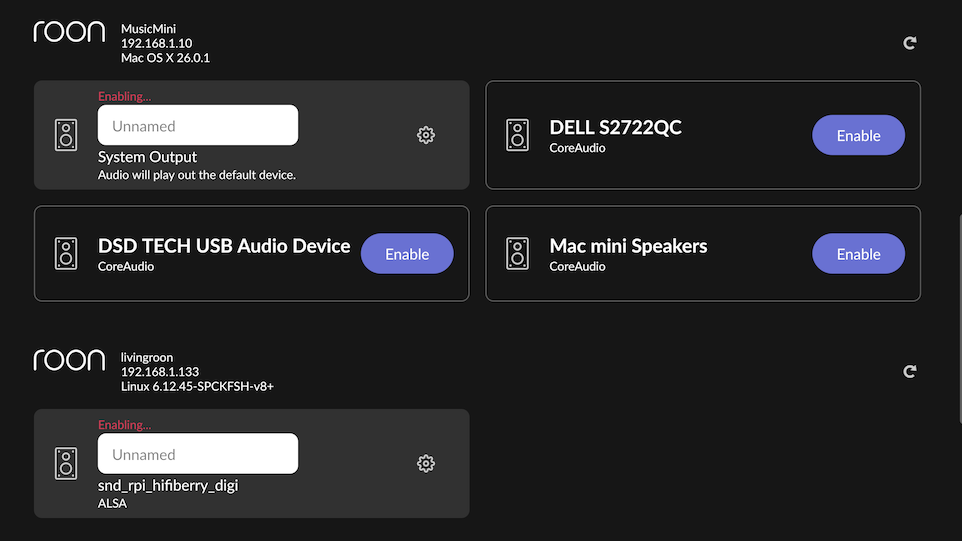
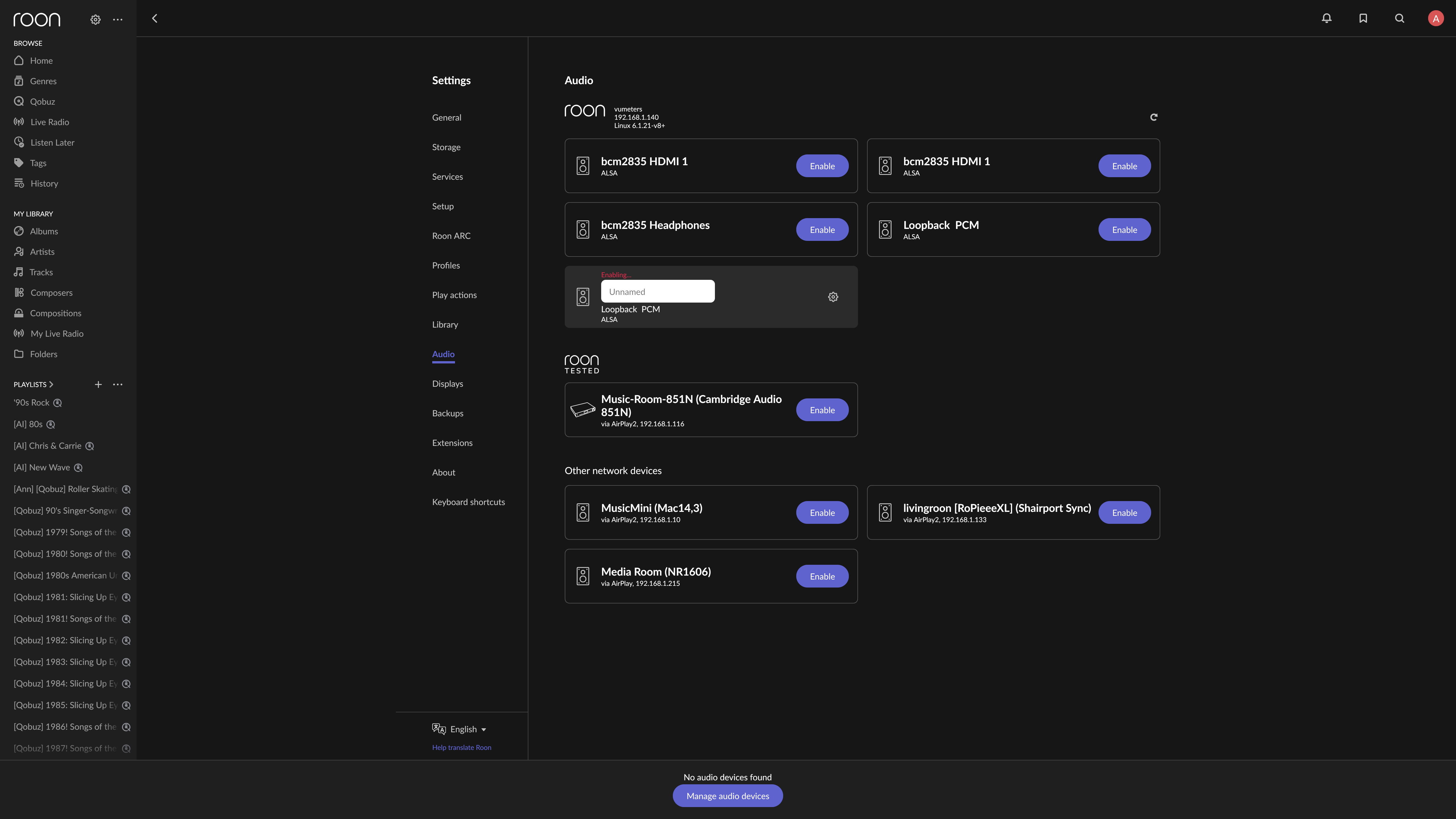
After the latest Roon update (as best as I can tell when this issue started), Roon can’t keep a solid connection to any of my wired endpoints. The effect is that Roon just stops playing at random times – sometimes it’s a few seconds after starting, sometimes I’ll get into a song or two before it stops. In the UI, I can see the affected endpoints completely disappearing from the Audio config before reappearing a few seconds later in an endless cycle (there should be three RoonReady devices in the screen cap above, they reappeared a few seconds after capturing this screenshot), along with other devices randomly going into disabled mode then reenabled, even if they’re not playing any music. I’ve seen this on all devices I’ve tested, and against streamed and local music.

When playback stops I’m seeing the following in the logs:

$ tail -f /var/roon/RoonServer/Logs/RoonServer_log.txt | grep -i ‘Warn|Error’

09/25 15:52:40 Warn: [WiiM Music Room] [zoneplayer/raat] long rtt sync Linkplay Technology Inc. WiiM Ultra: realtime=1063603661668 rtt=38500us offset=1046959661us delta=-67467us drift=-67467us in 6.28s (-10743.246ppm, -38675.684ms/hr)

09/25 15:53:09 Warn: [raat_ll/client] [snd_rpi_hifiberry_digi] failed to connect(0) Cannot access a disposed object.

09/25 15:53:10 Warn: null SortEnv language. Defaulting to current culture.

09/25 15:53:10 Warn: null SortEnv language. Defaulting to current culture.

09/25 15:53:10 Warn: null SortEnv language. Defaulting to current culture.

09/25 15:53:11 Warn: [raat_ll/client] [System Output] failed to connect(0) Cannot access a disposed object.

09/25 15:53:11 Warn: [raat_ll/client] [Loopback PCM] failed to connect(0) Cannot access a disposed object.

Ping times are great between my Roon server and the endpoints, ~1ms, so no issue there, and I have no other networking issues throughout the network.

…and I just saw this issue which sounds identical to mine (my Roon server is a repurposed MacBook Pro running Mint): Intermittent playback stoppages and disappearing audio devices on Ubuntu setup (ref#HW5TQ8) - #2 by connor

1 Like

And just to confirm based on conversations in other threads, I am on the latest build of Roon server and the latest WiiM Ultra firmware:

Hello @rcrawley,

Thank you for contacting Roon Support.

It looks like you’re encountering the recently discovered issue with disappearing devices, which we’ve documented here:
:backhand_index_pointing_right: Audio devices disappear on Roon Server and then re-appear - Roon investigating

I’ve asked my team to enable an additional diagnostic layer on your account. Once this is in place, I’ll follow up with you here and ask that you restart your Roon Server a few times so the diagnostics can take effect. After that, I’ll provide you with the next steps.

Sounds good @vadim. Thanks for the follow-up and happy to do anything on my end when needed.

Responding to keep the thread open…and to say that the problem is still happening. I’ve been unable to use Roon since finding the issue, but today I set a new record: I started it up just to run in the background on mute (in case @vadim needed anything after setting up diagnostics), and it stopped 18 seconds into the first track of a Qobuz album. So, yeah, no way for me to play anything for the past week. :cry:

1 Like

Hi @rcrawley,

Sorry to hear you’re still hitting endpoint issues! Our team is still investigating additional solutions so we appreciate your ongoing patience.

In the meantime, are you able to test playback via the system output of any of your remote devices? Is that any more stable for you?

Thank you! :folded_hands:

@benjamin I have been able to test system output from Roon remotes and it’s a mixed bag:

  • Yes, it’s more stable in that it doesn’t stop playback
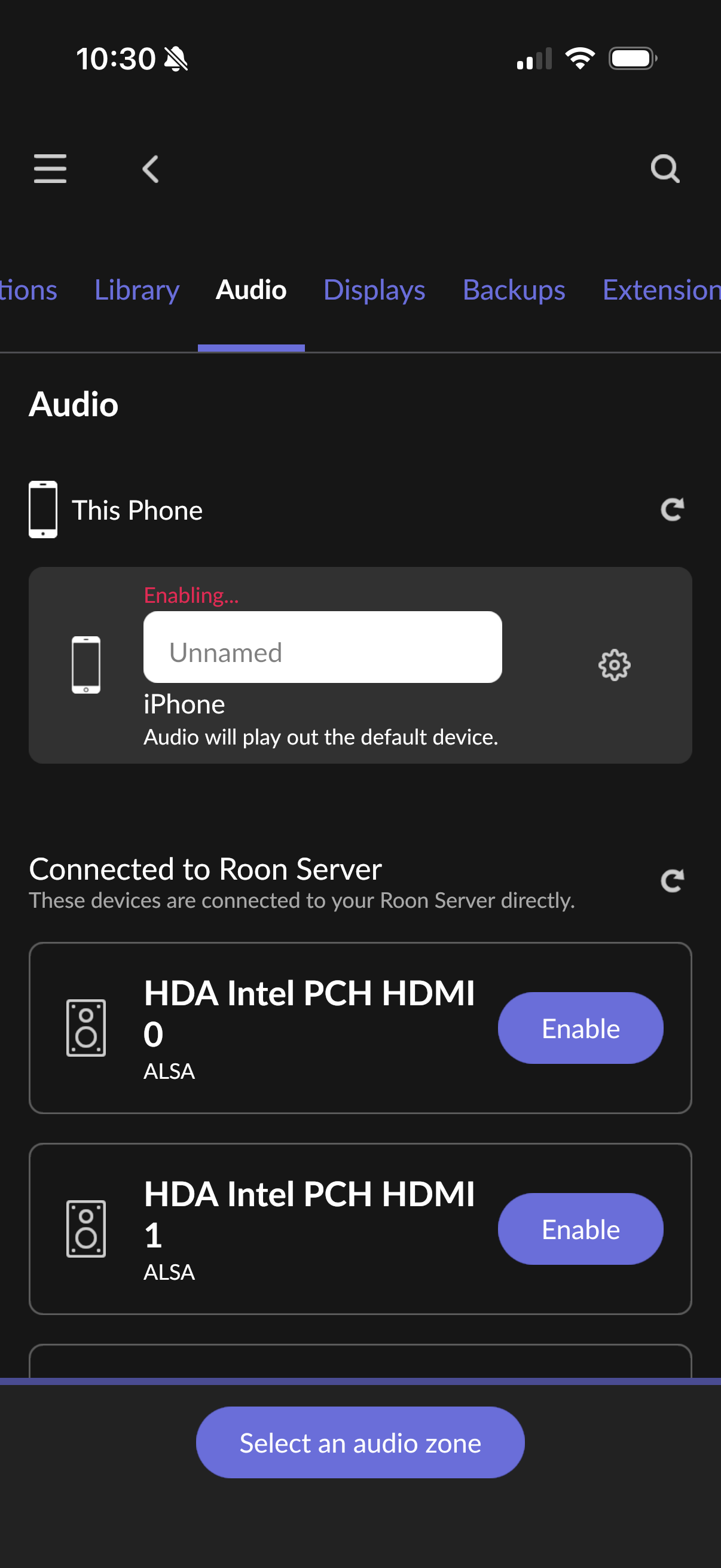
  • But the output gets stuck in Enabling every time I close the Remote. For example, when I open the remote on my iPhone the system output isn’t enabled, and when I go into Settings → Audio I can see it sitting at Enabling for a few seconds then it auto-enables, I can listen forever. But when I close the app and go back into it, I have to do the same thing again to re-enable output.

Urgh, I spoke too soon. That was the behavior yesterday. Today all hell has apparently broken loose. My iPhone is stuck in Enabling (see below), and Roon server has restarted itself many, many times while I’ve been trying to play anything on the iPhone. I’ve also been able to confirm that using system audio on a Mac running a Roon Remote has the same problem as streaming to an endpoint, songs stop every 20 seconds or so and the system audio keeps going into disabled state (as do all of the audio endpoints).

So basically just disregard everything I wrote in my last post, and no idea why it was stable on my iPhone for a few hours yesterday but now it’s not stable anywhere and I’m not able to use Roon at all. :frowning:


Hey @rcrawley,

I’m sorry to hear your issues persist! Our team is currently working on another fix related to device discovery that we’re hoping will help.

With that, we were analysing a fresh diagnostic report and saw traces of memory errors and a lack of space:

System.OutOfMemoryException: Exception of type 'System.OutOfMemoryException' was thrown.

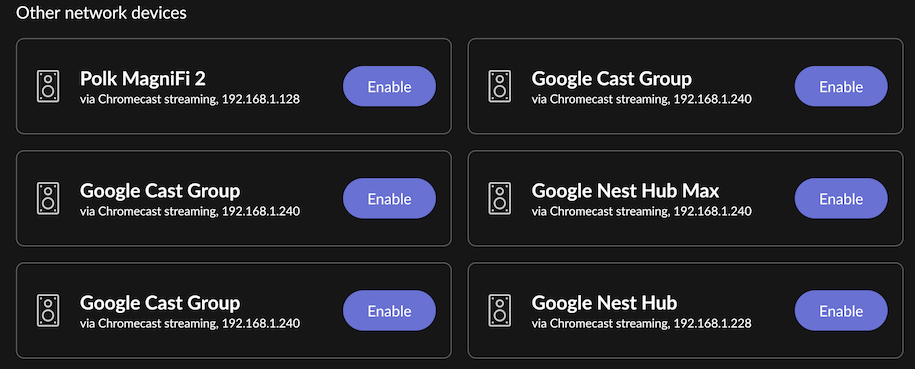
It looks to have failed when Roon was trying to create a new socket (network connection) while initializing a Cast zone player (your Google Nest Hub Max).

Can you share more information around your RAM and library size on your Roon Server machine?

Thank you! :folded_hands:

Thanks for the quick reply @benjamin! Interesting…I don’t use Chromecast at all for streaming audio via Roon. I do use Google TV for displays but nothing for audio. Here’s a list of all of the Chromecast endpoints that Roon sees, and all are always disabled.

As for RAM, Roon Server is running on a Linux box w/ 16GB and plenty free:

$ free -m
               total        used        free      shared  buff/cache   available
Mem:           15855        3464         495         304       11895       11752
Swap:           2047          10        2037

Size of the library is just under 6k albums and 96k tracks (which includes my Qobuz library). Let me know if you need anything else.

Hello @rcrawley

Please restart your Roon Server a few times, then reproduce the issue again and note the exact timestamp when the devices disappear next time.

Also, could you clarify how Linux is installed on your Mac? Are you running it through any kind of virtualization, or is it installed as a dual-boot system? Do you have multiple WiiM ultra devices ?

@vadim I’m not sure if/what you guys did remotely, but my Roon setup has been rock-solid for the past two days while testing. I restarted it twice yesterday morning per your request and then queued up a few albums first, then let Roon go into Roon Radio, and everything played all day without any issue (and has been playing again today without issue). I’ve tested playing individually to both a WiiM device and the Cambridge 851N as well as grouping those two together all without any stops and no devices constantly dropping into Enabling mode. I’d love to know what changed. :slight_smile:

To answer your questions on Linux:

  • Linux Mint is installed on the internal SSD
  • It’s the only OS installed; no dual-boot, no virtualization, boot loader goes straight to Linux Mint

I do have two WiiM Ultra devices, both connected via ethernet, both on the same firmware version, etc.

Let me know if you’d like me to test anything else or if there’s any update on the overall issue. Thanks!

Hello @rcrawley,

Thank you for the updates and clarification. We have enabled the diagnostic mode created by the R&D team to trace/fix the current situation, specifically for your account

Just let us know if the issue occurs again with the track name and timestamp.

1 Like

@vadim A quick update here: I haven’t lost an endpoint in ~4 days of playing at least 4 hours per day, so things seem to be back to normal stability. I didn’t do anything differently in my environment wrt networking, endpoint/devices, etc. The only thing that I did differently was go through the rapid restarting of the service multiple times, per your suggestion, with:

$ sudo systemctl restart roonserver

As mentioned I’d previously had to restart Roon many times during the endpoint dropping issue, but not since doing the rapid restarting.

Interestingly this also seems to have helped a bit with the WiiM drift I’d previously reported:

Roon Radio (started by selecting an Artist and then Start Radio) shows no drift at all over a few hours of playing, but I am still seeing drift when playing straight through an entire album a few tracks into the album or live show. This is different behavior than before when I originally reported the issue, and pausing and then playing the track still resets the drift every time.

Hope this info helps. Thanks!

Hello @rcrawley

Thank you for the update. We are happy to hear that we were able to solve the issue for you. Enjoy your music!

This topic was automatically closed 24 hours after the last reply. New replies are no longer allowed.