That’s great. But, I don’t think any of their DACs actually support playing in 1 bit mode, even though some of them could be capable. I wonder if @jussi_laako has had any experience with them.
It can play DSD.
Isn’t that 1 bit?
–MD
This is interesting. I’ve put HQP on the back burner since using the eversolo. (Used to use a rasp pi with ropieee.)
So, I’m assuming the Eversolo would act exactly the same as the Pi, where you’d still have HQPlayer on a separate device (mac mini or whatever)… there’s no way for an instance of it to reside on the Eversolo device itself, right?
No, it’s doubtful a such device without a computer board would have sufficient computational power to run HQPlayer embedded.
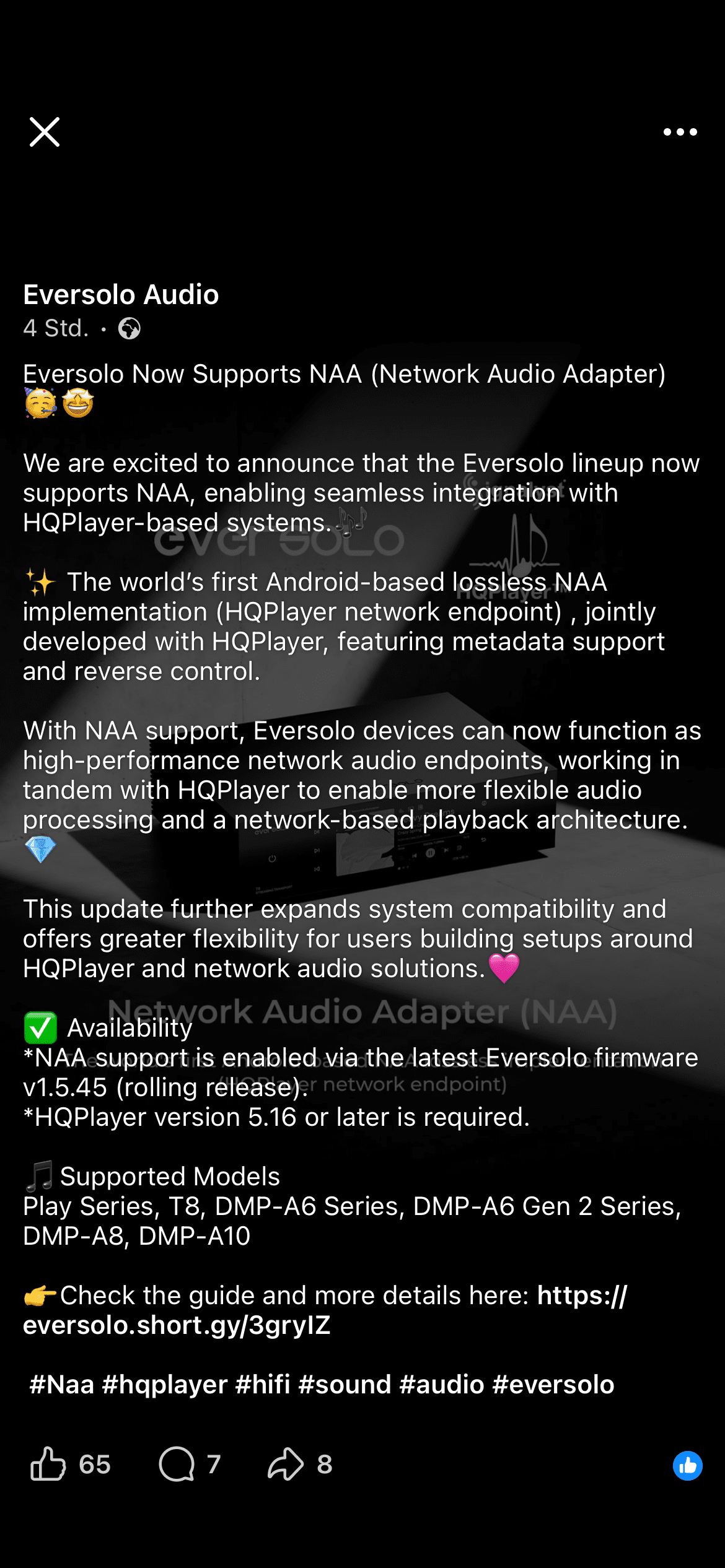
The terminology in the above release notes “endpoint” suggests USB transport to a suitably supported DAC.
Another manufacturer releasing a new feature rather than fixing known bugs.
Looks like I may be buying a T8… maybe.
I was just having the same conversation with @MusicD on another forum. Might be a great solution if it outputs to an external DAC over USB or I2S.
Guess we need to hear more information first
I’ve been testing on DMP-A6 Gen 2 and I also shortly tested playback to an external DAC on it and it seemed to work. Of course with device like T8 it is the core functionality.
Nothing interests me about NAA support for their current products but future Eversolo products may be interesting to keep an eye on
Their current DACs are ESS chip based
Good strep in the right direction
My Audalytic AH90 has ethernet NAA input with DSD256 and true dsd direct conversion to analogue. Maybe a future Eversolo product could be similar
Out of the NAA supported devices, DMP-A8 is based on AK4191+AK4499, and the PLAY is AK4493S.
Of the DACs, Z10 is based on AK4191+AK4499.
Eversolo also implemented the metadata display, so you get cover image, source format information, artist, album track, etc. shown (except Roon doesn’t pass this, but that applies only with Roon). Plus some of the control functionality.
Is there a DSD Direct option on the Play model when using it’s new NAA feature?
I had brief discussion about this, but I don’t really know about details.
It would be good to send these questions directly towards Eversolo. It is also good if more people ask about these things or express their interest, as it also shows the demand for such features.
So it seems, that the eversolo’s engineers have developed the NAA client without asking you for support?
If this is true, then they seems to have a really great technical basic and we can expect much more great things from their side in the future.
No, they developed it in co-operation with me. I provided them with specifications, guidance, some testing help, etc. But they did the implementation, so it doesn’t have any code from me.
This was best solution for their case, as they have their own custom audio stack for Android, etc.
I did some updates to the procotol to better enable third parties to implement NAA endpoints not sourced from me. In a bit similar style as the HQPlayer control API allows other applications to control HQPlayer playback.
Ah, I see, but nethertheless: Great job from you and the evrrsolo team.
So i just updated my T8 to the latest version, and it appears that NAA is active/enabled by default?
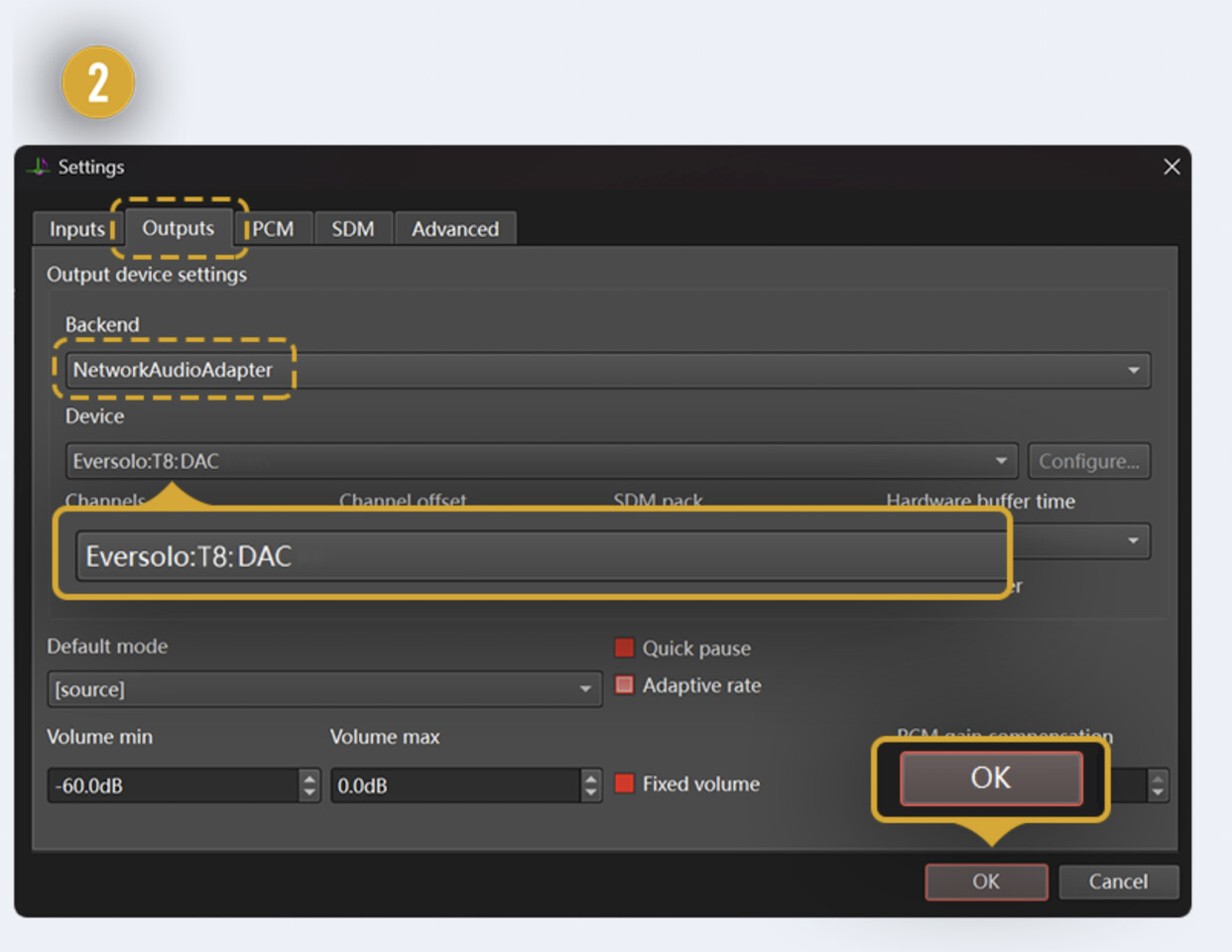
In the NAA settings on the T8, it only shows that one needs to select the Eversolo device in HQPlayer’s settings. (It looks like it displays a couple of screenshots from HQPlayer.) Nothing has to be done with the T8. Is that correct?
(I need to update my HQPlayer to version 5, which I’ll do once I figure out how it’s configured!) Is there a step-by-step anywhere?
Has anyone tried it yet and can report back?

Now this was what making me debate the T8 vs say the Holo Audio Red, I really want to try HQPlayer so this will be lots of fun.
My question though, is Roon only certified up to 384khz, would this allow 768khz audio to be played through Roon and HQPlayer to the T8?
Yes, that’s the case. To avoid race conditions, please remember to disable T8 from Roon Settings / Audio as documented here on the last bullet point:
This is generally the most common issue people encounter with Roon + HQPlayer combination.
Nothing specific for NAA at the T8 side. I think it is possible to configure the device name there, in case you have more than one T8 (each NAA must have unique name).
Rest of the Eversolo side settings are things like selection for fixed/variable volume (when applicable), output selection (analog RCA, XLA, RCA+XLR, S/PDIF, HDMI, USB, etc). But these are not specific to NAA functionaly, but rather generic device settings.
I think from HQPlayer it should work up to 768k PCM and DSD512. I’ve done most of my testing at DSD256 over WiFi (laptop connected to WiFi6, Eversolo connected by gigabit wired Ethernet).
Thanks Jussi.
I went ahead and upgraded my HQPlayer to the newest version, and things seemed to make sense with the configuration.
Added a new instance of HQPlayer to roon and enabled it, but not getting sound.
Roon first said it couldn’t connect to HQPlayer, but I then remembered to enable network control in HQP, and now roon shows it connected with a blue signal path and playing. But oddly, nothing is showing as playing in the T8. (And no sound, as above.) HQPlayer on the mac shows it playing.
I’ve disabled the normal instance of the T8 from Roon’s audio settings.
I’ll continue to troubleshoot this morning, but I swear this happens everytime with HQPlayer. I discover some detail that needs changing, but it’s been so long that I’ve forgotten what it could be.
Should the backend be Network Adapter or Network Adapter IPV6?
EDIT: Found it. I’m not used to the HQP Version 5 settings windows/tabs. I had selected the T8 on the first tab on the HQP settings, but that’s for “input” So I disabled that and went to the “Output” tab, and selected T8 there.
We are in business.
Now for the listening. 