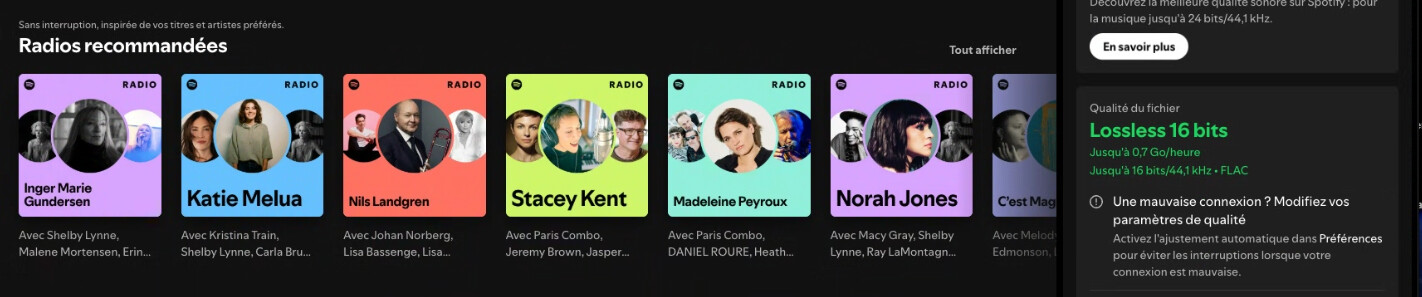
Now that Spotify introduced Lossless globally, millions now have convenient access to lossless music streaming, this is easily the most important news we’ve had mass-adoption wise.
I was thinking it would be nice to have the best of both worlds: The convenience of Spotify, with the sound quality of HQPlayer. I know it’s very unlikely for Spotify and @jussi_laako to do a deal, but I just thought the next best thing would be if HQPlayer had system audio as an input option too!
I remember a software called VB-Cable, that basically made a virtual interface you could play audio to, I used it to record music from platforms with DRM, as far as I know, it’s lossless, and it would make a great feature for HQPlayer.
Rather than posting “+1” or “Agreed”, use the Like button. Rather than taking an existing topic in a radically different direction, use Reply as a Linked Topic.
Yes, as before, Spotify is very simple to deal with through HQPlayer, since it always uses fixed 44.1k sampling rate. So no need for automatic rate switching.
So it already works, as before, through various alternative paths.
Oh, I didn’t know Spotify could be used with HQPlayer, can you implement a way that is more intuitive for end-users?
I think most people don’t know about VB-Cable and similar apps, so having an option for this in HQPlayer would be nice for them.
HQPlayer can be used with any audio source. But Spotify is easier since it uses fixed sampling rate. Nothing Spotify-specific is needed in HQPlayer.
On macOS BlackHole works as a loopback driver.
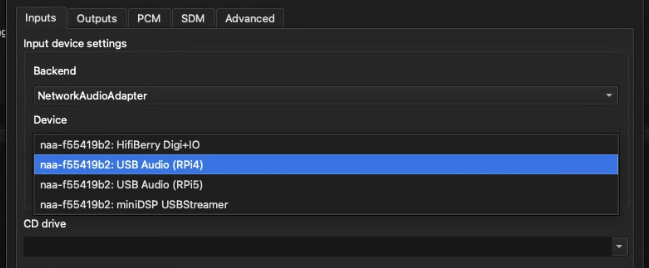
But there are various other ways, such as S/PDIF or AES/EBU inputs, or USB input through RPi4 input NAA.
Various alternatives have been discussed in this thread:
I have HQPdesktop on a Mac mini, and I’ve installed Blackhole and Spotify Premium Lossless 44.1.
But I can’t seem to configure the Spotify output to HQP correctly. Do I need to configure it only in Blackhole, or in both Blackhole and HQP?
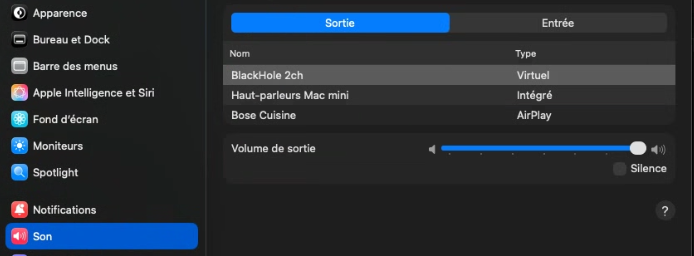
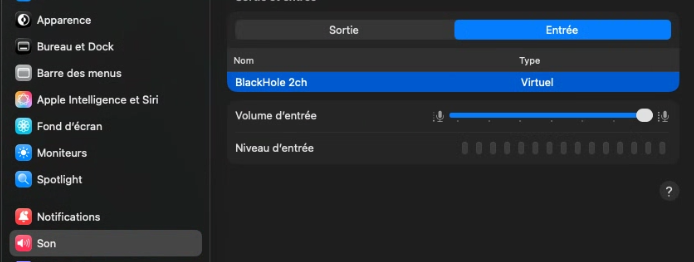
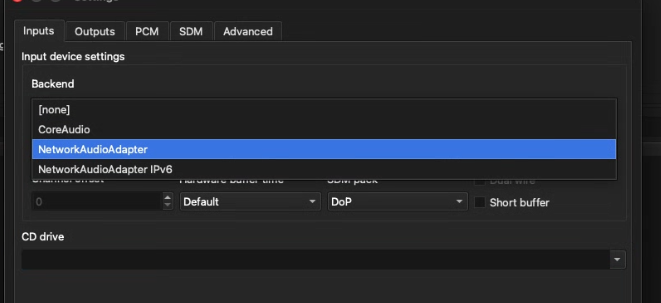
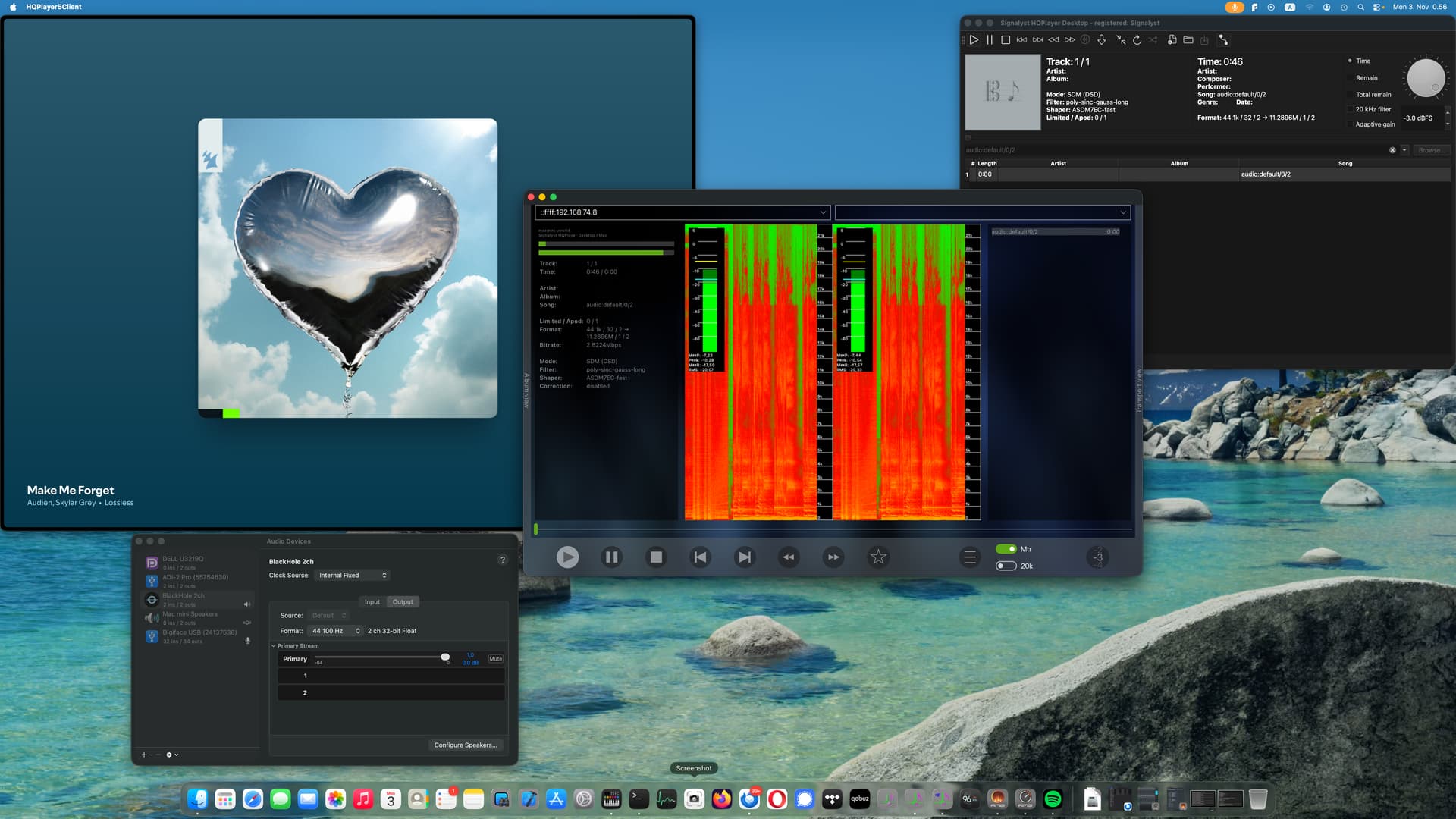
On macOS, you set BlackHole as default output device. On HQPlayer, you set BlackHole as input device.
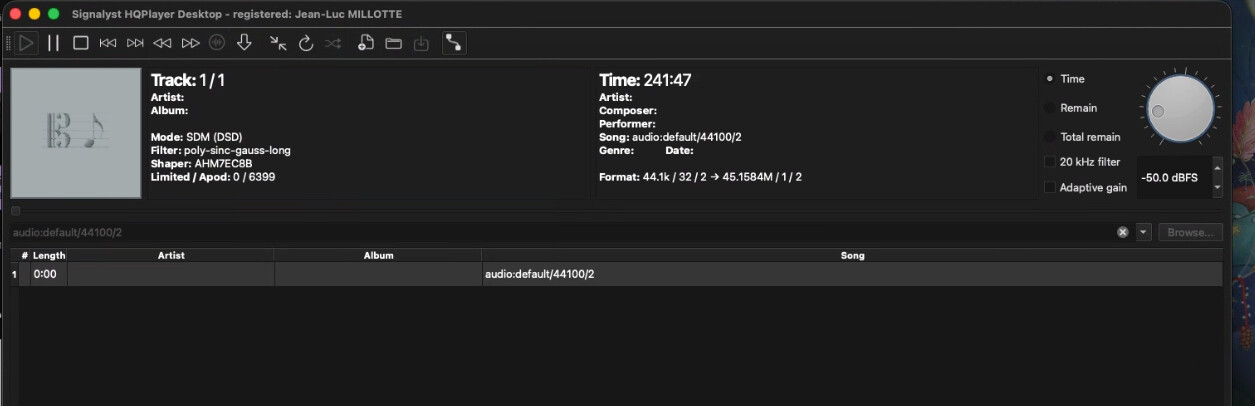
In HQPlayer you load “audio:default/0/2” URI to the playlist either manually or through the drop-list. Or alternatively just “audio:default/44100/2” in case of Spotify.
In HQPlayer you load “audio:default/0/2” URI to the playlist either manually or through the drop-list. Or alternatively just “audio:default/44100/2” in case of Spotify => So here, I don’t see where the URI entry is in HQP…
Start playback from HQPlayer.
I click the “play” icon in HQP, right?
Will HQP wait for playback even if no source is playing yet?
Start playback from any other application.
I start playback on Spotify with “this computer” as the device, right?
This is not BlackHole, this is RPi4 USB Audio Class input… This assumes you have that RPi4 connected to the audio source through the USB Type-C port of RPi4 and config.txt edited accordingly.
P.S. Please note that HQPlayer must have “Microphone” access permissions to get audio from BlackHole. For macOS (and Windows too) any audio input is a “microphone”, regardless of the actual type.
The Mac Mini, which runs HQP, Blackhole, and Spotify, is connected to the Ethernet network (RJ45).
The Raspberry Pi 4, with NAA, is connected to the Ethernet network (RJ45) and via USB to the Holo Spring DAC.
Both devices are using NetworkAudioAdapter and everything is working fine with Roon and JPlay.
Regarding question 1), I’m still not entirely clear on what I need to do…
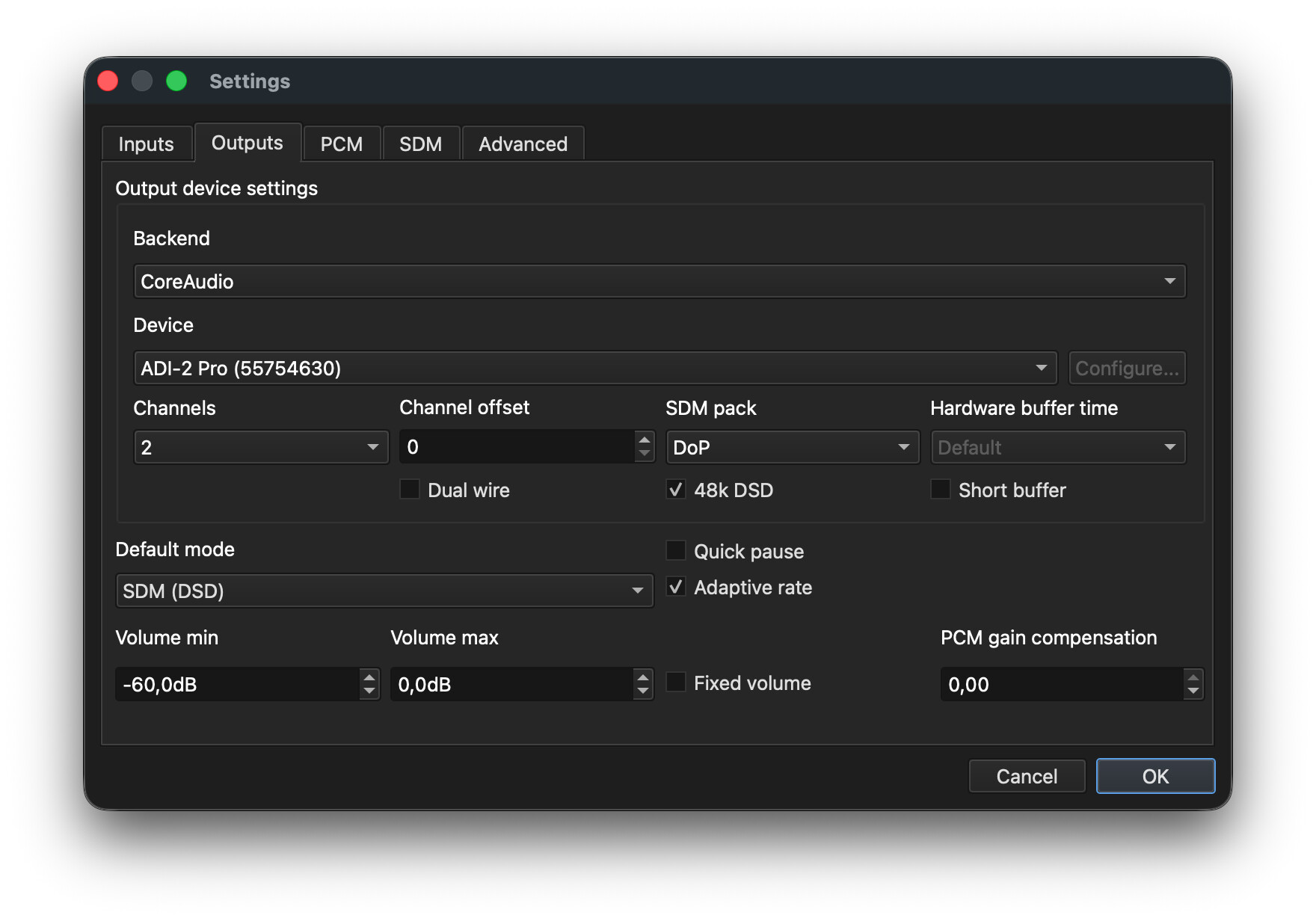
Why did you choose CoreAudio instead in your screenshot? Also, you mentioned modifying the config.txt file; what modifications are required?
@jussi_laako I followed the steps and it works, but I feel this should be built-in on HQPlayer, most of us aren’t geeks who know about drivers like Blackhole.
No offense, but even if you explained it in the manual (which kudos to you is very complete!) a lot of people will miss it and never even realize it was possible to use Spotify and other sources with HQPlayer, given that there are way more Spotify users than Qobuz ones, you might be forgoing potential users.
I feel that developing and maintaining such for three operating systems while there are already existing solutions out there is not best use of my limited resources. Especially device driver development for Windows is a huge pain, given it’s extremely weird and antiquated device driver development model.
The input NAA is another popular solution, making HQPlayer look like a USB DAC, to mobile phones, tablets and computers.
Input NAA works nicely with Apple Music from iOS devices, since on macOS Apple Music doesn’t know how to change output rate (goes through the CoreAudio mixer and rate conversion). There is a “solution” to this for macOS too that works with BlackHole, Lossless Switcher. HQPlayer comes with a rate switch script for use with Lossless Switcher, but it is not strictly necessary to use anymore.

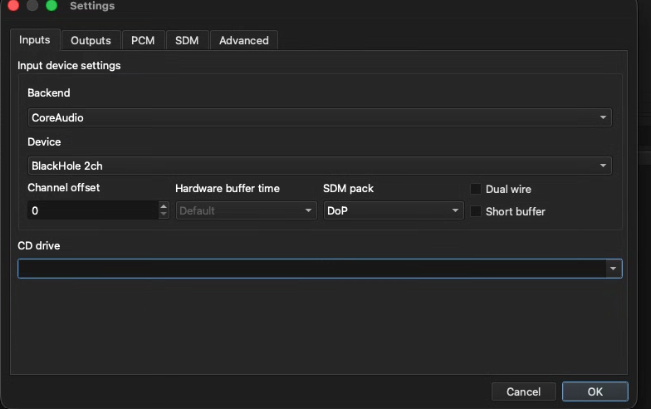
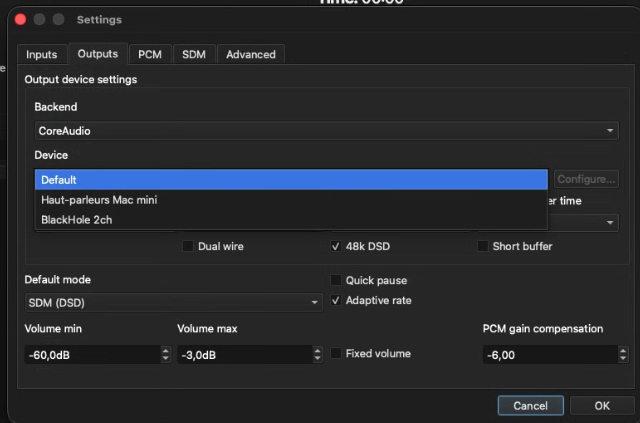
 Thanks again for all the explanations.