Frequent Disconnection and Reboot Issues with Roon Nucleus (ref#C6JQD4)

Hey @Alan_Meldrum,

Thanks for the update and for taking the time to review your library! A tedious process no doubt. It does appear that the object and metadata volume is still beyond the limits of the stock Nucleus One.

Thinking about your situation more long-term, it would make the most sense to increase the RAM on your Nucleus. While it’s true that our team are actively investigating similar issues and symptoms on the Nucleus One, given the size and uniqueness of your library, increasing the RAM will be your best bet for long-term stability.

We can share with you a more detailed step-by-step process on how to increase your RAM manually, or, we can share next steps on if you’d prefer to send the Nucleus in and have our team update it in house.

We’ll be on standby for your reply!

Hi @benjamin

I think upgrading the RAM is the way to go. I would be a bit nervous going about this, so if you could provide some idiot-proof instructions to guide me through the process, and provide me with details of the product I have to purchase, then I would be very grateful.

As it happens I’m going to upgrade the DAC in my Linn Selekt, and I was telling the guy in the hi-fi store about the RAM issue. When he comes out to upgrade the DAC he could hopefully keep me right on upgrading the RAM on the Nucleus while he’s here, but I would like to rely on your instructions in the first instance, so please keep them simple. I’ll be a bit out of my comfort zone. I look forward to hearing from you.

Best regards

Alan

Hi

Could you also please tell me what is involved in sending the unit in to have your team update it? I live in the UK, could this service be carried out here?

Still looking forward to hearing from you.

Best regards

Alan

Hey @Alan_Meldrum,

We can absolutely share step-by-step instructions on how to manually upgrade your RAM! I’ll share them below:

Here is the RAM we suggest:

Suggested: Crucial DDR4 2666 MHz CL19 2

Requirements: DDR4 2666 MHz CL19 - ECC Type = Non-ECC, Form Factor = SODIMM, Pin Count = 260-pin, PC Speed = PC4-21300, Voltage = 1.2V, Rank and Configuration = 1Rx16, 1Rx8 or 2Rx8

And here is the step-by-step for replacing the RAM. Be sure to make or have a recent Roon backup or two saved!

Power Down and Unplug the Nucleus:

Turn Off the Nucleus by properly shutting it down through the Roon app or web interface.

Unplug all cables, including power and network cables, from the Nucleus.

Open the Nucleus Case:

Remove Screws: Use the screwdriver to remove the screws securing the top cover of the Nucleus.

Lift the Cover: Carefully lift and remove the top cover to access the internal components.

Install the New RAM:

Locate the RAM Slot: Find the RAM slot on the motherboard.

Remove Old RAM (if upgrading): If you’re replacing the existing RAM, gently release the clips and remove the old RAM module.

Insert New RAM: Align the new RAM module with the slot and firmly press it down until it clicks into place, ensuring the clips secure it.

Reassemble the Nucleus:

Replace the Cover: Put the top cover back on and secure it with the screws you removed earlier.

Power On the Nucleus:

Reconnect All Cables and power on the Nucleus.

Check Functionality: Ensure that the Nucleus starts up correctly and that Roon operates as expected.

If you encounter any issues or have any questions during the process, feel free to ask for further assistance!


Please note: The Nucleus Titan/One is sold in a tested and recommended configuration. In the event a user modification results in unexpected behavior or a unit malfunction, warranty coverage can be at risk.

Let me know if this makes sense, and helps! :pray:

Hi

Can you confirm that the product in the screenshot below is the product I need to buy? I have selected 16gb, but there are other options available, could you please indicate whether or not this would be an appropriate choice, and advise further if I have not? Thanks for your assistance.

Best regards

Alan

Hello @Alan_Meldrum,

Thank you for the update.

This RAM stick looks like it will fit our needs. Before proceeding with the purchase, would you kindly continue using your Nucleus as usual for a short period? We’ve enabled additional diagnostics on your account, which will help us monitor memory usage trends and confirm whether the system is indeed encountering out-of-memory (OOM) issues.

Once we gather enough data, we’ll follow up with a recommendation.

Hi @vadim

I am on holiday for the next week, so am unable to use the Nucleus, but will return to normal usage after the 27th.

Best regards

Alan

Hello @Alan_Meldrum,

We will be waiting for further updates.

Hi @noris @vadim @benjamin

Have just returned from holiday, and the connect/disconnect issue seems to be occurring again. Opened up the app about 15.20 GMT if you want to enable diagnostics for this period. I’ll just leave it be and see if it eventually settles down, but any advice or information you could share would be appreciated. Still looking to upgrade the RAM as a long term solution.

Best regards

Alan

Hello @Alan_Meldrum,

Thank you for the update. Just started an additional diagnostic. Please use your device as usual to get a full picture.

Hi

If I’m in a position to do so, I most certainly will. Regrettably unable to do so at present.

A

Hi @vadim

It’s been a while, are you able to provide me with any more information gleaned from your diagnostic process? If you could advise I’d be grateful.

Best regards

Alan

Hi @Alan_Meldrum,

Thanks for that! We’ve got what we need - we have a potential fix that is in our current Early Access build around Nucleus RAM issues, but it’s tied to Chromecast / Google TV-related endpoints, which you’ve mentioned above do not apply to you.

I don’t expect the next Roon update will help with your memory-related issues, but our team is still investigating additional causes for your case specifically. We’ll share the fresh diagnostic report with them and should have more information to share with you soon. :+1:

Hi

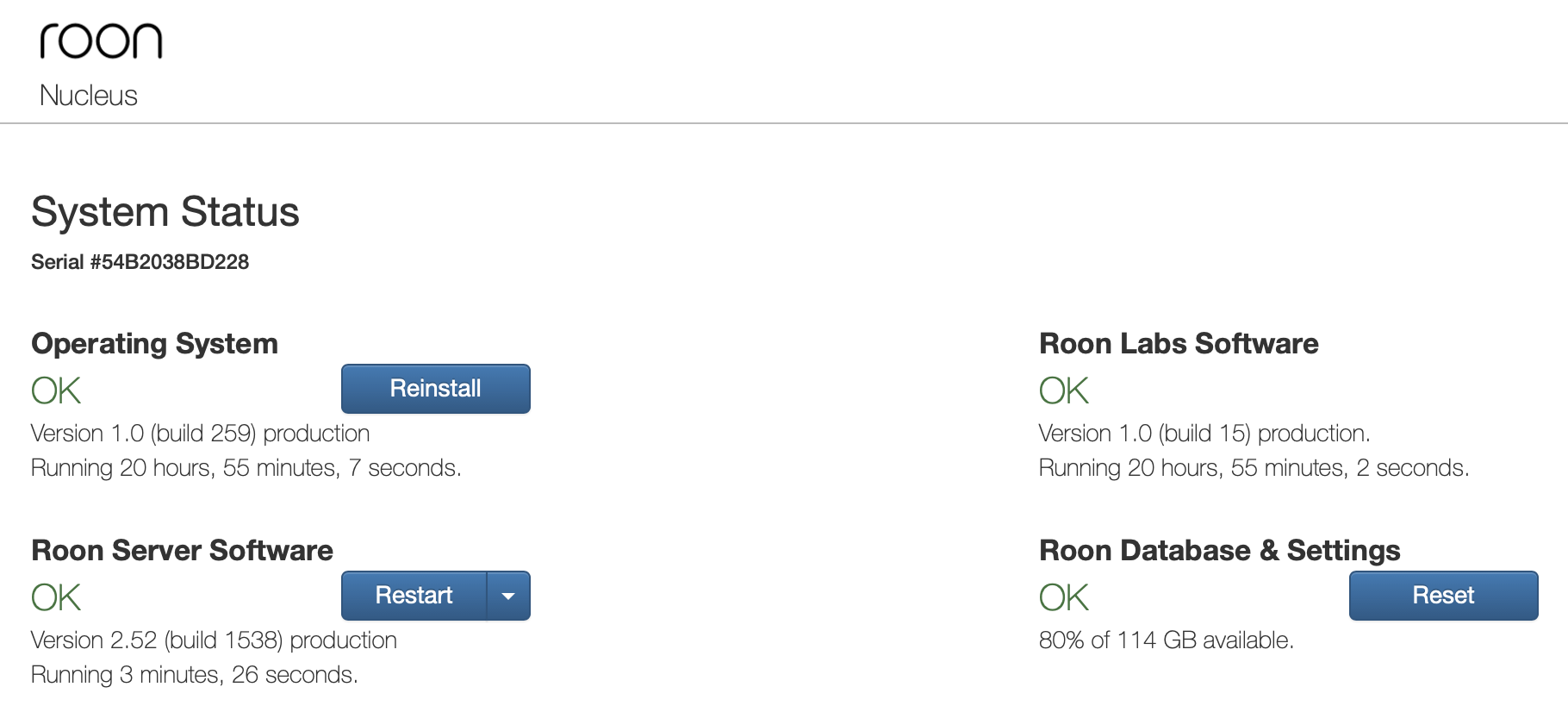
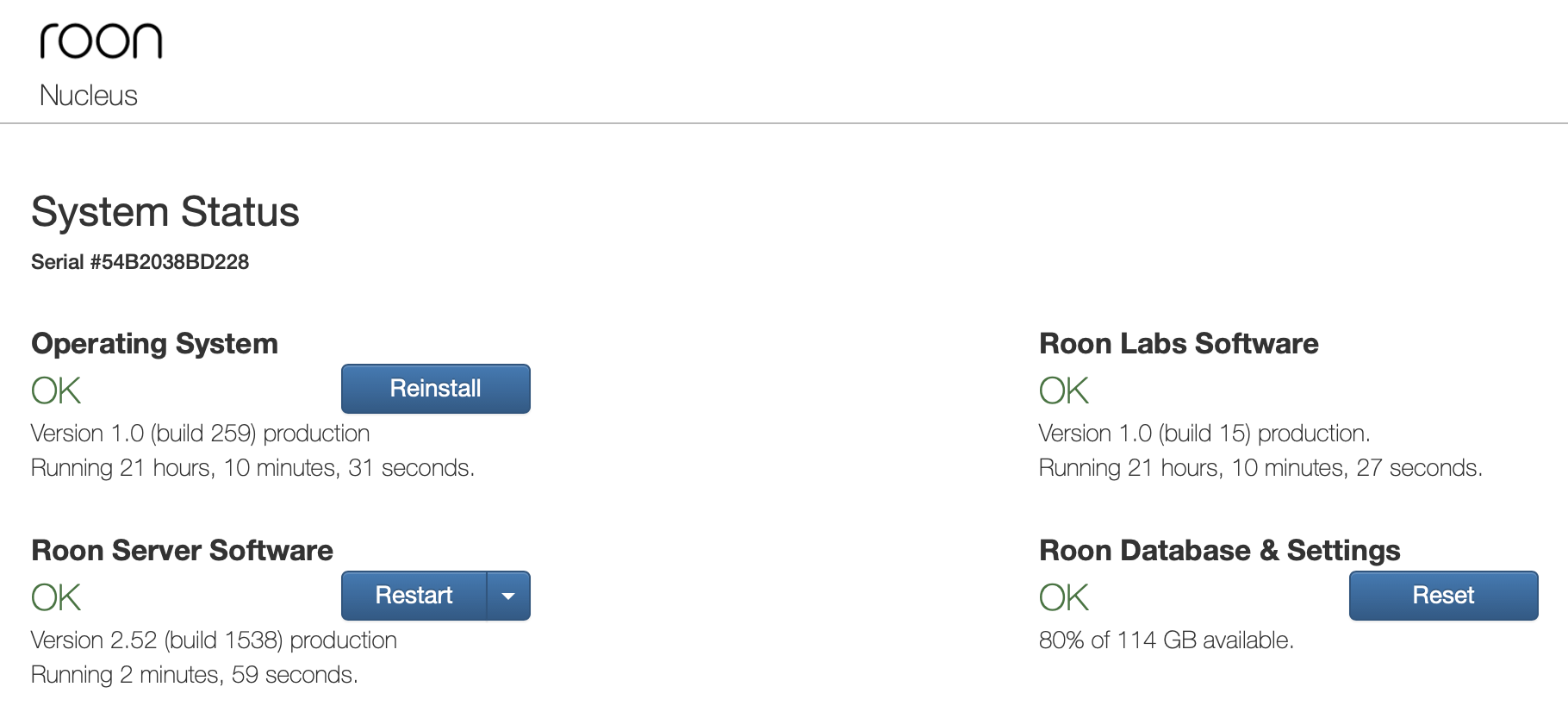
I appreciate the response, but as things stand I am still unable to use Roon, as it seems to be stuck once again in a never-ending loop of connecting to the Roon server, then immediately disconnecting. As you can see from the screenshots below, taken a few minutes apart, since I rebooted the system yesterday the Roon server software engages for no more than a minute or two, then it crashes and attempts to reconnect. This is obviously highly frustrating, as I am unable to use the software to listen to my music, and I have paid a significant sum of money for both the lifetime subscription and the Nucleus itself, with the Nucleus purchased on the understanding that it could handle a library of up to 100,000 tracks, whereas I am currently have less than half of that amount in my library.

You say:

So what exactly should I do at present? Wait patiently (you have to be very patient when waiting for responses from Roon) to see if a solution can be found to the present problem, or go ahead and invest in new RAM in the hope that things will be better with that modification in place? If you could get back to me with some definitive advice that would of course be helpful.

On a general level, I have been a Roon subscriber for five and a half years, and I have encountered many more problems with the service in that time than I would have wished. When it does what it says on the tin I do enjoy using it, but it seems that there are not many extended periods of plain sailing before some issue or other will interfere with that. My account conversation history is a testament to this. If I am honest I find myself at a crossroads with Roon, and with Qobuz rolling out Qobuz Connect, I am wondering if there are enough positives to keep me on board with Roon, especially as the artist/release info available on Qobuz seems to be identical to that available on Roon, and the fact that I do not engage with Focus much on Roon, as I find their genre/sub genre criteria somewhat loose and unreliable.

I find myself asking the question, is Roon more trouble than it is worth? Because I just want to be able to enjoy my music, without any hassles, but unfortunately the source of any hassles I have is Roon, and at the risk of causing offence your customer response times are utterly lamentable. What can you do or say to keep me on board? I await your response with interest.

Best regards

Alan


Hi @Alan_Meldrum ,

I am looking over your logs and I see that your Media Room zone has a queue of 5000 items in it. Can you please try to clean out this queue, and let us know if there’s any improvement with regard to the issue?

Hi

If I could access the app for long enough to clear the queue, then I would. Is there any way I can circumvent that problem? Can’t open the app at the moment, just continually crashing.

I have tagged playlists in Roon relating to certain genres, eg electronica, chillout, etc, so I’m guessing that by selecting ‘shuffle’ on one of these tags, the extremely long playing queue has resulted. If this is considered bad practice, why do you allow a shuffle option on tags that have a content of many thousands of songs? Seems set up to fail. What is the recommended maximum playing queue length, for future reference?

Best regards

Alan

Hi

I managed to find a period where it was settled, and I cleared the play queue. So far, so good - it seems to be staying functional, several hours in.

I was under the impression that 5000 tracks was the upper limit for a play queue, and I do like shuffling tracks from as wide a selection as possible, so if 5000 tracks is crippling my system, what should my upper limit be? I obviously want to avoid being stuck in the endless cycle of disconnection again.

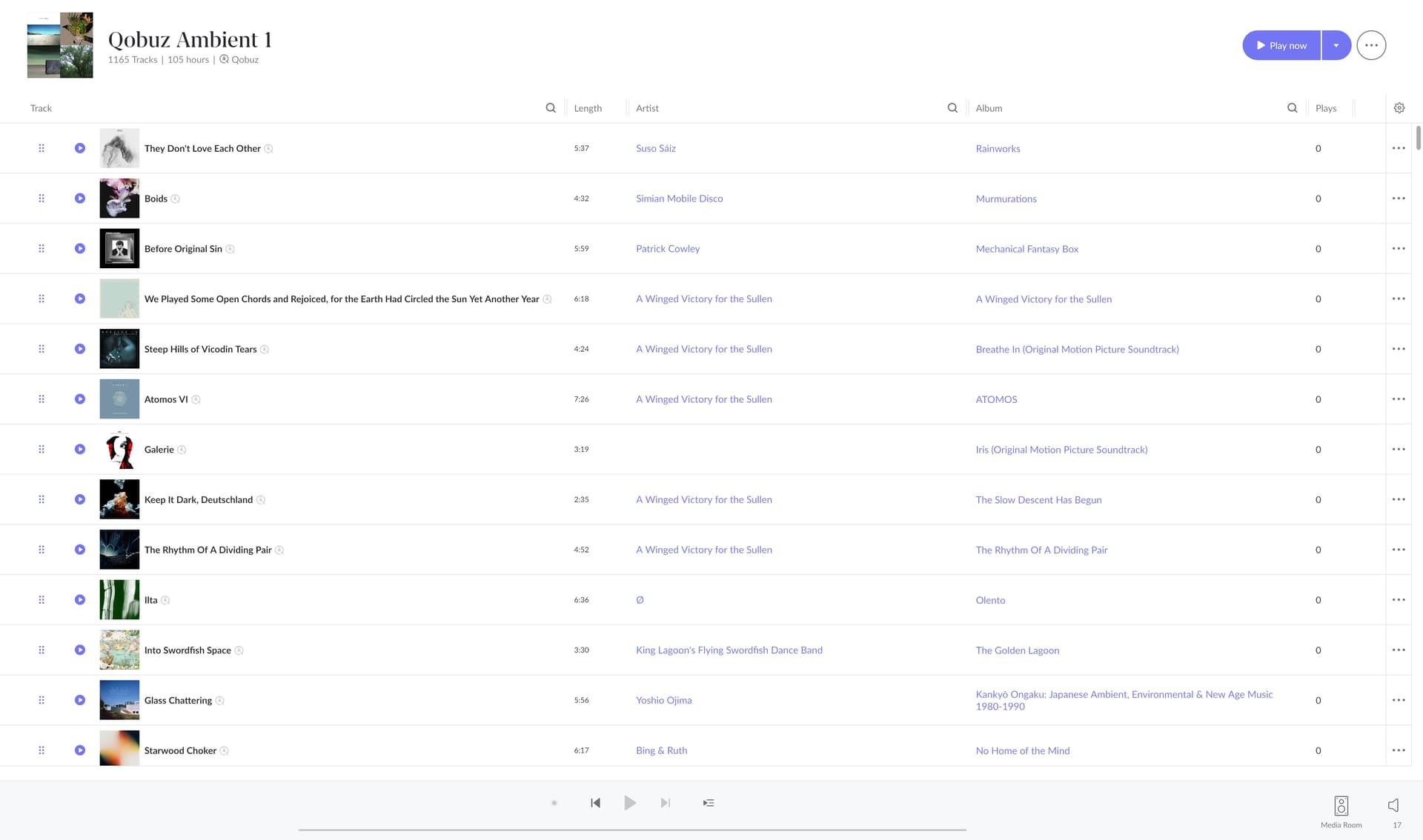
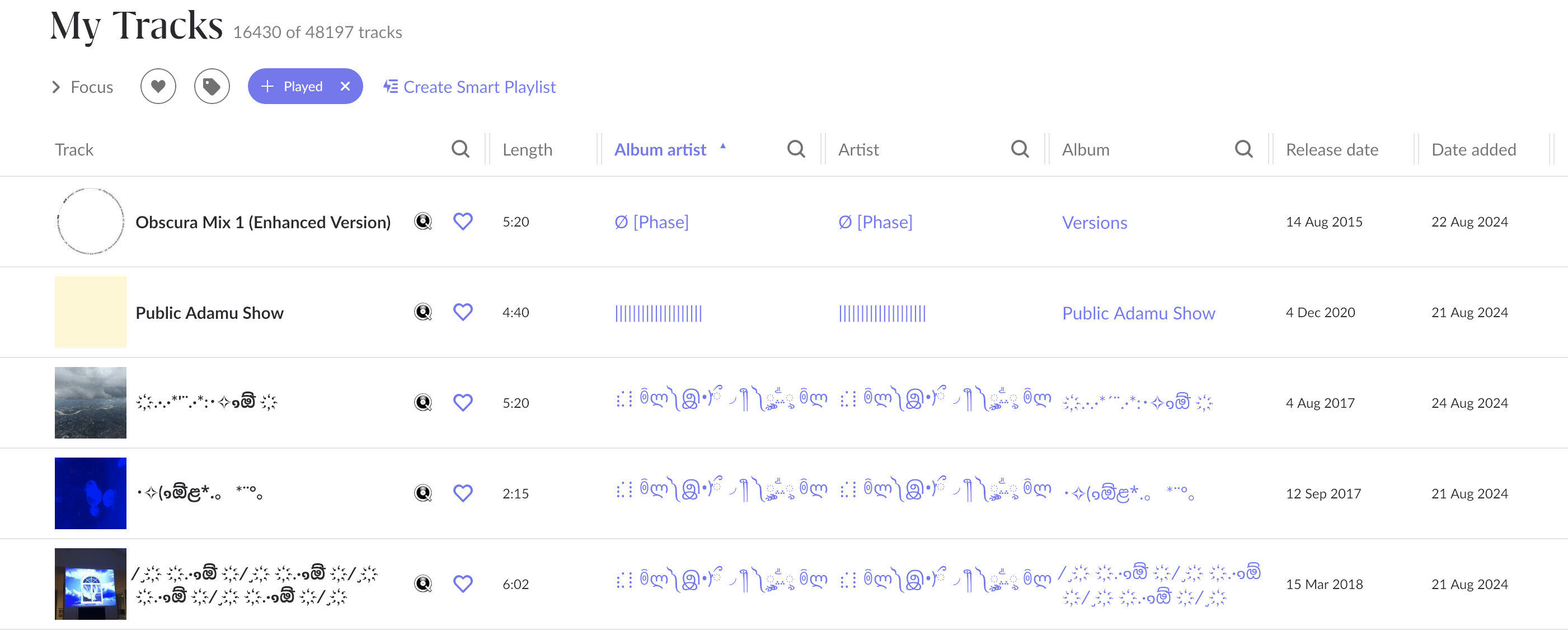
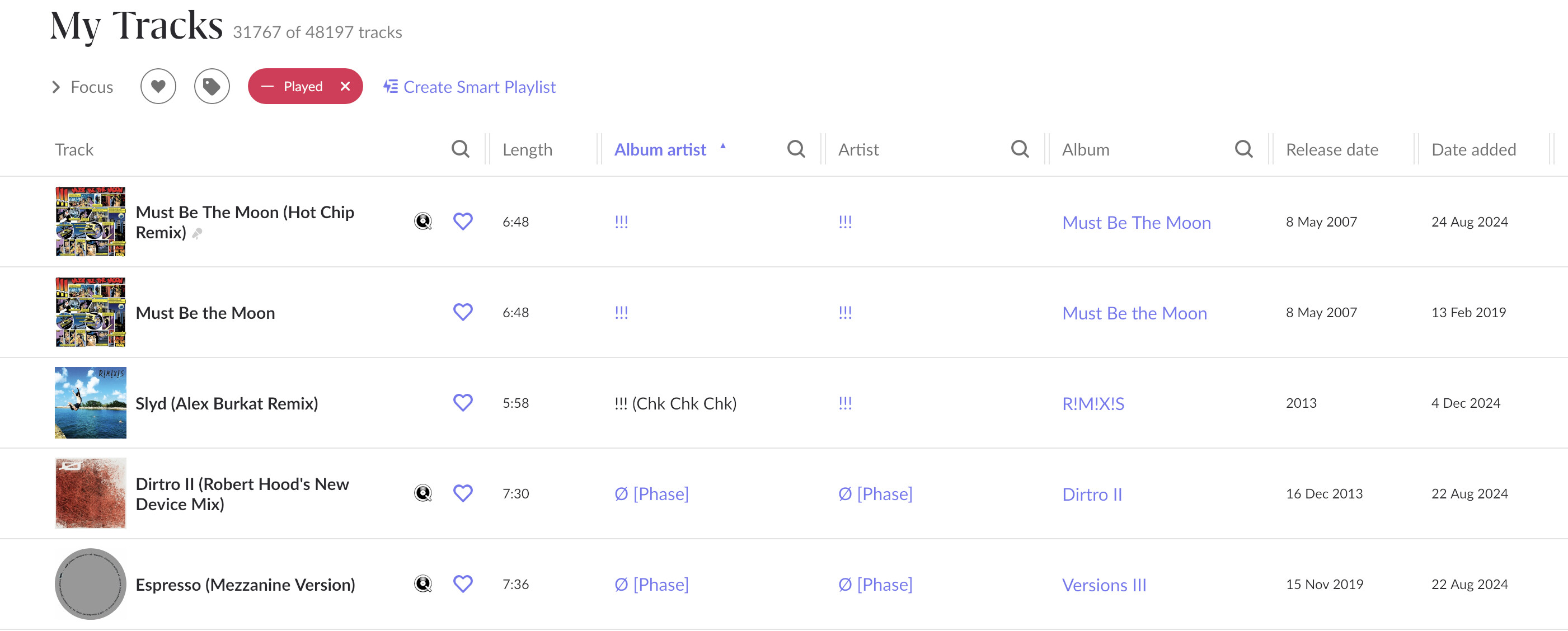
Also, while I am on, why do my playlists never have any play counts available? Sample playlist pic shown below, one I play frequently, yet every play count is 0. Why is this? Using Focus it would seem that I have 31,767 of 48,917 tracks in my library that I have apparently never played, yet I have had Roon for five and a half years, and I am pretty sure that I have played each of those tracks at least once. Why would this be? It seems to be another aspect of Roon that doesn’t seem to be working as it should, so if you could advise I’d be grateful.

Best regards

Alan


Hi @Alan_Meldrum ,

Glad to hear you were able to clear out the Media Room queue and that it helped with the issue. Can you please confirm what kind of zone this was (model/manufacturer)? The reason this issue happened is because we have a bug where objects are not properly disposed of, and we have a fix in Early Access for Chromecast zones.

As for the playlist play counts, we did have a similar ticket in for this as well. Can you confirm - if you play a track from the playlist itself (without searching for the track through other methods), does the count update?

Hi

Media Room is shown below in the audio outputs. It is a pair of Sonos One speakers streaming from the Mac via Sonos Streaming. I used to stream via Airplay, but that stopped happening last year (I think), so I switched to Sonos Streaming and it’s fine.

Can you confirm - if you play a track from the playlist itself (without searching for the track through other methods), does the count update?

Tried it. Didn’t update. Bit of a major flaw this, it’s obviously good to be able to focus on tracks you might never have played, or have played very little. Five and a half years of playing, and no play count data? Bummer.

Best regards

Alan