Hi everyone.
I have Auralic Aries G1 and DAC with USB input DIYINHK USB Audio 2.0, and DoP support is definitely there.

I use ROCK on ASUS PN64
How do I enable DSD support?
Hi everyone.
I have Auralic Aries G1 and DAC with USB input DIYINHK USB Audio 2.0, and DoP support is definitely there.
I use ROCK on ASUS PN64
How do I enable DSD support?
Even if i can’t decipher the cyrillic captions in your screenshot, it is up to the USB reciever in your DAC to report back capabilities during handshake of the USB Comm protocol. Those facts is what Roon can work with.
There might be workarounds, like utilizing a “bridge”, a RAAT host in the form of a Raspberry Pi (linux), a Mac or a Windows device such as a NUC or similar, to act as the host for your DAC.
As an example, most USB recievers that CAN act as a reciever for Native DSD also delivers a driver package for Windows PC’s which often is the best way to get Native DSD working.
If your Aries does not recognize and report back the DAC’s capabilities i’d look elsewhere for a bridge, or a DAC with a compatible USB reciever.
That said, go into additional operations of your Aries and make sure:
All volume control is turned off
You do have Enable PCM Auto detect enabled:
Have look through the Aries Additional Operations, there can also be remedies by trying different start sequences (DAC first, then Aries etc)
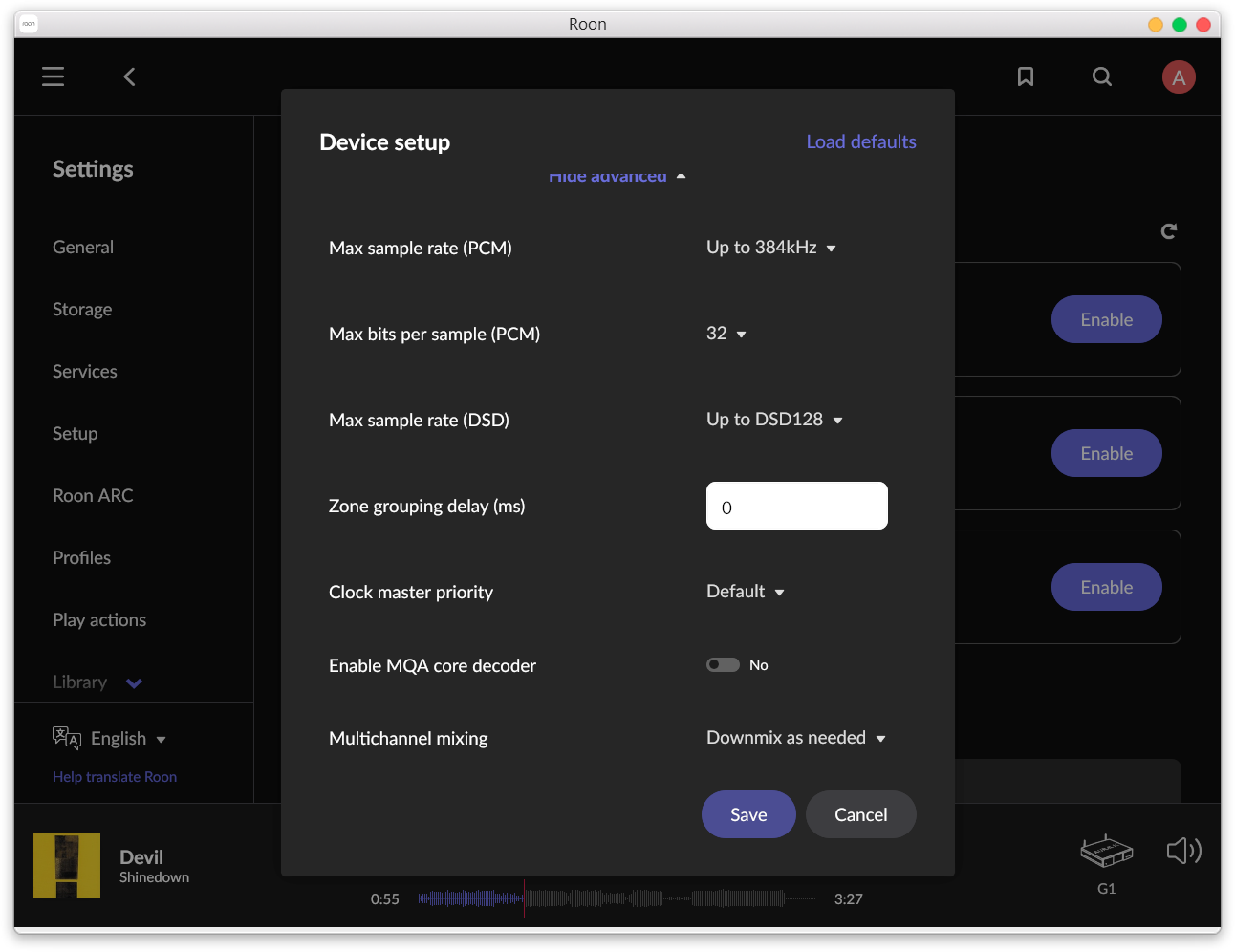
On my Roon, DSD options show under advanced options.
Hint: There is no scroll bar, you have to klick on “Show advanced” and then (attempt to) scroll down to check advanced options. On your first screenshot advaced options are shown (blue text) but you have not scrolled down to see them, and in your second screenshot you haven’t clicked on “Show advanced” (white text) so far.
I don’t think i’ve ever seen a bridge/DAC setup where DSD options (DoP/Native/Convert to PCM) weren’t available on the first part of the view, but then DSD behaviour selectable under Avanced?
If I turn on the resampler on Auralic, then in Advanced options the DSD indicator up to 128 appears. But it doesn’t play - just a slight hiss in the speakers.
This is between your Auralic and your DAC. As Mikael already wrote, Roon relies upon the self-declaration of playback capabilities from the connected endpoint (Auralic Aries G1 in your case I assume). Please consider contacting Auralic support about your issue (too). Maybe if you are able to provide them with some information about your DAC they can patch an eventually missing driver for it into their Linux. Maybe they can assist you with settings on the Aries that may conflict with your wish for DSD playback support.
If you want to continue here, please provide a screenshot of Roon’s signal path during playback with the issue.
I don’t know what this Aries option does/is supposed to do (this is not Auralic support here after all) but please know that there is no reason to believe that the Aries is capable of doing any processing of an incoming DSD signal. Therefor it is usually necessary that DSD signals do not get altered along the way. What you describe here sounds like what happens when a device interprets a DSD over PCM (DoP) stream as PCM and aplies PCM processing to it, completely destroying the DSD information in it in the process.
PS: There is also an Auralic specific forum category available here, where you can potentinally get more/better assistance from other Auralic owners: Auralic
I have no idea about Auralic or DSD but maybe the ensuing discussion that started here with this post might be helpful?
I think it’s about that. I’ll write to them.
This topic was automatically closed 14 days after the last reply. New replies are no longer allowed.