Slightly off topic, but what image software do you use to show a nice map image of your Hi-Fi - Network audio setup?
Thanks
2 Likes
Free and super easy to use. No installation necessary because online application. On the other hand, the files are located on the disk or the cloud (Google Drive for example)
6 Likes
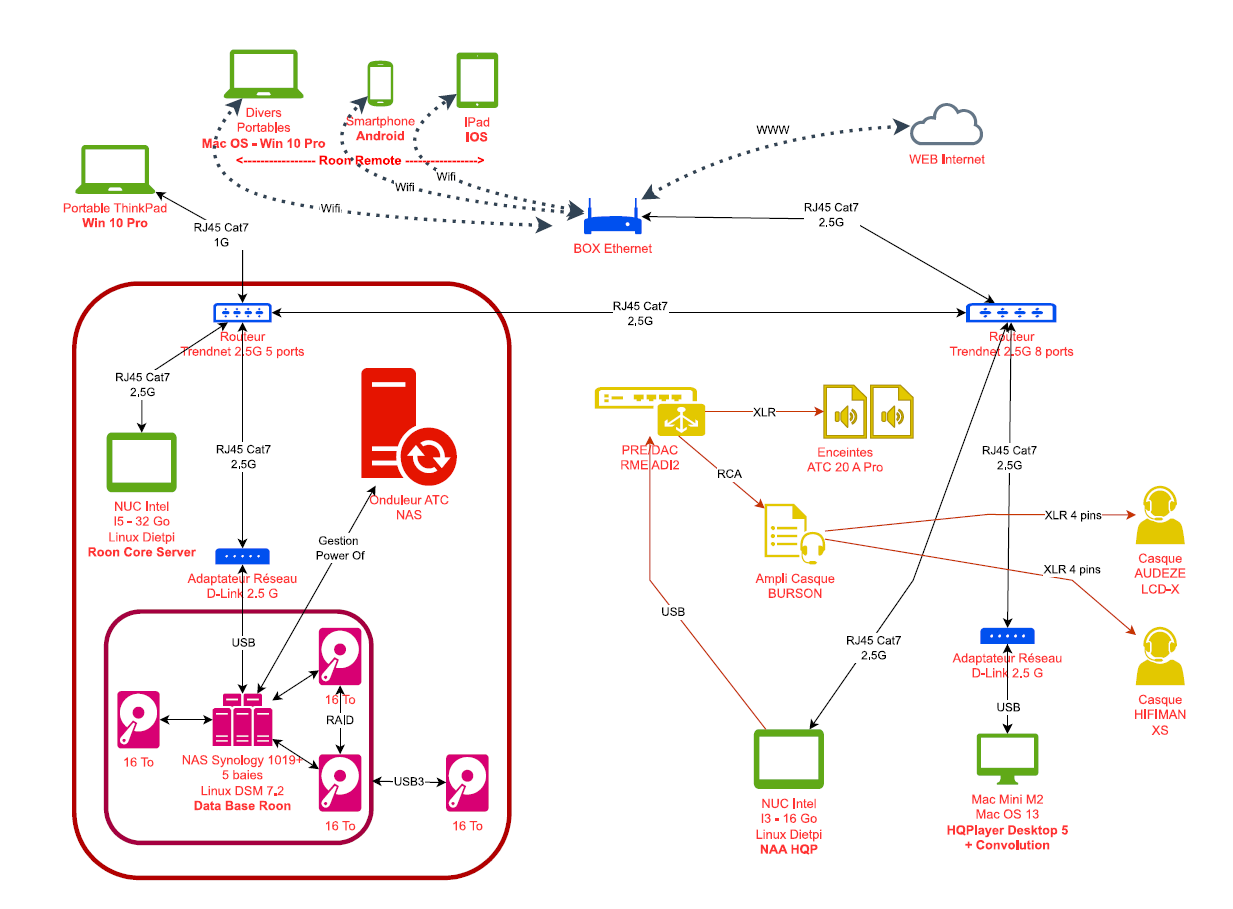
Outstanding!
Thank you

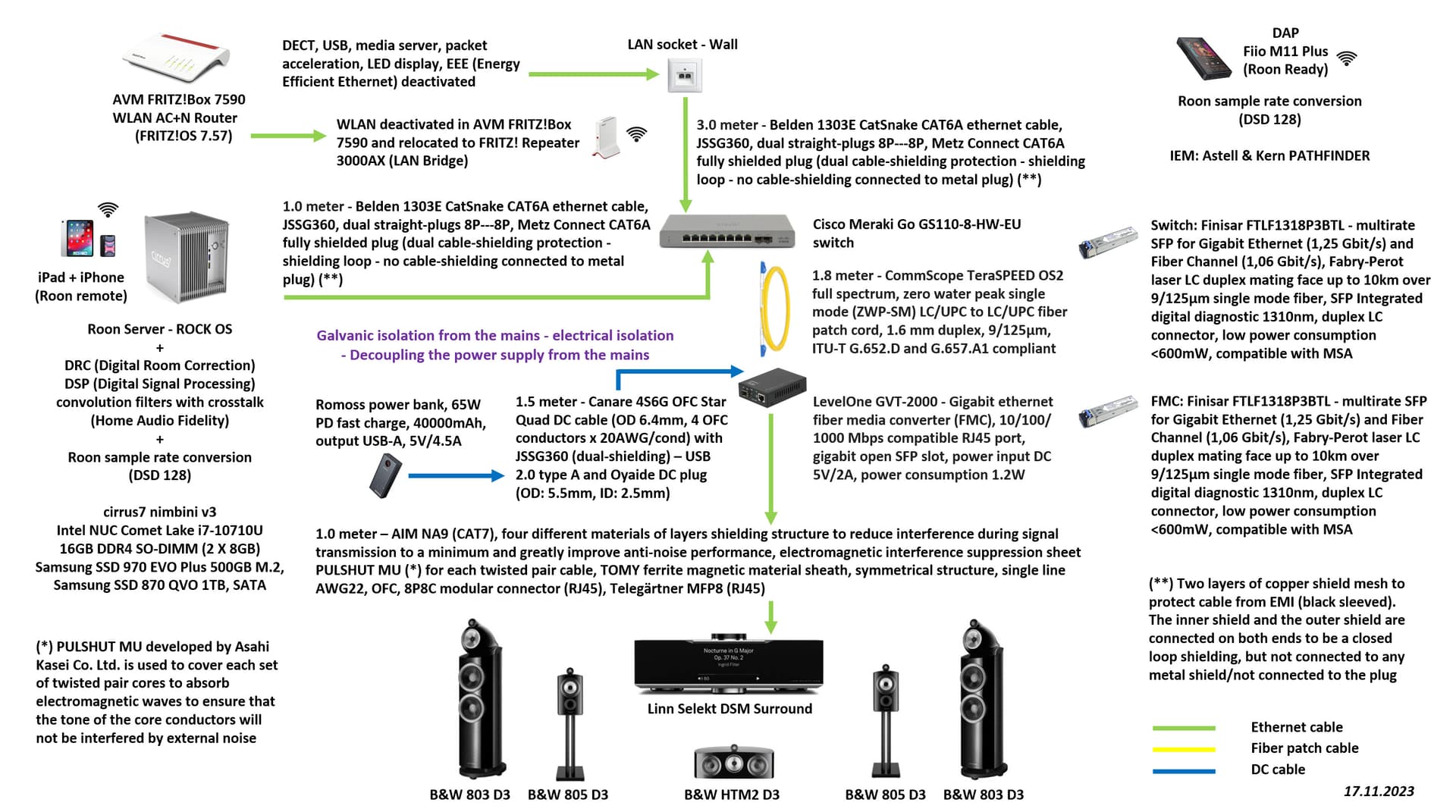
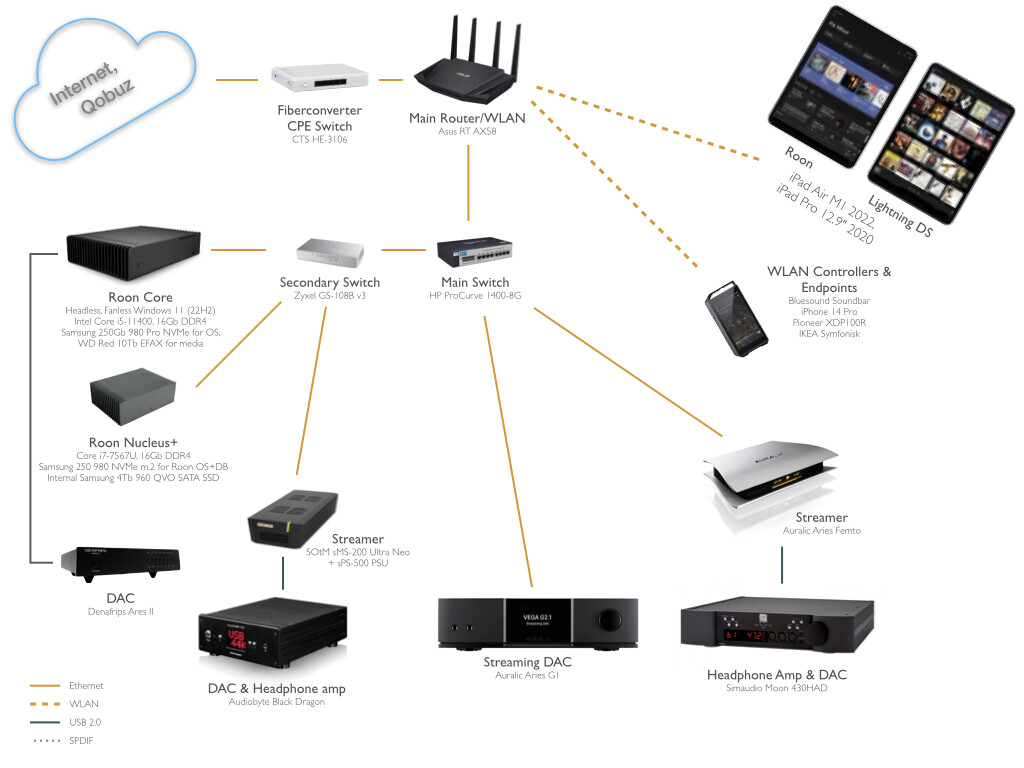
Thanks for the replies & ideas.
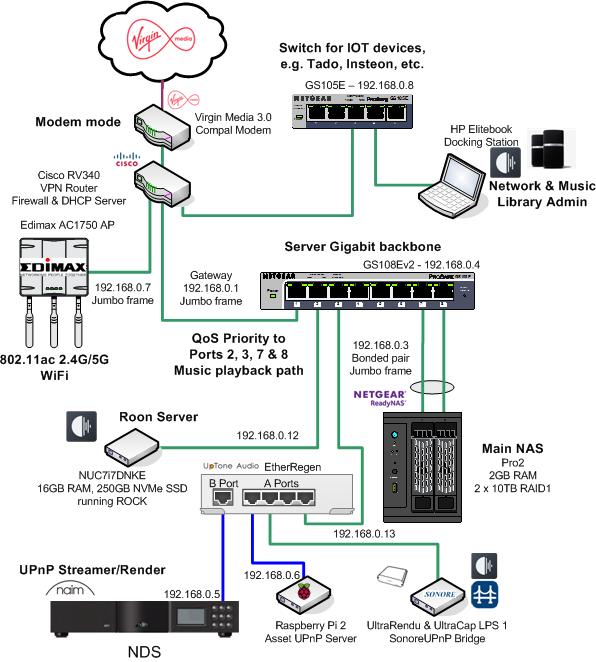
I have an early version of Visio that still does the job for me.
This is the music playback path of my home network.
6 Likes
I made a simple chart of my Roon system using draw.io and saved it to my Dropbox, but I can’t figure out how to use it or make it something that is useable from there. Please help. Thanks.
EDIT: Finally, got it saved as .jpg
I save as .png then open in Paint 3D and save as .jpg
I initially went with “blank diagram” which leaves every possibility of creation.
I have not tried the other modes at startup, but it is possible that depending on the choice, it is more difficult to have other functionalities (I am thinking of organization charts…) and thus restricting other possibilities modifications or additions.
1 Like
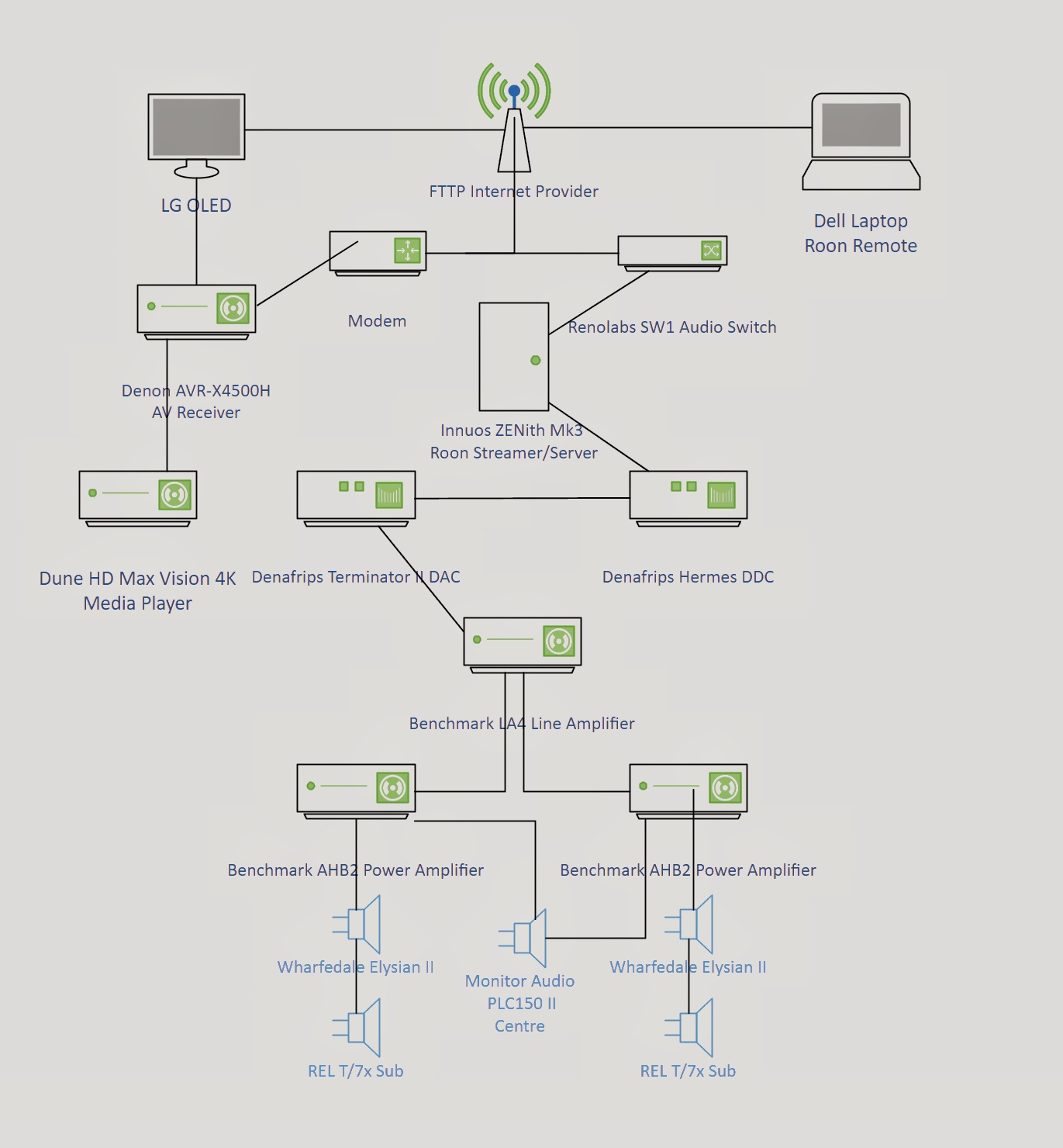
I tried a basic map on my old Visio 2013 I have.
This doesn’t include peripherals, cables, power conditioners etc!
2 Likes
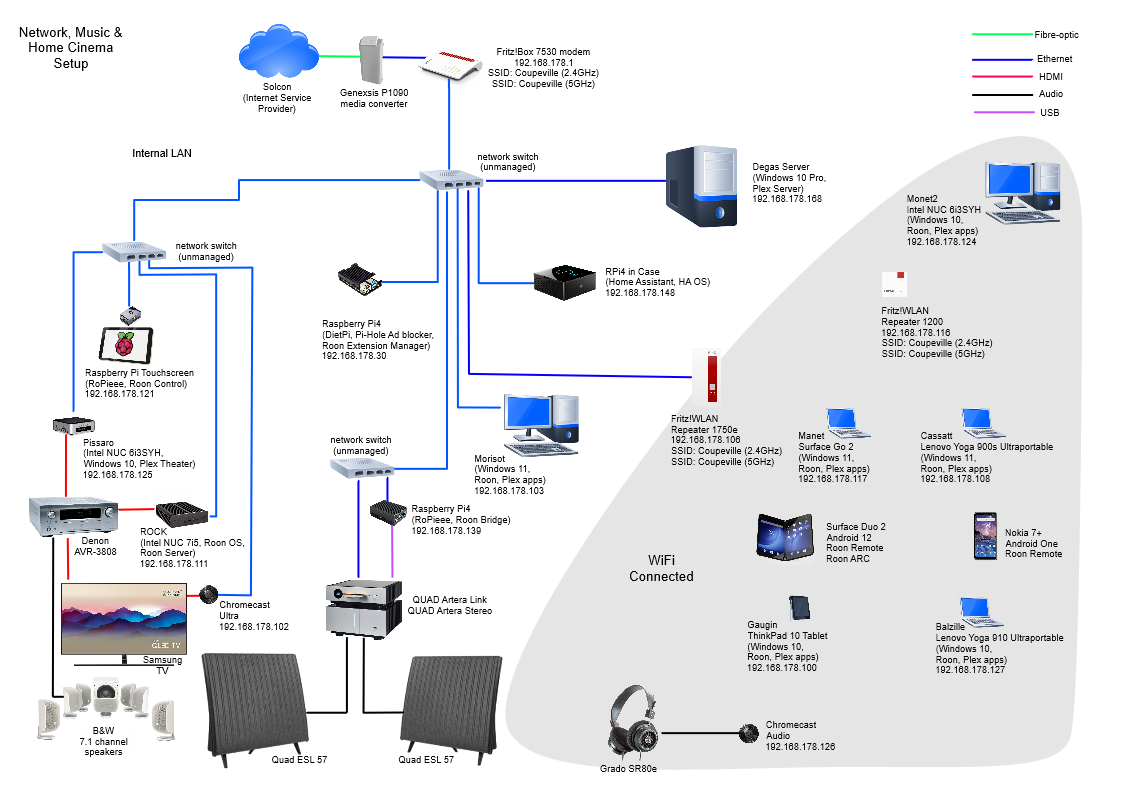
A bit late to the party, but I use Grapholite - a cheaper version of Visio.
5 Likes
Affinity Designer, but have not done a hifi system map yet. Depends a bit of how fancy you want to be with graphic design elements (e.g., color gradients, Bezier lines), and text (e.g., drop caps, text on curved Bezier lines). For simpler jobs, Powerpoint/Keynote or similar will do just fine. Most likely you already have something on your computer. For fancier designs, level up a bit. Affinity Designer is on par with Adobe Illustrator, just without the subscription hassle und much cheaper. I also use AffinityPhoto as my “Photoshop”. Their layout program (AffinityPublisher) is not quite good enough for very long documents (and neither is QuarkXPress), so I caved and reluctantly rented InDesign and bought plug-ins for it.
1 Like
Hi! I just wanted to share that I’ve started building a small web-based app for drawing maps of hi-fi gear, aimed at music and gear lovers. Basically it will work like like drwaing app but knows Hi-Fi and will have categories with gear, like DAC, Amplifiers, Speakers etc. You can add gear and connect using arrows.
It’s still in the early stages, but I’d love to check with a few people—any specific features or functionality would you like to see?
2 Likes
Convenient ways to distinguish between analog and digital connections, and among different digital connections (Ethernet, USB, AES, proprietary, …) both wired and wireless.
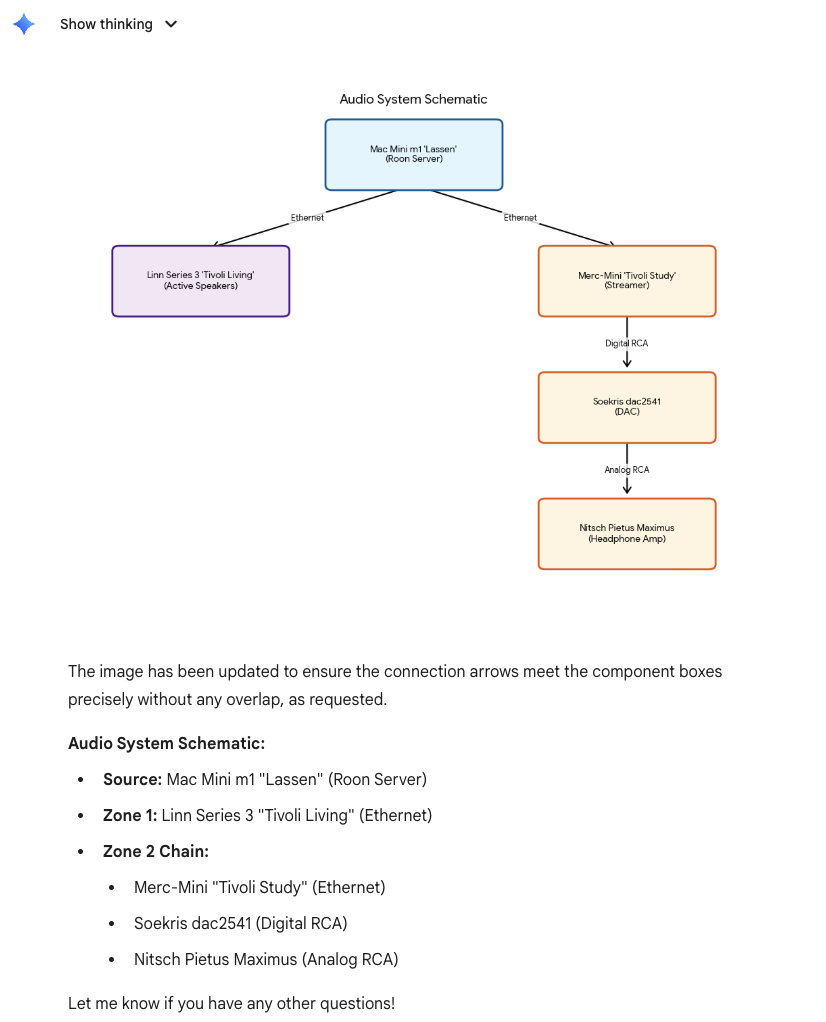
OTOH, I was just able to create this with a short prompt iteration in Gemini 3 Pro, starting with a textual summary of the systems I have in this location. Current LLMs are pretty good at this stuff already, wondering how much room is left to specialized software. One thing I wasn’t able to do was to get Gemini to replace the boxes with images of the components. It can find the images on the Web, but it does not incorporate them because the images are (C).
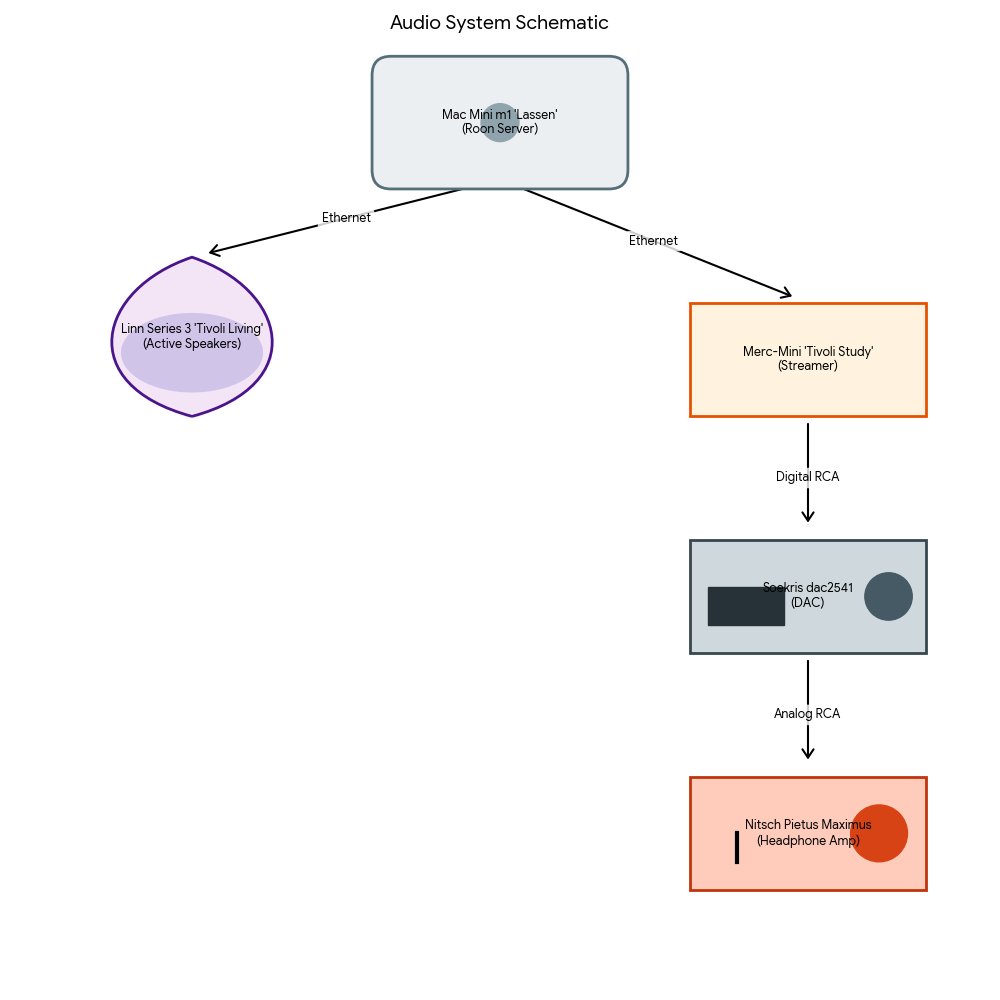
A few more prompt iterations, asking for sketch drawings of components vaguely inspired on the Web images of those components.
I’m curious, why the need for what appears to be the D-Link 2.5GHz wifi to USB adaptor on the Mac mini? I get the 1019+ doesn’t have WLAN but the Mac mini does.
yea you can get some charts from LLMS. But thinking specialized software will be a nice addition also, in my app you will be able to have have multiple rooms, like listening room, living room, office etc, and have have different gear and paths. You can have real images of your devices, add notes, furniture etc