Dave, I have more or less the same, running on a clean macbook pro. sometimes process RoonAppliance just uses the cpu for no (apparent) reason. Can be hours even days, I hear then constant fan noise from my mac.
Amir, in my case, it looks to be related to using Sonos Streaming. If I Airplay to the same Sonos speaker, everything works fine. No fans or high CPU. Switch to Sonos Streaming, and badness ensues.
It sounds like s different issue but i had cpu usage at 100% constantly whilst running roon (modern laptop with high performance cpu). The cpu fan was constantly on full speed, and sounded like a howling banshee.
I have no idea why, but when i limited cpu performance to 99% in windows, it solved the problem and now roon barely causes a flicker, and the cpu fan never comes on 
Just doing simple library updates can max out the one cure it uses. Was editing some metadata earlier and changing just one album sends it to be 100% whilst the Sooloos broker does it things to the library when I look at logs. Like this for about 30-40secs. If you change more it can go on for minutes. The whole process of managing its library seems to be all consuming, it never used to be like this.
Back when I had my server installed on Ubuntu, I could watch resource usage. When my CPU went to 100% of at least one core, there was no disk or network activity, and the log did not indicate any scan was happening. My pegged CPU stayed that way for 6+ hours before I shut it down.
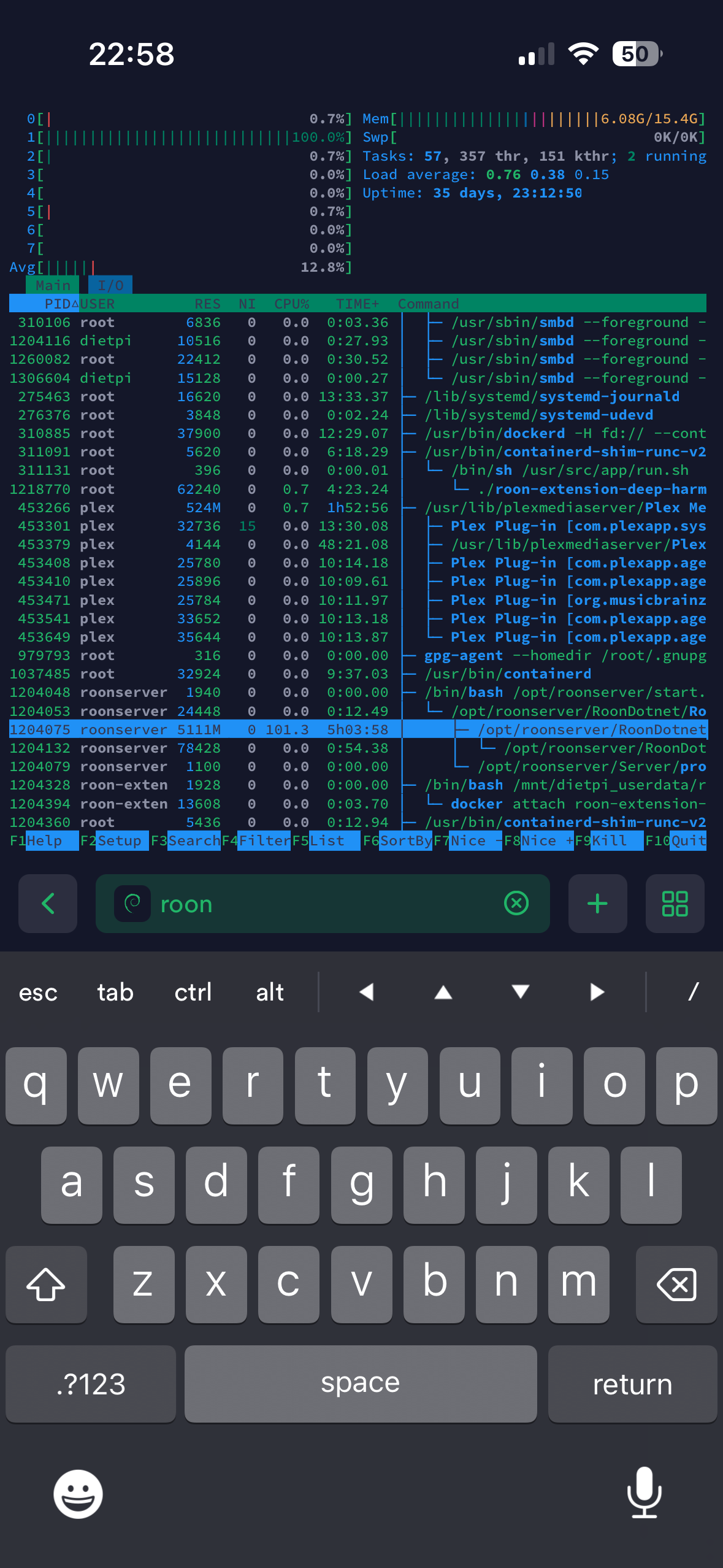
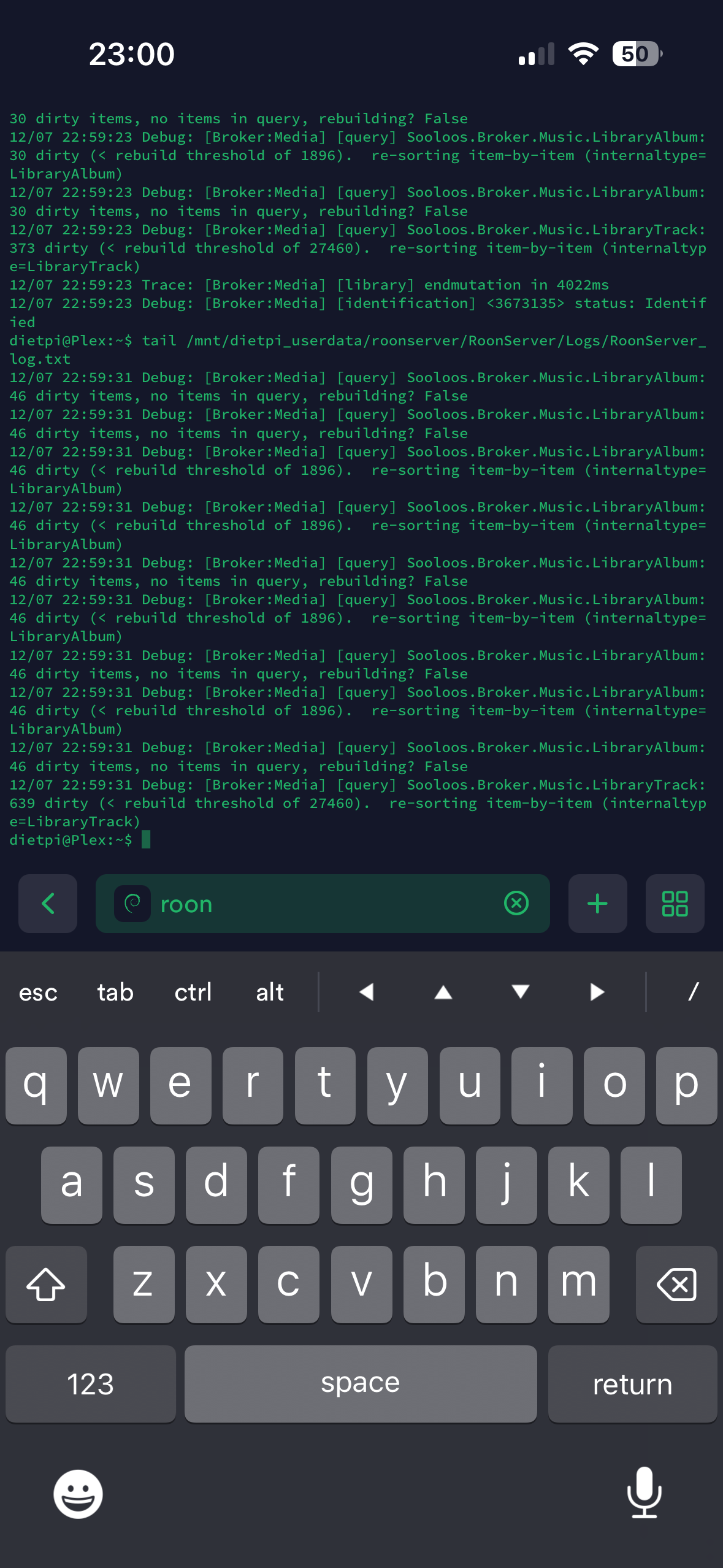
@Dave_Dupre I think Roon streaming supports 24bit with my Sonos amp, Airplay 2 16bit (?). It should be fixed since its really unnecessary to have this bug overloading the cpu. Considering going analogue 
I don’t think it’s 24bit that’s overloading things. I’m pretty sure roon uses ffmpeg, given they ask you to install it. Generally, ffmpeg is not a resource hog by any stretch. My NUC used to be a Plex server, and that uses ffmpeg to transcode audio in the CPU (video transcoding was handled by the GPU). This box could easily handle 4-5 streams without breaking a sweat. In all the years this NUC was a Plex server, I never heard the fan come on.
One more thing, I was able to make this happen this afternoon using CD flac files (16bit / 44.1Khz). No transcoding was required, the stream went direct to the Sonos AMP in one step (no transcoding). After about an hour of playback, the fan came on. Even when I stopped playback, the NUC continued to work hard.
Playback to the same speakers using AirPlay works perfectly, all day. It’s only Sonos Streaming that causes problems.
It only transcodes using ffmpeg for AAC and MP3 as they are not licensed on Linux, flac is decoded to pcm using libflac, ALAC has its own decoder and they license ogg decoders.It doesn’t use ffmpeg on any other platform than Linux and Rock as it uses the operating systems built in decoders for the others. DSP is their own code.
@Dave_Dupre Hi Dave, I meant that 24bit would be better in terms of possible quality, that I would like to use stream for that purpose. Hope for a good update to solve this.
True, 24bit give more information, but I doubt the Sonos Five could reproduce that difference. Still, I’d like to be able to use Sonos Streaming so I have another option.
I had a similar thread and as been said Roon support never replied or wanted to engage in a discussion about it. I hate wasting energy so my NUC burning through CPU cycles overnight and achieving nothing irritated me. Also as a software architect it would absolutely be something I’d be wanting to investigate.
My solution (as I use home assistant) is when my house alarm is switched into ‘Night’ mode is it kills the Roon process. When the house alarm is switched off it restarts it. Saves about 15-20 watts of current draw per hour.
I also use Home Assistant. That’s where those graphs I posted early in this thread came from. Unfortunately, now I’ve switch my Roon to a ROCK, so I can’t get that information. I now know when Roon is in a bad way by seeing the power draw off my UPS. When that jumps up a few percent of normal, I know my ROCK NUC is working hard.
I know there is a web interface to restart the Roon Server, but I don’t know of a published API that can do the same. There is a python API, but I haven’t spent the time to dive in to see.
For now, I prevent any issues by only using Roon Ready or AirPlay2 because I know within a few minutes of using Sonos Streaming, my NUC will start pegging a core or two or three.
Just tried installing Roon on: Ubuntu 22.04, DietPI x64 (also some Linux distro), and now Roon Rock (on Proxmox) - in every single install, after some hours of playing and a night of not using any Roon features it kicks in and begins consuming constant CPU cycles doing…absolutely nothing… (I’m a years-long Roon user with lifetime license)…
There must be something wrong in the software since is performs like this…
I’m so sad about this, Roon support should really acknowledge this - it’s ok to have a legacy of old “crud” and crappy code hanging in there - all major software companies has technical debts - no reasons to try hide that fact… acknowledge there are issues and let us loyal Roon fanatics at least feel we are getting heard - thank you, and merry Christmas 
They know
If you haven’t raise your own ticket. The more that flag this the better and they will end up not putting off. They don’t respond to these threads, although I know they do read them. Best to officially log it though.
So there was a new roon update, but I think I still have some roon activity in the background without playing anything, for now it is less than before, ill keep on updating.
I can try again since I always saw the issue. However, with ROCK I don’t have a way to know if it’s “less” than before. Without any metrics, I can only go by the fan going on and/or noticing the load on my UPS go from 14-15% to 17-18%. ROCK gives no visibility into CPU or memory — I don’t understand why.
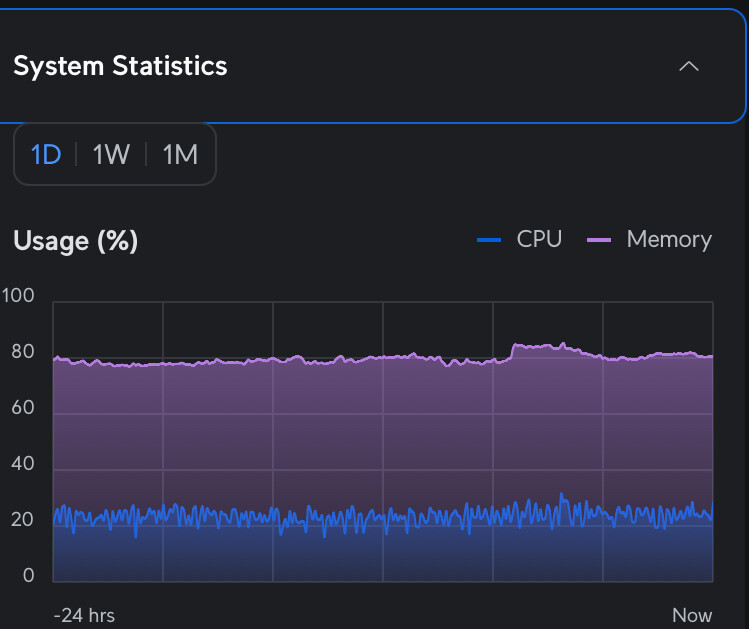
It hides its sins.