在我的roon app(IOS 26,roon server 2.x)上设置-》音频 中devialet phantom ultimate 98db并未出现在roon ready 区域中,而是出现在roon tested中,只能通过AirPlay播放音频。如何配置roon server或devialet speaker 让其可以通过RAAT在devialet phantom ultimate 98db上播放音频?
Can you see it in settings:audio ready to enable?
I assume it is on the same subnet as the Roon Server.
Of course,they are in the same subnet.Speaker can not be found ready to enable in zone of Roon Ready but in zone of Roon Tested founded ,unfortunately ,it only plays via Airplay.
And you have gone through the Devialet app to set it up on the network?
I ask because after a firmware update on my Phantoms, one of them is ALWAYS trouble and sometimes needs to be setup multiple times through the app before Roon will see it.
yes.devialet app and speaker are configured correctly. The problem is that the Devialet plays via AirPlay in Roon, instead of RAAT.
That’s not really what I asked if you read my post again.
The phantoms show up in Roon as both Roon Ready and as Airplay device.
I don’t bother to enable the Airplay version.
Again I have personally had to rerun setup of one Phantom several times on occasion until Roon would see it as Roon Ready
No. I don’t know why when the other one never (touch wood) has that problem.
Please just try going through the installation again. Do a reset on the device and try again.
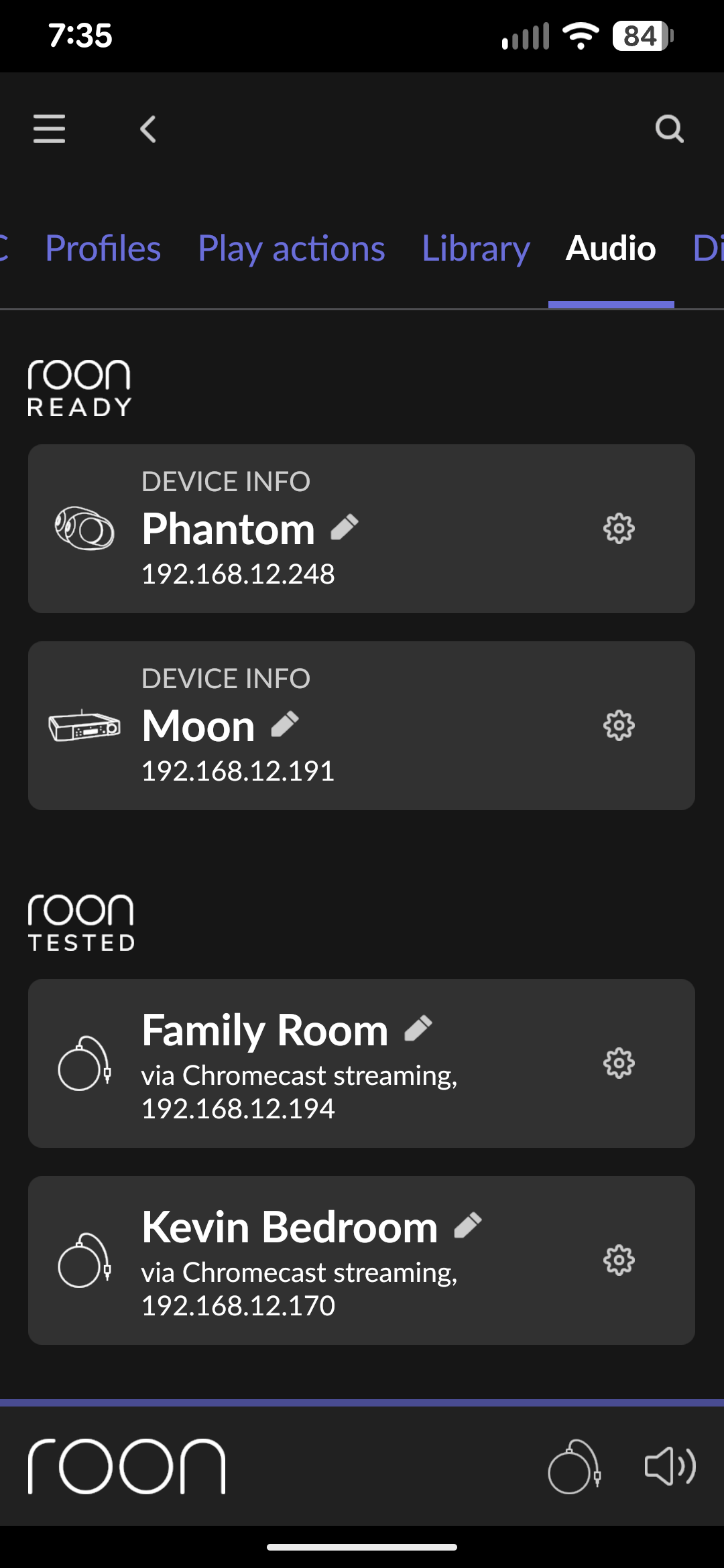
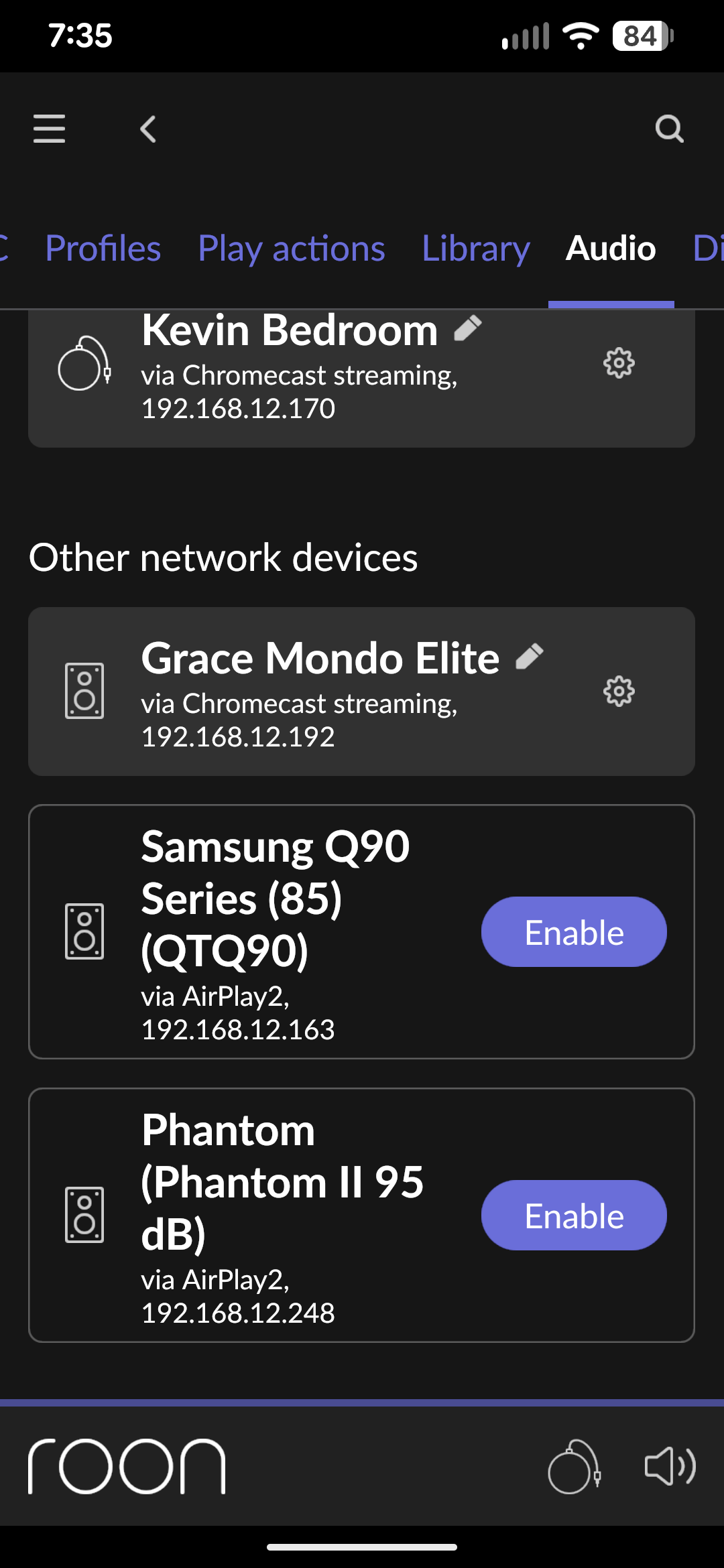
So, you’re saying your Devialet also frequently has trouble being recognized as a Roon Ready device, and it only gets detected after you try reconfiguring it multiple times? Thanks a lot. I’ll try reconfiguring my Devialet later when I start the Roon Server and see if it gets recognized as Roon Ready.
Well I am saying that ONE of my phantoms is problematic for no good reason i have found yet.
The other one is not an issue.
Both up to date on firmware and I run them a stereo pair so just one audio zone in Roon.
Just to be clear. I firmly believe it’s an issue with Devialet not Roon .
I have a similar issue, I did manage to fix it to some extent.
Part of the problem, I think, is the Standby mode of the Phantom Ultimates. When I leave them in standby overnight and wake them up next day they are no longer shown as Roon Ready. If I restart them by unplugging completely they reappear in Roon.
I suspect that in standby Roon removes them from the list of Roon Ready devices but when you use the Devialet app to wake the speakers up they don’t re-register as Roon Ready so I do think this is a Devialet issue.
Initially they didn’t appear as Roon Ready at all when setup as a Stereo pair. I did notice that if I separated the speakers the right side one didn’t always show up as Roon Ready but the left speaker seemed more reliable which is similar to your experience so I did the following:
I split the Stereo Pair in the Devialet App, then I shut both speakers down completely by unplugging them, I then restarted the left speaker and could see it in Roon as Roon Ready, I then restarted the right speaker and joined them back as a stereo pair and all was well UNTIL I put the speakers into standby using the Devialet App.
I hope this helps!
1 Like