On the Mac, make sure System Settings … > Privacy & Security > Local Network has HQPlayer5Desktop with the permission switch on. To be sure it takes: 1) quit HQPlayer 2) go to that setting, turn the switch off and then on, and 3) start HQPlayer.
Recent macOS versions are very heavy-handed about local network access.
I’m running MacOS 12.x, which doesn’t have a Local Network privacy setting in Security & Privacy. And unfortunately, I still can’t get the Ultra to see the Red. The “allow HQP to be controlled by the network” button is engaged.
I did manage to get it working on the PC though! It turns out the issue was indeed the “allow control from network” button was not engaged. Then it was a matter of figuring out my settings.
Unfortunately, the 9900K with the 3080ti does not have enough grunt to do DSD 512 with DAC correction (Cyan 2) without stuttering, but 256 works just fine with the 512 filters. Perhaps that may be doing superfluous computation, but it does indeed work. I can always tweak the filtering.
Well, I’ve tried everything, and can’t seem to make it work with the Ultra configuration. No matter what I do, it won’t see the Red (even with the PC turned off, so no possibility of multiple instances, or a lock on the Red). It may be that my OS is too old? Running MacOS 12.x
To that end, I’m trying to dial in what works best with the PC setup, at least for now. The issue here being I generally don’t like to keep my PC running, as it’s big, old, hot, and makes a lot of noise in my listening space.
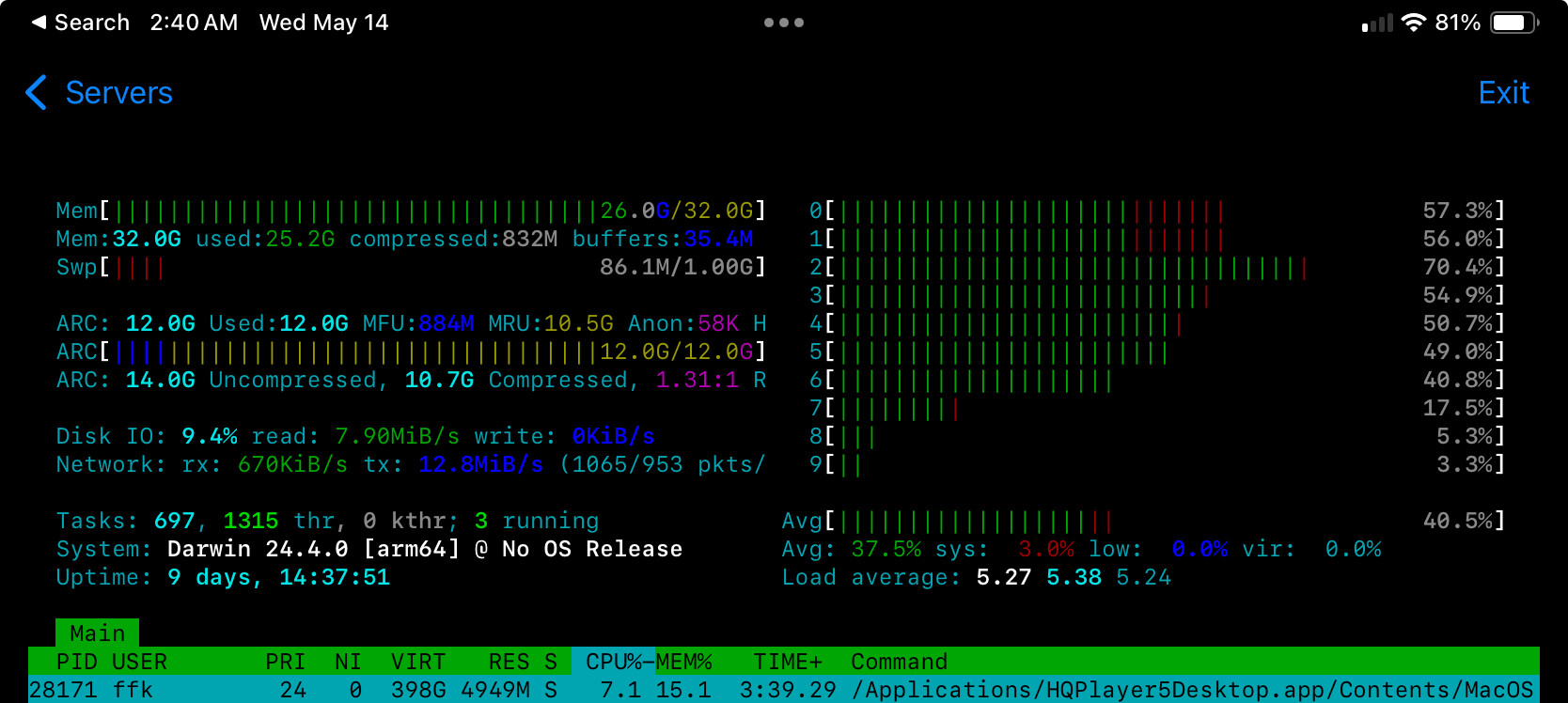
So I was thinking about upgrading my old mini that is currently the Roon core with an M4 mini which could conceivably house the Roon core and HQP. Based on what I’m seeing in this thread, the m4 can handle the filters I’m throwing at the PC. The advantage is it would be smaller/quieter/use less power, and always on. Would 24GB RAM be enough for HQP and Roon Core to coexist? Roon core works just fine on my 8GB old mini.
Should be plenty. I had RoonServer, HQPlayer, and 8gb dedicated to a zfs pool on an M1 Max Studio with 32gb of ram. With zfs pool not in play with you setup you should be good with 24gb.
I would personally get the M4 Max Studio as it has more ram bandwidth. I had a post here about it.
Also mentioned in that post, I’d also separate hqplayer and RoonServer. I haven’t completed my experiments for science as I haven’t found the thunderbolt ethernet adapter I have buried somewhere.
It’s also possible I’m screwing up the names for things. When I mean Roon Core, I mean ‘the device that runs Roon and dispatches audio to endpoints’. The actual music is on a NAS, all hardwired gigabit ethernet. I haven’t had network-related dropouts, so I don’t feel the need to go 10Gbit.
The controlling device for Roon is usually my Mac Studio, as that’s the thing in front of me 90% of the time, and it’s always on. The other 10% is my phone, but I hate the tiny UI.
In terms of memory bandwidth, that’s not a problem either, as I’m not memory bottlenecked, and according to folks here, I won’t be able to hit ‘all the goodies’ @ 512 DSD with a new M3 Studio Ultra (or M4 Studio variant). So I’m actually good with staying at all the goodies @ 256. PCM seems fine to go up to 705/768.
I used to keep everything on one machine. I need the 10Gbit for other reasons. I’ve recently moved RoonCore to its own Linux box, separate from hqplayer. I’m still looking into the strange behavior in sq.
Not a fan of the phone either, prefer the iPad ui, but I spend more time listening than surfing.
Possibly, but now I’m curious… Where are these claims posted? I’ve only seen posts referring to the M4 Pro mini.
Usually reason for this issue is multiple active network interfaces. Please note that also virtual interfaces such as VPN counts. This can result in multicast discovery traffic going to the wrong interface and hence NAA is not found.
IOW, I would recommend to avoid multi-homed setups (more than one active network interface).
Generally by default multicasts should go where the default route, IOW the internet connection, is.
Also tried 44.1, 48, 88.2, 96, 176.4, 196 and DSD64 → 1024 with Sinc-S and several other favs. No dropouts…
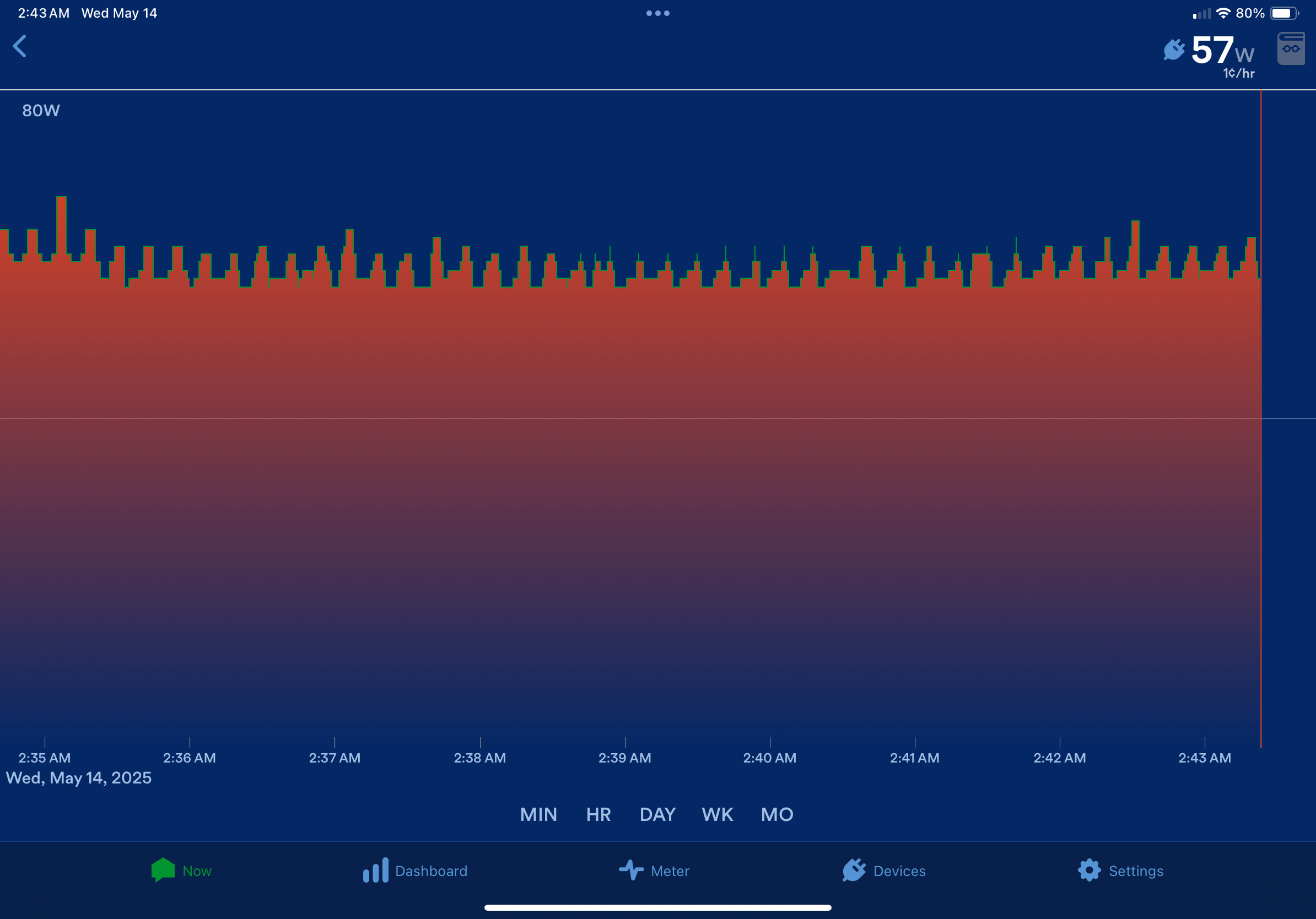
I should add, the 57-62w power consumption includes an open wrt router running on a rpi4, a powered 2.5Gbit switch and a powered 10Gbit switch, and the M1Max Studio.
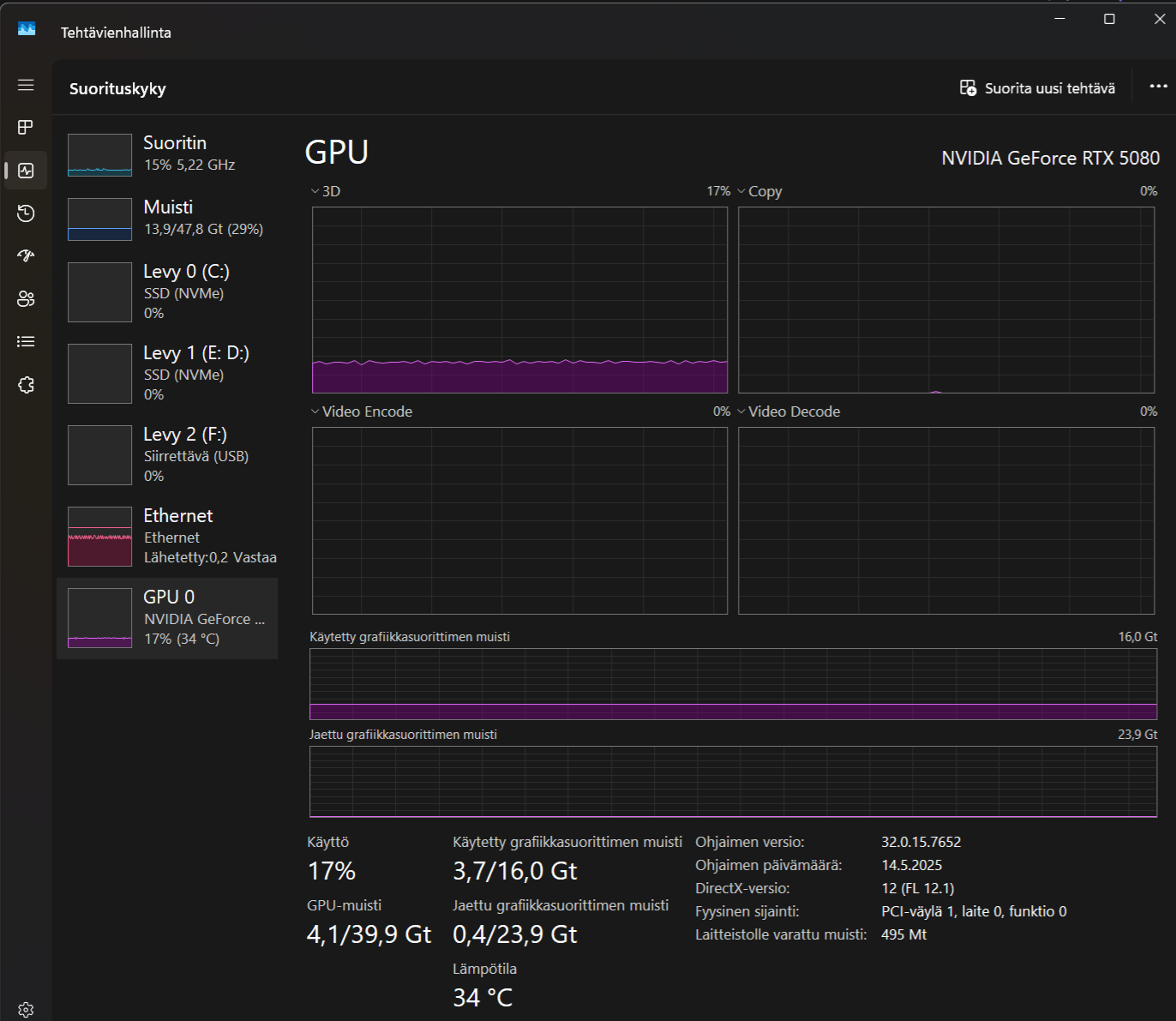
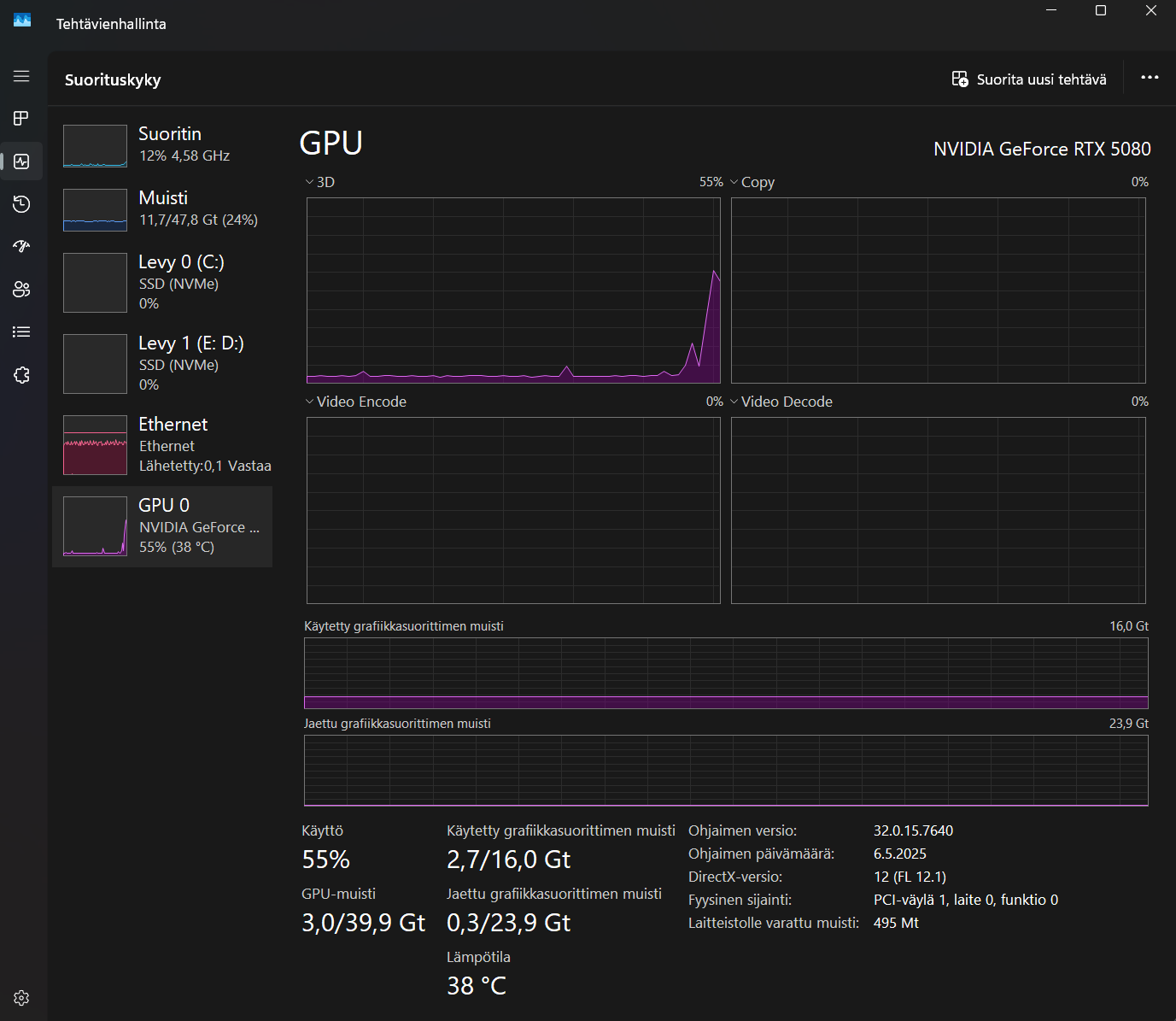
I’ve come to the conclusion that HQP benefits most from the 5080’s fast memory which is faster than the 5090. Also the amount of memory is not limited in any way because no combo uses even 50%. I used to own a 4090 and it had more memory and CUDA cores but the 5080 is much better with HQP. And I don’t get to consume even 50w while listening. So no reason to even reach for the 5090, of course I haven’t tested it. But even with this one, everything goes smoothly! 36gps GDDR7 with afterburner patch.
hello currently I have a roon core on nuc 10i7fnh, on the same nuc hqp stutters when upsampling to dsd.
I would like to break this equipment on a budget and buy a device for hqp. Tell me what is a reasonable solution for today, pc configuration for smooth hqp operation.
Sorry for my delay in responding, and for this lengthy explanation. In my main audio system setup, I play compressed Dolby Atmos tracks (aka Apple Spacial) using a MacBook to decode the stream into a 5.1.2 format. However, I take the USB output of the MacBook into a miniDSP UDIO-8 interface and then run the output of that into a Lynx AES16e sound card installed on my CAPS Twenty server running HQP Desktop. This enables me to use the more powerful server to apply convolution and upscale to DSD128 for output ultimately to my Okto dac8pro DAC.
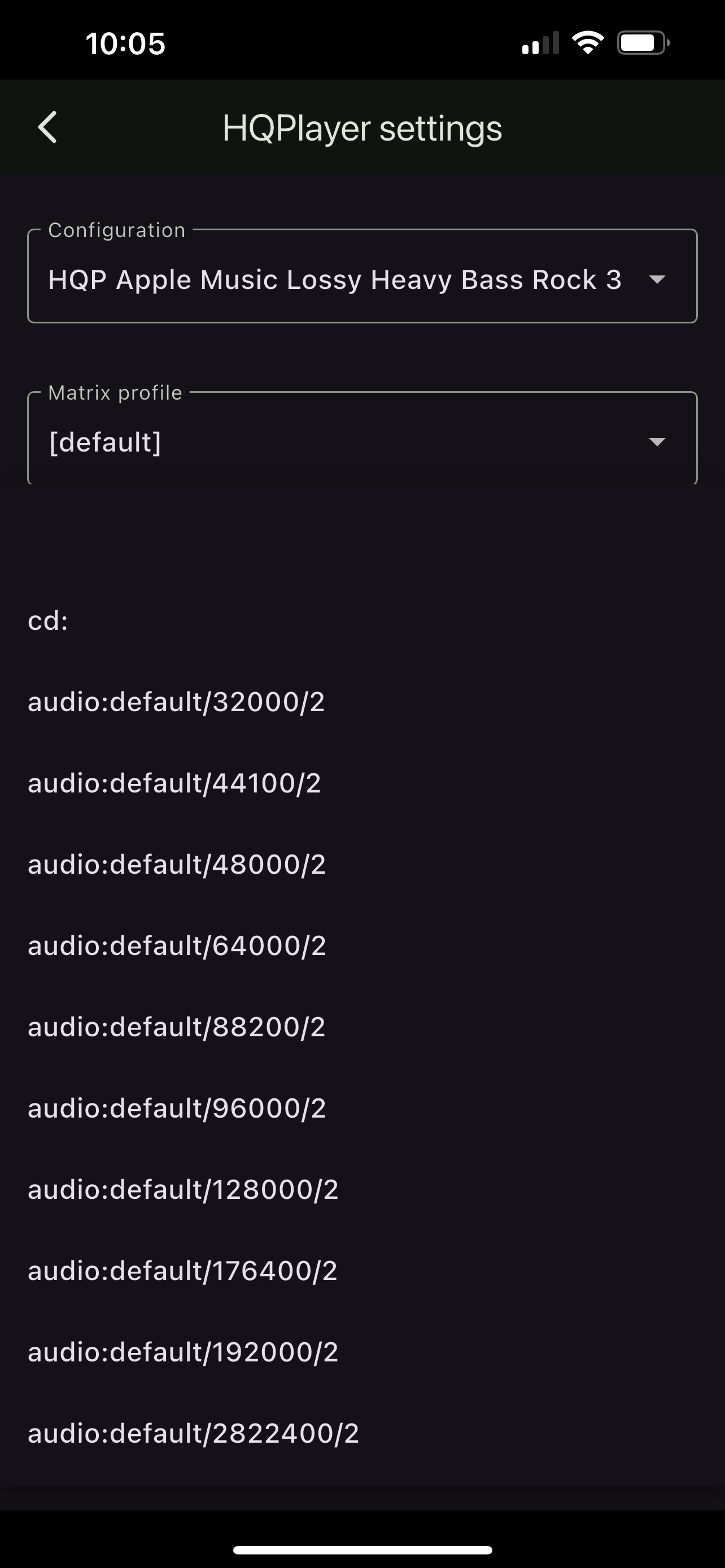
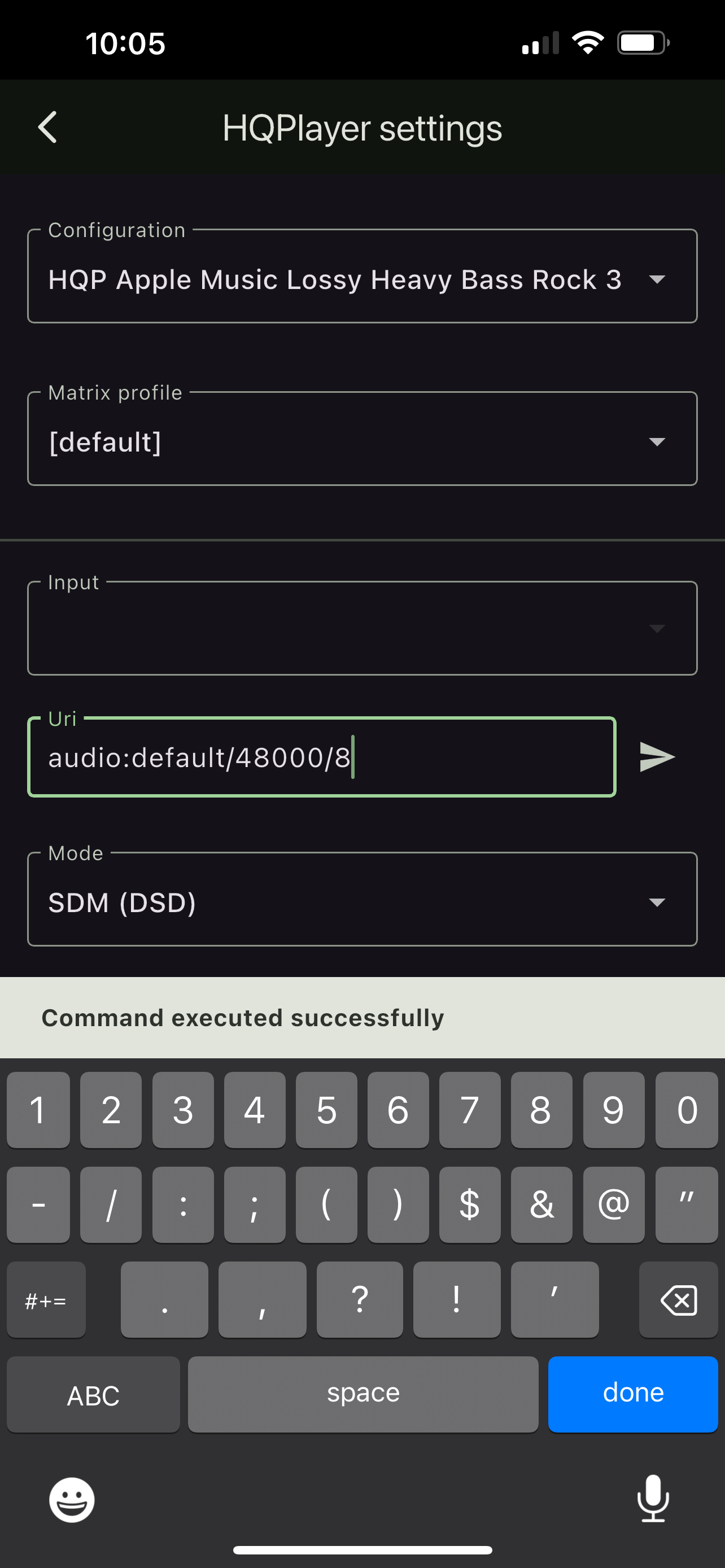
To get this to work on the CAPS server, I have to set HQP’s input to 48000/8. 48000/2 (in fact, 2-channel for any bitrate) is the HQP standard. To this point, I have to remote into my CAPS server to manually change the 48000/2 default in HQP to cover eight channels with 48000/8.
The URI box that Ales kindly added in his last update of HQPDControl allows me to input 48000/8 right in his app without having to remote into the CAPS server. And it remembers the input selection so after the first time, I merely select the 48000/8 dropdown rather than having to input it manually in his app each time.
Here, you can see that every standard dropdown is 2-channel:

 /10char