HQPlayer Embedded Discussion [2021-2022]

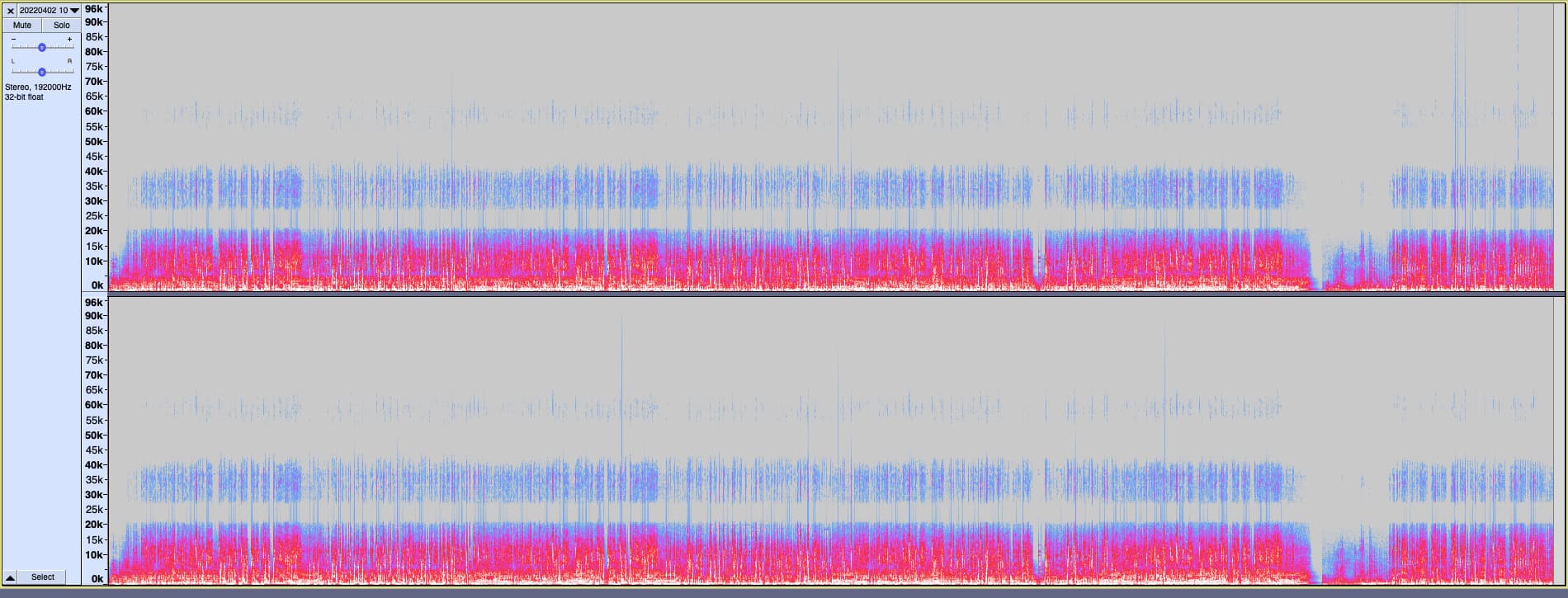
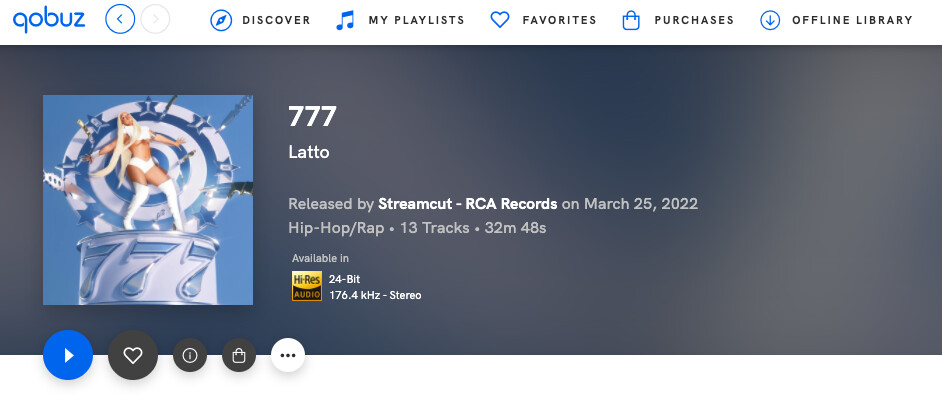
New release on Sony Records (RCA) in 24/176kHz :grin:

This kind of fake hires is flooding the market each week.

Fake hires was found on HDTracks many years ago but now we have this stuff coming every week on Apple Music, Amazon Music HD and Qobuz, on major labels.

Would be great @jussi_laako if HQP could see this was a fake and then apply appropriate filter, in this case above 22kHz is crap - no music at all.

1 Like

These looks like an upsample indeed. With a poor algorithm.

Seems to becoming a bigger issue than I expected.

Yes, looks like this will need an action. Biggest challenge is to make such work with something like Roon, where HQPlayer doesn’t necessarily see the track boundaries. And you don’t want such filters to randomly kick in and out.

Manual filter switch is straightforward, but only nice when you are listening full albums (like I do).

For local HQPlayer library that can be pre-scanned it is also straightforward.

With automatic realtime switch the issue is that there’s a lag, because it takes some higher level content to detect properly. Not necessarily too bad though.

2 Likes

I’ve got a Mojo 2 coming next week to try out.

If I get the famous Chord white noise blast even with Mojo’s new USB-C connection (from NAA OS) then I’ll get this SRC-DX Bridge thingy.

I have a new model Intona isolator here which I could use just before the SRC-DX thingy.

1 Like

These are interesting to me, but I am not sure if I reading correctly, on the bottom graph (pink), you can see a clear line around 22k, is that where the music essentially stops?

I see the Track Frequency Response from Audivana, notng a HD bitdepth and Bandwidth, is this not a disparity, or is that the point? e.g. The track frequency response says one thing but the graph shows the reality?

Do these units offer something over and above NAA on a rpi4?

Yep pretty much. As Jussi mentioned, anything above is likely upsampling for this release.

Since there is something above 22kHz Audirvana thinks it is music. If @jussi_laako did this, you can bet HQPlayer would be more advanced.

I wouldn’t read too much about what Audirvana guesses - the plot is more interesting.

If there is nothing above 22/24kHz then Audirvana guesses correctly. See what I posted in this thread already for Coldplay’s recent release. Here is a beautiful fake:

1 Like

More flexibility for me but may not offer anything more than RPi4 for everyone. Depends how you use HQPlayer.

I use one as an NAA input for USB sources. I have an entire thread about feeding Spotify/Apple Music/anything through HQPlayer.

I use another as pure NAA output. And I use an RPi4 NAA OS in a different room too.

And whatever you could do to solve this will likely also automatically solve Amazon Music HD’s main problem - everything is output at PCM24/192kHz.

So everything is resampled to that rate - I don’t know if it is Amazon’s app or the OS mixer doing upsampling but doesn’t matter either way.

I don’t think gauss-hires or mp3/mqa filter is enough to remove all the crap from a ā€˜fake’ PCM192kHz

More (but still vague) details about this Zephir/Zephyr filter. He now says it was developed by BitPerfect dev/s

No it is not, it was designed for those cases. Not for these kind of cases where half or more of the spectrum is junk.

Haha, a few corrections to what he said…
Pyramix / DXD is Philips origin solution. Sonoma (with it’s 8-bit ā€œDSD-wideā€) is Sony origin solution.

Too bad they have not heard of HQPlayer Pro for doing such things :sweat_smile:.

1 Like

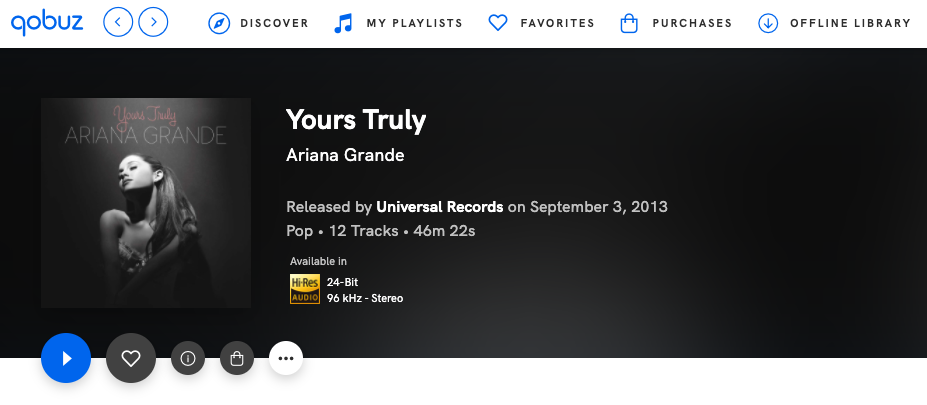
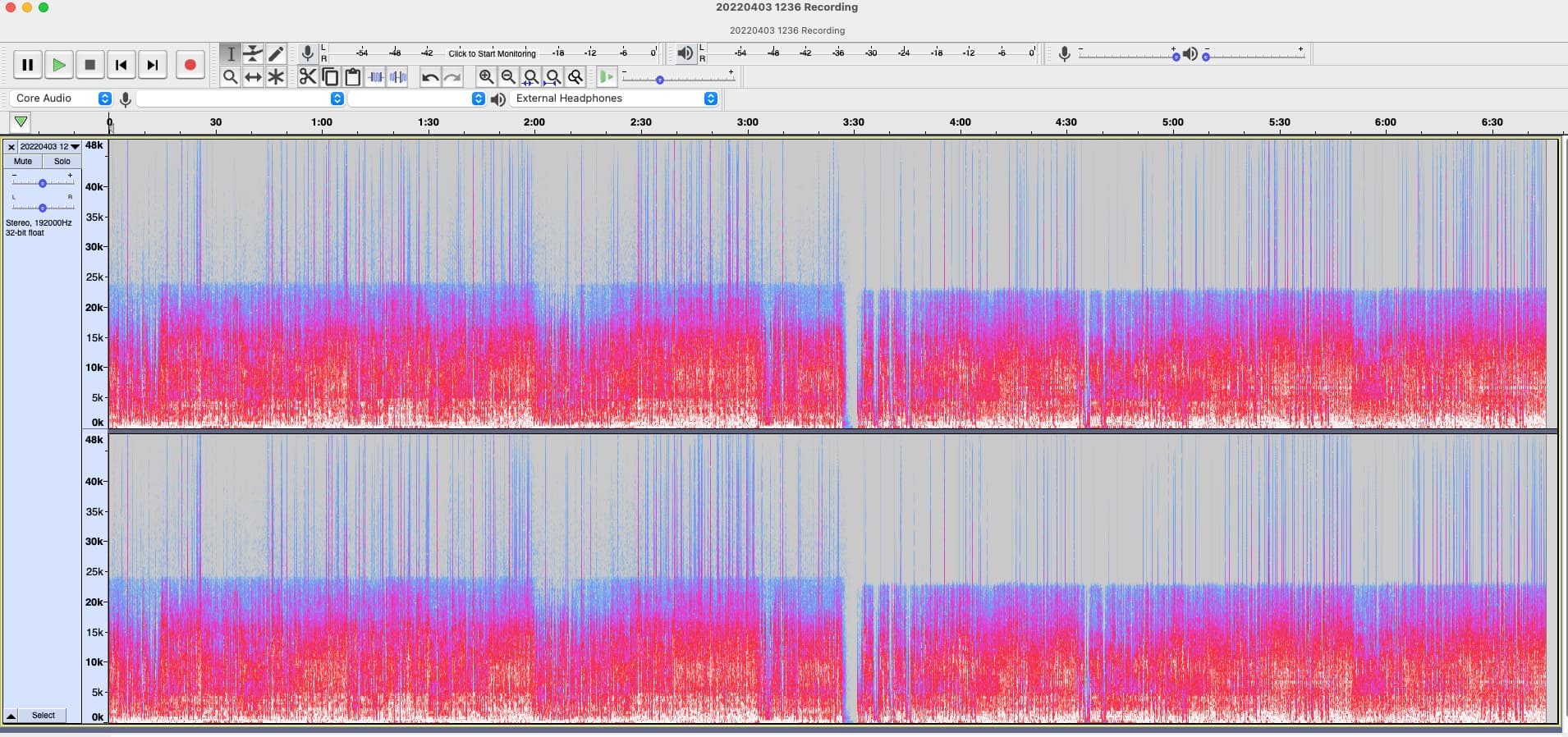
Major label, major artist, very popular album in 24/96.

Does this look like 48k upsampled to 96k?

The copy on Apple Music Hi-Res is identical, as expected.

Looks like originally 48k source. But seems to have some authentic compression and clipping produced after upsampling. :smiley:

1 Like

Spectrogram is identical with the Apple Music Hi-Res and Amazon Music HD version of this album too

Welcome to hi-res going mainstream :grin:

And I bet Tidal has ā€œMQA Authenticatedā€ version of the same. So much for authenticated hires.

Hilarious. It’s all a joke.

In these cases, boring old RBCD would be better, even if downsampled to 44.1k?

The downsampling can have issues too but at least would be free of this junk.

The 48k version probably preferred over 44.1k in this case. But both better options than this fake 96k?

ā€˜Pick your poison’ as they say :grin:

I would test this but recently dumped Tidal so can’t test it. Likely the same fake hi-res.

I would avoid rate down conversions, since the clipping makes rate conversion really test the algorithm. Whether 48k version is better depends on how it has been done. If the mastering was done at 96k, I would stick with the 96k version and then try to fix it.

But I will look into suitable ā€œclean up junkā€ filters.

I think Tidal just auto-converts most content to MQA, since I doubt labels would deliver so many different versions. AFAIK, for example Apple gets just one. But I can check Tidal at some point.

1 Like

poly-sinc-gauss-long-fake-hires-lp

The name is already sorted
:grinning:

I will keep a list of fake hi-res albums .

At least that will help you test if gauss-long-fake-hires algorithm (whenever you make it later) is successfully identifying as fake or not

Before you get to an advanced smart algorithm , maybe a simple option for user to select.

In my case I would be happy for HQPlayer to filter everything above 24kHz for every >= 96k album.

And HQPlayer filter everything above 22kHz for every >=88.2k album

At least I know then that junk won’t be getting upsampled and sent to the DAC - it will be mostly just music getting upsampled.

Trade-off = then true hi-res has real music cut off, which is sub-optimal.

But an option for me to enable/disable this then leaves the decision to me.

For every new album coming out today that’s popular (not classical, jazz) I would leave that option enabled, based on what I analyse each week.

:sweat_smile:

Or maybe I add an additional ā€œcut the crapā€ filter you can toggle on the fly and keep using the existing upsampling filters.

Although it would be easy to bake into a separate oversampling filter as well.

Yes, I was thinking about something near the adaptive gain check box that you can toggle.

I think I will need to add a new dialog similar to ā€œDSD Source Settingsā€, like ā€œPCM Source Settingsā€ where you can choose a suitable junk filter.

1 Like