No problem with me, just updated:
GENERIC BUILD
Version
5.1.1
Version 2.0 (build 1311) production Running 2 minutes, 4 seconds.
No problem with me, just updated:
5.1.1
Version 2.0 (build 1311) production Running 2 minutes, 4 seconds.
First check that HQPlayer configuration is correct and can play standalone. Then you know the output side is working. Then check that Roon has correct IP address (unfortunately Roon has not implemented HQPlayer auto-discovery).
I installed hqplayer-embedded-5.1.1-raspberrypi4 and the web management interface (http://hqplayer.local:8088) does not start.
In the case of version 5.1.0 it starts without any problem.
Could you suggest any solution please?
Hi @killdozer, any development on running hqplayer in a docker container? I’m trying to use my existing unraid NAS server which supports docker, it would be great to reuse the same hardware to run hqplayer. Or am I just dreaming and should call it a day and use hqplayer os stand alone? Thanks!
I run this on unRAID on an Ubuntu 22.04 VM and passthrough both the Nvidia GPU and HQPe dongle and works a charm, maybe spin up a VM…
Thanks
Great tip, didn’t know that you can do Ubuntu on top of Unraid. Thanks!
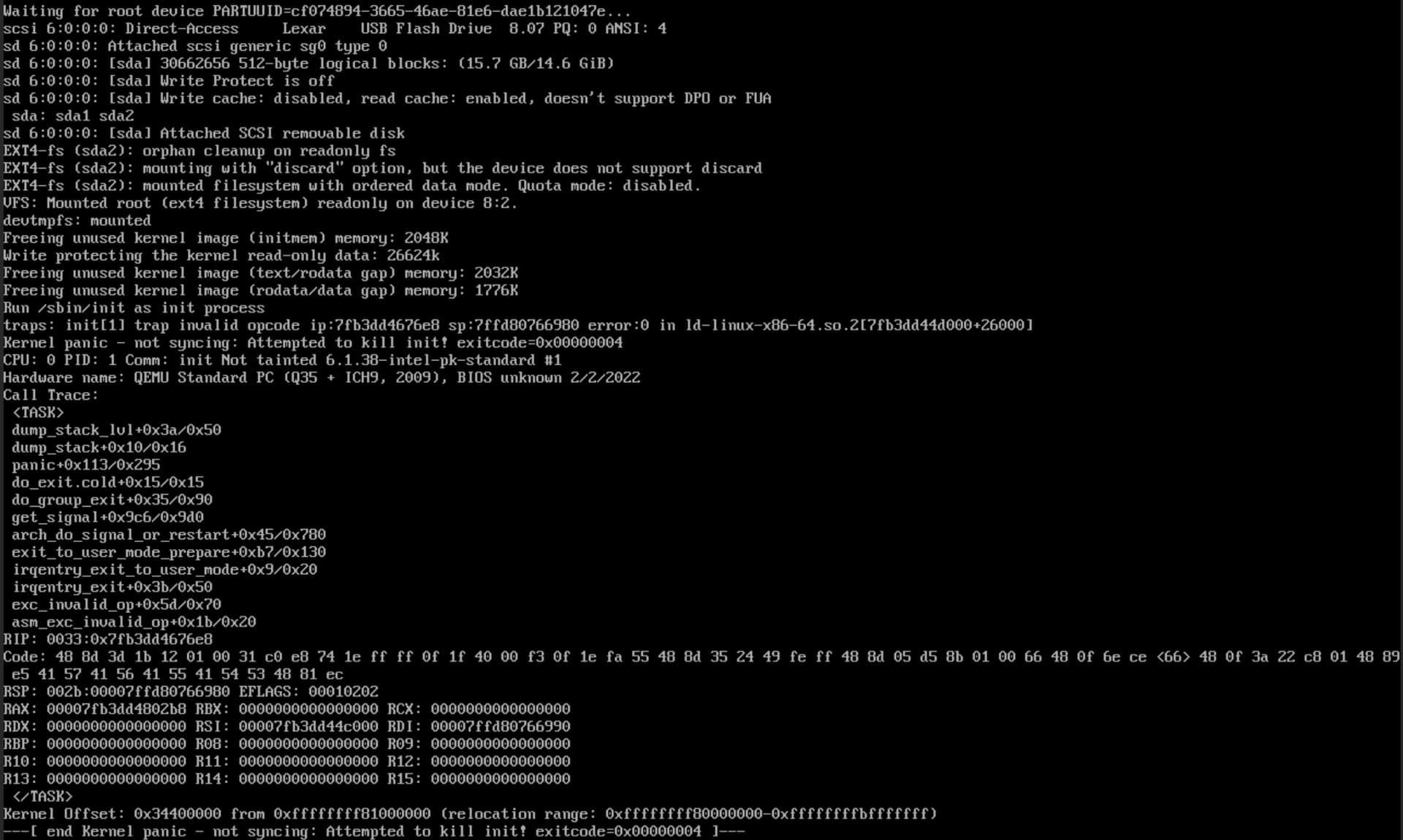
I am a bit new to all this so please bear with me  I enabled VM on unraid, selected ubuntu. Do I need to provide OS install ISO? Otherwise I’m able to start boot from USB stick with HQPlayer OS but it gets halted with a message “kernel panic not syncing”…
Yes, you will need to provide an ISO, this will need to be accessible from the Hypervisor from the unRAID GUI. See the video below:
Thanks, I got Ubuntu up and running. But it doesn’t help with starting HQPlayer OS (as I thought). Do I forget about HQPlayer OS and just try to run HQPlayer inside Ubuntu?
HQPlayer OS comes as a disk image, so if you can use such, you can probably boot it up.
I thought so too, but as I said, I’m getting an error “kernel panic not syncing” during boot in VM. At the same time I can boot from that USB stick on bare metal without any issues.
Why does it panic? Failing to mount rootfs? Could be storage driver type…
Sorry, I don’t know how to screen grab as text in noVNC so I’m attaching a screenshot.
Side question: after installing hqplayer on Ubuntu image when I’m running sudo hqplayerd -s hqpe hqplayer I’m getting an error “Illegal instruction”. I checked /tmp and didn’t find any log there. Should I be looking somewhere else for more information?
Thanks!
I’ve never experienced more stable build than HQP Embedded 5.1.0!
Now as 5.1.1 is out - should I stay or should I go!?
I am staying for now
Ahh, QEMU… That is illegal instruction exception. Some CPU emulation it is doing doesn’t support needed features. It is not a real VM…
Which Ubuntu package did you install? Sounds like your CPU doesn’t have support for needed instruction set. Which CPU model is it?
Are you using HQPlayer OS or something else?
If you are using HQPlayer OS and have 13th Gen Intel or latest AMD CPUs, likely it is worth going for the new version.
Otherwise it is question on your configuration whether you would hit the bugs fixed in 5.1.1.
I noticed an improvement with my i7 13700. HQP OS 5.1.1 with the 6.1 kernel squeezes a bit more performance out of it when pushing it hard.
Thanks, you are correct. It is Q6600 and I checked - it doesn’t support SSE4.2. Sorry for the confusion. Let me see if there is an easy upgrade path or I just update MB/CPU/RAM. Thanks!
Thanks for your help, I’ve got both options running in VM - either HQP OS or via Ubuntu image!
If you don’t mind, I have a couple of questions:
Thanks again!