Mac mini (late 2024) —> Roon/HQPlayer > Holo Red running HQPlayer OS (ethernet) > Holo Cyan 2 (USB) > Preamp/Amp (RCA)
Same Mac mini > Roon/HQPlayer > Holo Red running HQPlayer OS (ethernet) > Holo May KTE (USB) > Preamp/Amp (XLR)
———
The issue is repeatable, but I can’t find a consistent pattern as to when or why it happens.
When this fault happens, even if I quit Roon and HQPlayer on my Mac mini that’s outputting music to the Red + Holo DAC, that doesn’t resolve the issue. The buzzing will persist. I have to power down the Holo DAC (and sometimes the Red) to resolve it.
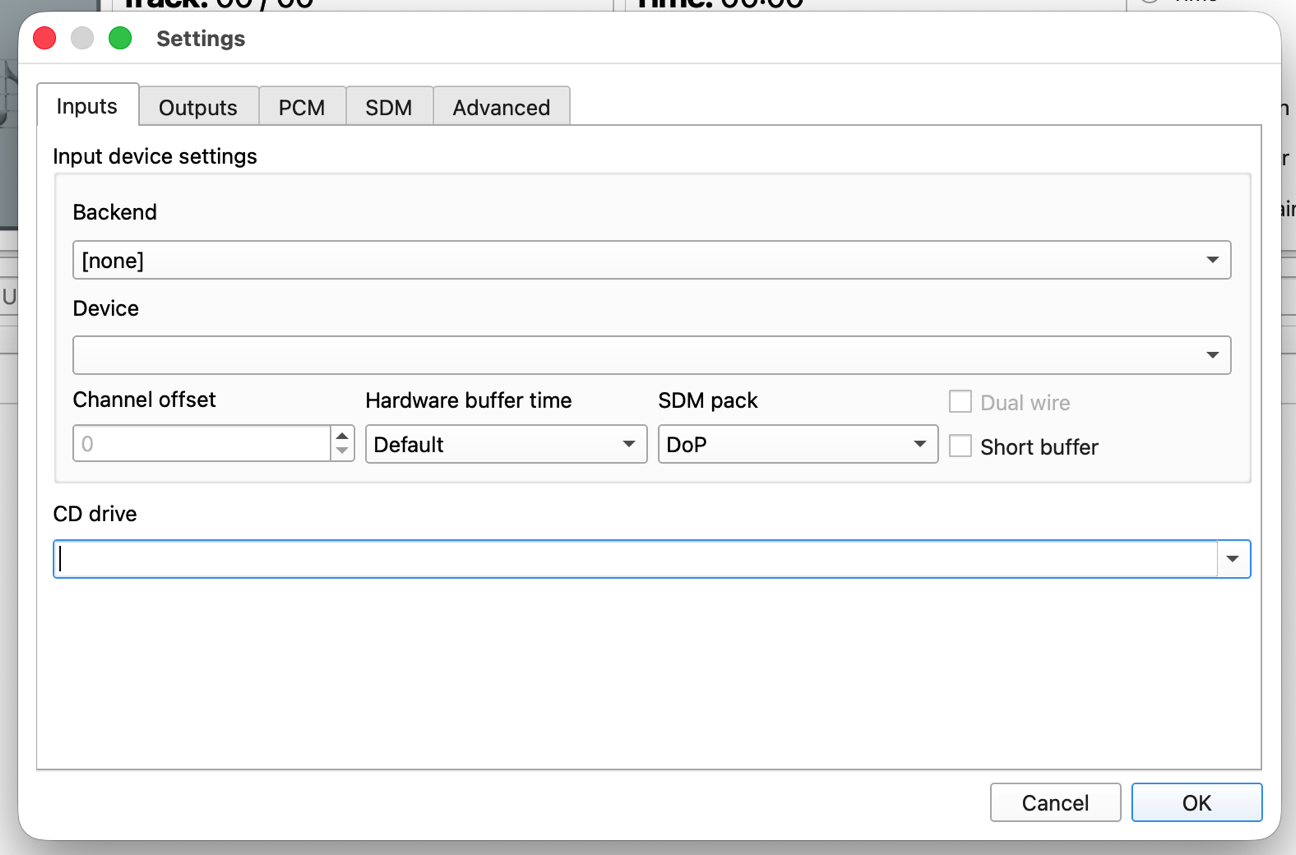
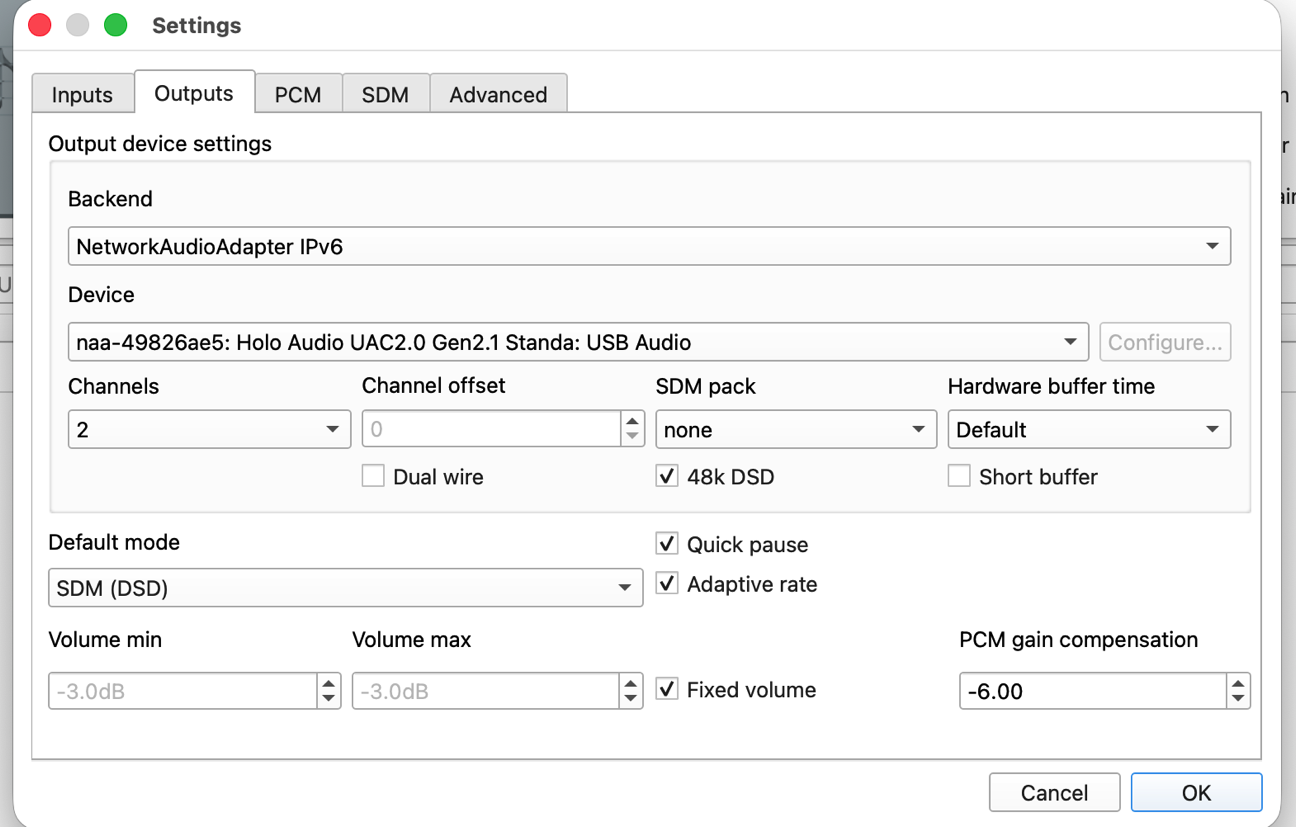
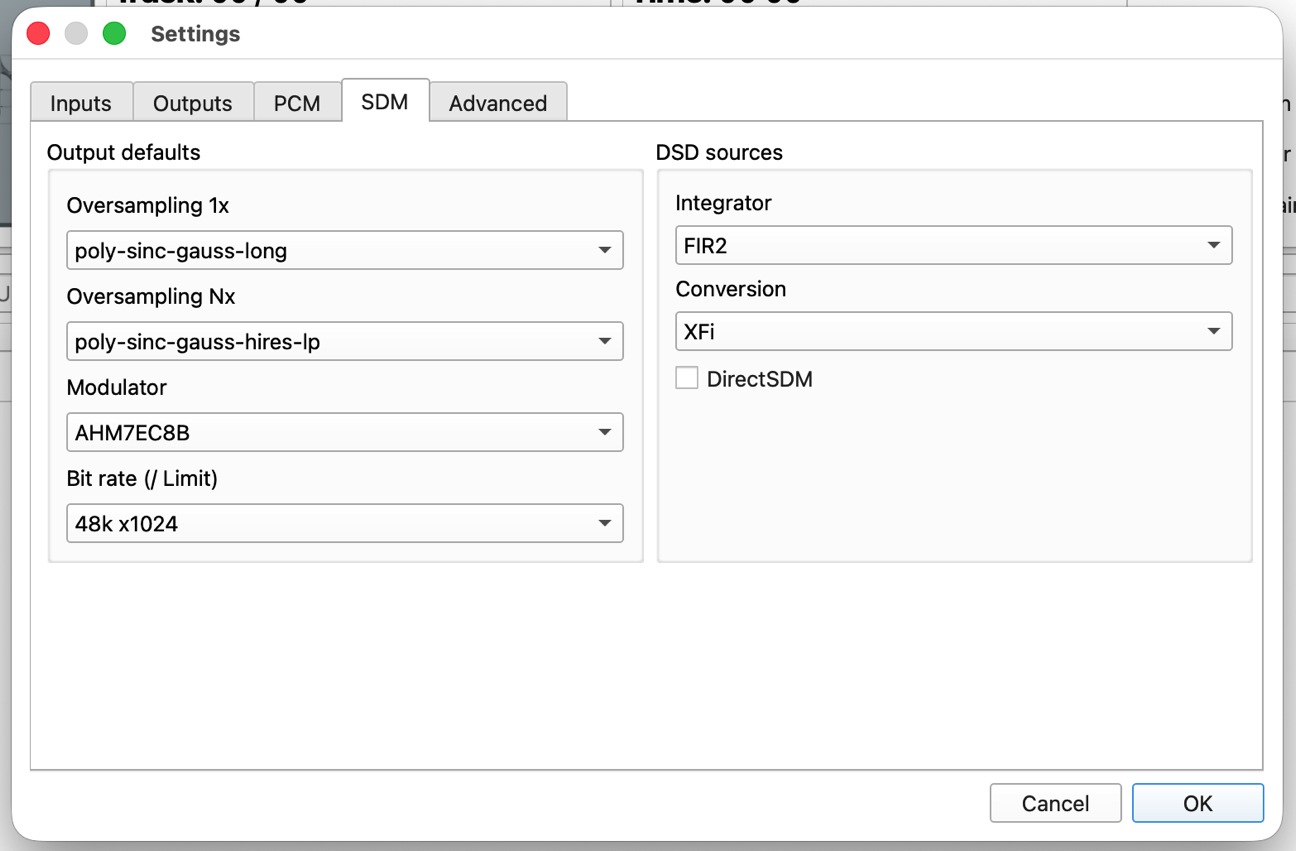
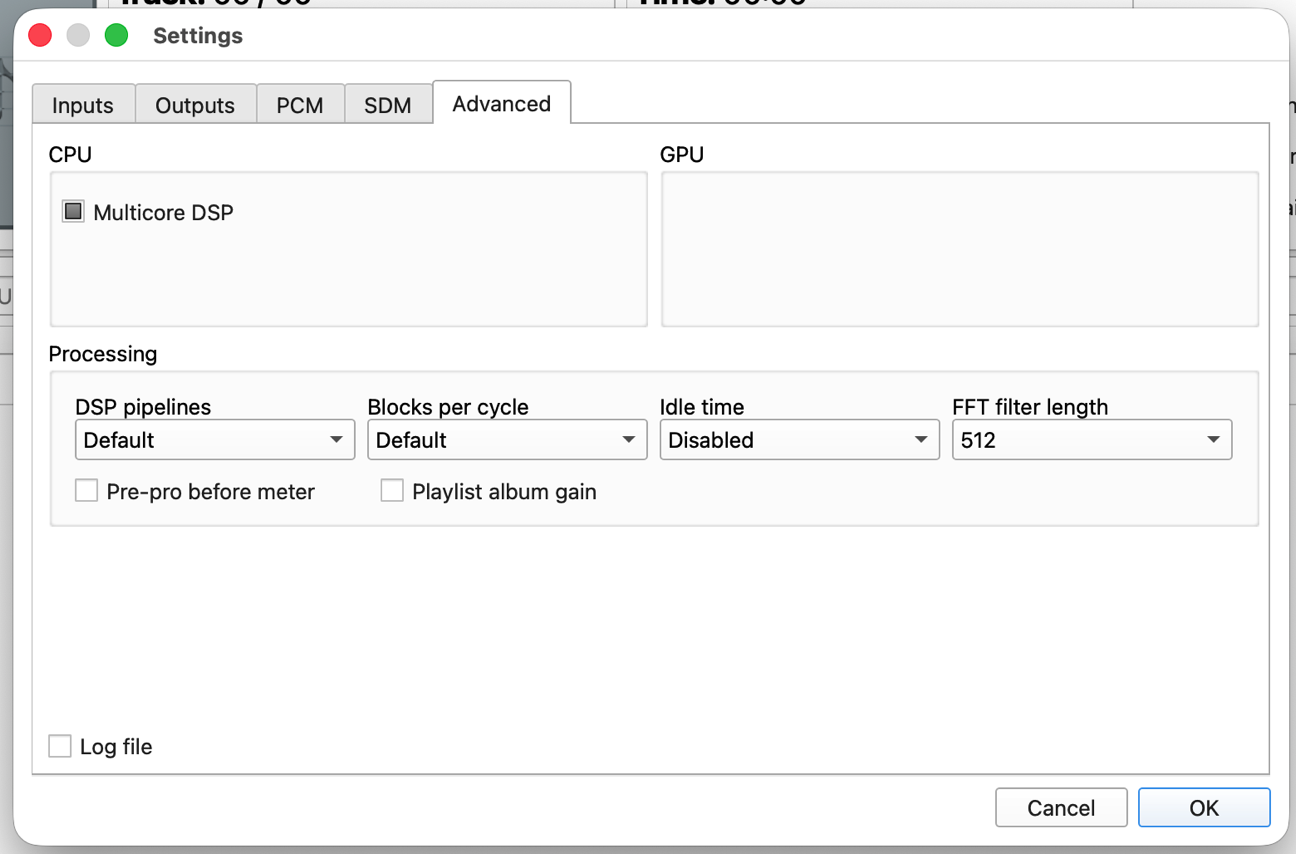
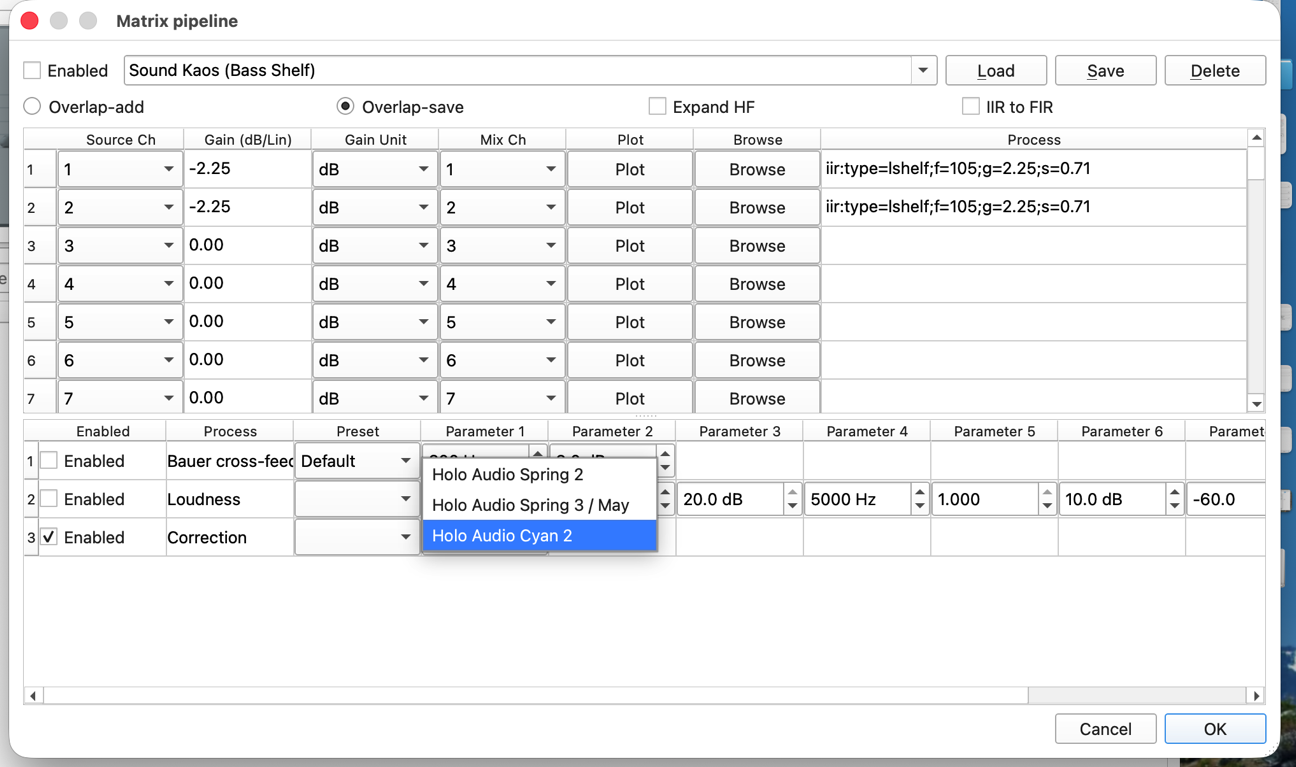
I’ve attached photos of my HQPlayer settings. I never adjust them, so why it used to work all of the time and now faults frequently is beyond me.
I run HQP on a Mini M1 to May via a mini-PC running NAA with a similar configuration except that the modulator is ASDM7EC-fast. However, I can’t push it past DSD256, as the Mini M1 will go into thermal throttling and sound will go bonkers. I noticed that you are using DSD1024. Can you pull that down to DSD256 and check what happens?
Settings seem fine. It seems that the USB interface in the DAC goes into some error state, this can happen as result of some USB transfer error. I would check with another USB cable first, preferably one with the official USB HiSpeed Certified badge.
Few small details unrelated to the problem I noticed; when using Roon as source, I recommend setting “Idle time” to for example 10 or 30 seconds. This significantly reduces number of DAC stop/start cycles, which otherwise Roon unnecessarily produces. This could also reduce likelihood of such issue appearing if it happens during such DAC restart cycle. Another thing I noticed is that the Matrix processor is not enabled, so specified EQ and DAC correction are not active. DAC correction is one of the post-process plugins in the matrix processor.
Thanks Jussi, VERY helpful. I’ve changed the idle time to 60 seconds and enabled the Matrix processor. The issue didn’t surface all weekend, so I’m hoping this was the answer!
Last question: what are your preferred settings for processing DSD1024 most efficiently (I have a Mac mini with M4 chip) and getting the best sound quality? Here’s what I’m currently running.
I believe those are one of the best choices. You could also check the matching alternative filters:
1x = poly-sinc-ext2-long
Nx = poly-sinc-ext2-hires-lp