I cannot open the Roon on iMac or iPad

Roon Core Machine

Nucleus

Networking Gear & Setup Details

WiFi

Connected Audio Devices

Amp

Number of Tracks in Library

Not sure

Description of Issue

I cannot open the iMac app or the iPad app it just turns on and immediately turns off.

I think there is a problem with my Nucleus.

Go to the admin web page of your Nucleus and check if it is up to date. Open your internet browser and try http://nucleus or if this does not work try http://nucleus.local. If this does not work either, use the IP address of the Nucleus instead of “nucleus”

The Roon Server version should be build 1223 production. If it is lower you may be a victim of this recent quite frequent issue:

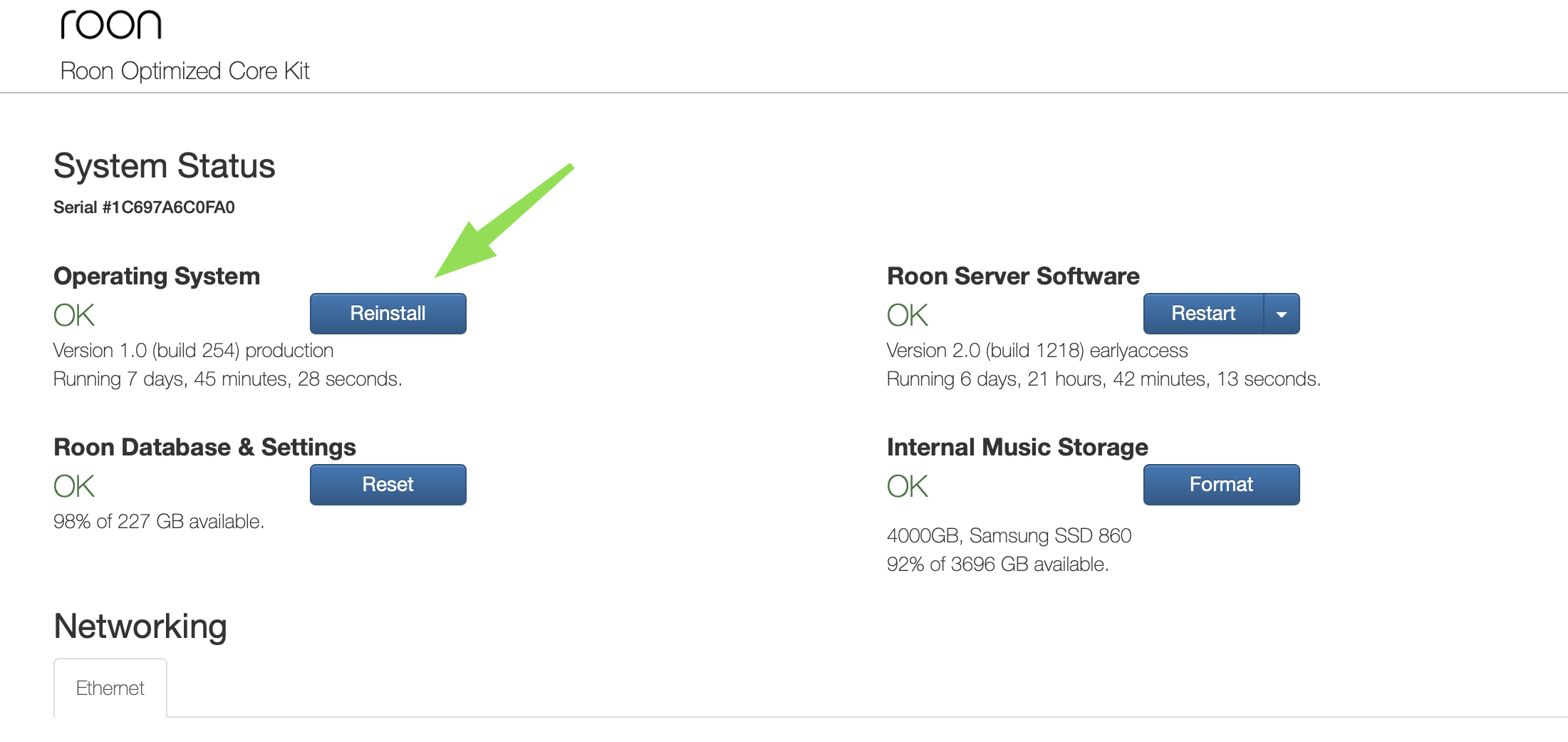
It seems that current releases of control devices / remotes crash when the Core is not up do date. Some Cores, however, seem to have got stuck at an older build and then this happens. If all your remotes crash then you can’t initiate the update from the remote but you can trigger the update by going to the admin web page and clicking the Reinstall button for the Operating System:

4 Likes

I tried it and it did not work
So I was able to put my IP address and did the update and saved it.
I also rebooted

Same problem - any of my three remotes (iPhone, iPad or iMac) I hit the icon and it will tun on for a sec and than close.

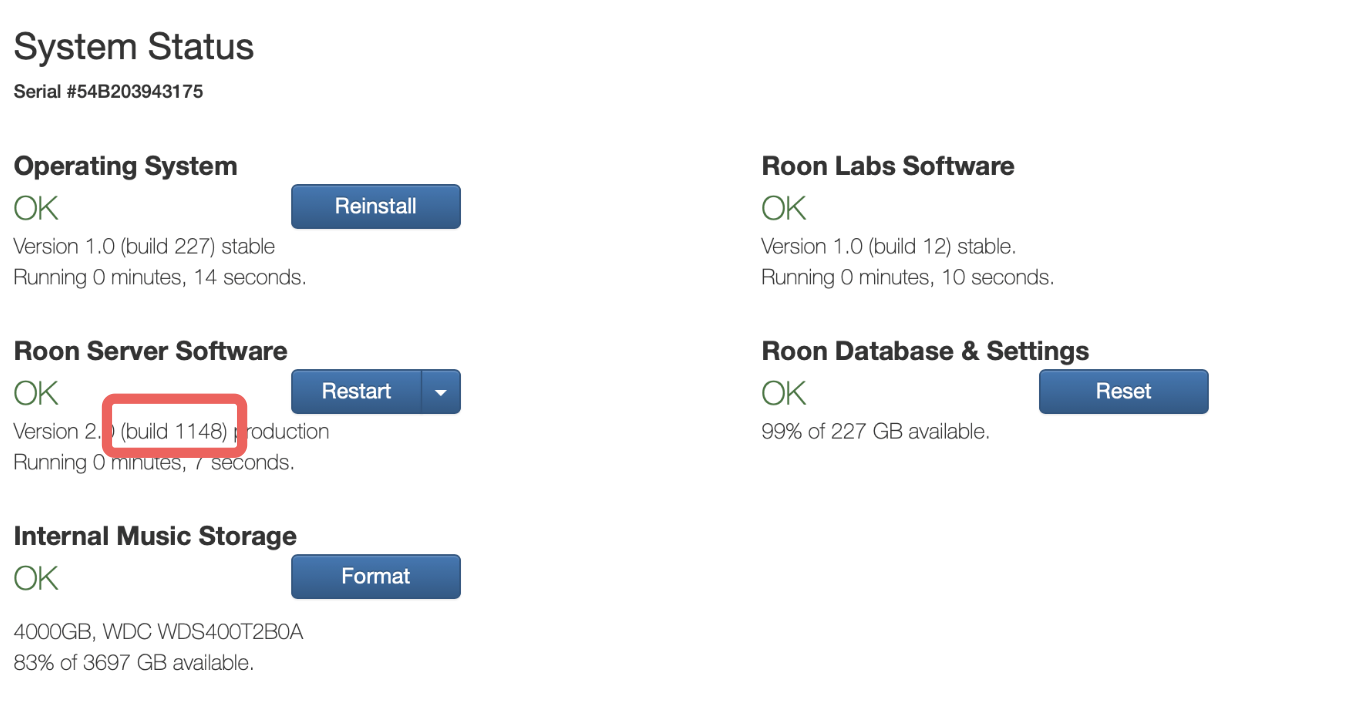
The most likely cause for the crash of the remotes remains that your Roon Server version is still outdated at build 1148 when it should be 1223:

If you clicked the Reinstall button for “Operating System” as recommended, then I don’t know why that didn’t trigger the update for the Roon Server, because this did help in many other cases. If this remains the case, paging @support who can trigger the update remotely for you

I tell you - Roon support is absolutely terrible. How do I get this to the support team.

Delete the Roon remote app from your device and reinstall from the Apple App Store.

EDIT: But, you need to get Roon core on the current version first.

OK - how do I do that Roon core on the current version first.

Normally by clicking the Reinstall button like I said

If you did this and it didn’t help, I guess we need support to do it for you like I already mentioned

I already tagged them, but it’s a Saturday

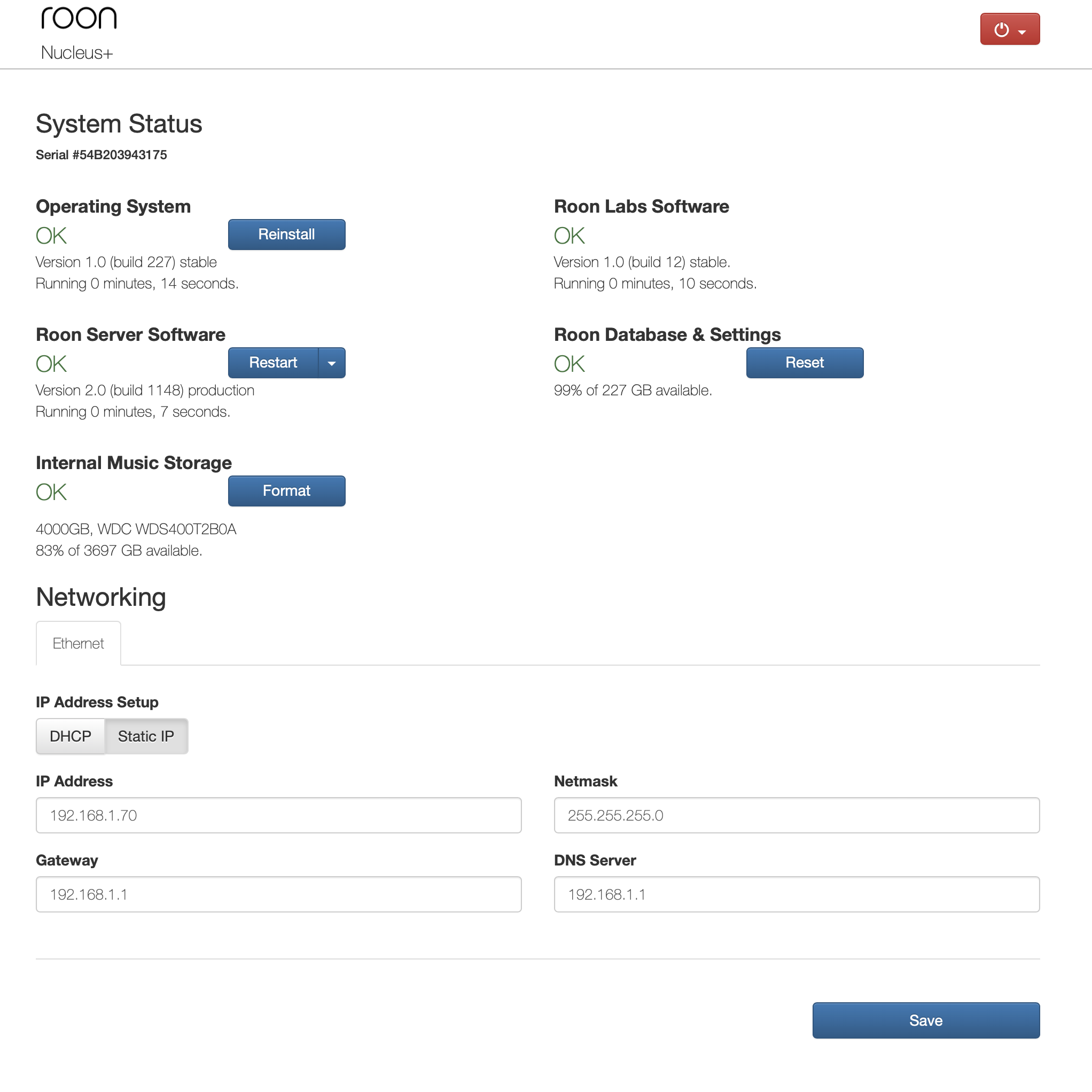
Is there some reason why you are using a static IP address rather than using DHCP? I just wonder if that might have something to do with the fact that reinstalling Roon OS has not worked for you? It seems to be working for others who have reported this issue.

1 Like

Well, I switched it from Static to DHCP. still not working.
Not sure why my AV guy choose Static?

Now when I type the original IP address the nucleus is not found

Well, I switched it to a different direct wired outlet to the router.
Now it works.
Go figure!
Now it looks right
Thanks for the help

Now its Version 2.0 (build 1223) production

2 Likes

Unfortunately, there are lots of incorrect myths out there about static being somehow better. Usually from 30 years ago because someone once had a bug in an DHCP implementation.

Nowadays, DHCP is nearly always better except on maybe some very rare and special circumstances. Static addresses require a lot of care whenever something changes in the network, not recommended
Thanks for the help. Much appreciated.

2 Likes

This topic was automatically closed 36 hours after the last reply. New replies are no longer allowed.