I am a long time user of NAA, both via dedicated NAA OS, and RoPieee. I don’t think I hear a difference between the two OS’s, on the same Holo Red CM4 based endpoint. But I also have an Intona between the Red and DAC.
Was just curious if there are any actual tests of cpu, power/rails, etc between Dirreta and NAA or RAAT.
Hi I am progressing in the project. But There is a question about instead of using for the Direttatctarget the Raspberrypi 5 use the Allo USBridge signature that seems can give better output in my case Weiss 202 usb DAC.I have read that your detailed instruction can be exactly applied for USBridge signature . What do you think?
In addition to my two RPi4s for David’s excellent 3-Tier scheme, I also own a Allo USBridge Signature which uses the Pi 3 compute module that cannot run Audiolinux. I have instead licensed GentooPlayer so that the Allo can be a Diretta Target.
SQ is good (Signature, with CM3 not a full RPi, does not have the shared bus issue as older models), but would be much better when I figure out how to implement the same kind of isolated link enjoyed by the RPi4s.
On a Raspberry Pi 3, yes. But the whole purpose of the USBridge is that it introduces a separate USB controller to overcome that issue (not that I ever experienced a problem anyway.)
Hi David,
My Raspi Streamer is a IANcanada stack, consisting of the Raspi, a Reclocker Board (FifoPIQ7) and a I2S over HDMI output (HDMI Pro). The Power Supply is a Battery / UltraCap Board (PurerPi) with the dirty side (Raspi) seperate from the clean side (Audio). Currently I am using RoPieee with “Audiophoinics I-Sabre ES90*8Q2M DAC” set as Audio HAT.
Your diretta setiup is outputting over USB, could I make it output over the audio HAT?
Would the streamer stack still profit from the diretta dual-setup, since the audio side has seperate power and the signal is reclocked before output?
THanks, Martin
@Matt_Martin
Hi Martin,
I have a similar setup: a Raspberry Pi with a HAT which is converting to I2S over HDMI. For me this setup is working perfectly. I am using GentooPlayer as OS for the Diretta Target (the Raspberry Pi with HAT), and also for the Diretta Host (a Raspberry Pi without HAT).
I started this journey thanks to this thread, and this is a keeper.
I hope this can help you further in your own journey.
Kind regards, Frank.
It has been a while since I posted an update here. While the thread has been quiet, the tinkering definitely hasn’t stopped! I wanted to share a few significant updates to the project that have emerged since my last post.
1. The Move to Dual Raspberry Pi 5s
I am now recommending the Raspberry Pi 5 for both the Diretta Host and the Diretta Target. The 2 GB model is sufficient for the Host while the 1 GB model is perfect for the Target.
Uniformity: It yields a more uniform look for the stack (at least for those of us using the Argon ONE V3 cases).
Storage Performance & Pricing: Unfortunately, we have seen SD card prices more than double across the board—a trend affecting not just SanDisk, but alternatives like Lexar and Kingston as well. With 32 GB cards that used to be ~$13 now hovering near $30, the landscape has changed. However, the Pi 5’s improved I/O bus allows us to fully exploit the speed of A2 cards. Since A2 cards are currently only about $3 more than their A1 counterparts, they are worth that small premium for the improved responsiveness they provide on the dual RPi 5 setup.
2. Jumbo Frames & Reduced Interrupts (RPi 4 vs. RPi 5)
The Jumbo frames discussion is a bit nuanced, but the good news is that there are benefits for both RPi 4 and RPi 5 users thanks to the latest AudioLinux kernel updates.
Raspberry Pi 4 (“Baby” Jumbo Frames):
The latest default kernel includes a patch that increases the MTU limit from 1500 to 2032 bytes. This allows us to relax the Diretta CycleTime from 514µs to 700µs while still transmitting DSD256/DXD content in a single Layer 2 frame per cycle.
Raspberry Pi 5 (“Full” Jumbo Frames):
The newer hardware supports standard Jumbo frames up to 9000 bytes. With this extra headroom, I am recommending a CycleTime of 1,000µs. (Technically, we could go as high as 3,100µs and still achieve our goal of one L2 frame per cycle, but 1ms seems to be the sweet spot for sound quality).
I recently benchmarked the RPi 5 configuration (MTU 9000 / CycleTime 1000µs) using the latest Diretta versions, and the numbers are excellent:
Jitter (IQR): A solid 1.00 µs (Core Stability).
Stability Score: Consistently hitting ~99.9%.
The Result: We are seeing roughly a 50% reduction in both network interrupts and jitter. Subjectively, this reduction in overhead seems to bring even more “calm” to the presentation.
3. “Purist” 100Mbps Mode
On the other end of the spectrum, I’ve also added a configuration to force the point-to-point link down to 100 Mbps and explicitly disable EEE (Energy Efficient Ethernet). This lowers the operating frequency of the physical link (reducing potential RFI) and prevents the interface from entering sleep states.
I have updated the main Diretta.md project document on GitHub with the details. Please pay particular attention to Appendix 8 (for the 100Mbps/EEE tuning) and Appendix 9 (for the Jumbo Frames optimization). I’m also working on some translations of this document to other languages, starting with German. You’ll find those here.
Has anyone else experimented with these new settings on their setups yet? I’d be curious to hear if your subjective impressions match what we are hearing.
Be careful with jumbo frames. Unless all your networked equipment can accept jumbo frames, they can cause issues.
Of course, in the particular case of the diretta host to target point to point link, then there is no issue because the only devices on that network are the two RPis and thus no incompatible device to cause an issue.
Thanks Wade, to be honest, I wouldn’t know a Jumbo Frame if it sat on me
Out of curiosity I did watch a short explainer YT on it, but its entirely moot in my case since, if the rumour is true (that SOtM are working on it) all I could do is take up what they offer and apply it between the two sMS-200 boxes I have
As with the ‘two RPi’ case employed and described by @David_Snyder, two SOtM devices being used as Diretta host and target and directly connected together by a single ethernet cable (and thus with no other devices connected by a switch) will form a separate network on which you can configure jumbo frames without issue because it does not affect the main home network to which the Diretta host is connected by a different network port (presumably a USB Ethernet adaptor).
The important thing is that, unless you are confident it is not going to cause issues, on the Diretta Host box, you do not configure jumbo frames on the the network interface used to connect to the rest of your home network - including your Roon Server.
It is almost certain that SOtM, even if they implement support for jumbo frames will not enable it by default. It will almost certainly be an option ‘per network interface’ that can be enabled by the end user.
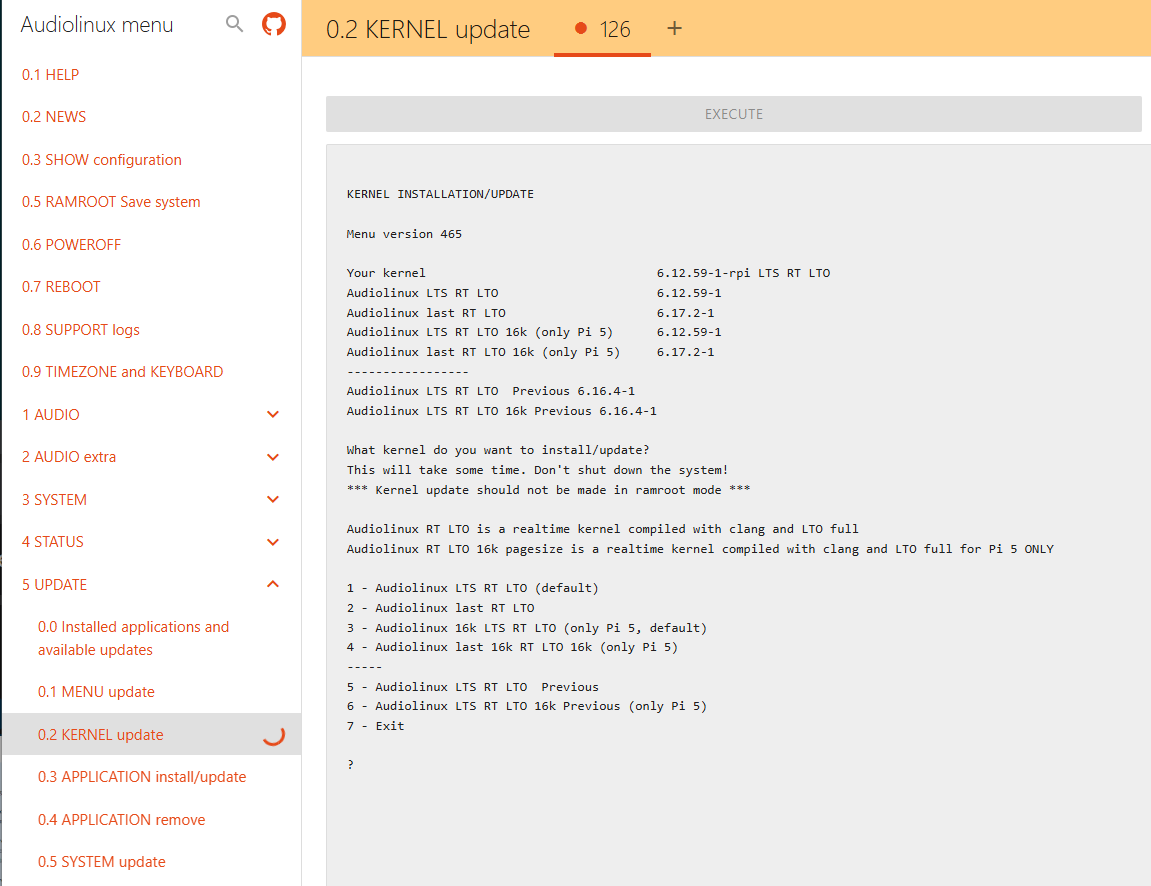
Hey @David_Snyder , please did you manage to turn off EEE on internal NIC on RPi5 ? If so can you please let me know the kernel version where it works? I’ve been trying it with up to 6.12 kernels if i’m not mistaken and it was not supported by that time (the main reason i’m using PCIe NIC with RPI5). Thx!
You are correct. I don’t recall which sub version of 6.12.x brought EEE for RPi5 hardware, but it works with 6.12.59. I don’t think it was working with 6.12.42.
My doc includes this code block, to be run on both Host and Target, to disable EEE:
cat <<'EOT' | sudo tee /etc/systemd/system/disable-eee.service
[Unit]
Description=Disable EEE on end0 for Link Stability
After=network-online.target
Wants=network-online.target

[Service]
Type=oneshot
ExecCondition=/usr/bin/ip link show end0
# Explicitly disable EEE (ignore errors if unsupported by driver)
ExecStart=-/usr/bin/ethtool --set-eee end0 eee off
RemainAfterExit=yes

[Install]
WantedBy=multi-user.target
EOT

echo "Enable and start the service:"
sudo systemctl daemon-reload
sudo systemctl enable --now disable-eee.service
In the QA scripts, we check for EEE disabled using commands like this:
check "'disable-eee' service is enabled" "systemctl is-enabled disable-eee.service"
check "'disable-eee' service is active" "systemctl is-active disable-eee.service"
check "Energy Efficient Ethernet (EEE) is disabled" "! ethtool --show-eee end0 | grep -q 'enabled - active'"
You probably just need to update to a newer kernel. I hope this helps.
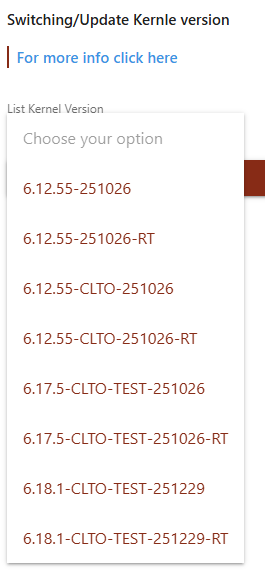
I am now using 6.12.55-251026-RT. I don’t know if that is the best kernel, or that I better go to 6.12.55-151026 (so no Real Time). Anyone an idea/experiance at that level?