For a brief walk-through of Diretta setup without DS innovations such as Purist Mode, check out the Everyday Audiophile on YouTube
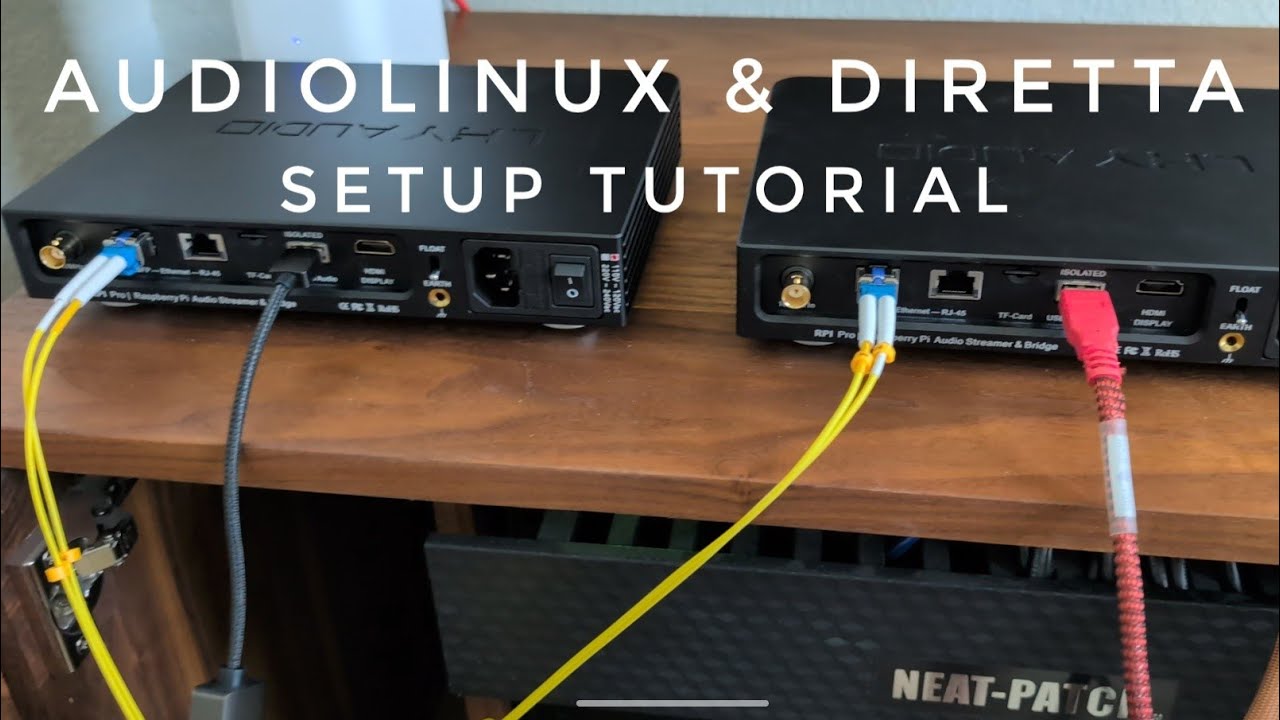
For a brief walk-through of Diretta setup without DS innovations such as Purist Mode, check out the Everyday Audiophile on YouTube
Makes me wonder where all these veils are coming from? Anybody answered that yet?
I was not a Roon fanboy so no bias (used Audirvana Linux with Diretta Renderer…) : but last Roon Server with last slim2diretta sound incredible…
Hi Pierre. I’m not familiar with “slim2diretta”. Please share a link when you have a moment. Glad to hear that it’s working out for you!
Here’s the link GitHub - cometdom/slim2Diretta: Projet slim2Diretta · GitHub
You install it on your Diretta Host (Linux) and that’s it. Its also available in Gentooplayer and Audiolinux as far as I know. No RAAT/Roon Bridge/ALSA, it’s a straightforward implementation of a DIretta Host with the LMS/Slimproto protocol, that Roon handles well in Squeezebox emulation mode.
Audiophile Style has an entire thread devoted to slim2diretta
True. Piero has made it easy to implement, and now Roon sounds even more holographic to me.
Less processing by Host = greater fidelity? Yes, less IS apparently more, in this room with my ears and peculiar hifi setup.
Inspired by this thread, i Build a DIretta jost/ratget configuratin aroound Xmas last year. I mostly used the RPI hardware I had usign before and lying around.
My setup is asymmetric, it uses a RPI4 with Audiolinux 4.6.2 as diretta host and a RPI3 based IANcanada stack running Gento Player as diretta target. The target uses a reclocker board and outputs I2S over HDMI. to my Denafrips Venus II DAC.
During the setup your guide helped me along and although I have a slightly different setup, the guide helped me HUGELY. THanks fpr the comprehensive docy and the nice code!
I am tonally very satisfied with the setup, the musical stage has opened up more and the resolution of the instruments is better than before.
However I do not like the asymmetrical setup and I am about to upgrade the target to a RPI4. Doing this I will convert the Target to audiolinux and follow your guide more closely.
The big question I have is about audiolinux 5 for the RPI. Is there an upgrade path from audiolinux 4.6 to 5.01 or is it necessary to reinstall the host from downloads? I’d somehow hate to redo the complete installation.
I got the RPI4 delivered today and just installed everything from scratch. Three hours later, the new configuration is up and running. @David_Snyder the guide and the scripts are really very accurate and helpful.
The only thing I had to figure out was how to enable my HAT in audiolinux.
Regards, Martin
[quote=“Matt_Martin, post:600, topic:309890”]
the guide and the scripts are really very accurate and helpful.
[/quote]
I’m delighted to hear that you are up and running again. Enjoy!
Yesterday evening, I was enjoing my new setup, listening to
when suddendly at track 4 the music stopped. I then switched to
at track 5 the music also stopped.
I spent most of today debugging the new streamer sertup, going through configurations, logfiles, …
I even enlisted Gemini to help me, we checked several theories, adjusted MTU sizes, cleared caches, played around with DNS resolvement, to no avail.
Just now I discovered, that this is a known issue with Roon and Qobuz, since Qobuz is restururing its infrastucture and this causes problems for Qobuz acces thropugh roon.
Satisfied, that my tinkering is sound, a little sour for spending half a day debugging a bogus problem… 
Regards Martin
PS: if it does not work stable, sound quality turns into a minor issue 
It is pretty annoying. I’ve seen reports that Qobuz Comnect users are also affected. I don’t encounter it often. But I’m supposed that their infrastructure engineers could not make the migration more seamless.
This may help:
@David_Snyder Hi David. We exchanged some posts back late-fall/early-winter. I said I was going to do the project over the winter, but life happened. That said, just received new Pi5 today and ready to get going. Going to repurpose an existing Pi4 that has Ropieee on it for second unit.
Question is, should the Pi5 be the host or the target?
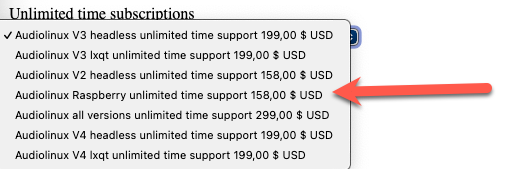
Second question. Is this the correct subscription: “Audiolinux Raspberry unlimited time support“?
Hi Michael,
It’s always best to use the RPi5 for the Target.
The difference between the $79 and $158 licenses for AudioLinux on Raspberry Pi is the duration of email support and menu updates. One is good for one year, the other is “lifetime.” Of course, you can run AudioLinux for as long as you like and perform O/S, kernel and Diretta software updates for as long as you like with either option. And, you can purchase one year extensions or upgrade to “unlimited” at any time.
For these reasons, I generally recommend folks start with one year and see how it goes. One AudioLinux license covers as many Raspberry Pi computers as you wish as long as they are all used at the same location.
Hi David,
Inspired by your guide, I treated myself to a Argon One case.
Wow, I am truly impressed. True HDMI ports, heat sink including programmable fan, even the SD Card slot is easily accressible.
Your scripts were helping much as always.
CPU temperature dropped from 65 Centigrade down to 41.8.
And all that for CHF 25 (approx USD 30)
What I don’t dig is the use case for the remote control when you are running roon, What do you use the remote for?
Thanks, Martin
The remote control allows basic playback control in Roon. Play/Pause/Stop/Next/Previous. If Roon manages volume for the zone, volume UP/Down/Mute.
For me, this is vastly preferable to opening my eyes and unlocking my phone just to skip to the next track. The remote enables you to stay “in the zone” while listening.
Hi again @David_Snyder,
Since I will be using a Pi4 for the Host and the Pi5 for the Target (as recommended), can I still use an Argon Case & Remote to control playback? In other words, does the remote trigger the Host or trigger the Target? (since only the new Pi5 could have the Argon case)
BTW: I just decided to pull the trigger on the more expensive Unlimited AudioLinux license because I suspect I will not be abandoning AL after the first year and would regret having to pay more in the long run.
Verifying the first image at the moment.
Thanks again!
EDIT: Just realized there is a Argon case still available for Pi4. Assuming the same remote will work, just need to know which case to buy – V2 or V3 – depending on where remote functionality is exercised.
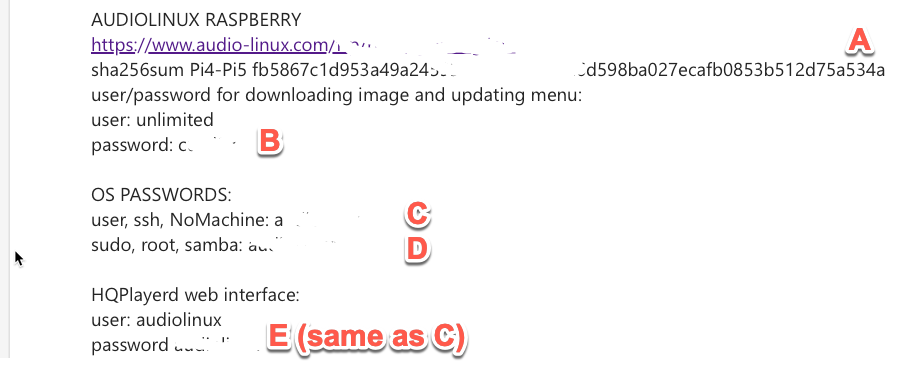
UPDATE: Nevermind – must have fat-fingered the password. For others perhaps lost in the dark, it was password “C” in the screenshot below.
Sorry in advance David – even more questions (hopefully NOT dumb).
Trying to execute initial part of Section 3. Specifies “default password … from Piero”. Apparently I got it wrong 3 times?
The passwords I tried from the email were B, C & D from email:
Since I was apparently locked out, I rebooted and tried “B” again with no luck – and now connection is closed after first error.
What am I missing?
ANOTHER question:
The download info email contains this:

Should we do it, or is it superseded further on in the instructions and thus not needed?
And, a convenience note:
In the past, I’ve used balenaEtcher to load images onto memory cards. As I recall, bE has progress bar percentages during write and verify stages. Since the AudioLinux is 30ish gigabytes, it takes a long time. Perhaps it is worth a mention of the image size so if someone needs to step-away/multitask they’ll have a rough idea of how much further there is to go while using the Pi Imager?
The Diretta Host also runs the Roon IR software. You have two options for IR Remote capability. One is to put the Host computer in an ArgonONE V2 case. The other is to buy a Flirc USB IR adapter ($23) and insert that into one of the USB 2.0 ports in the Host computer.