That’s a good question, as others have mentioned, Roon gives you a couple of easy ways to tell.
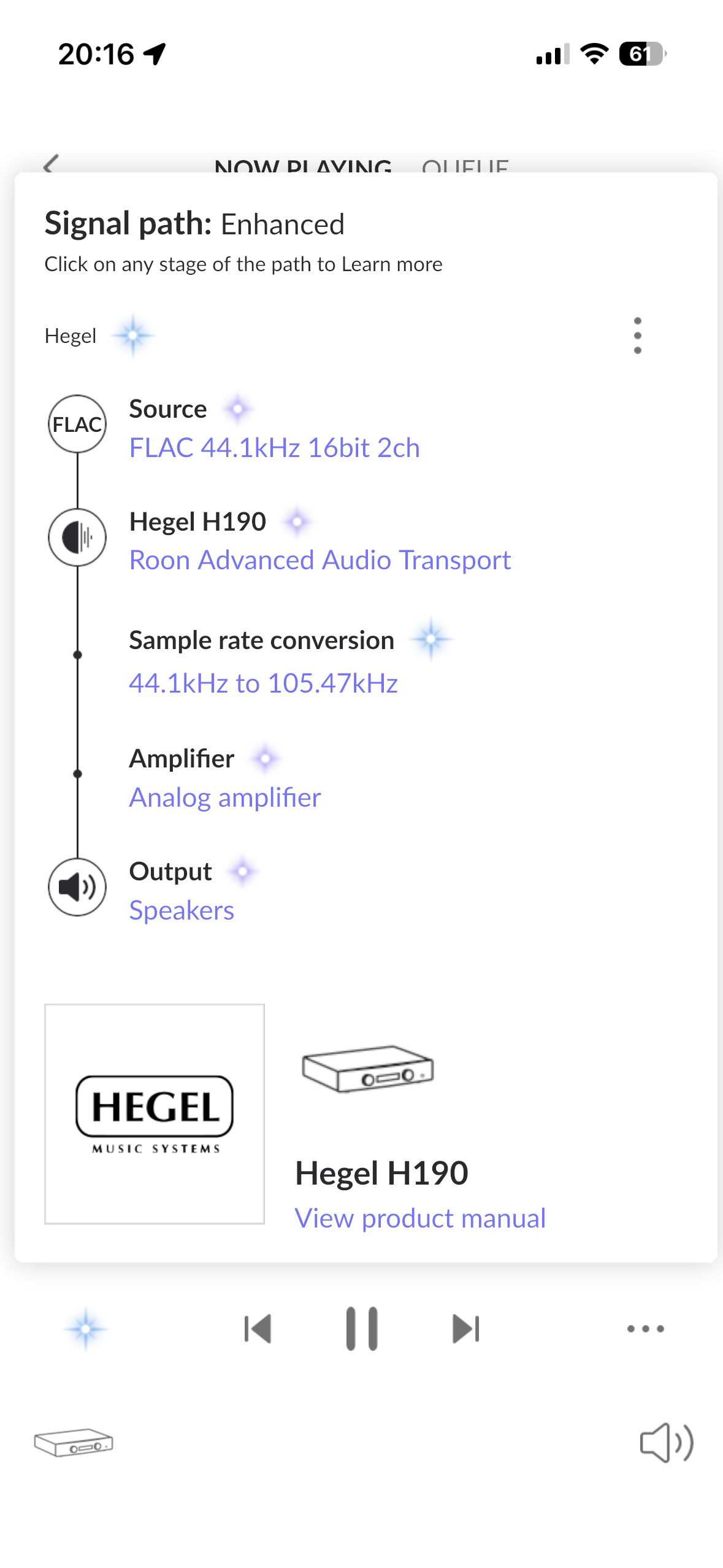
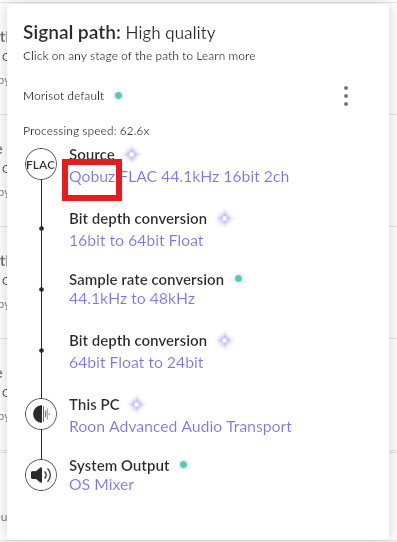
Signal Path in the lower left corner. That will show the full path for the current track, including whether it’s coming from a streaming service or from your local library.
You can also open the Queue, where tracks from streaming services will show their service icons.
how do i know whether roon is streaming from tidal or playing files from my library. Signal path only show flac source it does not show whether the source come from streaming tidal or from playing files from my library. Very frustrating.
Thank you for the follow-up. To clarify: the Signal Path does show the source, but it may not be immediately obvious. When a track is playing from TIDAL or Qobuz, you will see the streaming service name listed as the source at the top of the Signal Path chain. If it shows only “FLAC” without a service name, it is playing from your local library.
Additionally, as @Geoff_Coupe pointed out, you can enable streaming service badges directly on album covers in your library view. Go to Settings → General→ Customize album display and toggle on Show Qobuz badge and Show TIDAL badge. This will show a small icon on any album that is from a streaming service, making it easy to tell at a glance.