· I just bought a new Bluesound Vault player. I have about 12,000 songs stored on it directly. I have Roon on Mac mini and it can connect to Bluesound library, but it only displays about 7,000 songs. I did reindex of bluesound library, and there are no skipped files when looking at roon library settings. Please help
Tell us about your home network
· No VPN, CenturyLink Modem C40000BG connected to Orbi AX4200 WiFi 6. But both Mac mini and bluesound are hardwired to network, no wireless connection
Thank you for your post and our apologies for the delay in responding.
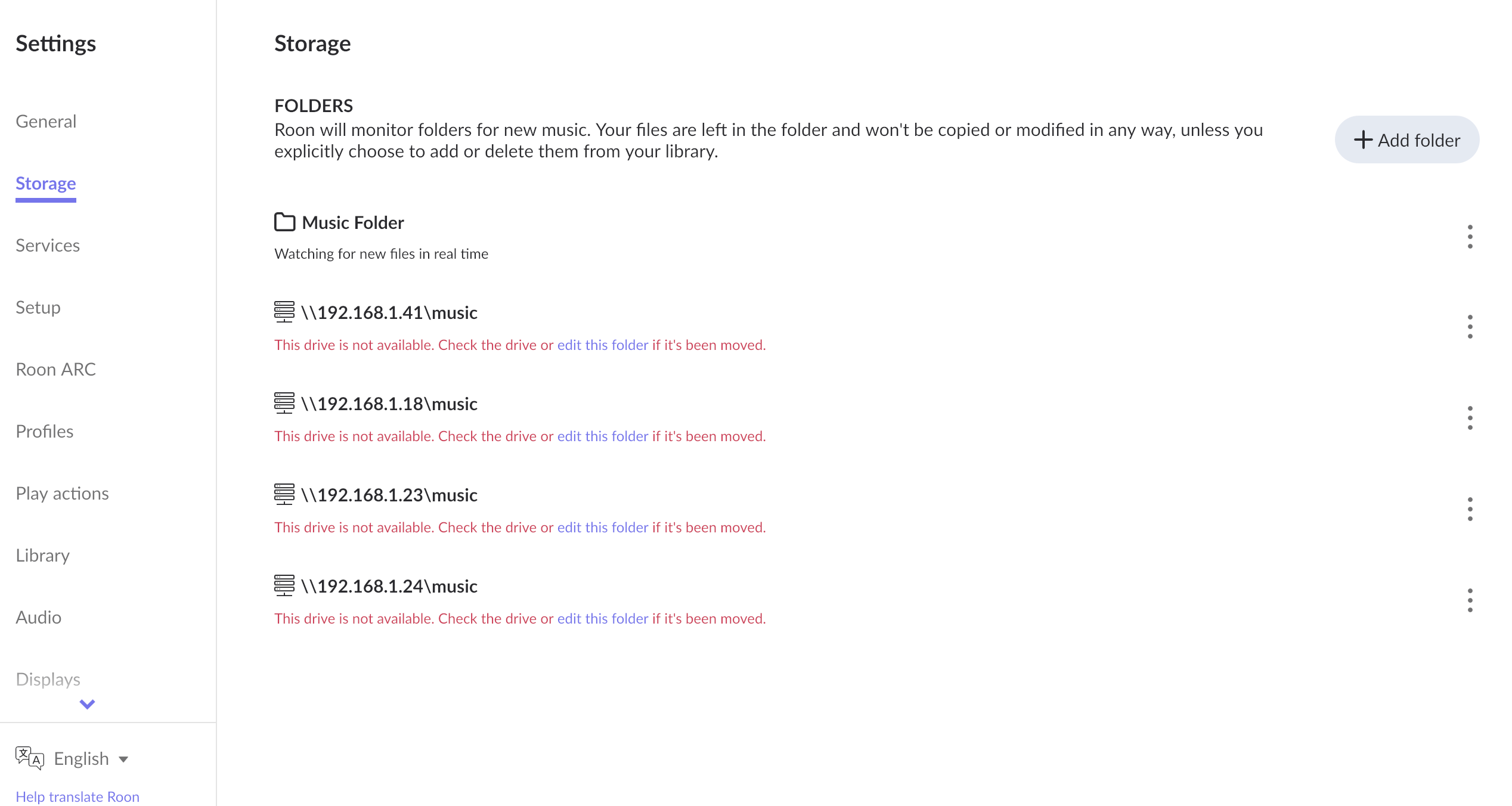
Can you please share a screenshot of the Settings → Storage screen where you’ve configured the Watched Folder for the network share?
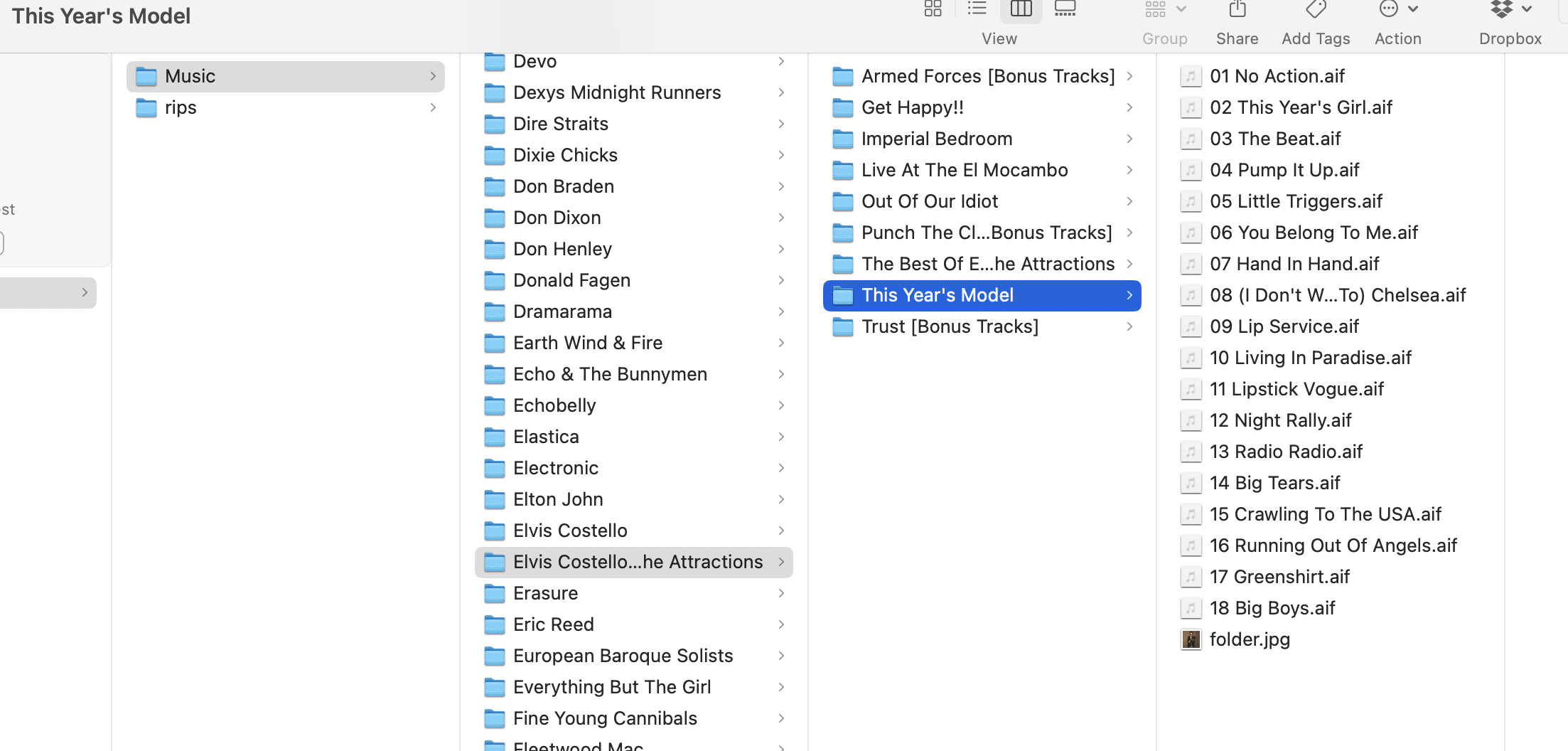
Are the 5000 tracks that failed to import stored in the same parent folder as the tracks that did import? Do the failed imports all shared a common file format? If you can share a screenshot of the file folder hosting these tracks, it might help us spot any discrepancies.
Please also share the name of an album that failed to import and we’ll pinpoint the event in network logs.
We haven’t seen a response but we want to ensure you’ve found the support you need. Please share a screenshot of the Settings → Storage page if you’re still having issues with this network share or your library import. We’ll keep a lookout for your reply. Thank you!
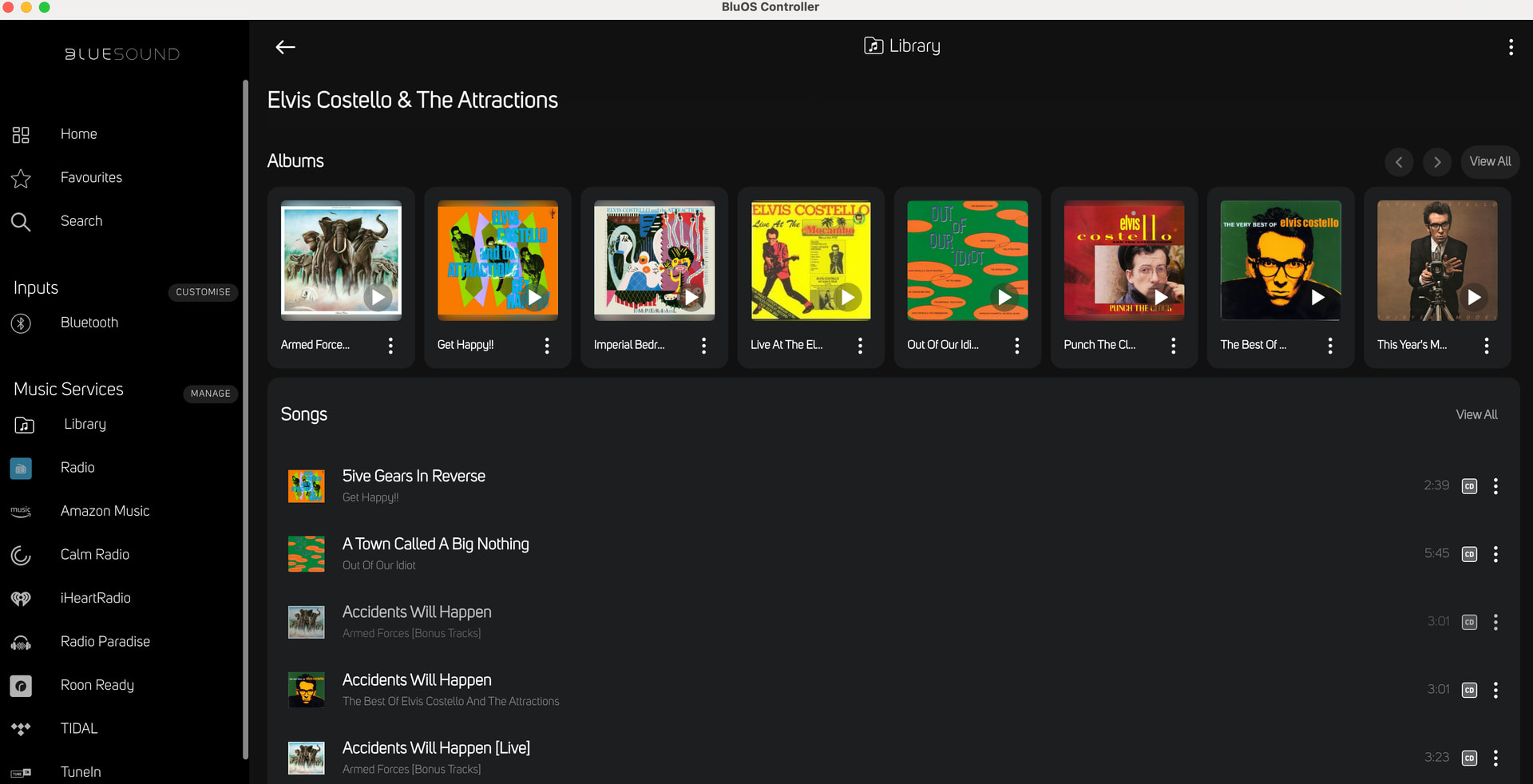
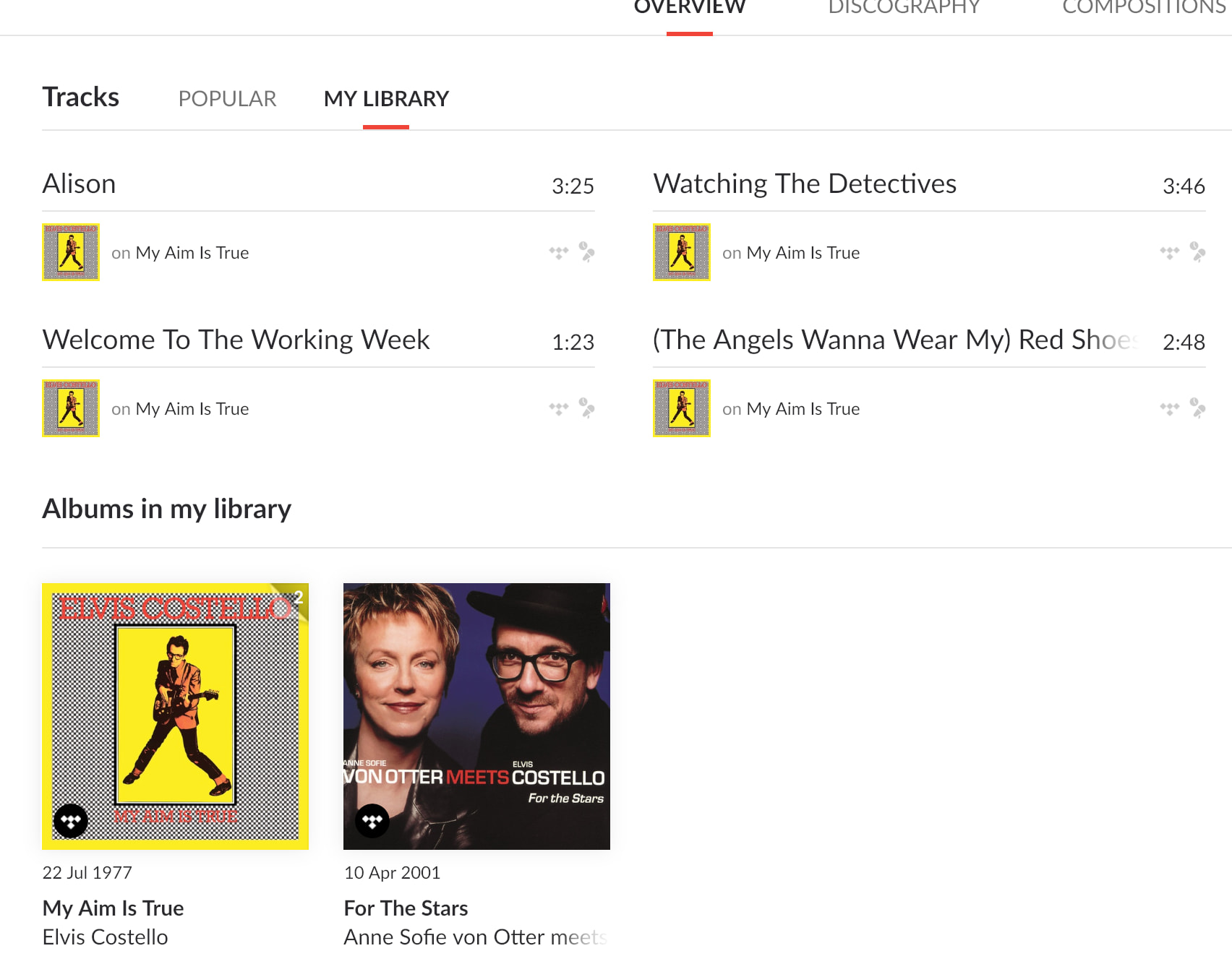
Hi, sorry for delay. So in my bluesound library I have numerous albums from Elvis Costello (some listed under his name, some listed under EC and the Attractions). You’ll see from my screenshots that on roon it only has 2 of his albums. All music is in same folder on bluesound player, all songs are .aif. Thank you.
Hi there - I’m out of town again, and will not be able to get to this until late next week. Please keep ticket open, and I will send screenshot. To be clear, I need to open Roon, go to settings, then storage and send screenshot of this. Thank you.
Please note that our system has an auto-close feature, meaning this thread might automatically lock if there is no activity for a certain number of days. If you get back and find that this topic is closed, please don’t worry! Just open a new topic, mention this issue, and we will merge it with this one so we can pick up the investigation right where we left off.
Safe travels, and we will be here when you are ready!
It’s worth noting that based on your account admin, it does appear that only your Tidal account seems to be synced to your Roon Server, so we’re only seeing Tidal tracks at the moment.
From the looks of it, I also suspect reviewing your Roon Settings > Storage will help you and get your local content added correctly.
Welcome back, and thank you for taking the time to upload that screenshot!
The image you provided perfectly explains why you are missing a large portion of your library. All four of the network folders listed in your Storage settings are marked in red with the error: “This drive is not available.” This means your Mac Mini has completely lost its network connection to the Bluesound Vault. Because Roon cannot see the physical drive, it is only displaying the tracks that are synced via your TIDAL account.
Why This Happens
This almost always occurs when your router assigns a new, different IP address to the Bluesound Vault (often after a router reboot, a power outage, or a firmware update). Since you have four different 192.168.1.xxx IP addresses listed in your settings, it strongly suggests the Vault’s IP address has shifted several times in the past. It could also happen if the network share password was recently changed.
How to Reconnect Your Library
To get your music back, we just need to point Roon to the Vault’s current location on your network.
Find the Current IP: Open your BluOS app (or check your Orbi router’s device list) to find the exact, current IP address of your Bluesound Vault.
Edit the Path: In Roon (Settings > Storage), click the three dots next to one of the disconnected folders and select Edit.
Update the Address: Update the IP address in the network path field to match the Vault’s new, current IP address, then enter your credentials if prompted and save.
Important: Please edit an existing path rather than deleting the folder and starting over. This preserves your library import dates and prevents a massive database rescan.
Clean Up: Once Roon successfully connects and your missing 5,000 songs reappear, you can safely use the three dots to Remove the other three disconnected, duplicate IP folders to keep things tidy.
To prevent this from happening again in the future, the best permanent solution is to assign a “Static IP” (or DHCP Reservation) to your Bluesound Vault within your Orbi router settings so the address never changes.
We haven’t seen a response in a few days and wanted to ping this thread before it auto-closed due to inactivity. Please let us know if we can still assist. Thank you!