Yes they do. In other words you don’t need to make any further adjustments for headroom.
Yes, and this is covered extensively earlier in this thread. I can’t quote a single post, so have a skim through…
Note that it’s baked in to the PEQ settings; it doesn’t show as a separate “headroom adjustment”. It uses the global pre-gain value from the OPRA dataset.
Have they actually whitelisted the latest version of ARC?
No. I sideloaded it. I talked with their rep on Head-fi and it works for him. It is something in my network and the SP3000… For now I use my phone with ARC to make the presets and then they appear on the dap. I am finding I prefer the parametric eq’s I have made previously using AutoEQ.
Androids network stack can be a bit funny with certain hardware. I always had issues with Samsungs stuff way back. Arc is a bit finicky on my FiiO M11
plus when it’s trying to connect when setting up. Don’t get same issues with iOS on same network. Works fine for Roon Ready though.
Any tips on how to find Opra? I can’t find the way to make this work. My screen looks like this:

I believe you can’t control OPRA presets using a mobile. You have to do that on a desktop remote.
Once you’ve created some OPRA presets on a desktop remote, you can then select those presets on a mobile.
Ahh thank you. I don’t have a desktop…oh well 
You can certainly create presets via the ARC app.
It works on my iPad after updating the app version. I’m using my AirPods Max with it now. There are three presets to choose from though. I thought one should be the correct curve? What’s it based on, just personal preference?
This was my thinking too……the logical little man inside me thinks if a headphone has a specific eq curve, and you want to make that neutral, then there would only be one corrective curve?
I am listening the airpods pro 2 right now, and LOVING OPRA. Sounds so much clearer, but I had to audition about 5 completely different curves to find the one I like. And, again, you would think there would only be one.
Also, I used to be able to click on the selection and it would show on the right side, and then I selected it. Now the only way to see the curve is to select it. I liked the other way better……
Anyway, this OPRA stuff is cool……
It’s just different measurements from different people. Depending on the measurement setups and the applied corrections, they probably differ a little but not much (you can see their corrections in the OPRA UI). IIRC (it was discussed previously in this thread) one of the sources applies corrections purely based on measurements, another source adds some corrections based on listening. Just try them and choose the one you prefer (if there is any audible difference at all).
Thanks……I figured……all good.
What about the fact that when I click on an eq, it doesn’t show it to me……I have to select it, and therefore apply it, in order to see it. When OPRA was launched, I was able to click on an eq and see it on the right, and then select it……
Small thing I know, but just wanna be sure this is how it works and it’s not just me….
Thanks again
Dunno. There was only one minor update after the release of OPRA, and according to the release notes these were the only changes:
Maybe there was a minor unmentioned change.
Give me a minute, I’m on the phone right now, will fetch the tablet …
… back. So this is what I see on the iPad (but I’m using the early access version, so I can’t guarantee that it’s exactly the same):
Starting with no EQ:

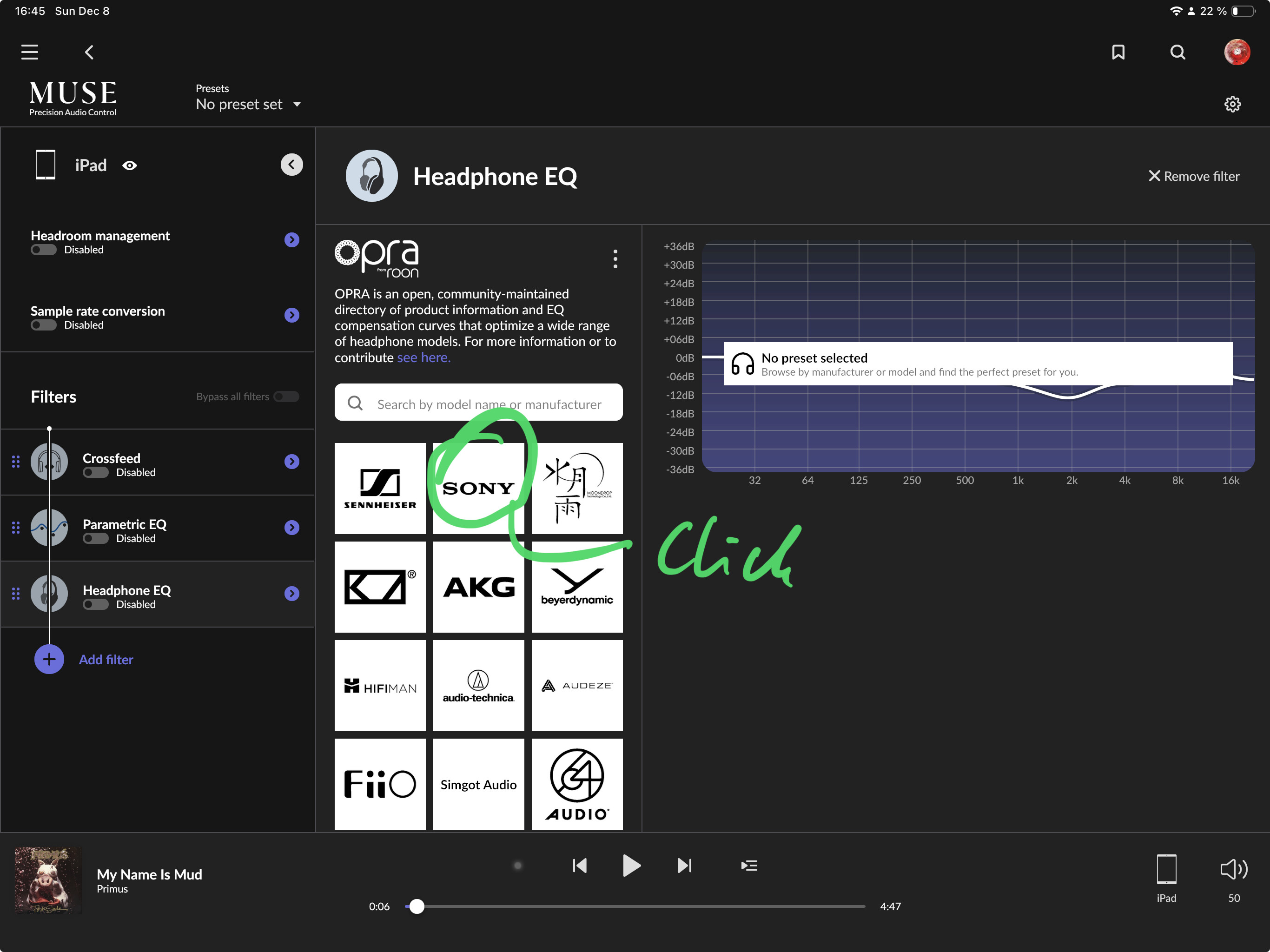
Then I see this, and I click a manufacturer:
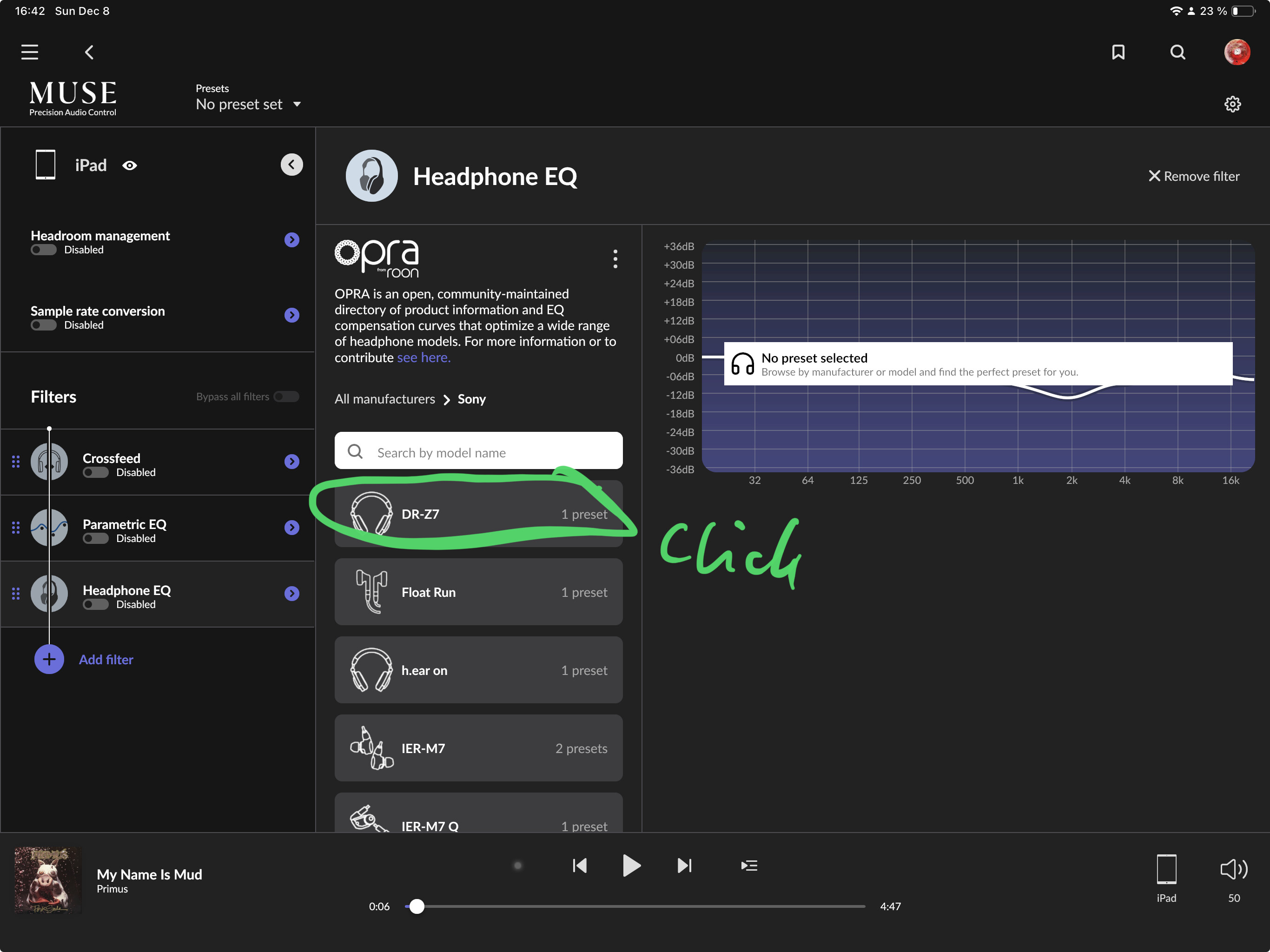
Then I see this and I click a model:
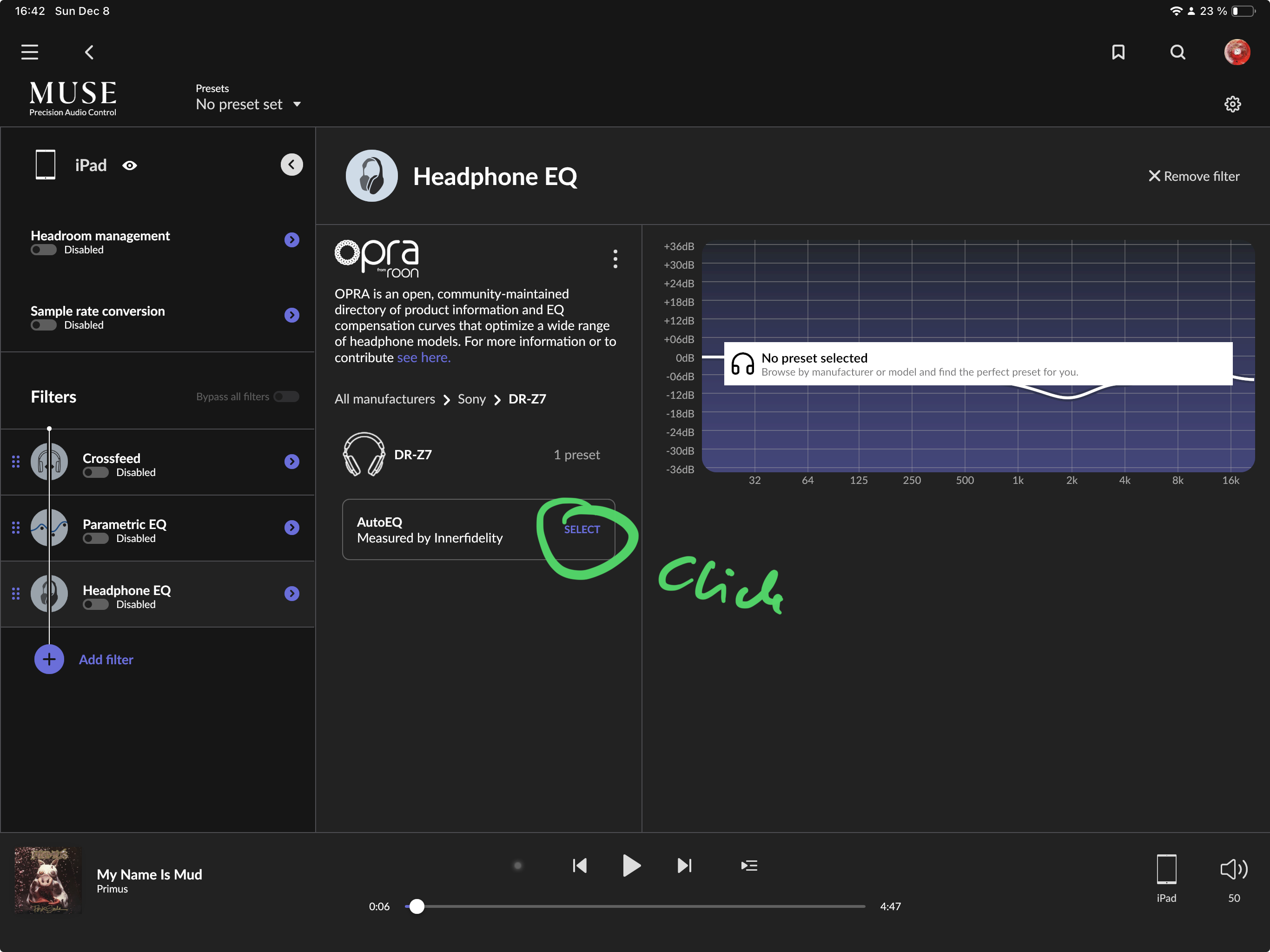
Then I see this and I click Select (but note: I have to click select, I can’t just click the box and have the curve show up without explicitly selecting):
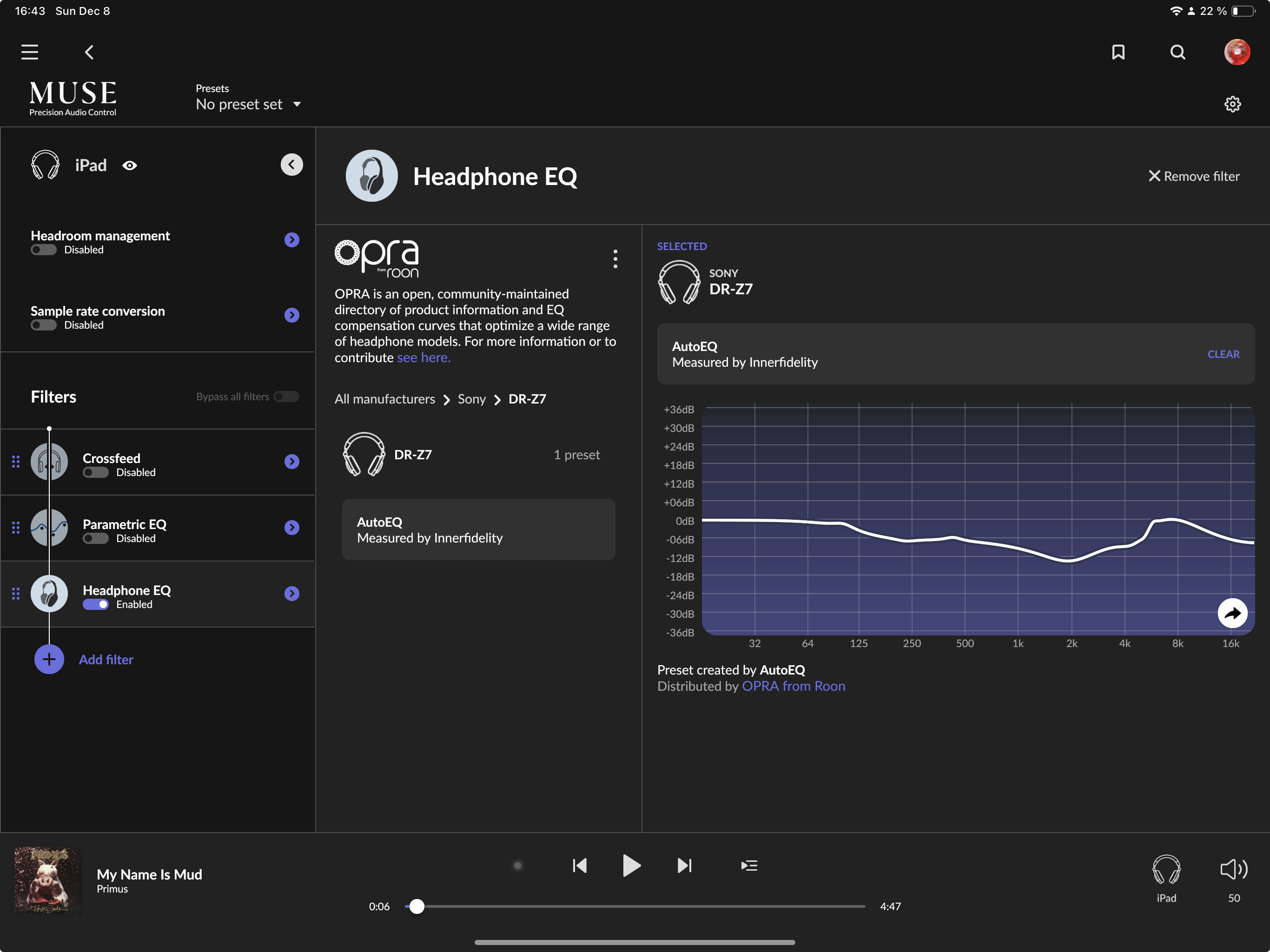
Then I end up like this:
Thanks for the super detailed response……that is the same experience I have, but I know it used to show you the eq when I clicked on it. I didn’t have to hit select to see it.
Good to know it’s not just me.
Anyway, this OPRA stuff is super cool. Right up my tweaker street……all my headphones sound less muddy (clearer) with it on….
I wasn’t quite sure what you meant, so I thought I’d easier to show it all  I get it now but can’t remember if that changed.
Just my findings: I have tried Opra with 3 different inEars / Headphones. With all of them the volume is to low to enjoy music in noisy environments or when I want the real punch. As I read somewhere above, there is an automatically -6dB headroom adjustment which can‘t be changed. Even if the eq curve is just one or two dB increased in some regions, like with my headphones, similar to the screenshot above, it is always -6dB.
Maybe I make something wrong? Or Opra just makes his job wrong. I think such a feature as correcting the eq curve for sure should adjust the volume accordingly to the curve. And therefore every headphone profile must have its own headroom setting.
This doesn’t seem right. Has anyone else noticed this? It seems headroom adjustment in the EQ file would be based on the amount of boost, not some arbitrary number for everything. 
There is no fixed adjustment. Roon reads the profile from OPRA and any pre-gain adjustment is coded into that profile; a setting that is entirely dependent upon the Creator’s prescription
If you’re seeing behavior that challenges this, please let us know.
Thanks!
J