Please test with PCM content. DSD is a world of hurt by itself.
I note that you have Device Volume enabled in Roon.
When using S/PDIF with the WiiM, you were using Fixed Volume. I believe you need to enable volume control over USB on the device. The setting, USB VOLUME CTL, should be set to on.
USD Volume Ctl has been on but I think the default might be off. I did a reset this morning and that was a setting that I changed.
I moved the dac back to a pc and had audio instantly and allowed it to play for a while. There was no problem so I tried the pi4. There was no sound so I tried a pi3 and had audio that would play for a good amount of time. In the past I had switched the two out and had no luck so now the ip on the pi3 is static and it is located in a different location in the network. The ethernet cable and usb cable are new so if there is a network problem remaining the pi4 is new the pi3 is old.
I have another pi that has been working well so I might as well try it and if that is good reflash the pi4.
Have you tried connecting the Raspberry Pi to the same network point used by your Windows PC?
yes I moved everything there. Both pi3s work so I’m reflashing the sd card for the pi4. After the pi4 works by the pc I’ll move it back to where it was.
I reflashed the pi4 and still had no audio. After the pi4 failed I was getting messages when using the pi3 that files were taking too long to load from Qobuz which I believe were slightly higher audio quality. I had changed all of the cables moved to a different switch on the network and reflashed ropieee and decided to reinstall room to try to get back to square one.
The pi4 would play 44.1 16 bit but when I tried 96k 24 bit the dac put out a constant snarl with music in the background. It did the same with 48 24 bit. When I tried 44.1 16 bit it was totally quiet but Roon was doing conversion to 64 bit float then back to 32 bit. I could see it progressing though the songs.
When this happened before it switched from Ethernet to wifi but the ip is static now.
I reflashed a pi3 and played 44.1 16 bit files that are on the server and they played well. I then went to Qobuz and played a few 16 bit files and they were good but when I tried 48 24bit there was a display showing it was playing but no sound. When I went back to the same local files the progress bar stayed at 0. That was the end of playing anything and rebooting everything won’t help.
Hi @Doug_Sadler,
Thank you for the thorough testing, the detail in your last few posts actually narrows this down a lot, so this was time well spent.
Here’s what your results tell us. Your Windows PC plays over USB instantly and indefinitely; the Pi4 plays 44.1/16 cleanly but turns 96/24 and 48/24 into that constant snarl; and the Pi3 shows the same shape, 44.1 fine, 48/24 shows progress with no sound, then wedges.
Since you’ve now disabled WiFi, set a static IP, swapped both cables, moved to the switch by the router, and reflashed RoPieee, across two different Pis, we can confidently set the network aside as the cause. A link problem wouldn’t pass 44.1 cleanly and corrupt only the higher rates. This is a sample-rate negotiation issue on the USB/endpoint side, not the network.
One useful distinction: your working path (Windows) uses TEAC’s ASIO driver, while the Pis use the driverless UAC2/ALSA path. The UD-507 is fully UAC2-compliant and driverless Pi → USB does work for others, so this should be fixable, we just need to see what rate ALSA is actually handing the DAC when the snarl starts.
Could you do the following:
-
In Roon, Settings → Audio → gear on the TEAC zone → Device Setup → Show Advanced: turn off any DSP/volume processing for a clean test (on a 44.1 track you noted Roon converting to 64-bit float and back, so let’s take processing out of the picture), and try setting Max Sample Rate / a fixed rate.
-
Reproduce the snarl on a 96/24 track, and note the exact local date + time and the track name.
-
Send us the RoPieee feedback, if possible: (RoPieee web UI → Advanced → send feedback, and paste the identifier here).
With that timestamp and the Pi feedback, we can look at exactly where the higher-rate handshake is breaking. Thanks Doug, we’ll keep an eye out for your reply.
ed4396ac7b653238
I started testing last night June 25 around 6:00 pm with 44.1/16 files and the pi4 was dead. I could see that the files were playing and when I turned Headroom management off I had sound. I could play files from the local server or Qobuz then tried 44.1/24 and had silence. I could switch back and forth having 16 bit play and 24 bit play with no audio. When I played Boards of Canada Inferno which was 44.1/16 from Qobuz it was quiet but switching to other content worked fine.
At 6:17 I played Hoodies New Jazz Underground at 96/24 and got a snarly audio and the progress bar stayed at 0. After that I was unable to play 44.1/16.
This morning I am able to play 44.1/16 but in the past when it died it stayed dead.
Thanks @Doug_Sadler, we were able to review fresh Roon Server logs that are really useful, and they change the picture from the earlier network theory.
A few things stand out:
-
On the Server side, the UD-507 over RoPieee USB actually plays cleanly. Across that window I see sustained 16/44 and 24/44 playback, and your 24/96 track, New Jazz Underground, “Pseudo latin vibe”, set up at 96kHz, reached the “Playing” state, and ran until it was paused at 0:04. RAAT clock sync stayed healthy the whole time, and there are zero sync failures, LostEndpoint, or lost-connection events for the UD-507 all day.
-
The two “Track Stopped Due to Error” moments (18:11 and 18:18) are not the DAC. Both are preceded by a Qobuz CDN fetch failure on the Server (“failed to open location … IoFailure” on a streaming-qobuz URL). That’s an internet/Qobuz-stream hiccup upstream of the audio path, it would do the same thing to any zone.
-
The IP-flip detail from before (192.168.1.81 vs .93) belongs to a different zone on your Windows machine (“ARCTIC”), not the Pi. The UD-507 endpoint is stable and shows up consistently at 192.168.1.75. So DHCP churn on the Pi isn’t what’s happening here.
The important caveat: the Server logs only see up to the point where RoonServer hands audio to RAAT, they don’t capture what the Pi’s ALSA layer and the TEAC’s USB receiver do with it. So the silence on 24-bit and the “snarl” you heard are happening downstream of where these logs can see, on the Pi/DAC side. That’s the one place we still have no visibility.
So the genuinely useful next step is the RoPieee feedback, which captures the Pi-side ALSA/USB logs at the moment of the snarl. RoPieee web UI → Advanced → Send feedback, then paste the identifier here.
With the timestamp we now have (the 96/24 New Jazz Underground track, ~18:18 on June 25), we can line the two sides up and see exactly what the USB receiver did when the Server thought it was playing fine.
Two quick things in the meantime:
-
For the 24-bit-silent / 16-bit-plays oddity: try a 24/44 local file with Headroom Management and any volume leveling fully off in the TEAC zone’s DSP, and tell us whether it plays. The Server shows it streaming 24/44 fine, so silence there points at the DAC/output stage.
-
Confirm the TEAC’s front-panel input is actually on the rear USB (USB-R) and that its hardware volume isn’t near zero when you switch to headphone out, the logs show device volume sitting at 23, which on some TEAC scales is quite low.
Thanks Doug, once we have that RoPieee feedback we can finally see both ends of the chain.
6dfe77a091a3e70c pi4
I played local files this morning that were 44/16 which played fine 44/24 were silent. I had changed the display to show the sampling frequency and it only displayed 44.1k on 16 bit files.
After playing 24 bit files I received a waiting for roon message and shortly after it played 16 bit files. Twice during my testing with 24 bit the end point changed from ud507 to unnamed. When I played files the progress bar moved. I changed it back to ud507 and it played 16 bit.
While typing this I tried playing the 24 bit file on a pi3 with an iqaudio digi+ and after only 5 or 10 seconds got the waiting for roon message and had to reboot the pc. The pc was nonresponsive.
I then played the 24 bit album on my Denon x6800h and being roon ready it continues to play.
ffd9b29c28995f83 from pi3
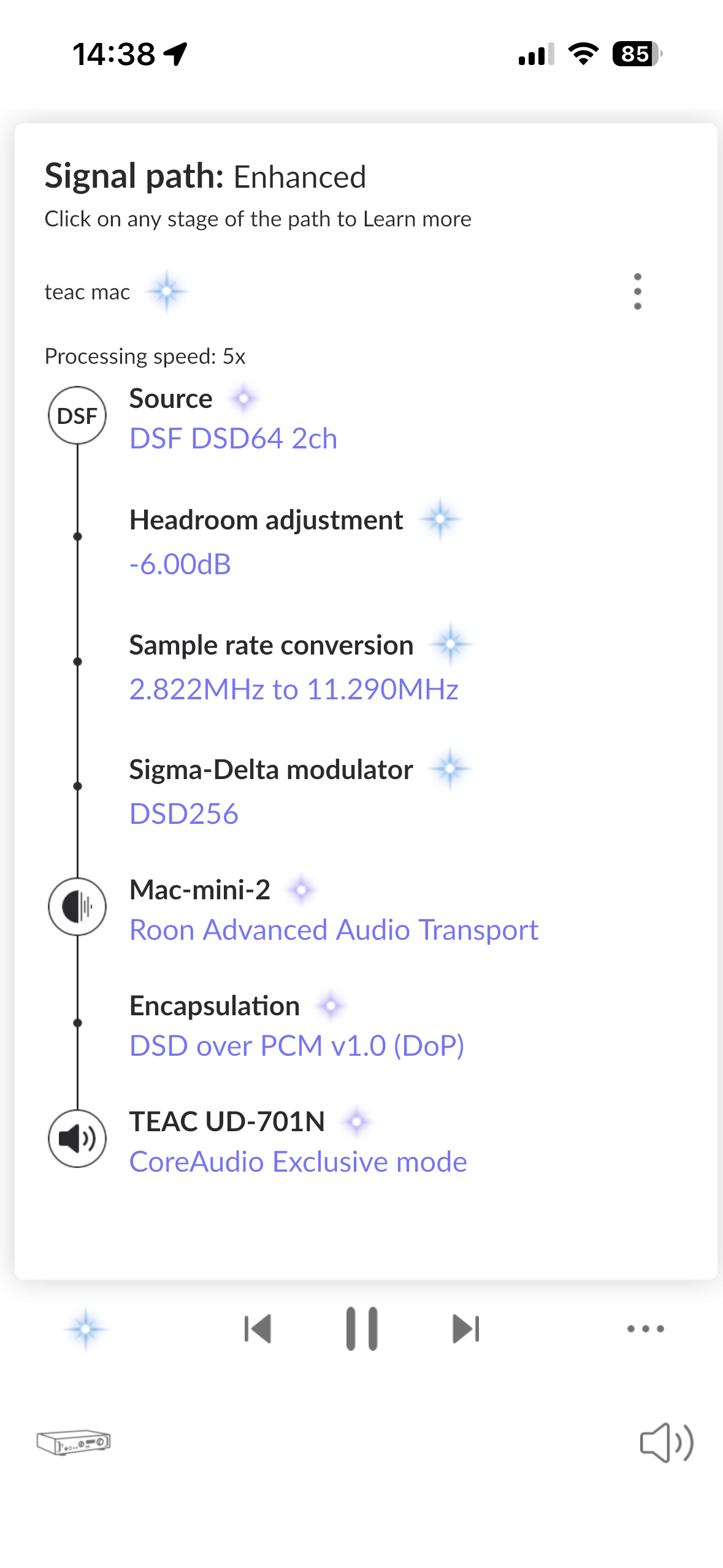
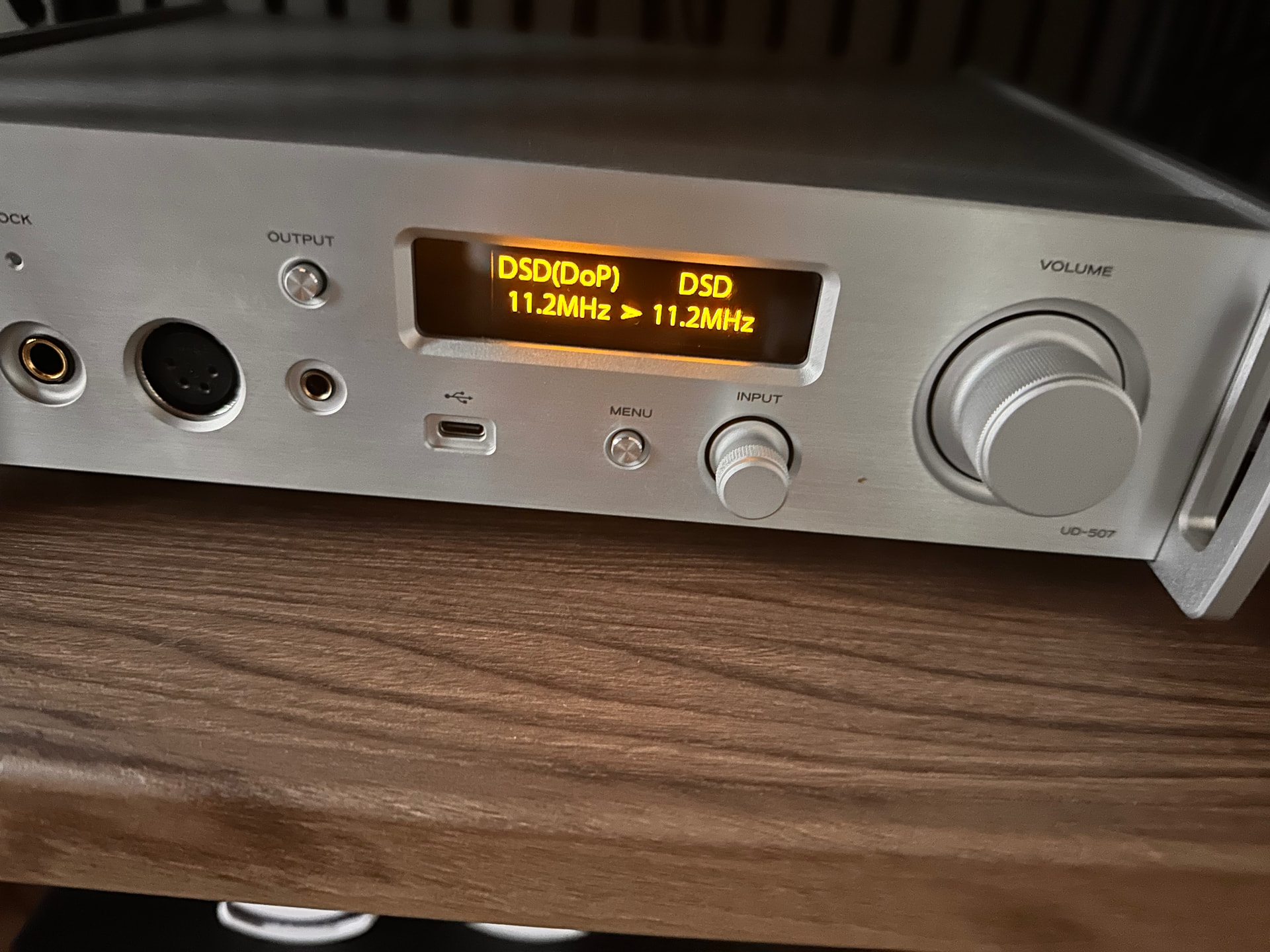
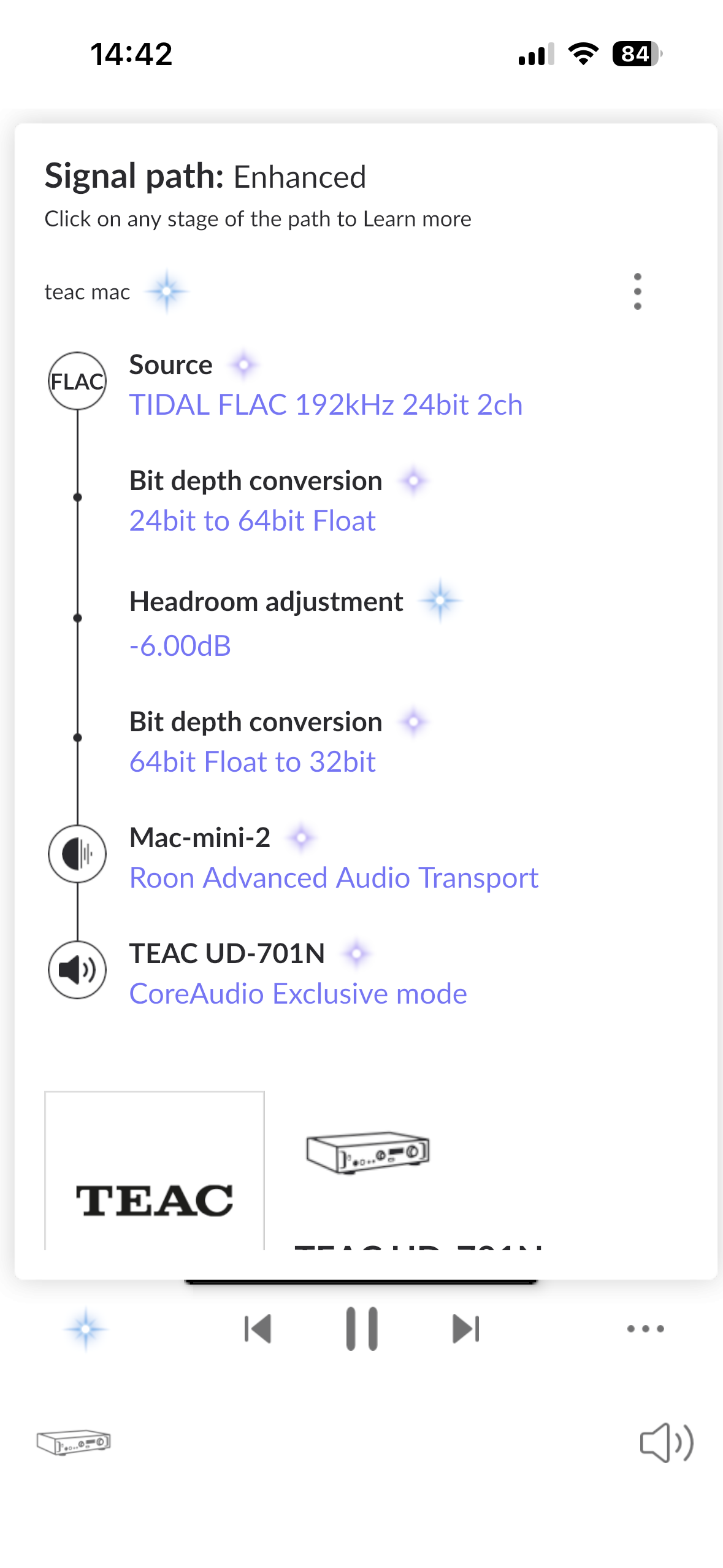
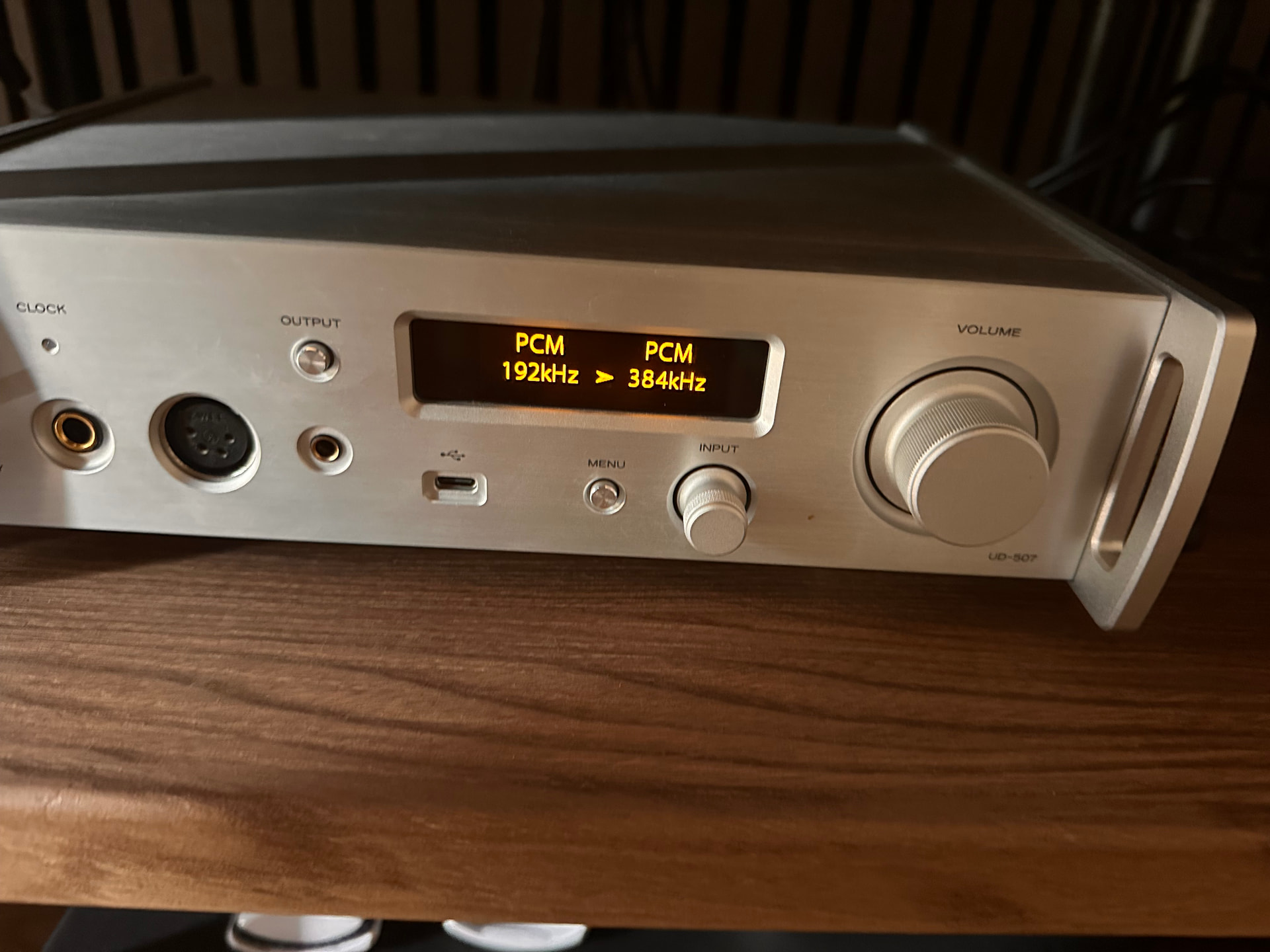
My pc works fine but I had to install a windows driver.
Macs and Linux are supposed to support version 2 of the USB standard (UAC2) without updating drivers. I think Macs must do it better.
Asking @spockfish to assist with the next step suggested by @benjamin.
Since others have the same device working as a UAC2 device, I think it is most likely a configuration issue or the device isn’t UAC2 compliant. However, the ALSA logs should help explain what’s happening.
Nah, either the device is standards compliant or it is not. The Linux kernel is, as a great many Linux users will testify.
The server talks to the pi and can handle higher bit rate and the pi has no issues with the driver so communication to the dac is 100%.
Of the people using UAC2 dacs that work with ropieee how many are TEAC UD-507? Is this a less than 50% failure rate?
Now what do I test?
Send the feedback whenever the issue occurs, without rebooting.
42eab0738ead801b
I played a track that was 44/16 for 45 seconds and it played fine. The next track was 44/24 and the progress bar moves but there is no audio also 45 sec. I did that a few times with the same result.
When I started testing the progress bar was not moving and roon moved through songs then the server hung and I had to reboot the server and pi as well as setup the dac as an end point.
Do you have any idea why your UD-507 shows as a UD-701N in Roon?
Probably the same reason my Chord 2Qute is listed as a Chord Hugo… the exact model isn’t Roon Tested, and the alternative has the same specifications. @MarcMarc?
The images are of the UD-507.
Update (January 28)
We have released the following updated apps and drivers to address the issues described below.
If you are using macOS Tahoe, please use the latest software listed below.
TEAC HR Audio Player V1.0.0.23
TEAC USB DRIVER V1.0.10
Drivers can be obtained from the download page for each model.
-----------------------------------------------------------------
We are currently conducting compatibility testing of our audio products with macOS Tahoe, recently released by Apple.
At this time, several issues have been identified in which both the hardware and software components of our audio products do not operate correctly on macOS Tahoe. Our engineering team is actively investigating the causes and working on application updates to address these issues.
We kindly ask users not to update to macOS Tahoe at this time.