Network Details (Including networking gear model/manufacturer and if on WiFi/Ethernet)
Wifi
Audio Devices (Specify what device you’re using and its connection type - USB/HDMI/etc.)
USB
Description Of Issue
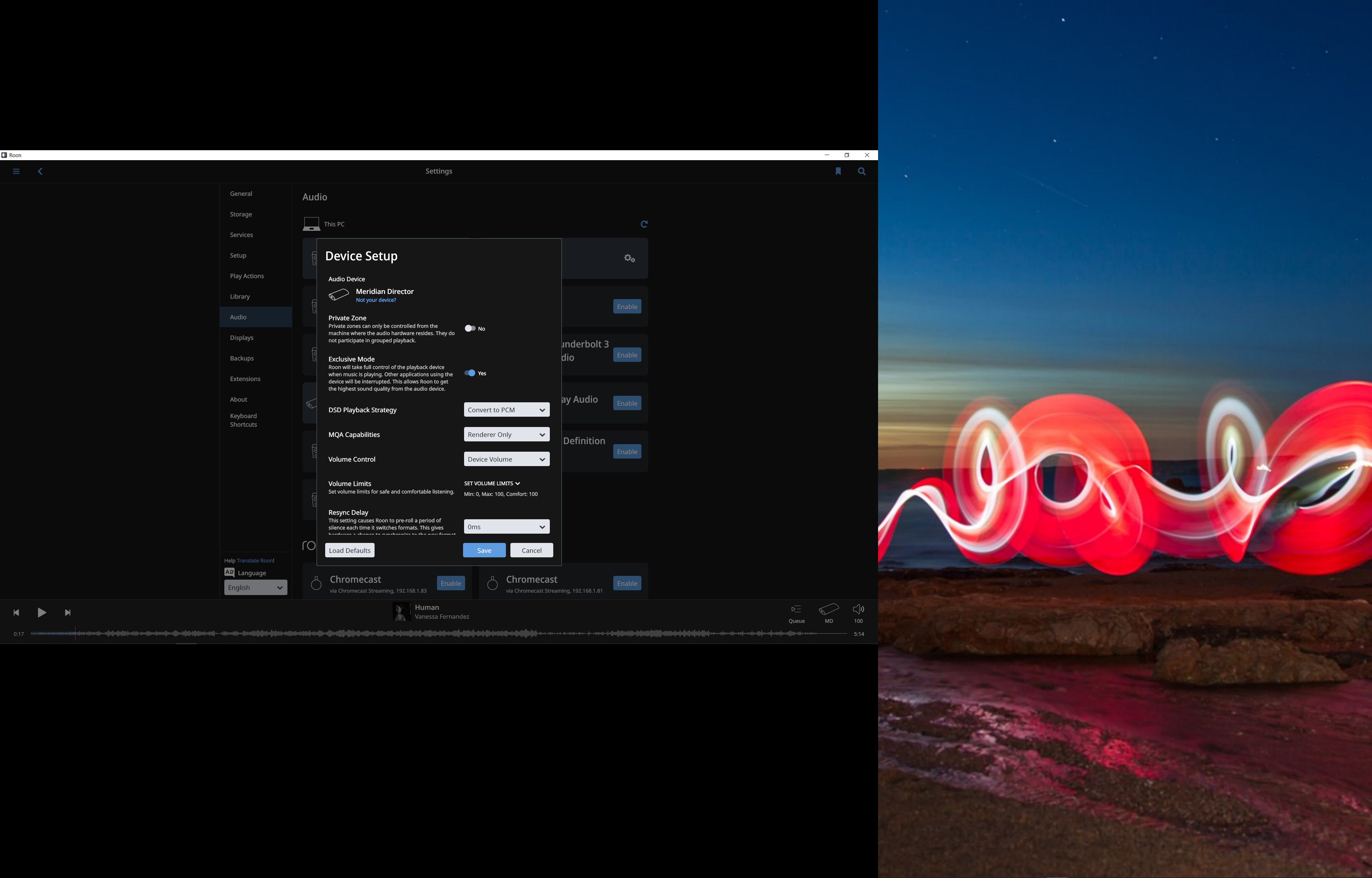
Hey, does anyone have an issue with using their dac in exclusive mode? The lights are changing (to reflect bitrate) and the song is playing. However, if the song is above 16/44 there is no sound. The bitrate still shows 24/96 etc on the DAC. However, switching back to 16/44 after playing a 24 bitrate track Roon says “unable to initialize audio device”.
If I do not use exclusive mode and let windows 10 control the sound output, no matter what song I play (24/96, 192 etc) the light stays at 16/44 (or the sample rate I set it in Windows control panel) but now there is sound.
AFAIK you can’t have both, the speakers controlled by the system mixer and controlled by Roon at the same time. If you tell Roon to use the speakers in exclusive mode, you should use a different audio device as system output – for example: when you connect a pair of speakers via USB for Roon, set the system output (default device that is controlled by the mixer) to the internal sound card.
I tried your suggestion but still getting the same issue.
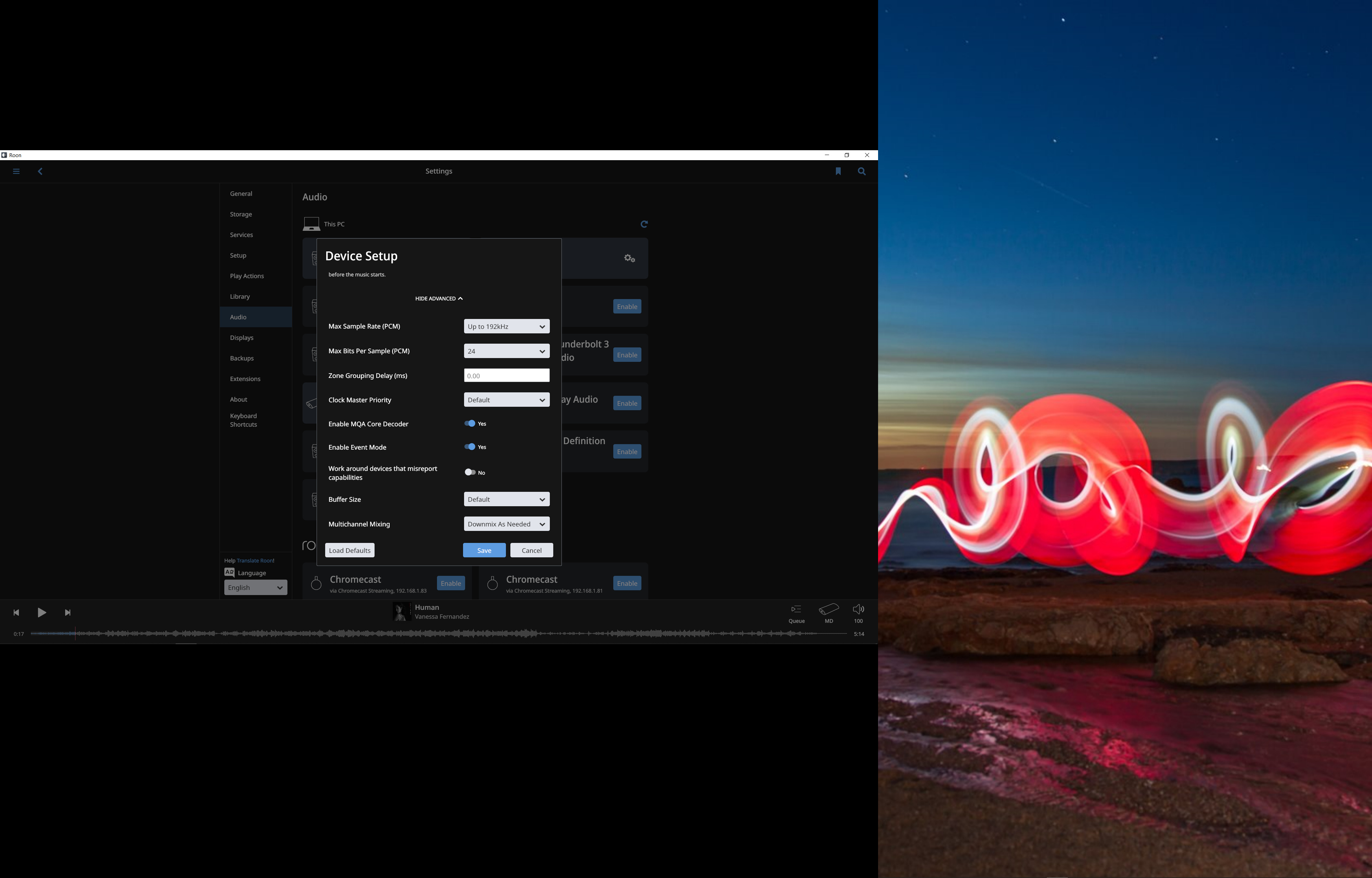
With WASAPI, I can only get 16/44. Anything over the song will play on Roon and the bitrate will show on my DAC but no sound output. When I try to change to another song it says failed to initialize audio device…
If I do not use WASAPI/Exclusive mode, I can play everything fine but the final source chain says “OS Mixer”. I believe this will degrade the sound quality.
Are you using the USB Drivers from Meridian? Are you using a standard USB cable? Can you post screen shots of the Audio Device settings page so support can see how it is set currently. Also, a post of your Audio Device page showing the Meridian DAC listed, would be great as well!
Hey, Meridian states that Windows 10 does not require any drivers. I tried downloading the drivers anyways just to see but there seems to be compatibility issues with the drivers on Windows 10.
I am using a USB A to B cable from Audioquest (Cinnamon).
I am having the same issue with the Tidal App as well (with exclusive mode). So my assumption is not an issue with Roon but rather a Windows Software or Hardware issue with the DAC itself.
Thank you for your help!
James_I
(The truth is out there but not necessarily here)
6
Do you have Realtek drivers installed for your motherboard audio? That can cause conflicts and I had that problem on my kids’ machine.