Issues connecting Roon Server from multiple remotes (ref#TJ47DD)

Is Roon Server running?

· Yes, Roon Server is turned on and running.

What do you see on your screen?

· "Waiting for your Roon Server"

What happens if you press the "Select a different Roon Server" button?

· I don't see Roon Server.

Please try to restart your Roon Server by closing the Roon app in the taskbar or rebooting your Roon Server machine.

· No, the issue remains the same

Please try to restart your network setup by unplugging, waiting 30 seconds and then replugging in your networking gear.

· No, the issue remains the same

Please select how you've connected your Roon Server to the internet

· Roon Server is connected by *Ethernet*

Have you checked your firewall settings to ensure that Roon is allowed through?

· Roon still won't connect even after checking this aspect

Have you verified that Roon Server is on the same subnet as your Remotes?

· My Remotes and Server are on the same subnet and I still can't connect

Sometimes the issues can be resolved with a reinstall of your Roon Remote app. Let's try to perform a reinstall and see if it helps.

· I've reinstalled the Roon Remote but it did not help

What is the operating system of your Roon Server host machine?

· *Nucleus*

Select any of the following components that are present in your local network setup

· *Mesh networks*

You mentioned a mesh network in your setup. Certain common mesh networks might require slight reconfiguration to support Roon.

· None of the above

Describe the issue

Roon connection from Se

Hi @Dennis_Dort,

Thanks for reaching out to us about this issue. I went ahead and activated diagnostics on your account, and from what I can see, there appear to be several network-related issues. It also looks like your Nucleus might not be receiving a local IP address.

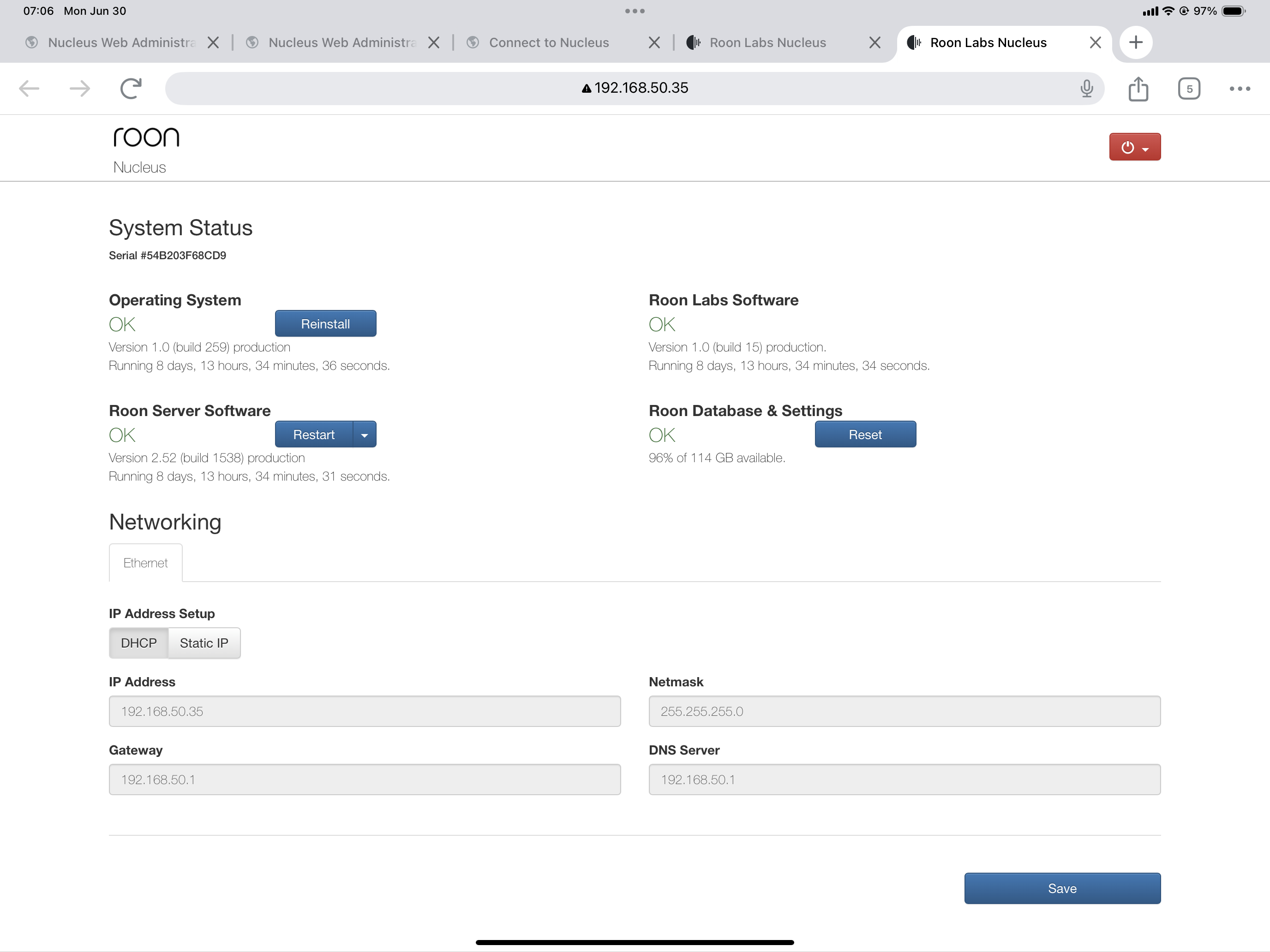
When you have a moment, could you please send us a screenshot of the Web Administration page for your Nucleus? If you need help accessing that page, you can follow the steps outlined in this article.

We’ll be happy to take a closer look once we have that information.

Thanks for sending that over @Dennis_Dort! All looks ok - and it does look like your Nucleus is getting an IP.

How is it connected to your primary router specifically? You mention a mesh network above - are you able to temporarily simplfy things and get a direct ethernet connection to between the two devices, and see if you still have issues?

Thank you! :raising_hands:

Not sure how this happened, but…After fumbling a bit, I restored the original connections (modem to router to Nucleus… or is it the other way round?) and got some stirrings of success but not complete. I decided to set everything up again and your system seemed to think I was trying to set up another local server. When I apologized for that, did an incantation, and sprinked the floor with chicken blood, my macBook was connected to the Nucleus by wifi.
Thanks. Dealing with the electonically unsophisticated must be a real challenge.

Hey @Dennis_Dort,

That’s excellent news! We’ll go ahead and mark your above response as a solution, but the thread will remain open for another day in case you run into additional issues. :+1:
This topic was automatically closed 24 hours after the last reply. New replies are no longer allowed.