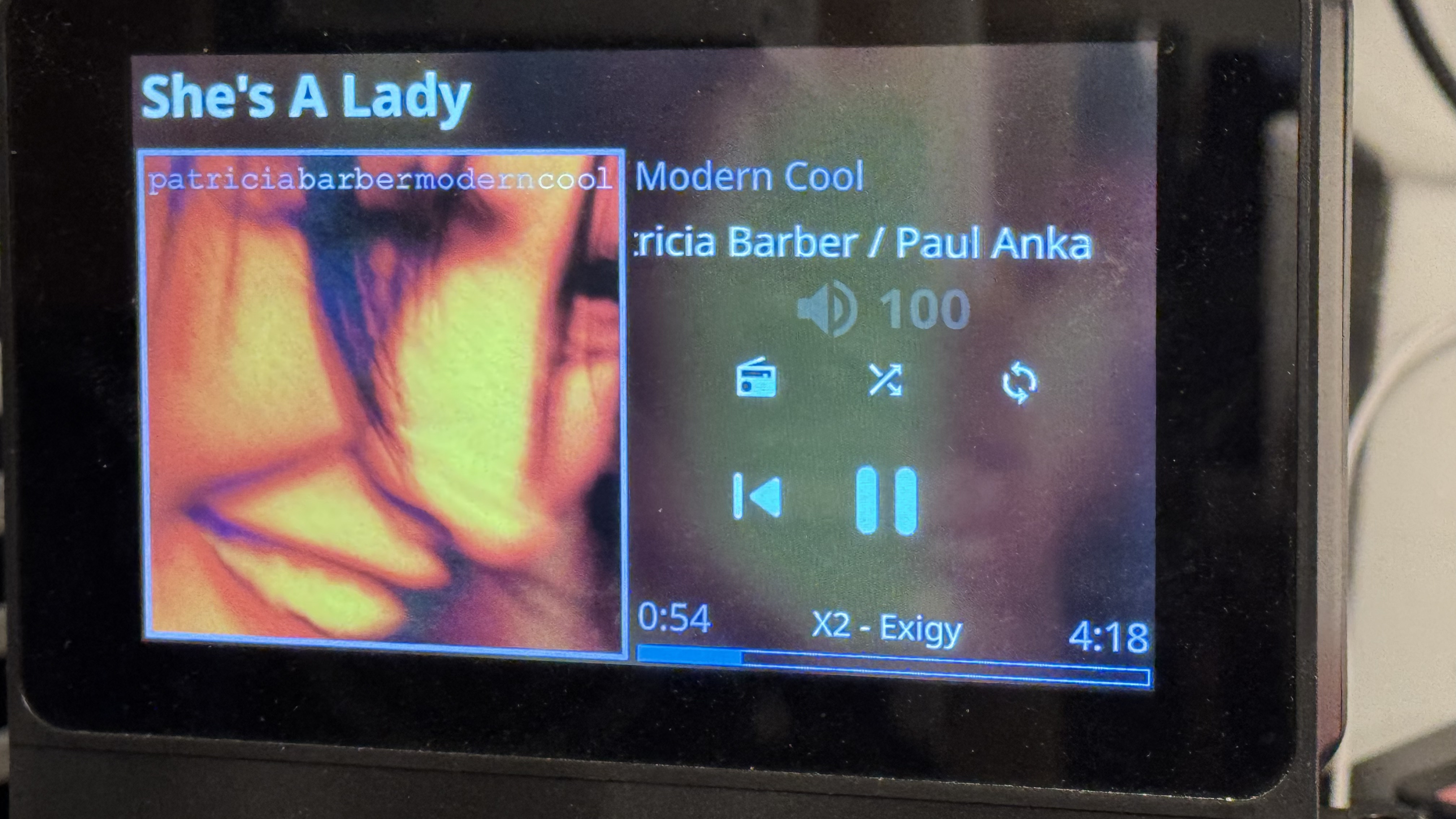
On the iPhone it works a little differently: in portrait, cover and text swap top and bottom (in landscape left and right, like on the iPad). You’ll see it after 5 minutes in display mode – make sure Settings › Display Mode › Screen During Playback is set to “Stay On”, otherwise the iPhone may lock before that.
Thanks Michael, great to hear! That’s a nice idea and it fits well with the burn-in option – I’ve put it on the list and I’m looking into an option to align the text and progress bar with the top, center or bottom of the cover. I’ll let you know when it’s in a build.
Thanks Joe! I’d love that too – unfortunately Roon doesn’t share the waveform with extensions like Klangbild. Through the API I only get the track length and position, not the waveform data, so I could only draw a “fake” wave that has nothing to do with the actual music. I’d rather not do that. If Roon ever opens this up, it’s the first thing I’ll add.
I noticed something this afternoon while listening to Led Zeppelin II using Klangbild. The text was washed out and unreadable when the background was set to blurred album cover. The text rested on top of the white/cream part of the album cover, which was blurred in the background. I couldn’t see the text because they were virtually similar colors. Not sure if anything can be done about that, just FYI I guess.
New builds for the weekend – iPad/iPhone build 6 and Apple TV build 16
iPad & iPhone
• No Apple TV needed: mirror your iPhone or iPad to any AirPlay TV (Control Center › Screen Mirroring) and the TV shows its own full-screen now-playing display – cover, track, progress, clock – while your device stays the remote. Works with an Apple TV too, and the burn-in protection is on board for OLED TVs.
• New app icon, with a dark variant for dark home screens.
• Small fix: the Play button is readable again with the Neutral accent color.
Both apps
• Text Alignment (Settings › Now Playing): line up the track info and progress bar with the top, center or bottom of the cover. Thanks @Michael_Roche for the idea!
• Two smaller text sizes: Small and Medium.
• Text stays readable on covers with bright patches – thanks again @Michael_Roche for the Led Zeppelin II report.
• Profiles get a small initials avatar instead of the music note.
Have a great weekend with it! And the beta is still open – if you know someone with Roon and an Apple TV, iPad or iPhone, feel free to share the link: Join the Klangbild beta - TestFlight - Apple
Thanks Steve, glad you like it! Yes – once it’s stable and the feedback from the beta has settled, Klangbild will go to the App Store. The plan is a small one-time purchase, no subscription, and one purchase covers Apple TV, iPad and iPhone (Family Sharing included). Until then, the TestFlight beta stays open, and the beta testers who helped shape the app will get a little thank-you at launch.
Thanks, looking forward to the side by side! As far as I know, the waveform isn’t part of Roon’s public extension API – RoPieee’s progress bar is a regular one, I think. The only way I’ve seen it done is by tapping into Roon’s own web display with a hidden browser, which is unofficial and could break with any Roon update, so not something I’d want to put into an App Store app. But if RoPieee has found a proper way, I’m very happy to be proven wrong!
Ah, got it – sorry, I mixed that up! Artist and album already scroll when they’re too long; the title wraps to two lines at the moment. A side by side would be really helpful, so I can see exactly which layout you mean – then I’ll see what fits into Klangbild.
is there any chance to use Tailscale? My Roon server (MacMini) is in my office and at home I use Roon Arc via Tailscale (avoids endless „discussions“ with my Fritz.box ).
Obviously it would be very nice to have a Roon interface on the AppleTV.
Thanks a lot, Michael – that’s great to hear, and very kind of you! Since you have all three: with the latest build you can also mirror the iPhone or iPad to a TV via AirPlay, and the TV gets its own full-screen now-playing display. Enjoy it whenever you find the time, and let me know if anything comes up!
Thanks a lot! Technically it should work: Klangbild can connect to a Roon Core by IP address, so with Tailscale on the Apple TV you could enter your Mac mini’s Tailscale address (100.x.x.x). I haven’t tested it over Tailscale myself yet, so I’d be very interested to hear if it works.
One important difference to Roon Arc though: Klangbild is a remote and now-playing display, not a player. Arc streams the music to your phone, while Klangbild controls the zones that are connected to your Core. So at home it would show and control the zones in your office – it doesn’t play music through the Apple TV itself. If you have a Roon zone at home that’s connected to the Core in your office, it would be a great remote for that.
Thank you, Michael – and thanks for your ideas! Both the text alignment and the fix for the Led Zeppelin II cover came straight from your posts. Feedback like yours makes Klangbild better.
 That’s a nice idea and it fits well with the burn-in option – I’ve put it on the list and I’m looking into an option to align the text and progress bar with the top, center or bottom of the cover. I’ll let you know when it’s in a build.
 – iPad/iPhone build 6 and Apple TV build 16

 ).